
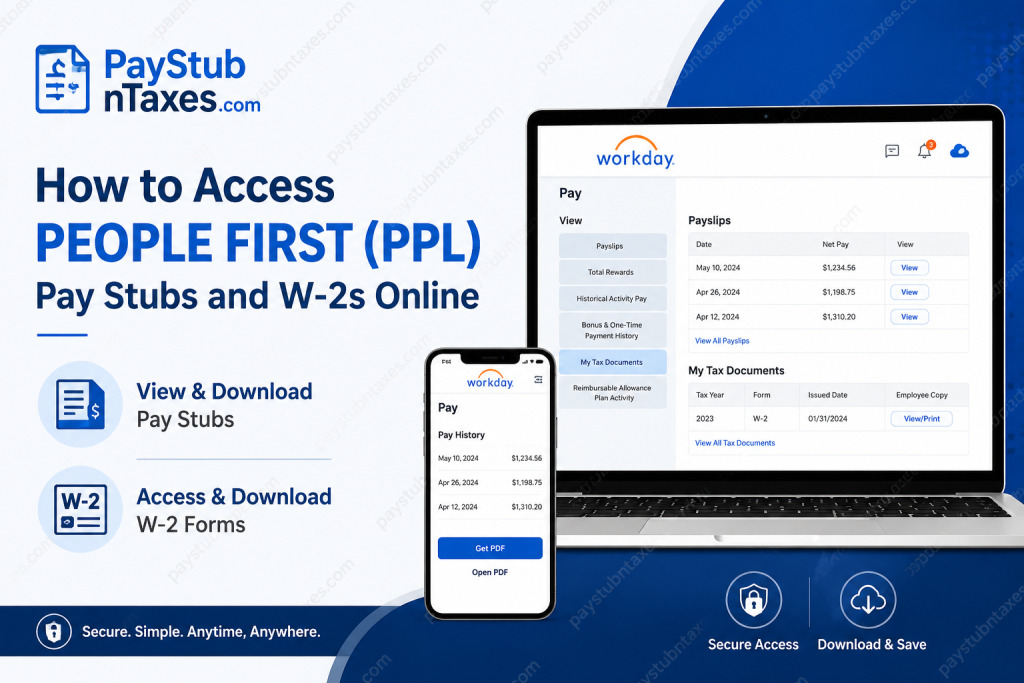
Managing payroll documents should never feel like navigating a maze. Whether you need a recent pay statement for a loan application or your W-2 form to file your taxes, Public Partnerships LLC (PPL) has streamlined the process through its Workday platform, allowing employees to access essential payroll information securely and conveniently. This guide explains everything you need to know about accessing your PPL pay stubs and W-2 forms online, including login instructions, mobile access, and troubleshooting tips.
About Public Partnerships LLC (PPL)
Public Partnerships LLC (PPL) is one of the nation’s leading providers of self-directed care services. The company works with state Medicaid programs and other government-funded initiatives, enabling individuals to choose their caregivers and receive care in the comfort of their homes. Serving more than 700,000 participant and caregiver relationships across multiple states, PPL plays a pivotal role in simplifying the administration and financial management of self-directed care programs.
By leveraging innovative technology, PPL manages caregiver enrollment, payroll processing, timesheet tracking, and tax administration, ensuring that participants and caregivers receive efficient, reliable support.
Can You Still Access Pay Stubs and W-2s Through the Better Online Portal?
No. PPL has officially discontinued online access to payroll documents through the Better Online portal. Employees can no longer retrieve pay statements or tax forms through that system.
Instead, all payroll-related activities, including electronic pay statements and W-2 forms, are now hosted on the Workday Employee Portal.
Additionally, annual W-2 forms are mailed to employees at the address currently on file.
PPL Workday Employee Login
Employee Portal: https://wd1.myworkday.com/publicpartnerships/
Current employees should sign in using their Microsoft Single Sign-On (SSO) credentials.
After entering your company email address and password, you will be directed to your personalized Workday dashboard where payroll information and tax documents are stored.
How to Access Your PPL Pay Stubs Online
Accessing your pay statements in Workday is a straightforward process.
Step 1: Log In to Workday
Visit the PPL Workday portal:
https://wd1.myworkday.com/publicpartnerships
Sign in using your Microsoft SSO account.
Step 2: Open Your Profile
After logging in:
- Click your profile icon.
- Select View Profile.
Step 3: Navigate to Pay
Inside your profile:
- Click the Pay section.
- Select the Payslips tab.
Step 4: View Your Payslip
A list of available pay statements will appear.
Choose either:
- View
to open the desired payslip.
Step 5: Download Your Pay Stub
Once the payslip opens:
- Select the PDF icon.
- Click Download to save a copy to your device.
Your pay statement can then be printed or stored electronically for future reference.
How to Access PPL Pay Stubs on the Workday Mobile App
Employees who prefer managing payroll documents on their smartphones can use the Workday mobile application.
Step 1: Open the Workday app and sign in.
Step 2: From the home screen, tap: Pay
If the Pay application is not immediately visible, tap: View All
Step 3: Under Pay History, select the payslip you wish to review.
Step 4: Tap Get PDF. The system will generate a downloadable copy of your payslip.
Step 5: Select Open PDF.
Step 6: Choose your preferred storage location and save the file to your mobile device.
This feature allows employees to access payroll records anytime and anywhere, making it particularly convenient during tax season or when employment verification documents are required.
How to Access Your PPL W-2 Online
Workday also provides secure access to annual tax forms.
Step 1: Log in to the Workday portal.
Step 2: Select the Pay worklet.
Step 3: Under the View section, click: My Tax Documents
Step 4: Locate your W-2 form. Under Employee Copy, select: View/Print
Step 5: The system will generate your W-2 document.
You may either:
- Wait for the document to generate immediately, or
- Select Notify Me Later, and a download link will be sent to your notifications center.
Step 6: Download or print your W-2 for your tax records.
Can You Receive Your W-2 Electronically?
Yes. Employees may elect to receive electronic tax documents through Workday.
Under My Tax Documents, select:
Edit Printing Elections
You can then choose whether to receive:
- Electronic copies only; or
- Both electronic and paper copies.
Electronic delivery provides quicker access to tax documents and eliminates the risk of postal delays.
What If You Did Not Receive Your W-2?
If your W-2 has not arrived or your mailing address has changed, contact PPL’s tax support team immediately.
Email: ppltaxquestions@pplfirst.com
The support team can assist with:
- Missing W-2 forms
- Incorrect mailing addresses
- Duplicate copies
- Tax document inquiries
- Payroll-related questions
Common Reasons You Cannot Access Workday
If you’re experiencing login issues, consider the following possibilities:
Incorrect Microsoft Password
Reset your password through your company’s Microsoft account recovery process.
Browser Cache Issues
Clear your browser cache and cookies before attempting to log in again.
Expired Employment Access
Former employees may have limited portal access depending on company policy.
Incorrect Username
Ensure you are using your PPL email address and not a personal email account.
System Maintenance
Occasionally, Workday may undergo scheduled maintenance, temporarily limiting access.
Benefits of Accessing Pay Stubs and W-2s Online
Using Workday for payroll management offers several advantages:
- 24/7 access to payroll documents
- Faster retrieval of tax forms
- Secure document storage
- Mobile accessibility
- Easy downloading and printing
- Reduced paperwork
- Convenient record keeping for loans, rentals, and tax filing
In today’s increasingly digital workplace, having payroll information at your fingertips is not merely a convenience—it is an indispensable tool for managing your financial life efficiently.
Frequently Asked Questions
1. What is the PPL Workday login website?
The official PPL Workday portal is https://wd1.myworkday.com/publicpartnerships/.
2. How do I log in to my PPL employee account?
Current employees must sign in using their Microsoft Single Sign-On (SSO) credentials.
3. Can I still use the Better Online portal to access my pay stubs?
No. The Better Online portal has been discontinued for payroll document access.
4. Where can I find my pay stubs in Workday?
After signing in, go to Profile > Pay > Payslips.
5. Can I download my PPL pay statements?
Yes. Pay statements can be downloaded and saved as PDF files.
6. Can I access my pay stubs from my mobile phone?
Yes. The Workday mobile app allows employees to view and download payslips.
7. How do I access my W-2 form online?
Navigate to Pay > My Tax Documents > View/Print in Workday.
8. Are PPL W-2 forms mailed?
Yes. W-2 forms are mailed to the employee’s address on file.
9. Can I receive my W-2 electronically?
Yes. Employees can elect electronic delivery through Workday’s printing preferences.
10. What should I do if I forgot my Workday password?
Use your organization’s Microsoft password recovery process or contact your IT department.
11. Why can’t I log into Workday?
Common reasons include incorrect login credentials, browser issues, system maintenance, or expired access.
12. What should I do if my W-2 never arrives?
Contact PPL’s tax support team at ppltaxquestions@pplfirst.com for assistance.
13. Can former employees access Workday?
Access for former employees may vary depending on company policy and account status.
14. Is Workday secure for viewing payroll information?
Yes. Workday uses enterprise-grade security and authentication to protect employee data.
15. Why should I download and save my pay stubs?
Keeping copies of your pay statements is helpful for tax filing, employment verification, mortgage applications, and personal financial records.

