
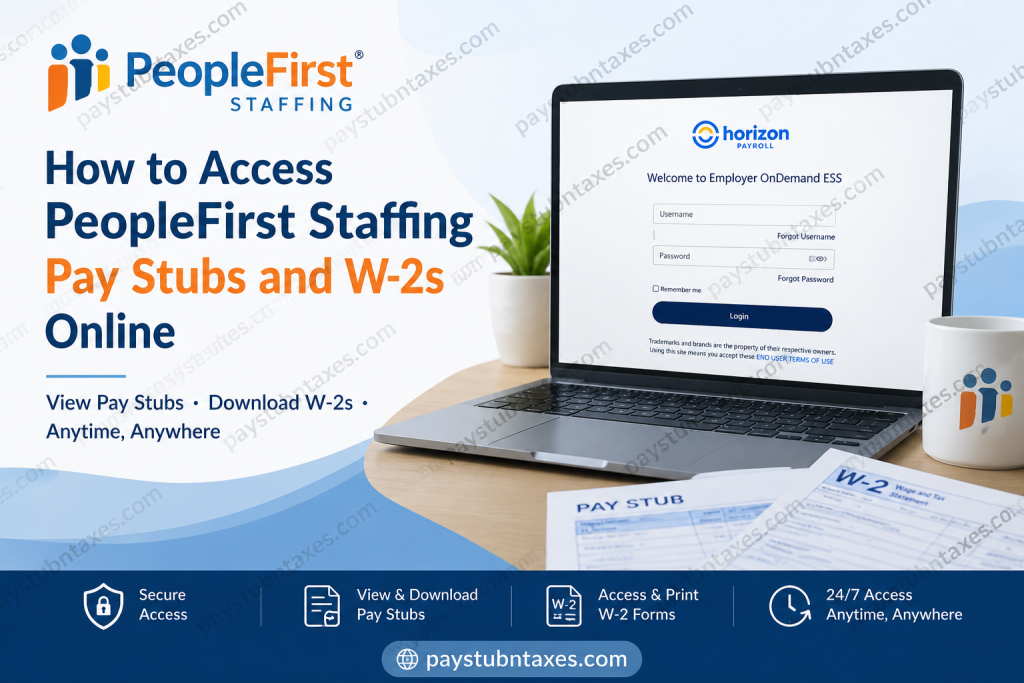
Managing your payroll records should be straightforward, secure, and available whenever you need them. Fortunately, PeopleFirst Staffing provides employees with convenient online access to pay stubs and annual tax forms through the Employer OnDemand Employee Self-Service (ESS) Portal. Whether you need proof of income, want to review your deductions, or are preparing your tax return, the portal places your payroll information at your fingertips. With more than three decades of experience serving employers and job seekers throughout Cincinnati, Dayton, Silverton, and West Chester, PeopleFirst Staffing remains committed to putting people first—extending that philosophy to the way employees access and manage their payroll information.
What Is the PeopleFirst Staffing Employee Self-Service Portal?
The Employer OnDemand Employee Self-Service (ESS) platform is an online payroll management system that allows employees to:
- View and download pay stubs
- Access and print W-2 tax forms
- Review payroll history
- Verify earnings and deductions
- Access payroll information anytime and anywhere
- Update login credentials and manage account access
The portal is available 24 hours a day, providing employees with a secure and efficient alternative to paper payroll documents.
Employee Self-Service Login Portal:
https://selfservice.employerondemand.com/Login.aspx?PL=20101059
How to Register for PeopleFirst Staffing Employee Self-Service
Before you can access your pay stubs or W-2 forms online, you must complete your registration through PeopleFirst Staffing.
Step 1: Complete Registration in the Office
New employees receive portal access after their onboarding process is completed.
Step 2: Watch for Two Emails
After registration, you will receive two emails from: donotreply@employerondemand.com
The emails include:
- A registration link (valid for 30 days)
- A temporary password
If you cannot find the emails, check your:
- Spam folder
- Junk mail folder
- Promotions folder
If the emails never arrive, contact PeopleFirst Staffing directly for assistance.
How to Log In to Your PeopleFirst Staffing Pay Stub Portal
Follow these steps to sign in:
Step 1: Visit: https://selfservice.employerondemand.com/Login.aspx?PL=20101059
Step 2: Enter your:
- Username
- Password
Step 3: Click Login.
Step 4: You will be redirected to your Employee Self-Service dashboard.
The login process and first-time setup instructions are outlined in the Employer OnDemand onboarding guide.
How to View Your Pay Stubs Online
Once logged in:
- Navigate to Payroll or Pay History.
- Select the pay period you wish to review.
- Open the electronic pay stub.
- Download or print a copy for your records.
The portal maintains payroll history, allowing employees to retrieve previous earnings statements whenever necessary.
Understanding Your PeopleFirst Staffing Pay Stub
A pay stub contains much more than your net pay. It provides a detailed snapshot of your earnings and deductions, helping you understand precisely where your money goes each pay period.
Your pay stub generally includes:
- Gross earnings
- Regular and overtime hours
- Federal income tax withholding
- State and local taxes
- Social Security and Medicare deductions
- Benefit deductions
- Retirement contributions
- Net pay (take-home pay)
- Year-to-date earnings
Understanding these components can help you budget effectively and identify any payroll discrepancies promptly.
How to Access Your W-2 Online
To retrieve your W-2:
Step 1: Log in to the Employee Self-Service portal.
Step 2: Select Tax Forms or W-2 Forms.
Step 3: Choose the appropriate tax year.
Step 4: View, download, or print your W-2.
Keeping an electronic copy of your W-2 makes filing taxes significantly easier and ensures you have access to historical tax documents whenever needed.
Forgot Your Password?
If you forget your password:
- Select Forgot Password on the login page, if available.
- Follow the instructions to reset your credentials.
PeopleFirst Staffing also advises employees to contact the office directly if they need assistance resetting their password.
What If You Never Received Your Registration Email?
If your registration link or temporary password does not arrive:
- Check your spam or junk folder.
- Verify that your email address on file is correct.
- Contact PeopleFirst Staffing for assistance.
Employment Verification Information
If you require employment verification:
- Obtain the required form from your local Job and Family Services office.
- Complete your portion of the form.
- Submit the document to PeopleFirst Staffing.
Office Hours:
Monday – Friday
8:00 a.m. – 5:00 p.m.
PeopleFirst Staffing Contact Information
Cincinnati Office
Phone: (513) 794-5039
Dayton Office
Phone: (937) 281-5000
Email: applicants@peoplefirststaffing.com
Rapid! Pay Card Access
Employees using the Rapid! Pay Card may manage their card and account online through: https://www.rapidfs.com
Benefits of Using the Employee Self-Service Portal
Using Employer OnDemand offers several advantages:
- Instant access to payroll records
- Secure online document storage
- Faster access to W-2 forms
- Reduced paperwork
- Easy proof of income for loans and rentals
- Convenient access from virtually anywhere
In today’s increasingly digital workplace, having immediate access to payroll information is not merely convenient—it is indispensable.
Final Thoughts
PeopleFirst Staffing has streamlined payroll management by offering employees secure online access to their pay stubs and W-2 forms through the Employer OnDemand Employee Self-Service portal. Whether you need to verify income, prepare your taxes, or simply review your earnings history, the portal makes the process remarkably simple and efficient. By keeping your login credentials secure and regularly reviewing your pay statements, you can stay informed about your earnings and maintain greater control over your financial well-being.
Frequently Asked Questions (FAQs)
1. How do I access my PeopleFirst Staffing pay stubs?
Log in to the Employer OnDemand Employee Self-Service portal and select your pay history.
2. Can I print my pay stubs?
Yes. The portal allows you to download and print your pay statements.
3. Where can I find my W-2?
Your W-2 is available under the Tax Forms section of the portal.
4. Is the portal available 24/7?
Yes, employees can access the portal anytime.
5. What if I forgot my password?
Contact PeopleFirst Staffing for password reset assistance.
6. What if I never received my registration email?
Check your spam folder and contact the office if necessary.
7. Do former employees have access to their payroll records?
Former employees should contact PeopleFirst Staffing for assistance.
8. What information appears on my pay stub?
Earnings, taxes, deductions, and net pay information.
9. Can I access my payroll information on a mobile device?
Yes, the portal is accessible through most mobile browsers.
10. Is there a fee to use Employee Self-Service?
No. The service is provided to employees at no cost.
11. Can I download previous pay stubs?
Yes, historical payroll information is generally available.
12. Why should I keep copies of my pay stubs?
They serve as proof of income and assist with financial planning.
13. How do I obtain employment verification?
Complete the required form and submit it to PeopleFirst Staffing.
14. Who do I contact for payroll issues?
Contact the Cincinnati or Dayton office.
15. Is my payroll information secure?
Yes. Employer OnDemand uses secure login procedures to protect employee data.

