
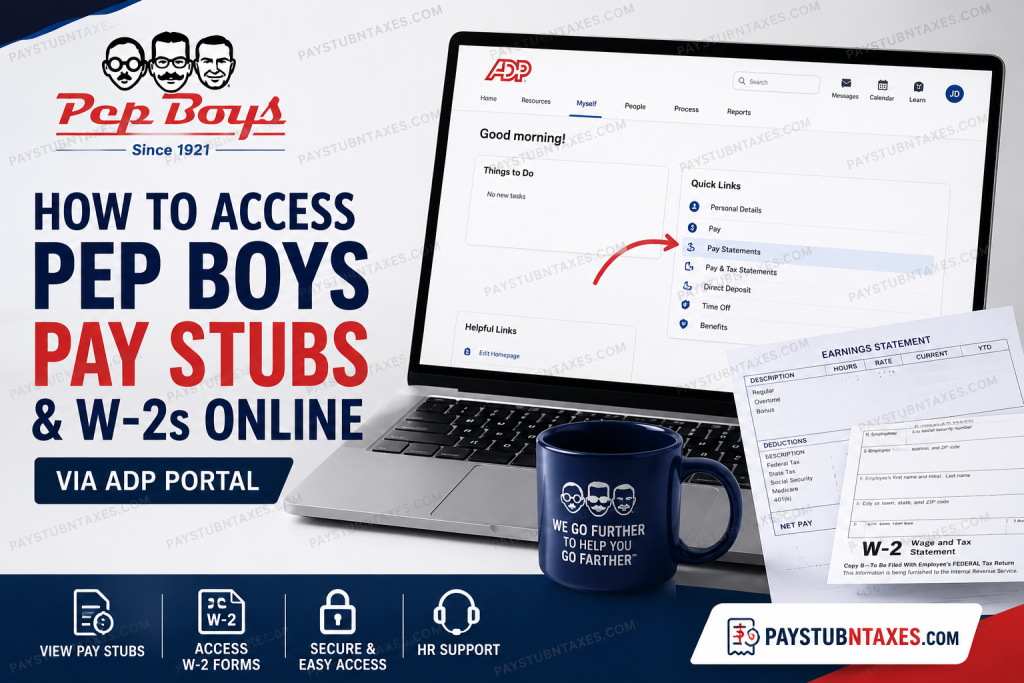
For more than a century, Pep Boys has been a trusted name in the automotive industry, helping millions of drivers keep their vehicles running safely and efficiently. Founded in 1921 by four Navy friends with a passion for automobiles, the company has evolved into one of America’s leading automotive service providers, operating nearly 1,000 locations across 35 states and Puerto Rico and employing more than 8,000 team members. Just as Pep Boys is committed to making car care simple and convenient for customers, it also provides employees with easy access to their payroll and tax information through the ADP employee self-service portal. Whether you need to review your latest paycheck, print an old pay stub, or download your annual Form W-2 for tax filing purposes, this guide walks you through the entire process.
What Is the Pep Boys ADP Portal?
Pep Boys uses ADP, a secure human resources and payroll management platform that enables employees to:
- View and download pay stubs
- Access W-2 tax forms
- Update personal information
- Review time balances
- Manage payroll preferences
- Access certain employment records and benefits information
The portal is accessible from any computer, tablet, or smartphone with an internet connection, allowing employees to retrieve important payroll documents whenever they need them.
How to Access Pep Boys Pay Stubs Online
Step 1: Visit the ADP Website
Open your preferred web browser. For the best experience, Google Chrome is recommended.
Go to: https://my.adp.com
Step 2: Sign In to Your Account
Enter your:
- User ID
- Password
Then click Sign In.
Step 3: Navigate to Pay Statements
After logging in: Myself → Pay → Pay Statements
You will then see your available pay statements.
Step 4: View or Download Your Pay Stub
Choose the desired pay period and:
- View the statement online
- Download a PDF copy
- Print a hard copy for your records
ADP securely stores historical payroll information, making it easy to access previous pay statements whenever necessary.
How to Access Pep Boys W-2 Forms Online
Your annual Form W-2 is also available through ADP.
Step 1: Log In to ADP
Visit: https://my.adp.com and sign in.
Step 2: Open Pay and Tax Statements
Navigate to: Myself → Pay → Pay & Tax Statements
Step 3: Select Tax Statements
Locate the Tax Statements section and click: View All Statements
Step 4: Choose Your Tax Year
Select the year for which you need the W-2 form.
Step 5: Open and Download Your W-2
Click: Open Document
You can then:
- Print the form
- Download a PDF copy
- Save it for future use
This process enables employees to quickly retrieve current and prior-year tax documents whenever needed.
New Employee Registration for ADP
If you are a new Pep Boys employee and have not yet activated your ADP account, you can still register.
Follow these steps:
- Visit https://my.adp.com
- Click Get Started under New User.
- Select the Find Me option.
- Verify your identity by entering the requested information.
- Create your User ID and password.
- Set up security questions and recovery options.
Once registration is complete, you can immediately access your payroll information.
Can Former Employees Access Their W-2 Forms?
Yes. Former employees may still access ADP to retrieve their W-2 forms if their account remains active.
If online access is unavailable, Pep Boys mails paper W-2 forms to the employee’s address on file. Therefore, it is important to keep your mailing address updated before leaving the company.
How to Update Your Personal Information
The ADP portal also allows employees to manage certain personal information, including:
- Home address
- Contact information
- Direct deposit details
- Emergency contacts
- Tax withholding elections
Keeping your information current ensures that payroll documents and tax forms are delivered correctly.
Accessing Pay Information Through the ADP Mobile App
Employees who prefer mobile access can download the ADP Mobile Solutions application.
Available for:
- iPhone (iOS)
- Android devices
The mobile application allows you to:
- View pay statements
- Access tax forms
- Download payroll documents
- Receive payroll notifications
The app offers the same secure access available through the desktop portal.
Pep Boys Employee Benefits
Pep Boys offers employees a competitive benefits package that may include:
Health and Wellness Benefits
- Medical coverage
- Prescription drug coverage
- Dental insurance
- Vision insurance
- Telemedicine services
- Maternity support program
- Employee Assistance Program (EAP)
Financial Benefits
- Traditional and Roth 401(k)
- Health Savings Account (HSA)
- Life insurance
- Short-term disability insurance
- Long-term disability insurance
Additional Benefits
- Paid Time Off (PTO)
- Paid holidays
- Employee discounts
- Referral programs
- Wellness resources
Benefits eligibility may vary depending on position and employment status.
Troubleshooting ADP Login Problems
Forgot Your Password?
Use the Forgot Password link on the login page.
Forgot Your User ID?
Select Forgot User ID and verify your identity.
Locked Out of Your Account?
Wait several minutes and try again, or contact the Pep Boys HR Service Center.
Incorrect Personal Information?
Update your details in ADP or contact Human Resources for assistance.
Pep Boys Payroll and W-2 Contact Information
If you need assistance with payroll issues, tax forms, or account access, contact:
Pep Boys HR Service Center
- Phone: 1-800-737-2697
- Email: Contactus@pepboys.com
The HR team can assist with:
- Missing W-2 forms
- ADP login issues
- Payroll discrepancies
- Address updates
- Employment verification questions
Final Thoughts
Pep Boys has spent more than one hundred years building a reputation founded on trust, service, and reliability. That same commitment extends to its employees through the secure ADP platform, which makes accessing pay stubs and W-2 forms remarkably straightforward. By creating an ADP account and maintaining your personal information, you can retrieve important payroll documents anytime and from virtually anywhere. Whether you are a current employee preparing your taxes or a former employee searching for an old pay statement, the Pep Boys payroll portal provides a convenient and secure solution for managing your employment records.
Frequently Asked Questions
1. How do I log in to my Pep Boys pay stub account?
Go to https://my.adp.com and sign in using your ADP credentials.
2. Where can I find my Pep Boys pay stubs?
After logging in, navigate to Myself → Pay → Pay Statements.
3. Does Pep Boys use ADP for payroll?
Yes. Pep Boys uses the ADP platform to provide employees access to payroll and tax information.
4. How can I download my pay stub?
Open the desired pay statement and click the Download or Print button.
5. How do I get my Pep Boys W-2 online?
Go to Myself → Pay → Pay & Tax Statements → View All Statements, then select your tax year.
6. When are Pep Boys W-2 forms available?
W-2 forms are generally available in ADP by the end of January each year.
7. What if I forgot my ADP password?
Click Forgot Password on the ADP login page and follow the recovery instructions.
8. What if I forgot my User ID?
Select Forgot User ID on the login page and verify your identity.
9. Can former employees access Pep Boys W-2 forms?
Yes. Former employees may still access ADP if their account remains active.
10. Will Pep Boys mail my W-2?
Yes. If necessary, a paper W-2 will be mailed to the address on file.
11. Can I access my pay stubs on my phone?
Yes. You can use the ADP Mobile Solutions app for Android and iPhone.
12. How do I register for ADP as a new employee?
Visit my.adp.com, click Get Started, and use the Find Me option to verify your identity.
13. How can I update my address in ADP?
Log in to ADP and update your personal information under your employee profile.
14. Who do I contact for payroll or W-2 issues?
Contact the Pep Boys HR Service Center at 1-800-737-2697 or email Contactus@pepboys.com.
15. Is the ADP portal secure?
Yes. ADP uses industry-standard security measures and safeguards to protect employee information.

