
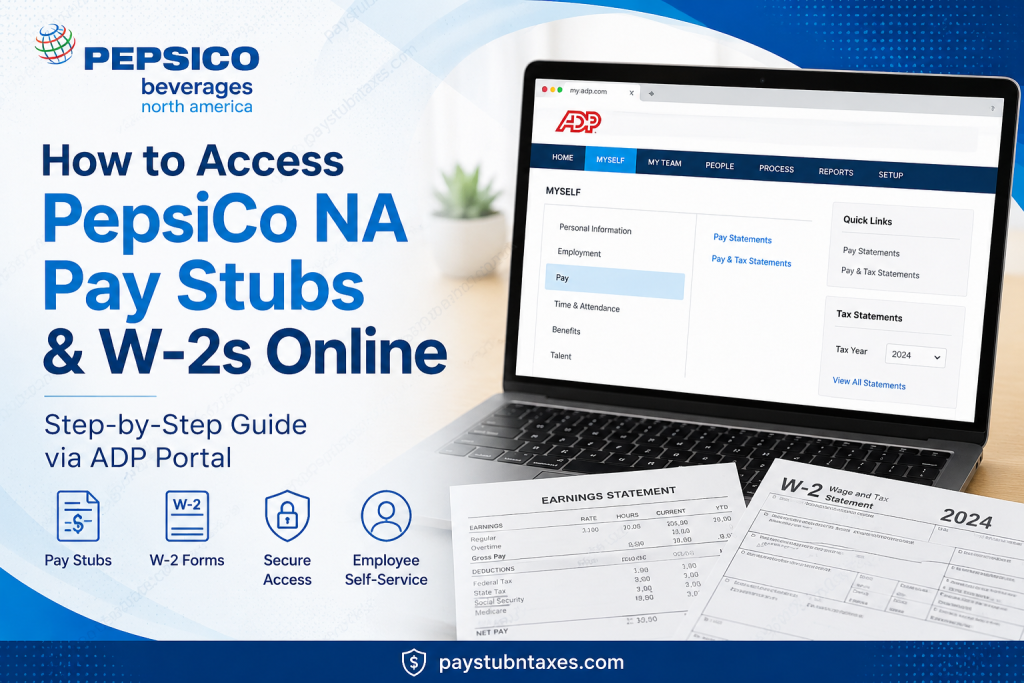
For PepsiCo associates, staying on top of payroll information is essential. Whether you need a recent pay statement for income verification, a historical pay stub for financial records, or a W-2 form to prepare your tax return, PepsiCo makes the process remarkably straightforward through its secure ADP employee portal. As one of the world’s leading food and beverage companies, PepsiCo fosters a culture of innovation, inclusivity, and professional growth, empowering employees with digital tools that simplify everyday administrative tasks, including payroll and tax management. This comprehensive guide explains how current and former PepsiCo Beverages North America (PBNA) employees can access pay stubs and W-2 forms online.
About PepsiCo
PepsiCo is much more than a multinational food and beverage company. It is a global community of innovators, creators, and problem-solvers who produce some of the world’s most beloved brands, enjoyed by more than one billion consumers every day.
The company encourages employees to challenge convention, embrace innovation, and cultivate meaningful careers in an environment where diversity and inclusion are celebrated. PepsiCo’s philosophy revolves around three fundamental pillars:
- Care
- Career
- Connection
These principles shape an employee experience that prioritizes well-being, professional development, and collaboration.
What Is ADP?
ADP (Automatic Data Processing) serves as the primary Human Resources and payroll platform for PepsiCo Beverages North America employees.
Through ADP, associates can:
- Access pay statements
- Download W-2 tax forms
- Review time balances
- Update personal information
- Manage payroll preferences
- Access tax documents securely
- View employment information
ADP uses advanced security measures to safeguard employees’ personal and financial information.
How to Access PepsiCo Pay Stubs Online
Step 1: Visit the ADP Portal
Open your preferred web browser. For the best experience, Google Chrome is recommended.
Go to: https://my.adp.com
Step 2: Sign In
Enter:
- User ID
- Password
Then click Sign In.
If you have not yet registered, select Create Account or Sign Up to establish your online account.
Step 3: Navigate to Pay Statements
After logging in: Myself → Pay → Pay Statements
You can then view:
- Current pay stubs
- Previous pay statements
- Earnings details
- Deductions
- Tax withholdings
- Year-to-date earnings information
Step 4: Download or Print
Select the desired pay period and:
- Download a PDF copy
- Print the statement
- Save it for your financial records
How to Access PepsiCo W-2 Forms Online
W-2 forms become available each year through the ADP portal.
Step 1: Sign in to ADP
Visit: https://my.adp.com
Step 2: Open Tax Statements
Navigate to: Myself → Pay → Tax Statements
Step 3: Select “View All Statements”
Locate the Tax Statements section and click: View All Statements
Step 4: Choose Your Tax Year
Select the year for which you need the W-2.
Step 5: Open, Download, or Print
Click:
- Open Document
- Download
A PDF version of your W-2 will open and can be saved to your device.
Prefer a Paper W-2?
Employees who choose not to receive electronic tax forms will have their paper W-2 mailed to the home address currently on file with PepsiCo.
Therefore, it is essential to keep your mailing address updated within ADP to avoid delays in receiving important tax documents.
How to Register for an ADP Account
If you are a first-time user:
- Visit my.adp.com.
- Click the Get Started link and choose Find Me
- Verify your identity.
- Confirm your email or phone number.
- Create a password.
- Set security questions.
- Complete registration.
Once registration is complete, you will have access to:
- Pay stubs
- W-2 forms
- Payroll information
- Additional employee self-service tools
Access Through the ADP Mobile App
Employees can also use the ADP Mobile Solutions app.
The mobile application allows users to:
- View pay statements
- Access tax forms
- Download W-2s
- Manage personal information
- Receive payroll notifications
The app is available for both:
- Apple iOS
- Android devices
Troubleshooting Login Issues
Forgot User ID
Select: Forgot User ID?
Follow the verification process to recover your account.
Forgot Password
Select: Forgot Password?
A verification code will be sent to your registered email address or phone number.
Locked Account
After multiple unsuccessful login attempts, your account may become temporarily locked. Wait a short period or contact the HR Service Center for assistance.
PepsiCo Payroll and W-2 Contact Information
For payroll questions, tax forms, or W-2 assistance, contact:
PBNA HR Service Center
📞 Phone: 866-473-6763
Representatives can assist with:
- Missing W-2 forms
- Address changes
- Login difficulties
- Payroll corrections
- Access issues with ADP
Why PepsiCo Employees Appreciate ADP
The ADP platform provides several advantages:
✅ Secure access to payroll information
✅ 24/7 availability
✅ Instant access to tax forms
✅ Mobile accessibility
✅ Digital recordkeeping
✅ Environmentally friendly paperless options
✅ Faster income verification
Final Thoughts
Managing your payroll and tax documents should never feel like navigating a labyrinth. Fortunately, PepsiCo Beverages North America has streamlined the entire process through ADP, enabling employees to access pay statements and W-2 forms anytime and virtually anywhere. Whether you need a pay stub for a mortgage application, a W-2 for filing taxes, or simply wish to review your earnings history, the ADP self-service portal puts your payroll information at your fingertips. By keeping your account credentials secure and your personal information up to date, you can enjoy uninterrupted access to all of your essential employment documents.
Frequently Asked Questions
1. How do I access my PepsiCo pay stubs online?
Log in to the ADP portal at my.adp.com, then go to Myself > Pay > Pay Statements.
2. Where can I download my PepsiCo W-2?
You can download your W-2 from the ADP portal under Myself > Pay > Pay & Tax Statements.
3. What website does PepsiCo use for payroll?
PepsiCo Beverages North America uses ADP (my.adp.com) for payroll and tax documents.
4. Can former PepsiCo employees access ADP?
In many cases, former employees retain limited access to ADP. Contact the PBNA HR Service Center if you cannot log in.
5. How do I print my PepsiCo pay stub?
Open the pay statement in ADP and select the Print option.
6. How do I save my W-2 as a PDF?
Open the W-2 document in ADP and click Download.
7. What should I do if I forgot my ADP password?
Click Forgot Password on the ADP login page and follow the account recovery instructions.
8. Can I access my PepsiCo pay stubs on my phone?
Yes. Download the ADP Mobile Solutions app for iPhone or Android devices.
9. When are PepsiCo W-2 forms available?
W-2 forms are generally available by the end of January each year.
10. Will PepsiCo mail my W-2?
Yes. If you opted for paper delivery, your W-2 will be mailed to your address on file.
11. How do I update my mailing address for my W-2?
Log in to ADP and update your personal information under your employee profile.
12. Why can’t I see my pay statement in ADP?
This may occur due to system maintenance, payroll processing delays, or account access issues.
13. Is the ADP portal secure?
Yes. ADP uses advanced security measures and identity verification protocols to protect employee information.
14. Who do I contact for payroll or W-2 issues?
Contact the PBNA HR Service Center at 866-473-6763 for assistance.
15. Can I access previous years’ W-2 forms?
Yes. ADP generally stores prior tax documents, allowing employees to view and download earlier W-2 forms online.

