
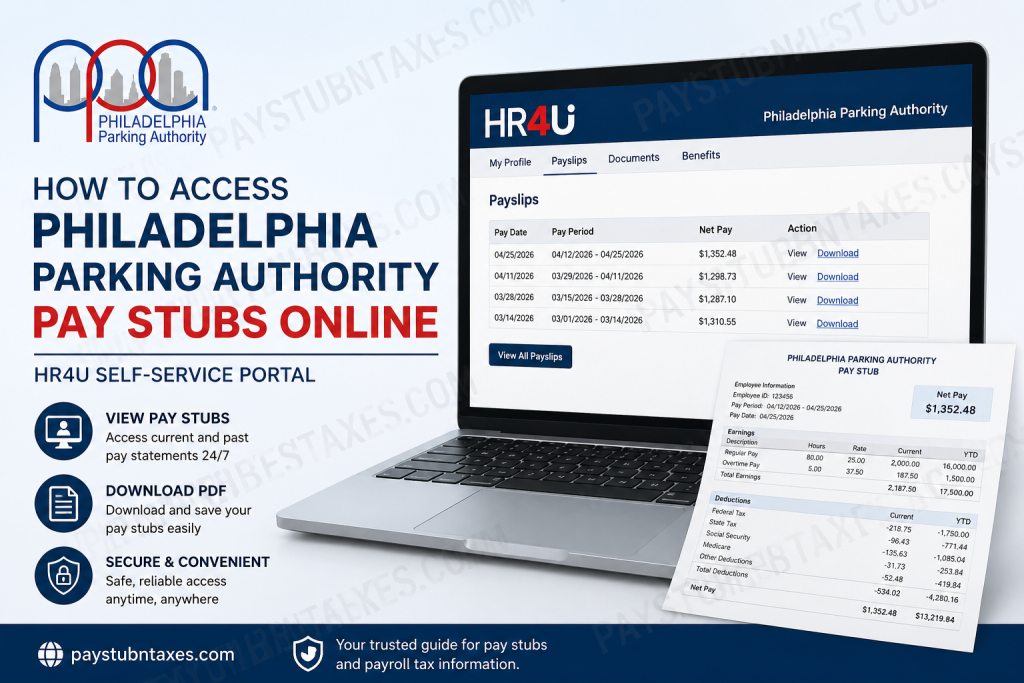
The Philadelphia Parking Authority (PPA) has embraced a fully digital payroll experience, enabling employees to access pay information securely and conveniently through the HR4U self-service portal. Since July 1, 2021, PPA has discontinued paper pay stubs, allowing employees to retrieve payroll records, pay statements, and other employment documents online 24 hours a day, seven days a week. PPA serves as a vital transportation and parking management agency for Philadelphia, overseeing parking operations, airport parking facilities, parking enforcement, and transportation-related regulatory services throughout the city. Whether you are a new employee registering for the first time or a current staff member looking to download previous pay statements, this guide explains everything you need to know about accessing Philadelphia Parking Authority pay stubs online.
Why PPA Uses Electronic Pay Stubs
Electronic payroll records offer several advantages over traditional paper statements:
- Immediate access to current and historical pay records
- Enhanced security and privacy protection
- Environmentally friendly paperless system
- Ability to download and save PDF copies
- Access from any internet-connected device
- Reduced risk of lost or damaged pay stubs
By centralizing payroll information within the HR4U self-service portal, employees can manage their compensation records more efficiently without waiting for paper distributions.
Philadelphia Parking Authority HR4U Portal Login
PPA employees can access payroll information through the HR4U Employee Self-Service portal:
Portal URL:
https://ppa.mycloudatwork.com/ess/default.aspx
The portal provides secure access to:
- Pay stubs
- Payroll history
- Employee information
- Benefits-related documents
- Other employment records
First-Time Registration for HR4U
If you have never used the HR4U portal, you must create an account before accessing your pay statements.
Step 1: Visit the HR4U Portal
Navigate to the HR4U Employee Self-Service website.
Step 2: Select “First-Time User Register Here”
On the login page, click the registration link labeled:
“First-Time User Register Here”
Step 3: Create a New Login
During registration, enter your Social Security Number exactly as requested.
Important: Include the dashes in your Social Security Number.
Example:
- Correct: 123-45-6789
- Incorrect: 123456789
Step 4: Verify Your Information
Carefully review all personal information displayed during registration.
Ensure that:
- Your name is correct
- Address information is accurate
- Employment details are current
Step 5: Save Your Registration
Click the blue Save button to continue.
Step 6: Create Username and Password
Choose a secure username and password.
Password requirements include:
- Minimum of 8 characters
- At least one uppercase letter
- At least one lowercase letter
- At least one number
- At least one special character
Step 7: Log In
After completing registration, click the Logon button and sign in using your newly created credentials.
How to View PPA Pay Stubs Online
Once logged into the HR4U portal, accessing your payslips is straightforward.
Method 1: View Payslips Online
- Log in to the HR4U portal.
- Open My Profile.
- Select Payslips.
- Choose the pay period you want to review.
- View the payslip directly within the system.
This option allows employees to review earnings, taxes, deductions, and net pay without downloading a file.
How to Download Philadelphia Parking Authority Pay Stubs
If you need a copy for loan applications, tax preparation, or personal recordkeeping:
- Log in to the HR4U portal.
- Navigate to My Profile.
- Click Payslips.
- Locate the desired pay statement.
- Select the available menu options.
- Click Download PDF.
- Save the file to your computer or mobile device.
Downloading PDF copies ensures you always have access to payroll records, even when offline.
Accessing Pay Stubs Through Mobile Devices
Employees who prefer mobile access can use the Sage HR mobile application.
Steps to Access Payslips on Mobile
- Open the Sage HR app.
- Log in with your account credentials.
- Tap Menu.
- Select Payslips.
- View your most recent payslip and prior payroll records.
- Open any payslip to review details.
- Tap Download or Share to save, print, or email the document.
Mobile access provides convenient payroll management while traveling or working remotely.
What Information Appears on a PPA Pay Stub?
Your electronic pay statement typically includes:
- Employee identification information
- Pay period dates
- Gross earnings
- Regular and overtime wages
- Federal income tax withholding
- State tax withholding
- Local tax deductions
- Benefits deductions
- Retirement contributions
- Net pay amount
- Direct deposit information
Review each statement carefully to ensure payroll accuracy.
Troubleshooting Missing Pay Stubs
If your payslip is unavailable:
Confirm Payroll Processing
Recently issued pay statements may still be processing.
Check All Available Years
Some payroll systems organize pay records by calendar year.
Verify Account Access
Ensure you are logging into the correct HR4U account.
Contact Payroll Administration
If a payslip remains unavailable, contact your payroll administrator or Human Resources department for assistance. Missing or unpublished payslips typically require employer verification before they become visible within the system.
Forgot Your Username or Password?
If you cannot access your account:
- Visit the HR4U login page.
- Select Username and Password Help.
- Follow the recovery instructions.
- Reset your credentials securely.
If self-service recovery fails, contact HR support for additional assistance.
Employee Benefits and Additional Resources
Beyond payroll records, the HR4U portal serves as a centralized employee resource center where staff can access employment-related information, benefit documents, and company communications.
PPA periodically posts benefit announcements through the system, including enrollment opportunities for insurance programs and employee benefit updates.
Security Best Practices for Payroll Accounts
To protect sensitive payroll information:
- Use a unique password
- Enable multi-factor authentication if available
- Never share login credentials
- Log out after each session
- Access payroll records only on trusted devices
- Update passwords regularly
Maintaining strong account security helps prevent unauthorized access to personal financial information.
Contact Information for HR4U Registration Assistance
Employees experiencing registration difficulties or login issues should contact the designated HR representative provided by PPA.
When reaching out for support, be prepared to verify your identity and employment information to expedite assistance.
Final Thoughts
The Philadelphia Parking Authority’s transition to a paperless payroll system has simplified how employees access their compensation records. Through the HR4U self-service portal and Sage HR mobile tools, staff members can securely view, download, and manage pay stubs whenever needed. Whether you need current payroll information, historical records, or downloadable PDFs for documentation purposes, the system offers a convenient and efficient solution that eliminates the delays associated with paper statements. By completing the initial registration process and familiarizing yourself with the portal’s features, you can ensure uninterrupted access to your payroll information throughout your employment with the Philadelphia Parking Authority.
Frequently Asked Questions
1. How do I access my Philadelphia Parking Authority pay stubs online?
Log in to the HR4U Employee Self-Service Portal, navigate to My Profile, and select Payslips to view or download your payroll records.
2. What is the PPA HR4U portal?
The HR4U portal is PPA’s online employee self-service platform that provides access to pay stubs, payroll records, benefits information, and other employment-related documents.
3. When did the Philadelphia Parking Authority stop issuing paper pay stubs?
PPA transitioned to a paperless payroll system on July 1, 2021, eliminating paper pay stub distribution.
4. Can I download my PPA pay stubs as PDFs?
Yes. Employees can download and save payslips as PDF files directly from the HR4U portal.
5. How do I register for the HR4U portal for the first time?
Click the “First-Time User Register Here” link on the HR4U login page and follow the registration instructions to create your account.
6. What information do I need during registration?
You typically need your Social Security Number entered with dashes, along with other personal information used for identity verification.
7. What are the password requirements for HR4U?
Passwords must contain at least eight characters, including one uppercase letter, one lowercase letter, one number, and one special character.
8. Can I access my pay stubs on my smartphone?
Yes. Employees can access payslips through the Sage HR mobile app and download or share payroll documents directly from their devices.
9. How far back can I view previous pay stubs?
Employees can generally access current and historical pay statements available within the HR4U system.
10. What should I do if my pay stub is missing?
Contact your payroll administrator or Human Resources department to verify that the payslip has been published and uploaded correctly.
11. Can I print my pay stubs?
Yes. Download the payslip PDF and print it using your computer or mobile device.
12. What should I do if I forget my HR4U password?
Use the Username and Password Help option on the login page to reset your credentials or contact HR support for assistance.
13. Is the HR4U portal available 24/7?
Yes. Employees can access payroll information online anytime, provided the system is operational and internet access is available.
14. What information is included on a PPA pay stub?
Pay stubs typically display earnings, taxes withheld, deductions, benefits contributions, pay period dates, and net pay information.
15. Who should I contact if I cannot access the HR4U portal?
Employees experiencing login or registration issues should contact the Philadelphia Parking Authority Human Resources department or the designated HR4U support representative for assistance.

