
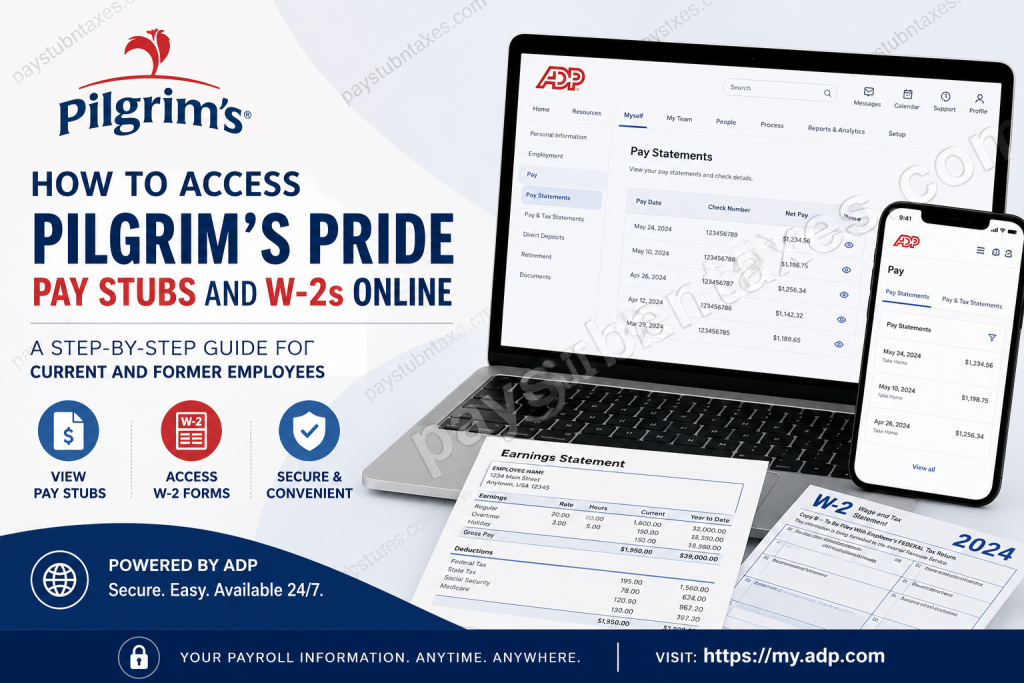
Pilgrim’s Pride Corporation has evolved into one of the world’s largest poultry and prepared foods producers, serving millions of consumers every day across the United States, Puerto Rico, Mexico, the United Kingdom, and Europe. With more than 61,000 team members and decades of industry leadership, the company continues to invest in secure, employee-friendly digital solutions, including convenient online payroll access. To simplify payroll management, Pilgrim’s Pride no longer uses the Paperless Pay system by TALX. Instead, the company has transitioned to the ADP Self-Service Portal, enabling both current and former employees to securely access their pay statements and tax documents anytime and from virtually anywhere.
Pilgrim’s Pride Employee Payroll Portal
Payroll Platform: ADP Self-Service Portal
Portal Website: https://my.adp.com
Customer Support: 1-855-327-5911
Through ADP, employees can:
- View and download pay stubs
- Access annual W-2 forms
- Print payroll records
- Update account preferences
- Receive electronic tax documents
- Access payroll information from mobile devices
How to Access Pilgrim’s Pride Pay Stubs Online
If you already have an ADP account, retrieving your pay statements is straightforward.
Step 1: Visit the ADP Portal
Go to: https://my.adp.com
Step 2: Sign In
Enter your:
- User ID
- Password
Step 3: Navigate to Pay Statements
After signing in: Myself → Pay → Pay Statements
The portal displays your available pay statements, allowing you to review current and historical payroll information. Employees can typically access multiple years of pay records directly from the system.
Step 4: View or Download Your Pay Stub
You can:
- Open the check image
- View detailed earnings and deductions
- Download PDF copies
- Print pay statements for your records
The system also provides year-to-date earnings and deduction summaries for convenient financial tracking.
How to Access Pilgrim’s Pride W-2 Forms Online
Pilgrim’s Pride makes annual tax documents available electronically through ADP.
W-2 Availability Dates
- 2026 W-2 Forms: Available electronically no later than January 31, 2027.
- Employees who opted for paper delivery will receive their W-2 by U.S. mail no later than January 31, 2027.
Steps to View Your W-2
Step 1: Log in to: https://my.adp.com
Step 2: Navigate to: Myself → Pay → Tax Statements
Step 3: Locate the Tax Statements section.
Step 4: Select View All Statements.
Step 5: Choose the appropriate tax year.
Step 6: Open, download, or print your W-2 form for filing purposes. The ADP portal allows users to securely save digital copies for future reference.
How to Register for an ADP Account
New users must create an account before accessing payroll information.
Registration Steps
1. Visit: https://my.adp.com
2. Click: Get Started
3. Choose: I Have a Registration Code or use the Find Me with Email/Mobile option if available.
4. Verify Your Identity
You may be asked to provide:
- First and last name
- Employee ID
- Social Security Number (last four digits)
- Date of birth
- Zip code
- Company-specific information
5. Add Contact Information
Provide:
- Email address
- Mobile phone number
6. Create Credentials
Set up your:
- User ID
- Password
- Security verification preferences
7. Complete Registration
Once registration is complete, you may immediately sign in and access your payroll information.
How to Access Pay Stubs Using the ADP Mobile App
Employees who prefer mobile access can manage payroll information directly from their smartphones.
Steps
- Download ADP Mobile Solutions from the Apple App Store or Google Play Store.
- Sign in using your ADP credentials.
- Select: Pay → View All Statements
- Choose the desired paycheck.
- View, download, print, or share your pay statement as a PDF.
The mobile application also provides:
- Year-to-date earnings summaries
- Paycheck comparisons
- Quick access to historical statements
How to Go Paperless
Employees who wish to eliminate paper copies can opt into electronic delivery.
Steps
- Log into ADP.
- Navigate to: Myself → Pay → Pay Statements
- Click: Go Paperless
- Select: Access my pay statements online only
- Accept the agreement and confirm your preferences.
Electronic delivery reduces paperwork and ensures faster access to important payroll documents.
Forgot Your ADP Username or Password?
If you cannot remember your login credentials:
- Visit https://my.adp.com
- Click:
- Forgot User ID
- Forgot Password
- Verify your identity through:
- Email verification
- Mobile verification
- Security questions
You can then reset your credentials and regain access to your account.
What If I No Longer Work for Pilgrim’s Pride?
Former employees can still access their payroll records through ADP, provided their accounts remain active. If you cannot sign in:
- Try resetting your password.
- Verify your contact information.
- Contact Pilgrim’s Pride Payroll Support for assistance.
Support Number: 1-855-327-5911
Benefits of Using the ADP Self-Service Portal
The ADP platform offers several advantages:
✅ Secure online access 24/7
✅ Instant retrieval of pay stubs and W-2s
✅ Mobile accessibility
✅ Paperless document storage
✅ Faster tax preparation
✅ Easy printing and downloading of payroll records
✅ Reduced dependence on HR for routine requests
About Pilgrim’s Pride
Founded in 1946, Pilgrim’s Pride Corporation has grown into one of the largest protein producers in the world. The company operates dozens of fresh processing and prepared foods facilities throughout North America and Europe and partners with thousands of family farms to supply poultry, pork, and lamb products. Today, Pilgrim’s remains committed to operational excellence, food safety, and creating opportunities for its global workforce.
Final Thoughts
The transition from Paperless Pay to the ADP Self-Service Portal has made accessing payroll information significantly easier for Pilgrim’s Pride employees. Whether you need your latest paycheck, previous earnings statements, or your annual W-2 form, ADP provides a secure, efficient, and user-friendly platform available anytime and anywhere. For additional assistance regarding your payroll information, contact the Pilgrim’s Pride support team at 1-855-327-5911.
Frequently Asked Questions
1. How do I access my Pilgrim’s Pride pay stubs online?
Visit https://my.adp.com, sign in to your account, and select Myself → Pay → Pay Statements.
2. Where can I get my Pilgrim’s Pride W-2 form?
Your W-2 is available through the ADP portal under Pay & Tax Statements.
3. Does Pilgrim’s Pride still use Paperless Pay by TALX?
No. Pilgrim’s Pride has transitioned from Paperless Pay by TALX to the ADP Self-Service Portal.
4. When will my W-2 become available online?
Electronic W-2 forms are generally available no later than January 31 each year.
5. Will I receive a paper W-2?
Yes. Employees who opted out of electronic delivery receive a paper W-2 by mail.
6. Can former employees access ADP?
Yes. Former employees can usually continue accessing their payroll records through ADP.
7. What should I do if I forgot my ADP password?
Click Forgot Password on the ADP login page and follow the verification steps.
8. Can I download and print my pay stubs?
Yes. ADP allows you to download and print PDF copies of your pay statements.
9. Is there an ADP mobile app?
Yes. Download the ADP Mobile Solutions app from the Apple App Store or Google Play Store.
10. Can I access my pay statements on my smartphone?
Yes. The ADP mobile app provides full access to your pay statements and tax documents.
11. How do I register for an ADP account?
Visit https://my.adp.com, click Get Started, and follow the registration instructions.
12. Can I go paperless for payroll documents?
Yes. ADP allows employees to enroll in paperless delivery for pay statements and tax forms.
13. How many years of pay statements can I access?
ADP generally provides access to multiple years of payroll records, depending on company policies.
14. What if I cannot access my ADP account?
Try resetting your login credentials or contact Pilgrim’s Pride support at 1-855-327-5911.
15. Who do I contact for payroll assistance?
For payroll and ADP support, call 1-855-327-5911.

