
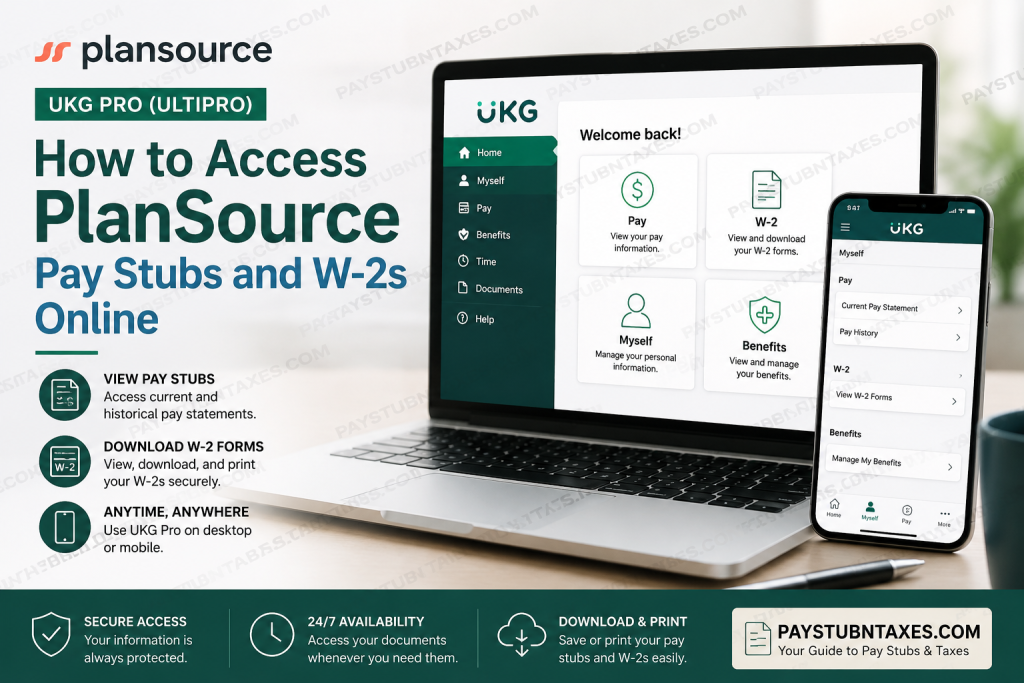
PlanSource is a leading benefits administration and technology company that simplifies employee benefits management for organizations and their workforce. Serving more than five million users nationwide, the company provides a comprehensive platform for benefits enrollment, administration, compliance, billing, and employee engagement. By combining innovative technology with user-friendly tools, PlanSource enables employees to make informed decisions about their benefits while helping employers streamline administrative processes. For payroll and tax document access, PlanSource utilizes UKG Pro (formerly UltiPro), a secure employee self-service platform that allows both current and former employees to access pay statements, W-2 forms, personal information, tax documents, and other employment-related records. Whether you need to review your latest paycheck, print historical pay stubs, or download your annual W-2 form for tax filing purposes, UKG Pro provides convenient 24/7 online access. This guide explains exactly how to access your PlanSource pay stubs and W-2 forms online.
Access PlanSource UKG Employee Self-Service
Employees can access payroll and tax documents through the PlanSource UKG portal:
UKG Login Portal:
https://plansource.ultipro.com
Default Login Credentials
Your initial login credentials are generated using the following format:
Username
- First letter of your first name
- First six letters of your last name
- Last four digits of your Social Security Number
Example:
If your name is Joe Anderson and your SSN ends in 1234:
Username: janders1234
Default Password
- Your birthdate in YYYYMMDD format
Example:
- Date of Birth: April 5, 2017
- Password:
20170405
First-Time Login Setup
When logging in for the first time, you will be required to:
- Change your temporary password.
- Create a secure new password.
- Set up three security questions.
- Complete your account registration.
These security measures help protect confidential payroll and tax information.
How to View PlanSource Pay Stubs Online
UKG Pro makes it easy to review both current and historical pay statements.
View Your Current Pay Statement
- Sign in to the UKG Pro portal.
- Select Myself from the main menu.
- Click Pay.
- Choose Current Pay Statement.
- Review your latest paycheck details.
- Download or print the statement if needed.
Important Note
The most recently processed payroll will appear under Current Pay Statement. Employees may occasionally see a pay stub before the official payday as payroll processing is completed.
How to View Historical Pay Stubs
If you need pay records from previous pay periods:
- Log into UKG Pro.
- Navigate to Myself > Pay > Pay History.
- Enter your preferred search criteria.
- Select Search.
- Choose the pay date you wish to review.
- Open, download, or print the pay statement.
Historical pay statements remain available for convenient recordkeeping and financial verification purposes.
How to Print Pay Statements
To print a pay statement:
- Open the pay statement you wish to print.
- Click the Print icon.
- Select how you would like your Social Security Number displayed.
- Click Finish.
- A printer-friendly version of the pay statement will open for printing or saving as a PDF.
Understanding Your UKG Pay Statement
Your pay statement contains several important sections that help explain your earnings and deductions, including:
Pay Details
Displays your:
- Name
- Address
- Employee information
- Department
- Pay rate
This information is also used for tax reporting purposes and should always be reviewed for accuracy.
Earnings
Shows:
- Regular wages
- Overtime earnings
- Holiday pay
- Shift differentials
- On-call compensation
- Other earnings categories
Deductions
May include:
- Medical insurance
- Dental insurance
- Retirement contributions
- Health Savings Account (HSA)
- Other voluntary deductions
Taxes
Displays:
- Federal tax withholding
- State tax withholding
- Local tax deductions
- Year-to-date tax totals
Paid Time Off
Shows:
- PTO accruals
- Available balances
- PTO used during the pay period
How to Access Your PlanSource W-2 Form
Employees can retrieve W-2 forms directly through UKG Pro.
Method 1: Home Page Shortcut
- Log into UKG Pro.
- Select the W-2 icon from the homepage.
- Choose the desired tax year.
- View, download, or print the form.
Method 2: Navigation Menu
- Sign into UKG Pro.
- Select Myself.
- Click W-2.
- Choose the applicable tax year.
- Download or print your W-2 for tax filing purposes.
Can Former Employees Access PlanSource W-2s?
Yes.
Former employees retain access to the PlanSource UKG portal and can log in to:
- Download W-2 forms
- View historical pay statements
- Update contact information
- Access payroll records
- Review tax documentation
This continued access makes it easier to obtain important employment records even after separation from the company.
Accessing UKG Pro Through the Mobile App
PlanSource employees can also use the UKG Pro Mobile App to access payroll information on the go.
The mobile application allows employees to:
- View pay statements
- Access W-2 forms
- Review benefits information
- Check timecards
- Manage personal information
- Submit and review time entries
- Stay connected with company updates
The app offers functionality similar to the desktop version while providing the flexibility of mobile access.
Managing Benefits Through UKG
In addition to payroll access, employees can manage benefits directly through UKG.
To access benefits:
- Log into UKG Pro.
- Hover over Myself.
- Select Manage My Benefits.
- Review benefit options.
- Update coverage selections.
- Complete enrollment and checkout.
The platform provides educational materials, plan comparisons, shopping-cart functionality, and enrollment tools designed to help employees make informed benefits decisions.
Troubleshooting Login Issues
If you cannot access your account:
- Verify your username format.
- Confirm your birthdate is entered correctly for first-time login.
- Use the Forgot Password feature.
- Answer your security questions.
- Contact your Human Resources department for assistance.
- Ensure your browser is up to date.
Keeping your contact information current within UKG can also help prevent account recovery issues.
Final Thoughts
PlanSource employees enjoy secure, around-the-clock access to payroll and tax documents through the UKG Pro employee self-service platform. Whether you need your latest pay stub, historical earnings records, or annual W-2 forms, the portal provides a centralized location for managing employment information efficiently. By following the steps outlined above, both current and former employees can quickly access, download, and print essential payroll records whenever needed, eliminating the hassle of requesting documents through traditional HR channels.
Frequently Asked Questions
1. How do I access my PlanSource pay stubs online?
Log into the PlanSource UKG Pro portal and navigate to Myself > Pay > Current Pay Statement to view your most recent paycheck.
2. What website do PlanSource employees use to access payroll information?
Employees access payroll records through the UKG Pro portal at https://plansource.ultipro.com.
3. How do I find historical pay stubs in UKG Pro?
Navigate to Myself > Pay > Pay History, select the desired pay date, and open the statement for viewing, downloading, or printing.
4. How do I access my PlanSource W-2 form?
After logging in, click the W-2 icon on the homepage or navigate to Myself > W-2 and select the applicable tax year.
5. Can former employees access PlanSource W-2 forms?
Yes. Former employees may continue accessing UKG Pro to retrieve W-2 forms, pay statements, and certain personal records.
6. What is my default PlanSource UKG username?
Your username is typically the first letter of your first name, the first six letters of your last name, and the last four digits of your Social Security Number.
7. What is the default password for first-time login?
The default password is your birthdate in YYYYMMDD format.
8. What happens when I log in for the first time?
You will be required to create a new password and set up three security questions for account protection.
9. Can I print my pay stubs from UKG Pro?
Yes. Open the pay statement and click the print icon to generate a printer-friendly version.
10. Can I download my W-2 as a PDF?
Yes. UKG Pro allows employees to download and print W-2 forms directly from the portal.
11. Is there a mobile app for accessing pay stubs?
Yes. Employees can use the UKG Pro Mobile App to access pay statements, W-2 forms, benefits information, and timekeeping features.
12. Why can’t I log into my UKG account?
Common causes include incorrect credentials, forgotten passwords, expired passwords, or security verification issues. Use the password recovery tools or contact HR for assistance.
13. When are W-2 forms available in UKG Pro?
W-2 forms are generally available each year by the IRS distribution deadline, typically no later than January 31.
14. Can I update my personal information in UKG Pro?
Yes. Employees can update contact information, addresses, and certain tax-related details through the self-service portal.
15. Is PlanSource UKG Pro secure?
Yes. UKG Pro uses password protection, security questions, and secure authentication measures to help protect employee payroll and tax information.

