
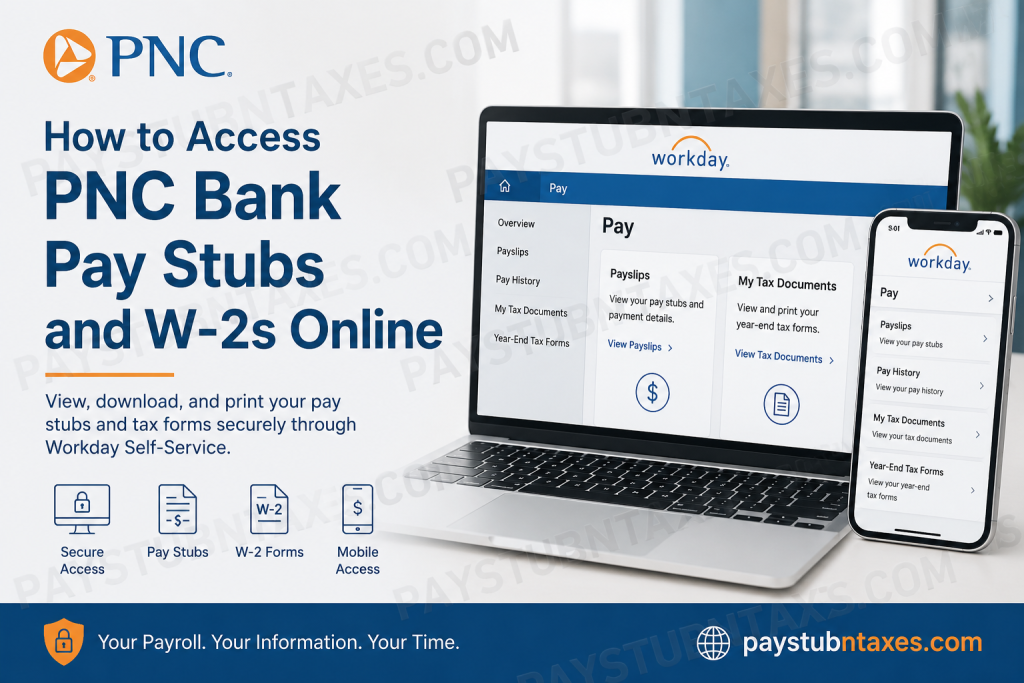
As one of the largest financial institutions in the United States, PNC Bank provides its employees with convenient digital access to payroll and tax documents through the Workday Self-Service Portal and Workday Mobile App. Whether you need to review a recent pay statement, download a historical payslip, or obtain your annual Form W-2 for tax filing purposes, Workday offers a secure and streamlined solution that can be accessed from virtually anywhere. This comprehensive guide explains how current PNC employees can access their pay stubs, W-2 forms, and other payroll-related documents online.
About PNC Financial Services
The PNC Financial Services Group, Inc. is a leading American financial services corporation headquartered in Pittsburgh, Pennsylvania. Through its banking subsidiary, PNC Bank, the company serves millions of customers across 27 states and the District of Columbia. Beyond traditional banking, PNC provides investment management, wealth advisory services, mortgage lending, treasury management, and commercial banking solutions.
With tens of thousands of employees nationwide, PNC utilizes modern digital platforms to simplify human resources, payroll administration, and tax document distribution.
PNC Employee Payroll Portal
Current employees can access payroll and tax documents through the Workday Employee Portal.
Workday Login Portal:
https://wd5.myworkday.com/pnc/login.flex
Workday Mobile App Organization Code: pnc
Employees must sign in using their PNC credentials and complete PingID multi-factor authentication for enhanced account security. The login process utilizes PNC’s secure single sign-on (SSO) environment and PingID verification.
How to View PNC Pay Stubs Online
Follow these steps to access your pay statements through Workday:
Method 1: Using the Workday Website
- Visit the PNC Workday portal.
- Enter your PNC username and password.
- Complete PingID authentication.
- From the Workday homepage, select Pay.
- Click Payslips or Pay History.
- Choose the pay period you want to review.
- Open the payslip to view earnings, deductions, taxes, direct deposit information, and year-to-date totals.
- Download or print a PDF copy for your records.
Workday stores both current and prior-year pay statements, making it easy to retrieve historical payroll information whenever needed.
Method 2: Using the Workday Mobile App
Employees who prefer mobile access can retrieve pay statements directly from the Workday app.
Steps:
- Download the Workday Mobile App from the Apple App Store or Google Play Store.
- Enter the organization code pnc.
- Log in with your PNC credentials.
- Open the Pay application.
- Select a payslip from the Pay History section.
- Review pay details.
- Tap Get PDF to generate a downloadable copy.
- Save the PDF to your device or share it securely.
The mobile application provides a convenient way to access payroll information while traveling, working remotely, or away from a desktop computer.
How to Access Your PNC W-2 Online
PNC distributes annual Form W-2 electronically through Workday.
Steps to View Your W-2
- Sign in to the Workday portal.
- Navigate to the Pay dashboard.
- Select My Tax Documents.
- Locate the applicable tax year.
- Click View/Print beside the W-2 form.
- Review the document.
- Download or print a copy for tax filing purposes.
Employees can also access accessible versions of their tax forms directly from the same section.
When Are PNC W-2 Forms Available?
PNC employees typically receive an email notification by January 31 informing them that their W-2 forms are available online.
In many cases, electronic tax forms become available before physical copies are mailed. Employees are strongly encouraged to download and print their W-2 forms directly from Workday, as paper copies may not be distributed through local offices.
W-2 documents generally remain available online through December 31 of the applicable year.
Understanding PingID Authentication
To protect sensitive payroll and tax information, PNC requires employees to use PingID multi-factor authentication.
During initial setup:
- Install the PingID application on your mobile device.
- Open the Workday login page.
- Scan the QR code displayed during enrollment.
- Complete device registration.
- Approve future login requests through the PingID app.
After enrollment, employees simply approve a push notification whenever they sign in to Workday.
What Payroll Information Can Employees Access?
Through Workday, PNC employees can securely access:
- Current pay stubs
- Historical pay statements
- W-2 tax forms
- Form 1095-C
- Tax withholding information
- Direct deposit details
- Earnings summaries
- Year-to-date payroll records
- Payroll deductions
- Benefits-related payroll information
Because the platform is cloud-based, documents remain accessible from any internet-connected device.
Troubleshooting Workday Access Issues
If you encounter login or payroll access problems:
Forgotten Password
Use the password recovery options available through PNC’s authentication system.
PingID Not Working
Verify that:
- The PingID app is installed.
- Push notifications are enabled.
- Your registered device remains active.
- The application is updated to the latest version.
Missing W-2 Form
Confirm that:
- The correct tax year is selected.
- Your Workday profile is active.
- You have received the W-2 availability notification email.
Technical Assistance
Employees experiencing payroll access issues should contact:
- Their local branch office
- Human Resources
- Internal IT Support
Benefits of Using Workday for Payroll Access
PNC’s Workday platform offers several advantages:
- 24/7 access to payroll records
- Secure cloud-based storage
- Mobile and desktop compatibility
- Faster access to tax documents
- Reduced paper dependency
- Enhanced account security through PingID
- Easy downloading and printing options
These features ensure employees can manage payroll and tax information efficiently without waiting for paper documents.
Final Thoughts
PNC Bank has modernized payroll administration by providing employees with secure, self-service access to pay stubs, W-2 forms, and tax records through Workday. By leveraging both the Workday web portal and mobile application, employees can conveniently retrieve payroll information whenever needed, whether they are preparing taxes, applying for loans, verifying income, or simply reviewing earnings history. For the smoothest experience, employees should maintain active PingID authentication, keep their contact information updated in Workday, and download important tax documents before the annual availability window closes.
Frequently Asked Questions
1. How do I access my PNC pay stubs online?
Log in to the PNC Workday portal, complete PingID authentication, select Pay, and choose the payslip you wish to view or download.
2. What is the PNC Workday login URL?
Current employees can access payroll information through: https://wd5.myworkday.com/pnc/login.flex.
3. What organization code should I use for the Workday mobile app?
Use the organization code: pnc when setting up the Workday Mobile App.
4. How can I download my PNC pay stub as a PDF?
Open the desired payslip in Workday and select the download or PDF option to save a copy to your device.
5. Where can I find my W-2 form in Workday?
Navigate to Pay → My Tax Documents, then select the appropriate tax year and click View/Print.
6. When will my PNC W-2 become available?
W-2 forms are generally available online by January 31, and employees receive an email notification once they are published.
7. Can I access previous pay stubs in Workday?
Yes. Workday stores current and prior-year pay statements, allowing employees to review historical payroll records.
8. Can I print my W-2 directly from Workday?
Yes. Open the W-2 form and use the print icon to generate a hard copy for your records or tax filing.
9. What is PingID and why is it required?
PingID is PNC’s multi-factor authentication system that helps protect employee payroll and tax information from unauthorized access.
10. Can I access PNC payroll information on my phone?
Yes. Employees can use the Workday Mobile App to view, download, and save pay stubs and tax documents.
11. What should I do if I forgot my Workday password?
Use the password recovery options available through PNC’s login system or contact internal IT support for assistance.
12. Why can’t I see my W-2 form in Workday?
Ensure you have selected the correct tax year and verify that the form has been released. If issues persist, contact Human Resources.
13. Can I access Form 1095-C through Workday?
Yes. Eligible employees can typically access Form 1095-C and other tax-related documents through Workday.
14. How long are W-2 forms available online?
PNC generally keeps W-2 forms available online through the end of the calendar year, allowing employees sufficient time to download them.
15. Who should I contact if I have payroll or W-2 questions?
Employees should contact their local branch office, Human Resources department, or internal payroll support team for assistance.

