
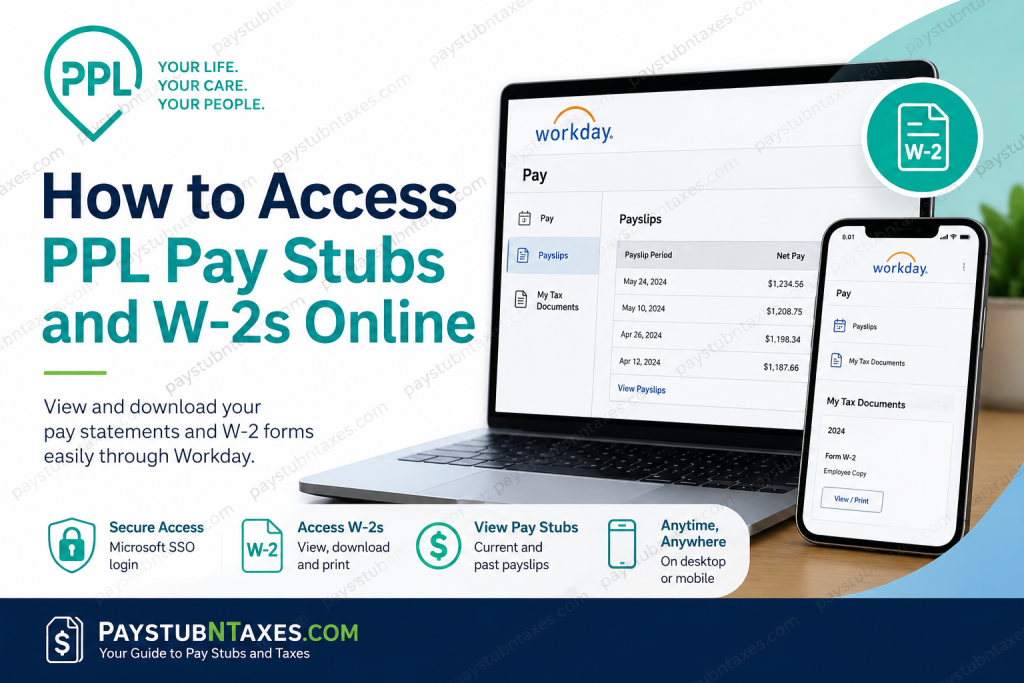
Public Partnerships LLC (PPL) is the nation’s leading financial management services provider for self-directed care programs, helping individuals with disabilities, chronic illnesses, and aging adults remain in their homes and communities while managing their own long-term care services. Serving more than 700,000 participants and caregiver relationships across 18 states and 50 programs, PPL plays a pivotal role in simplifying the administrative and financial aspects of self-directed care. For current employees and caregivers, accessing payroll information has become easier than ever through the PPL Workday Employee Portal. Whether you need your latest pay statement, previous payslips, or your annual W-2 form, Workday provides secure, around-the-clock access from virtually any device.
Has the PPL Better Online Portal Been Discontinued?
Yes. Online access to pay stubs and W-2 forms through the PPL Better Online Portal has ended.
Employees and caregivers who previously relied on Better Online should now use Workday for all payroll-related activities, including:
- Viewing and downloading pay statements
- Accessing electronic W-2 forms
- Updating tax document preferences
- Managing payroll information
Additionally, W-2 forms have been mailed to the employee’s address on file.
PPL Workday Login Portal
Official Login Portal: https://wd1.myworkday.com/publicpartnerships/
Current employees should:
- Visit the Workday login page.
- Select Microsoft Single Sign-On (SSO).
- Enter your PPL email address and password.
- Complete any multi-factor authentication requirements.
- Access your payroll and tax documents securely.
Employees sign in using Microsoft’s authentication system, ensuring enhanced security and seamless access to payroll information.
How to View PPL Pay Stubs Online
Once logged into Workday, follow these steps to access your payslips:
Method 1: Through Your Employee Profile
- Sign in to Workday.
- Click your Profile icon.
- Select View Profile.
- Click the Pay icon.
- Open the Payslips tab.
- Locate the desired pay statement.
- Select View or Print.
- Review your payslip information.
- Click the PDF icon to generate a downloadable copy.
- Download or print the document for your records.
How to Download PPL Pay Stubs on Mobile Devices
Workday’s mobile application allows employees to retrieve payslips on the go.
Steps:
- Open the Workday mobile app.
- Tap the Pay application.
- Navigate to Pay History.
- Select the payslip you wish to view.
- On the Pay Details screen, tap Get PDF.
- Wait while the file is generated.
- Select Open PDF.
- Save the file to your preferred location on your mobile device.
This functionality proves particularly useful when applying for loans, verifying income, or maintaining personal financial records while away from a desktop computer.
How to Access Your PPL W-2 Form Online
To retrieve your electronic W-2 in Workday:
Step-by-Step Instructions
- Log in to the PPL Workday portal.
- Select the Pay worklet.
- Under the View section, click My Tax Documents.
- Locate your available tax year.
- Under Employee Copy, click View/Print.
- Wait for the document to generate.
- Download or print your W-2 for tax filing purposes.
If the document takes a few moments to generate, Workday may display a message indicating that your request is being processed. You may either wait for completion or choose to be notified later.
Can I Receive My W-2 Electronically?
Yes.
Workday allows employees to manage their year-end tax document preferences.
Under My Tax Documents, employees can:
- Elect to receive an electronic copy only.
- Receive both electronic and paper copies.
- Update printing preferences at any time.
Choosing electronic delivery often means faster access and less dependence on traditional mail delivery schedules.
What If I Didn’t Receive My PPL W-2?
If your W-2 has not arrived by mail or you cannot access it online, contact PPL directly.
Email: ppltaxquestions@pplfirst.com
Be prepared to provide:
- Full legal name
- Employee ID (if available)
- Current mailing address
- Last four digits of your Social Security Number
- Details regarding the issue
Prompt communication can help avoid delays in filing your tax return.
Common Workday Login Issues and Solutions
Forgot Your Password
Use the password recovery option on the Microsoft login page or contact your administrator.
Account Locked
Wait a few minutes and try again, or contact technical support if the issue persists.
Unable to Access W-2 Forms
Ensure your tax documents have been released and verify that you are signed into the correct account.
Browser Problems
Clear your cache and cookies or try a different browser.
Mobile App Issues
Update the Workday application to the latest version and restart your device.
Benefits of Using Workday for Payroll Management
The Workday platform offers numerous advantages:
- 24/7 access to pay information
- Secure Microsoft SSO authentication
- Mobile-friendly interface
- Instant access to historical pay statements
- Electronic W-2 delivery options
- Downloadable PDF copies
- Reduced paper dependency
- Faster tax preparation
Final Thoughts
Public Partnerships LLC continues to modernize payroll administration through the Workday platform, giving employees and caregivers convenient access to essential payroll and tax documents whenever they need them. By replacing the former Better Online portal with Workday, PPL has streamlined the process of obtaining pay stubs and W-2 forms while enhancing both security and accessibility. Whether you need proof of income, are preparing your tax return, or simply wish to keep your financial records organized, the PPL Workday portal provides a straightforward, secure, and efficient solution for managing your payroll information.
Frequently Asked Questions
1. How do I access my PPL pay stubs online?
Log in to the PPL Workday portal at https://wd1.myworkday.com/publicpartnerships/ using your Microsoft SSO credentials and navigate to the Pay section to view your payslips.
2. What happened to the PPL Better Online portal?
The PPL Better Online portal has been discontinued. Employees now access payroll information through the Workday platform.
3. Where can I download my PPL W-2 form?
After logging into Workday, select Pay and then My Tax Documents to download your W-2.
4. Can I access my PPL pay stubs on my phone?
Yes. The Workday mobile app allows employees to view and download payslips from their smartphones and tablets.
5. How do I sign in to the PPL Workday portal?
Current employees sign in using Microsoft Single Sign-On (SSO) credentials associated with their PPL account.
6. Can I print my pay stubs from Workday?
Yes. Workday allows you to generate a PDF version of your payslip that can be downloaded and printed.
7. Are previous pay statements available in Workday?
Yes. Employees can access historical pay statements through the Payslips section of Workday.
8. When are PPL W-2 forms available?
W-2 forms are generally issued annually by the end of January and become available in Workday once processed.
9. What if I forgot my Workday password?
Use the password recovery options on the Microsoft sign-in page or contact your company’s support team for assistance.
10. Can I receive my W-2 electronically?
Yes. Workday allows employees to choose electronic delivery preferences for year-end tax documents.
11. What should I do if my W-2 is missing?
If you did not receive your W-2, email ppltaxquestions@pplfirst.com for assistance.
12. Why can’t I access my pay statements?
Access issues may result from incorrect login credentials, browser problems, or account restrictions. Try resetting your password or contacting support.
13. Can former employees access PPL pay stubs and W-2 forms?
Former employees should contact PPL’s payroll department if they no longer have access to Workday or need replacement tax forms.
14. Is the PPL Workday portal secure?
Yes. The portal uses Microsoft Single Sign-On authentication and secure encryption to protect employee information.
15. Who do I contact for payroll or tax document questions?
For W-2 and tax-related questions, contact PPL via email at ppltaxquestions@pplfirst.com.

