
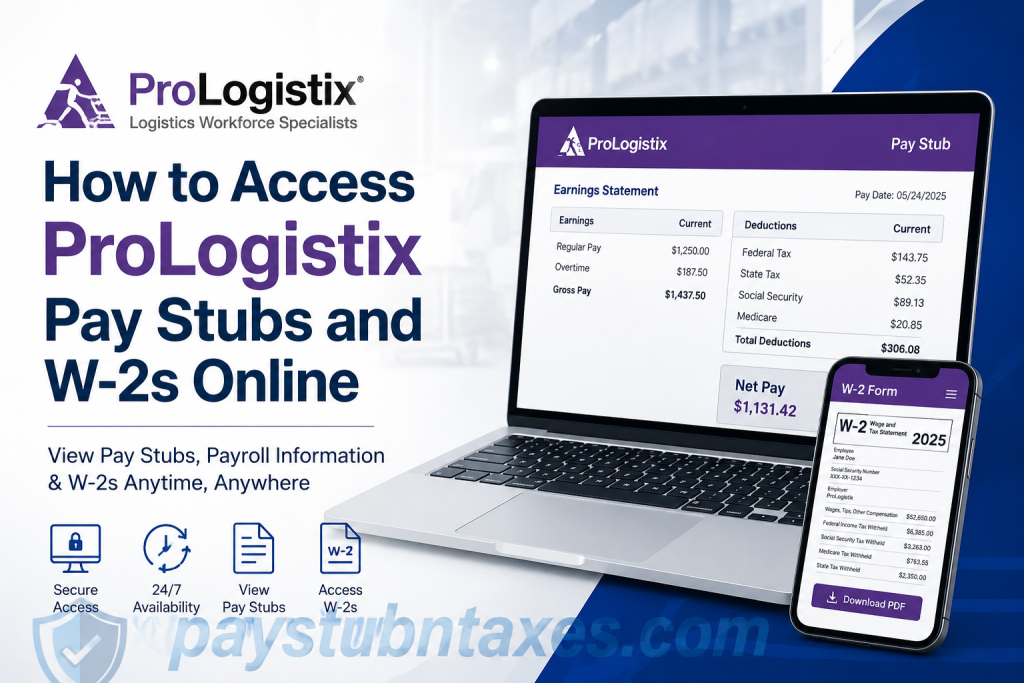
Employees of ProLogistix can conveniently access their pay stubs, payroll records, and year-end tax forms online through secure self-service payroll portals. Whether you are an active associate reviewing weekly earnings or a former employee retrieving a W-2 for tax filing purposes, ProLogistix provides multiple digital solutions designed to ensure fast, secure, and round-the-clock access to payroll information. As one of the nation’s leading logistics staffing companies, ProLogistix specializes exclusively in warehouse, distribution, and supply chain staffing solutions. The company, a specialty brand of Employbridge, has built a strong reputation for connecting skilled logistics professionals with employers across the United States while offering reliable payroll and workforce support services. This comprehensive guide explains how to access ProLogistix pay stubs online, retrieve W-2 tax forms, create payroll portal accounts, troubleshoot login issues, and manage electronic tax statement preferences efficiently.
About ProLogistix
ProLogistix is a specialized logistics staffing company operating under Employbridge, dedicated exclusively to warehouse, distribution, and supply chain staffing solutions. The company’s rigorous hiring methodology evaluates applicants across dozens of logistics-specific competencies, enabling employers to secure highly qualified personnel for roles ranging from entry-level warehouse associates to senior supply chain executives.
Unlike generic staffing agencies, ProLogistix focuses solely on logistics operations, allowing the company to maintain an exceptional understanding of warehouse productivity, safety protocols, and workforce management.
Its employee-first philosophy is reflected in its streamlined payroll systems, online accessibility, and year-round support services.
How to Access ProLogistix Pay Stubs Online
ProLogistix employees can conveniently access electronic pay stubs through the Comdata Cardholder Services portal and the USVerify Paystub system.
Pay Stub Login Portal
Official Portal: https://w6.iconnectdata.com/chth/Controller?XFunction=LoginPage
The portal enables employees to:
- View current and past pay stubs
- Monitor direct deposit activity
- Review account balances
- Access payroll information 24/7
- Receive pay notifications via email or text message
Step-by-Step Guide to Viewing ProLogistix Pay Stubs
Step 1: Visit the Comdata Cardholder Services Website
Navigate to the official login page and enter your username and password. First-time users must register and create an online profile before accessing payroll information.
Step 2: Access the Banking Menu
After logging in:
- Locate the “Banking” menu.
- Select “Paystub.”
This redirects users to the secure USVerify Paystub application.
Step 3: Disable Popup Blockers
Because the paystub application opens in a new browser window, popup blockers may interfere with the process. Employees should allow popups from the site or temporarily disable popup blocking features.
Step 4: View Your Pay Stub
Once validation is successful:
- The Employee Details page appears.
- Click “View” or “View Paystubs.”
- Select the desired pay period to review detailed earnings information.
Employees may also configure notification preferences to receive alerts whenever a new pay stub becomes available.
Requirements for Electronic Pay Stub Access
To access electronic pay stubs, employees must receive wages through:
- Direct deposit
- Pay cards
Associates not currently enrolled in electronic payment options should contact their local ProLogistix office for assistance.
First-time users typically need the following information:
- Date of birth
- Social Security Number
Employees without internet access may use kiosk computers available at local branch offices or access payroll information through an Interactive Voice Response (IVR) telephone system.
How to Access ProLogistix W-2 Forms Online
ProLogistix employees can retrieve W-2 tax statements electronically through the Paperless Employee portal powered by Experian Employer Services.
W-2 Portal
Official Website: https://www.paperlessemployee.com/Associates/PE
The platform allows employees to:
- Access current and prior-year W-2 forms
- Download PDF copies
- Request corrections
- Retrieve reissued tax statements
- Manage electronic delivery preferences
How to Create a Paperless Employee Account
If you are a first-time user, you must create an account before logging in.
Information Required
To register successfully, you will need:
- Associate ID (located on your pay stub)
- Social Security Number without dashes
- First three letters of your last name in capital letters exactly as shown on your pay statement
Step-by-Step Registration Process
Step 1: Select “Create Account”
On the login page, click “Create Account.”
Step 2: Verify Your Identity
You may be required to provide:
- Employee ID
- Social Security Number
- Date of birth
The system also requires CAPTCHA verification for security purposes.
Step 3: Create Login Credentials
Users must establish:
- A unique User ID
- A secure password
User IDs generally must contain 6–15 alphanumeric characters.
Step 4: Complete Verification
For enhanced account security, users may receive a verification code through:
- Text message
- Automated phone call
Step 5: Configure Electronic Delivery Preferences
Employees may elect to receive tax forms electronically rather than through postal mail. Notifications can be sent via:
- SMS text message
- Phone notifications
Tax documents themselves remain securely accessible only within the portal.
How to Download Your ProLogistix W-2
Once logged in:
- Select “Year-End Tax Statements.”
- Click “Access Current Year-End Statements.”
- Choose the appropriate tax year.
- Click “Download PDF.”
The statement opens in a new browser tab where it may be viewed, saved, or printed.
Requesting Reissued W-2 Forms
If you lose your W-2, the Paperless Employee portal allows you to request reissued copies.
Delivery options may include:
- Instant PDF download
- Fax delivery
- Postal mail
Some employers may charge fees for reissued statements depending on company policy.
How to Request Corrections to Your W-2
If your tax statement contains inaccurate information, you may request corrections directly through the portal.
To submit a correction request:
- Open “Request a Correction.”
- Select the affected document.
- Identify the fields requiring correction.
- Submit supporting details and comments.
The request is forwarded to your employer for review and processing.
Supplemental W-2 Statement for Overtime and Tips
ProLogistix employees may also access an additional supplemental tax document identifying qualifying overtime and tip compensation for the 2025 tax year.
This statement supplements — but does not replace — the official W-2 form and may assist employees in preparing individual income tax returns.
Common Login Problems and Solutions
Forgotten User ID
Users who forget their login credentials can retrieve their User ID by selecting “Forgot User ID” and verifying their identity through previously registered information.
Forgotten Password
Employees can reset passwords by:
- Entering their User ID
- Completing identity verification
- Creating a new password
Payroll and Tax Support Contact Information
If additional assistance is needed, employees may contact:
- Their local ProLogistix branch office
- ProLogistix Support Line: 1-877-894-7778
Final Thoughts
ProLogistix continues to distinguish itself not merely through its logistics expertise, but also through its commitment to operational efficiency and employee accessibility. By offering secure, user-friendly online payroll and tax systems, the company ensures associates can manage their financial records conveniently, accurately, and without unnecessary administrative burdens. Whether you need immediate access to a recent pay stub, prior-year W-2 forms, or supplemental tax documentation, the ProLogistix online portals provide a streamlined and highly secure solution available around the clock.
Frequently Asked Questions (FAQs)
1. Where can I view my ProLogistix pay stubs online?
You can access your ProLogistix pay stubs through the Comdata Cardholder Services website:
https://w6.iconnectdata.com/chth/Controller?XFunction=LoginPage
After signing in, select “Banking” and then “Paystub.”
2. How do I access my ProLogistix W-2 online?
You can retrieve your W-2 form through the Paperless Employee portal:
https://www.paperlessemployee.com/Associates/PE
Log in using your account credentials to download current or previous tax statements.
3. What information do I need to create a Paperless Employee account?
To register, you need:
- Associate ID
- Social Security Number (without dashes)
- First three letters of your last name in uppercase
The information must match your pay stub exactly.
4. Can I access ProLogistix pay stubs on my phone?
Yes. Both the Comdata and Paperless Employee portals are mobile-friendly and can be accessed through smartphones or tablets using a secure internet connection.
5. What should I do if I forgot my ProLogistix login password?
Click the “Forgot Password” option on the login page and complete the identity verification process to reset your password securely.
6. Are ProLogistix pay stubs available 24/7?
Yes. Electronic pay stubs are accessible online 24 hours a day, seven days a week, through the payroll portal.
7. Can I receive pay stub notifications by email or text?
Yes. Employees may enable email or SMS notifications through the paystub preferences section after logging in.
8. What if my pay stub does not appear online?
If your pay stub is unavailable, contact your local ProLogistix branch office. In some cases, popup blockers or account setup issues may prevent access.
9. How can I download my W-2 form?
After logging into Paperless Employee:
- Click “Year-End Tax Statements”
- Select the tax year
- Choose “Download PDF”
You can then save or print the form.
10. Can former employees access ProLogistix W-2 forms?
Yes. Former employees can still access prior-year W-2 statements through the Paperless Employee portal if their account remains active.
11. Does ProLogistix offer paperless tax documents?
Yes. Employees can opt into electronic delivery of tax forms during account setup or within account settings.
12. How do I request a corrected W-2 from ProLogistix?
Log into Paperless Employee and select “Request a Correction.” Submit the corrected information for employer review.
13. Is there a fee for reissuing a lost W-2?
Some employers may charge a fee for reissued tax statements, depending on company policy and delivery method.
14. What payment methods qualify for electronic pay stub access?
Employees receiving wages through direct deposit or pay cards can access electronic pay stubs online.
15. Who do I contact for ProLogistix payroll assistance?
For additional support, contact:
- Your local ProLogistix office
- ProLogistix support line: 1-877-894-7778

