
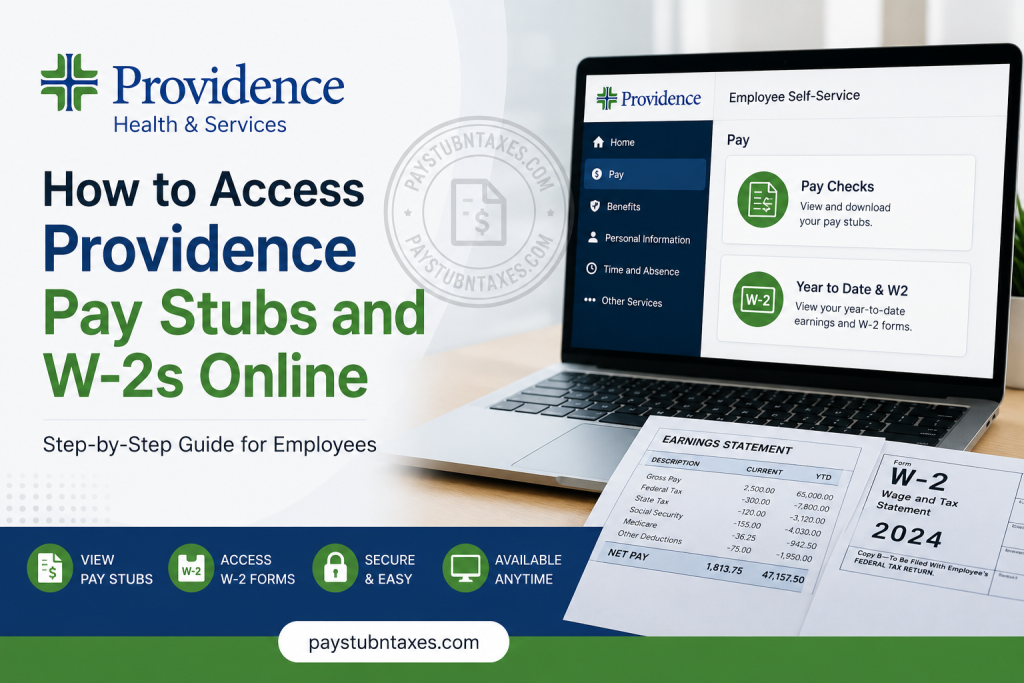
Providence is one of the largest faith-based healthcare systems in the United States, serving millions of patients through a network of hospitals, clinics, physician practices, and community health programs. With more than 120,000 caregivers across multiple states, Providence relies on secure digital workforce platforms that enable employees to manage payroll, tax documents, benefits, and personal employment information efficiently. For current Providence caregivers, the Lawson/ProvConnect Employee Self-Service (ESS) portal and Oracle-based systems provide convenient access to pay stubs, W-2 forms, direct deposit information, tax withholding elections, and other employment records. These online tools eliminate the need for paper documents while ensuring employees can access important payroll information whenever needed. This guide explains how Providence employees can access their pay stubs and annual W-2 forms online.
Providence Payroll System Overview
Providence utilizes the Lawson/ProvConnect Employee Self-Service platform for payroll and employee information management. Through this secure portal, caregivers can:
- View and download pay stubs
- Access annual W-2 tax forms
- Manage direct deposit information
- Update W-4 tax withholding elections
- Review year-to-date earnings
- Access employment-related resources
- Maintain personal payroll records
The ESS portal serves as the central location for payroll-related activities and provides employees with self-service access to important tax and compensation documents.
Access Oracle Lawson Employee Self-Service
Current Providence employees can access payroll information through Oracle Lawson and ProvConnect.
Step 1: Visit the Providence Employee Portal
Navigate to the Providence employee login page:
Step 2: Sign In Using Microsoft SSO
Current employees should select the Microsoft Single Sign-On (SSO) option and authenticate using their Providence network credentials. Providence also provides access through its employee portal and caregiver resources pages.
Step 3: Access Employee Self-Service
After successful authentication:
- Open Employee Self-Service (ESS)
- Navigate to the payroll section
- Select the desired payroll or tax document
- View, download, or print records as needed
How to View Providence Pay Stubs Online
Pay stubs are available through the Lawson/ProvConnect Employee Self-Service portal.
Follow These Steps:
- Log in to Lawson/ProvConnect Employee Self-Service.
- From the Employee Self-Service home screen, select Pay.
- Click Paychecks.
- Choose the desired pay period.
- Review your earnings, deductions, taxes, and net pay.
- Download or print a copy for your records.
Electronic pay statements are typically available shortly after payroll processing is completed, allowing employees to review compensation details at any time.
How to Access Providence W-2 Forms Online
Providence makes annual W-2 tax forms available electronically through Employee Self-Service.
Follow These Steps:
- Sign in to Lawson/ProvConnect.
- From the Employee Self-Service home page, select Pay.
- Click Year to Date & W2.
- Choose the applicable tax year.
- Open the W-2 form.
- Download, save, or print the document for tax filing purposes.
Employees can also access year-to-date earnings information from the same section.
When Are Providence W-2 Forms Available?
Federal law requires employers to furnish W-2 forms no later than January 31 each year.
Providence generally makes W-2 forms available online around the same time they are mailed. Employees who have electronic access can often retrieve their W-2 directly through Employee Self-Service as soon as the form becomes available.
If you do not receive your W-2 by early February, verify your mailing address and contact the HR Service Center for assistance.
Accessing Providence Payroll Information Through Oracle Cloud
Providence also utilizes Oracle Applications Cloud for various employee services. Employees may encounter Oracle login screens that support:
- Company Single Sign-On (SSO)
- Secure credential authentication
- Payroll and employment resources
- Human resources self-service functions
Using SSO provides the fastest and most secure method of accessing employee records.
Common Payroll Information Available Online
Through Providence’s payroll systems, employees may access:
| Payroll Resource | Availability |
| Pay Stubs | Online |
| W-2 Forms | Online |
| Year-to-Date Earnings | Online |
| Direct Deposit Information | Online |
| W-4 Tax Elections | Online |
| Payroll History | Online |
| Compensation Information | Online |
Troubleshooting Providence Payroll Access
Forgotten Password
Use your organization’s password reset tools or Microsoft account recovery options to restore access.
SSO Login Issues
Verify:
- Your Providence network credentials
- Multi-factor authentication settings
- Internet connection
- Browser compatibility
Unable to Locate W-2 Forms
Ensure you are navigating to:
Employee Self-Service → Pay → Year to Date & W2
If forms remain unavailable, contact HR support.
Pay Stub Not Displaying
Confirm that:
- Payroll for the period has been processed
- Pop-up blockers are disabled
- PDF viewing is enabled in your browser
Providence HR Service Center Contact Information
For assistance with payroll, W-2 forms, benefits, direct deposit, or employee self-service access, contact:
Providence HR Service Center
Phone: 888-687-3753
Support options include:
- Payroll assistance
- Benefits support
- Employment verification
- Leave of absence support
- Retirement services
- HR-related inquiries
- Technical assistance referrals
Final Thoughts
Providence has streamlined payroll administration through its Lawson/ProvConnect Employee Self-Service platform and Oracle-based workforce systems. Whether you need to review a recent paycheck, update direct deposit details, monitor year-to-date earnings, or retrieve your annual W-2 form, these online tools provide secure and convenient access to essential payroll information. By familiarizing yourself with the Employee Self-Service portal and utilizing Microsoft Single Sign-On for secure access, you can efficiently manage your payroll records throughout the year while ensuring that important tax documents remain readily available whenever needed.
Frequently Asked Questions (FAQs)
1. How do I access my Providence pay stubs online?
Log in to Lawson/ProvConnect Employee Self-Service and select Pay → Pay Checks.
2. Where can I find my Providence W-2 form?
Navigate to Pay → Year to Date & W2 within Employee Self-Service.
3. What is Lawson/ProvConnect?
It is Providence’s employee self-service portal used for payroll, tax forms, direct deposit, and HR functions.
4. When are W-2 forms available?
Typically by January 31 each year.
5. Can I print my W-2 online?
Yes. Employees can download and print W-2 forms directly from the portal.
6. Can I view year-to-date earnings?
Yes. Year-to-date earnings are available in the Year to Date & W2 section.
7. How do I update direct deposit information?
Direct deposit changes can be made through Employee Self-Service.
8. Can I update my W-4 online?
Yes. Tax withholding elections can be managed through ESS.
9. Do I need Microsoft SSO to log in?
Current Providence employees generally use Microsoft Single Sign-On.
10. Can I access payroll information from home?
Yes. Providence provides secure remote access for eligible employees.
11. What should I do if I forgot my login credentials?
Use Providence password recovery tools or contact technical support.
12. Is the payroll portal secure?
Yes. Providence uses secure authentication and privacy protections to safeguard employee information.
13. Can I download old pay stubs?
In most cases, historical pay statements remain available within the payroll system.
14. Who do I contact for payroll issues?
Contact the Providence HR Service Center at 888-687-3753.
15. What if my W-2 contains incorrect information?
Contact Payroll or the HR Service Center immediately to request a correction.

