
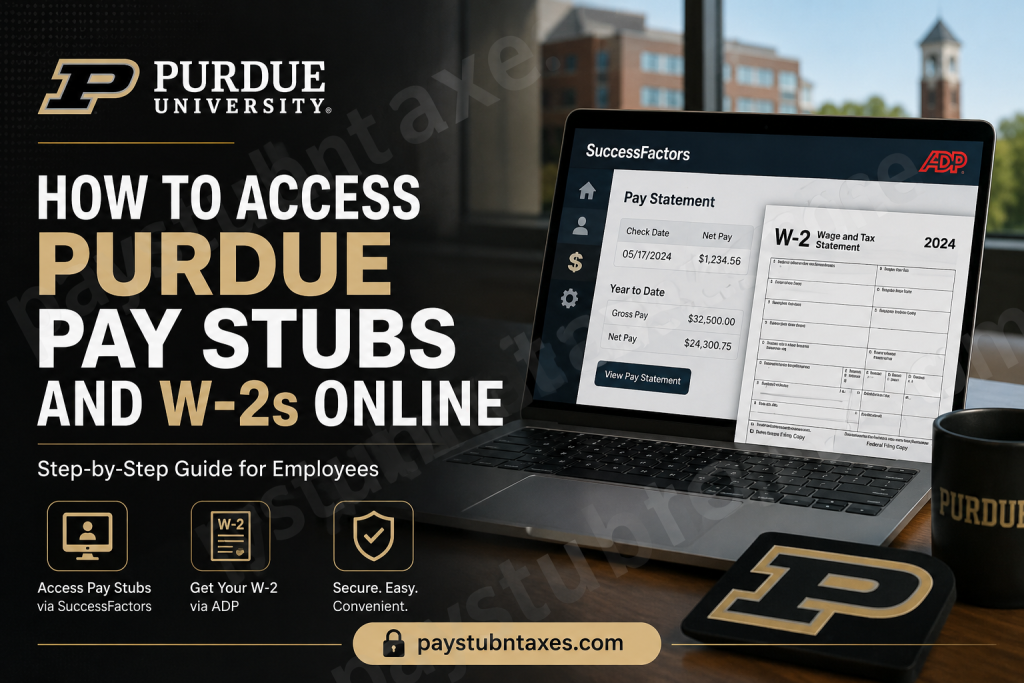
For more than 150 years, Purdue University has stood at the forefront of innovation, research, and academic excellence. From its humble beginnings in 1869 to its status today as one of America’s leading public universities, Purdue has cultivated a culture where discovery and progress go hand in hand. The institution’s extensive network of campuses and global reach supports thousands of employees who contribute to its enduring legacy. As part of its commitment to operational efficiency, Purdue provides employees with convenient online access to payroll and tax information through SuccessFactors and ADP, allowing faculty, staff, and student employees to retrieve pay statements and annual tax forms securely from virtually anywhere. This comprehensive guide explains everything you need to know about accessing your Purdue pay stubs and W-2 forms online.
How to Access Purdue Pay Stubs Online
Purdue employees can view their pay statements electronically through SAP SuccessFactors, the university’s cloud-based Human Capital Management (HCM) system. SuccessFactors serves as the central hub for payroll, benefits, direct deposit information, tax withholdings, time reporting, and employee records.
Steps to View Your Pay Statements
Step 1: Access SuccessFactors
- Visit the OneCampus Portal.
- Sign in using your Purdue career account credentials.
- Launch SuccessFactors from the portal.
Step 2: Navigate to Payroll Information
Within SuccessFactors, employees can:
- Review and update personal information.
- View payroll information.
- Access direct deposit settings.
- Review federal and state tax withholding elections.
- Manage banking information and other payroll preferences.
Step 3: Review Pay Statements
Select the appropriate payroll section to view your current and previous pay statements. Employees can download and print copies for personal records whenever necessary.
Updating Direct Deposit and Tax Information
Purdue’s Employee Self-Service tools allow employees to make important payroll-related changes without contacting Human Resources.
Within SuccessFactors:
- Select Bank ESS to add or update direct deposit information.
- Select BSI Tax Profile Factory – Employee to review or modify state and federal tax withholdings.
- Update contact information, addresses, and educational records through the employee profile section.
Maintaining accurate information ensures timely payroll deposits and correct tax reporting.
How to Access Purdue W-2 Forms Online
Purdue provides electronic W-2 access through ADP, making tax forms available shortly after year-end processing.
For Active Employees
Active Purdue and PARI employees can access their W-2 forms directly through the ADP tile within SuccessFactors. Once logged into SuccessFactors, employees simply select the ADP tile to open their tax documents.
Step-by-Step Instructions
Method 1: Through SuccessFactors
- Log in to SuccessFactors.
- Scroll to Additional Information.
- Select ADP – W-2 Portal.
- Open or download your W-2 form.
Method 2: Through OnePurdue
- Visit the OnePurdue portal.
- Sign in using your Purdue credentials.
- Search for ADP or W-2 Form.
- Open the W-2 Form option.
- Sign in to ADP.
Method 3: Direct ADP Access
Employees who have previously registered with ADP may access their tax forms directly by visiting: https://my.adp.com
First-Time ADP Registration
If you have never used ADP before:
- Visit my.adp.com.
- Select New User? Get Started.
- Complete the registration process.
- Create your username and password.
- Verify your identity.
After registration, you can view and print:
- Current year’s W-2
- Prior two years of tax forms
How to Download Your W-2 from ADP
Once signed in to ADP:
- Navigate to Pay & Tax Statements.
- Locate the Tax Statements section.
- Choose the desired tax year.
- Select Open Document.
- Click Print or Download to save a copy.
Keeping an electronic copy is highly recommended for future reference, mortgage applications, financial aid, and tax filing purposes.
Go Paperless for Faster Access
Purdue encourages employees to enable electronic delivery by selecting Paperless Access in the Settings section of their ADP account. Doing so eliminates the wait for a mailed W-2 and provides immediate online access each year.
To avoid receiving a paper copy for the current tax year, employees must register by December 31.
Information for Former Employees
Former Purdue employees can still retrieve W-2 forms electronically.
How to Access:
- Register directly at my.adp.com.
- Follow Purdue’s special registration instructions.
- Contact w2help@purdue.edu if assistance is needed.
Please note:
- Only individuals with a valid Social Security Number can access W-2 forms online.
- W-2 forms remain available for the current year and the prior two years through ADP.
Requesting Older W-2 Forms
Need tax documents from earlier years?
Purdue retains W-2 records for:
Ten previous tax years plus the current tax year.
To request older forms:
- Complete the Duplicate Tax Request Form.
- Submit the signed form by mail, fax, or email to:
tax@purdue.edu
When emailing the form, include only the last four digits of your Social Security Number for security purposes.
International Employees and Tax Information
International employees should remember:
- Most U.S. income forms become available by mid-February.
- Federal tax filing deadlines generally fall on April 15.
- Tax filing obligations continue even if you are no longer residing in the United States.
Purdue mails W-2 forms to the last address on file, and separated employees can retrieve their forms online through ADP after completing registration.
Purdue Payroll and W-2 Support Contacts
Benefits and Payroll Deductions
- Email: hr@purdue.edu
- Phone: 765-494-2222
Time Reporting Questions
- Purdue West Lafayette: hr@purdue.edu
- Purdue Fort Wayne: payroll@pfw.edu
- Purdue Northwest: pnw-payroll@pnw.edu
W-2 and Tax Form Assistance
- Email: tax@purdue.edu
- Former Employee Registration: w2help@purdue.edu
Final Thoughts
Purdue University has embraced digital self-service technologies that make payroll and tax management remarkably straightforward. Through SuccessFactors and ADP, employees can access pay statements, update payroll preferences, retrieve tax forms, and manage important financial information with just a few clicks. Whether you are a current faculty member, staff employee, student worker, or former Boilermaker, understanding how to access these resources ensures that your payroll and tax information remains at your fingertips whenever you need it.
Frequently Asked Questions
1. Where can I view my Purdue pay stubs?
You can view your pay stubs through SAP SuccessFactors, accessible from the OneCampus Portal.
2. How do I log into Purdue SuccessFactors?
Sign in to the OneCampus Portal using your Purdue career account credentials and launch SuccessFactors from the dashboard.
3. Can I download my Purdue pay statements?
Yes. Pay statements can be downloaded or printed directly from SuccessFactors.
4. Where can I access my Purdue W-2 online?
You can access your W-2 through the ADP tile in SuccessFactors or directly at my.adp.com.
5. Do I need to register for ADP?
Yes. First-time users must create an ADP account to view and download W-2 forms.
6. Can former Purdue employees access their W-2 forms?
Yes. Former employees can register directly with ADP and retrieve their W-2 forms electronically.
7. How many years of W-2 forms are available online?
ADP provides access to the current tax year’s W-2 and the previous two years’ forms.
8. How can I get older W-2 forms from Purdue?
You must complete a Duplicate Tax Request Form and submit it to tax@purdue.edu.
9. Does Purdue mail paper W-2 forms?
Yes. Employees who have not opted for paperless delivery will receive a mailed copy of their W-2.
10. How do I switch to paperless W-2 delivery?
Log into your ADP account and enable Paperless Delivery under the Settings menu.
11. Can I update my direct deposit information online?
Yes. Direct deposit information can be updated through the Bank ESS section in SuccessFactors.
12. How do I change my federal or state tax withholding?
You can update tax withholding elections through the BSI Tax Profile Factory – Employee section in SuccessFactors.
13. What if I forget my ADP username or password?
Use the Need Help Signing In? option on the ADP login page to recover your account.
14. Who should I contact for payroll questions?
You can contact Purdue Human Resources at hr@purdue.edu or call 765-494-2222.
15. Who do I contact for W-2 assistance?
Questions regarding W-2 forms can be sent to tax@purdue.edu, while former employees needing registration assistance can email w2help@purdue.edu.

