
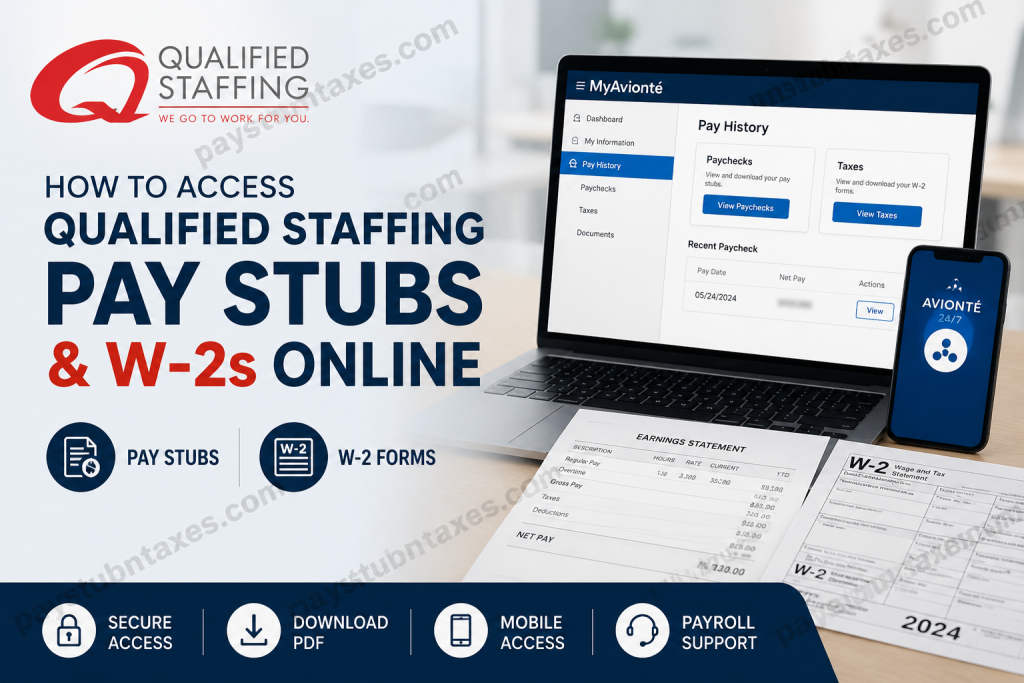
Employees of Qualified Staffing can conveniently access their payroll records, including pay stubs and annual W-2 tax forms, through the MyAvionté portal, Satellite platform, or the Avionté 24/7 mobile application. Whether you are an active employee or a former worker needing tax documentation, understanding the proper login process can save valuable time and eliminate unnecessary frustration. In this comprehensive guide, we walk you through the exact steps to access, download, and print your Qualified Staffing pay statements and W-2 forms online.
About Qualified Staffing
Founded in 1988, Qualified Staffing has grown into one of America’s most trusted staffing agencies, serving employers and job seekers alike across more than 40 offices in 13 states. Over the decades, the company has built a sterling reputation by pairing national resources with localized expertise, enabling businesses to meet workforce demands efficiently while helping candidates secure meaningful employment opportunities.
Qualified Staffing specializes in:
- Temporary and Seasonal Staffing
- Temp-to-Hire Placements
- Direct Hire Recruiting
- Managed Staffing Programs (MSP)
- Vendor-on-Premise Solutions (VOP)
- Educational Staffing Services
Its commitment to safety, integrity, and excellence—underpinned by certifications from SHRM, OSHA, and the American Staffing Association—has earned the company long-standing relationships with clients and employees alike.
How to Access Qualified Staffing Pay Stubs Online
Qualified Staffing employees can retrieve their pay statements electronically through the MyAvionté employee portal or the Satellite platform.
Step 1: Visit the Employee Login Portal
Open your browser and navigate to:
https://q-staffing.myavionte.com/staff/login.aspx
Alternatively, you may access the Satellite portal:
https://q-staffing.myavionte.com/satellite/login
Step 2: Sign In to Your Account
Use the following credentials:
- Username: Your email address on file with Qualified Staffing
- Password: Your previously created password
If you have forgotten your password:
- Click “Forgot your password?”
- Enter your registered email address.
- Check your inbox for a password reset email.
- Follow the link provided and create a new password.
- Select “Save and Login” to access your account.
Step 3: View Your Pay Stubs
After logging in:
- Select Pay History
- Click Paychecks
- Browse your recent payroll records
- Select a paycheck to view details
- Download or save the pay stub as a PDF for your records
If older paychecks are not immediately visible, use the Filter option to modify the date range.
How to Access Qualified Staffing W-2 Forms Online
Qualified Staffing provides electronic W-2 access through the MyAvionté portal.
Steps to Retrieve Your W-2:
- Log into your MyAvionté account.
- Navigate to Pay History.
- Select Taxes.
- Choose the applicable tax year.
- Open, download, or print your W-2 form in PDF format.
Employees who previously opted for paper delivery should expect their W-2 forms to be mailed on or before January 31 each year, in compliance with federal tax regulations.
Access Through the Avionté 24/7 Mobile App
For employees who prefer mobile access, the Avionté 24/7 application offers payroll management on the go.
Using the app, you can:
- View current and historical pay stubs
- Download W-2 forms
- Update account information
- Track payroll history
- Access employment documents anytime
The mobile app is available for both Android and iOS devices.
Troubleshooting Login Issues
Encountering difficulties accessing your payroll information? Consider the following solutions:
Forgotten Password
Use the “Forgot your password?” option on the login page to reset your credentials.
Incorrect Email Address
Ensure you are using the same email address registered with Qualified Staffing.
Account Access Problems
If your account remains inaccessible after multiple attempts, contact your local branch or Human Resources for assistance.
Qualified Staffing Payroll Contact Information
For additional support regarding pay stubs, W-2 forms, or account access:
Qualified Staffing Corporate Office
- Phone: 810-230-0368
- Website: https://www.q-staffing.com
- Local Branch: Contact your nearest Qualified Staffing office for personalized assistance.
Final Thoughts
Accessing Qualified Staffing pay stubs and W-2 forms online is designed to be straightforward, secure, and convenient. Through the MyAvionté portal, Satellite platform, and Avionté mobile app, employees can effortlessly manage payroll records whenever needed. By embracing digital access, Qualified Staffing continues to uphold its long-standing commitment to efficiency, transparency, and employee satisfaction—proving once again why it has remained a trusted staffing partner for decades.
Frequently Asked Questions
1. How do I log in to the Qualified Staffing employee portal?
Visit the MyAvionté login page at q-staffing.myavionte.com/staff/login.aspx and sign in using your registered email address and password.
2. Where can I find my Qualified Staffing pay stubs?
After logging in, navigate to Pay History > Paychecks to view, download, or print your pay statements.
3. How do I access my Qualified Staffing W-2 form?
Log into your MyAvionté account and go to Pay History > Taxes. Select the applicable tax year to view your W-2.
4. What should I do if I forgot my password?
Click “Forgot your password?” on the login page, enter your email address, and follow the password reset instructions sent to your inbox.
5. Can former employees access W-2 forms online?
Yes. Former employees may retain portal access for tax documents, depending on company policies and account status.
6. When will Qualified Staffing mail paper W-2 forms?
Paper W-2 forms are typically mailed on or before January 31 each year in accordance with IRS regulations.
7. Can I download my pay stub as a PDF?
Yes. The MyAvionté portal allows employees to download and save pay stubs in PDF format.
8. Is there a mobile app for accessing payroll information?
Yes. Employees can use the Avionté 24/7 mobile app on iOS and Android devices.
9. Why can’t I see older paychecks in my account?
Use the Filter option within the Paychecks section to expand the date range and locate older payroll records.
10. What username should I use to log in?
Use the email address that Qualified Staffing has on file for your employee account.
11. How secure is the Qualified Staffing payroll portal?
The MyAvionté platform uses secure authentication and encryption measures to safeguard employee data.
12. Can I print my W-2 form directly from the portal?
Yes. Once opened, your W-2 can be downloaded or printed for tax filing purposes.
13. What if my W-2 information is incorrect?
Contact your local Qualified Staffing office or HR department immediately to request corrections.
14. Who should I contact for payroll support?
You can contact your local branch office or call 810-230-0368 for assistance with pay stubs, W-2s, or login issues.
15. Does Qualified Staffing offer electronic W-2 delivery?
Yes. Employees who opt into electronic delivery can access W-2 forms online as soon as they become available.

