
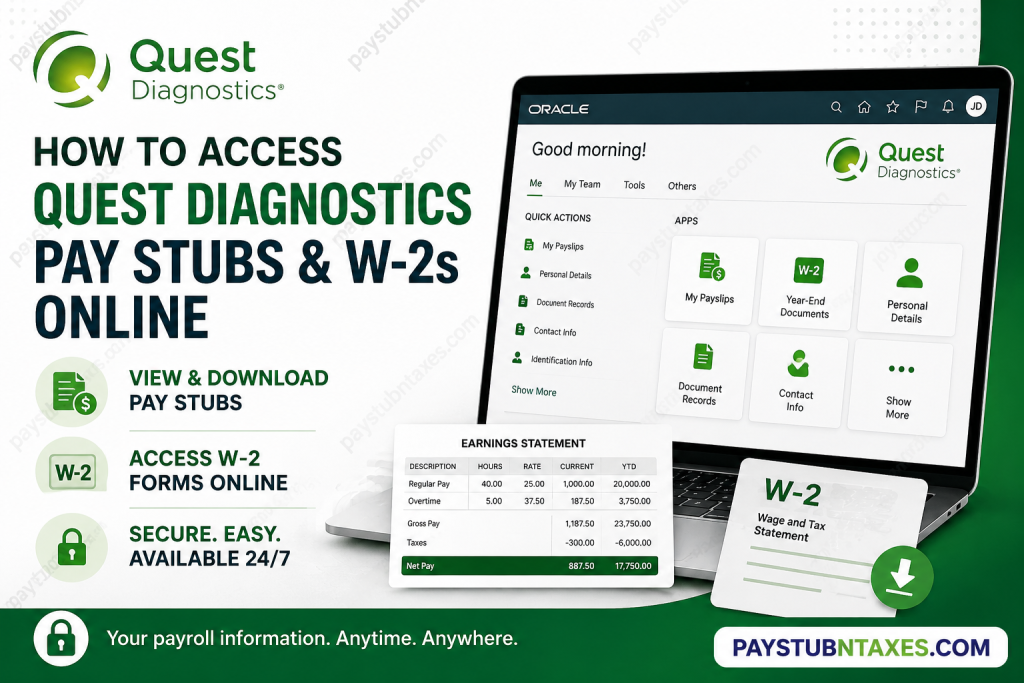
Managing payroll records efficiently is essential for every employee, whether for tax filing, loan applications, or personal financial planning. Fortunately, Quest Diagnostics offers a secure and convenient self-service platform that enables employees and former employees to access pay stubs, W-2 forms, and other tax documents online with ease. In this comprehensive guide, you will learn how to access Quest Diagnostics pay stubs and W-2s online, retrieve year-end tax forms, reset your password, and contact support when needed.
About Quest Diagnostics
Quest Diagnostics Incorporated is one of the world’s leading providers of diagnostic information services and clinical laboratory testing. Headquartered in Secaucus, New Jersey, the Fortune 500 company serves millions of patients annually and offers more than 3,000 diagnostic tests across a broad spectrum of medical specialties.
With approximately 56,000 employees worldwide and an extensive network of laboratories and patient service centers, Quest Diagnostics plays a pivotal role in advancing healthcare through innovative diagnostics and data-driven insights.
The company performs testing for roughly 550,000 patients on a typical workday and serves one in three adult Americans, making it one of the largest clinical laboratory organizations in the world.
How to Access Quest Diagnostics Pay Stubs Online
Current employees can access their payroll information through the Oracle Self Service portal using company Single Sign-On (SSO) credentials.
Quest Diagnostics Self Service Portal
Portal URL:
https://hdox.fa.us6.oraclecloud.com/hcmUI/faces/FuseWelcome
Steps to View or Download Pay Stubs
- Visit the Oracle Self Service portal.
- Sign in using your Quest Diagnostics SSO credentials.
- Navigate to the Me tab.
- Click My Payslips.
- Select the pay stub you wish to access.
- To view the payslip, open the selected document.
- To download it, click the downward-facing export arrow.
Employees can save electronic copies of pay statements for future reference, tax preparation, or income verification.
How to Access Quest Diagnostics W-2 Forms Online
Quest Diagnostics provides W-2 forms electronically through the Self Service portal.
Steps to View or Download W-2 Forms
- Log in to the Oracle Self Service portal.
- Select the Me tab.
- Click Show More.
- Under the Pay section, select Year-End Documents.
- Choose a viewing period:
- All
- Last 3 Years
- Specific Date Range
- Click the desired W-2 document to view it.
- Select the Save icon to download your W-2.
Downloading your W-2 electronically is often faster and more secure than waiting for paper delivery.
When Will Quest Diagnostics Mail W-2 Forms?
Employees who elected paper delivery instead of electronic access will receive their W-2 forms by mail.
Quest Diagnostics generally mails W-2 forms on or before January 31, in accordance with federal tax reporting requirements. To avoid delays, employees should ensure that their mailing address is accurate and up to date.
How Former Employees Can Access Pay Stubs and W-2s
One of the most valuable features of Quest Diagnostics Self Service is that former employees continue to have access to tax forms and payslips after leaving the company. Former employees can also update personal contact information, ensuring they receive notifications when year-end documents become available.
Former Employee Login Process
- Open the Self Service portal designated for former employees.
- Enter your Person Number (Employee ID) as the User ID.
- Input your password.
- Click Sign In.
Maintaining an up-to-date personal email address allows Quest Diagnostics to notify former employees when W-2 documents become available in late January.
Forgot Your Password? Here’s How to Reset It
If you cannot access your account:
- Open the Self Service portal.
- Click Forgot Password.
- Enter your Person Number.
- Select Forgot Password under Options.
- Click Submit.
- Check your email for the password reset message.
- Create a new password using the provided link.
- Open a new browser window and sign in again.
If you do not receive the reset email, check your spam folder or contact HR support.
How to Update Contact Information
Keeping your contact information current is crucial, especially for receiving tax forms and payroll notifications.
Employees and former employees can update:
- Home address
- Personal email address
- Phone number
To update information:
- Log in to Self Service.
- Click the Me tab.
- Select Contact Info under Quick Actions.
- Add or edit phone numbers, email addresses, or mailing addresses.
- Save your changes.
Accessing Other Tax Documents
In addition to W-2 forms, Quest Diagnostics employees may also access 1095-C tax documents online.
To retrieve a 1095-C:
- Navigate to Me → Show More.
- Select Document Records.
- Search by document type.
- Click Download.
Quest Diagnostics Payroll Contact Information
If you experience issues accessing your pay stubs or W-2 forms, contact the Quest Diagnostics Payroll Team:
Phone: 855-411-8511
Hours: Monday–Friday, 8:00 AM–6:00 PM ET
For 1095-C inquiries, employees may contact the Ernst & Young Affordable Care Act Call Center at 1-855-901-1222.
Why Electronic Access Matters
Accessing payroll records electronically offers numerous advantages:
- Immediate access to tax forms
- Reduced risk of lost documents
- Secure storage of payroll history
- Faster tax filing
- Convenient access from virtually anywhere
In today’s increasingly digital workplace, having round-the-clock access to employment records is not merely a convenience—it is an indispensable tool for effective financial management.
Final Thoughts
Quest Diagnostics has streamlined payroll administration through its Oracle Self Service platform, empowering both current and former employees to access pay stubs, W-2 forms, and tax documents securely and efficiently. Whether you need to download a recent payslip, retrieve a W-2 for tax season, or update your contact information after separation from the company, the platform offers a straightforward and user-friendly experience. By keeping your personal information current and opting for electronic delivery whenever possible, you can ensure uninterrupted access to essential payroll records and avoid unnecessary delays during tax season.
FAQ: Quest Diagnostics Pay Stubs and W-2s
1. How do I access my Quest Diagnostics pay stubs online?
Employees can log in to the Oracle Self Service portal using their company SSO credentials and navigate to Me > My Payslips to view or download pay stubs.
2. Where can I download my Quest Diagnostics W-2 form?
W-2 forms are available under Me > Show More > Year-End Documents in the Oracle Self Service portal.
3. What is the Quest Diagnostics employee portal URL?
The Quest Diagnostics Oracle Self Service portal is:
https://hdox.fa.us6.oraclecloud.com/hcmUI/faces/FuseWelcome
4. Can former Quest Diagnostics employees access W-2 forms online?
Yes. Former employees retain access to Self Service using their Person Number (Employee ID) and password.
5. When does Quest Diagnostics mail W-2 forms?
Paper W-2 forms are generally mailed on or before January 31 each year.
6. What should I do if I forgot my Quest Diagnostics password?
Use the Forgot Password option in Self Service and follow the password reset instructions sent to your email.
7. What is my User ID for Quest Diagnostics Self Service?
Former employees use their Person Number (Employee ID) as the User ID.
8. How can I update my mailing address at Quest Diagnostics?
Log in to Self Service and navigate to Me > Contact Info to update your address, email, or phone number.
9. Can I download multiple pay stubs at once?
Yes. Select the desired payslips and click the export icon to download them.
10. How many years of W-2 forms can I access online?
Employees can typically view documents from the last three years or search by a specific date range.
11. What if I do not receive my W-2 form?
Verify your mailing address and contact the Quest Diagnostics Payroll Team for assistance.
12. How do I contact Quest Diagnostics Payroll?
Call 855-411-8511 Monday through Friday, from 8:00 AM to 6:00 PM ET.
13. Can I access Quest Diagnostics pay stubs after leaving the company?
Yes. Former employees may continue accessing payslips and tax forms through Self Service.
14. Does Quest Diagnostics provide electronic W-2 delivery?
Yes. Employees can opt for electronic delivery and download W-2 forms directly from the portal.
15. Can I access other tax forms besides W-2s?
Yes. Employees may also access 1095-C forms through Document Records in Self Service.

