
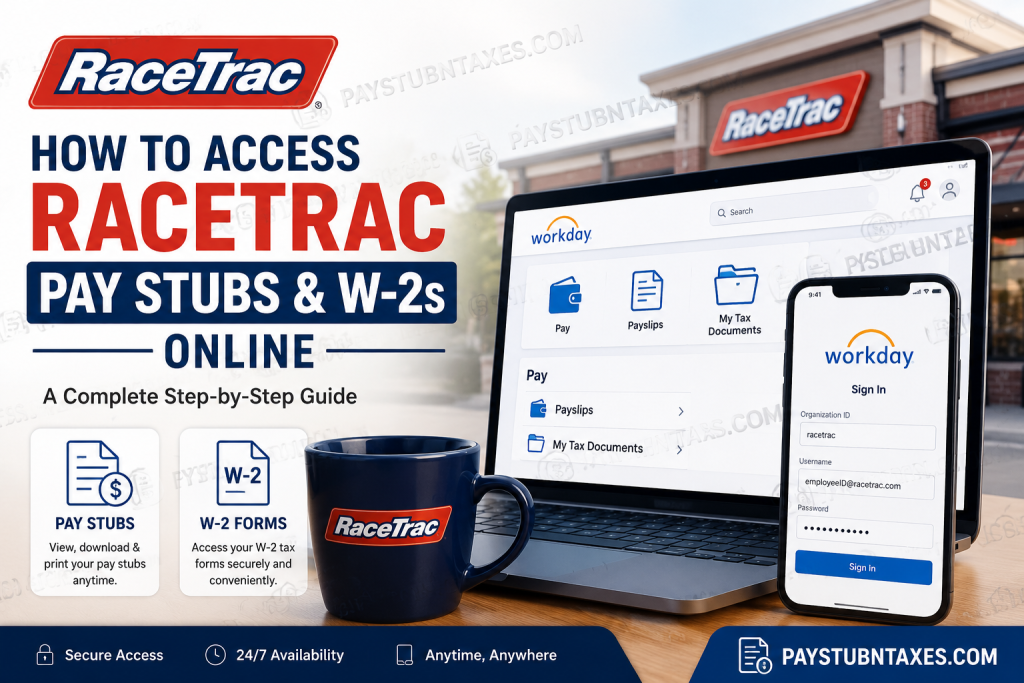
Employees of RaceTrac can conveniently access payroll documents, including pay stubs and annual W-2 tax forms, through the company’s secure Workday self-service portal. Whether you are an active team member working in stores, distribution centers, or the Store Support Center, Workday provides a streamlined digital experience that allows you to manage your payroll information anytime and anywhere. As one of the largest privately held companies in the United States, RaceTrac employs thousands of team members across its RaceTrac®, RaceWay®, Gulf, and Energy Dispatch operations. To support a modern workforce, the company utilizes Workday and Okta Single Sign-On (SSO) technology for secure employee access to payroll and HR services. In this comprehensive guide, you will learn how to access RaceTrac pay stubs online, retrieve your W-2 tax forms, log in through the Workday mobile app, and resolve common login or payroll issues.
What Is the RaceTrac Workday Portal?
RaceTrac employees use Workday as their official employee self-service platform. Through Workday, employees can:
- View and download pay stubs
- Access W-2 tax statements
- Update direct deposit information
- Change personal details and addresses
- Review tax withholdings
- Request time off
- Access benefits and employment documents
The RaceTrac Workday portal is available both on desktop browsers and through the Workday mobile application for Android and iPhone devices.
RaceTrac Workday Login Information
Official Workday Login Link
Employees can access the RaceTrac Workday portal using the following website:
https://wd5.myworkday.com/racetrac/d/home.htmld
Organization ID
When signing in through the Workday mobile application, employees may be asked to enter the Organization ID: racetrac
Login Credentials
Active employees generally sign in through Okta Single Sign-On (SSO).
- Store employees usually log in using:
employeeID@racetrac.com
- Store Support Center (SSC) employees generally use:
their RaceTrac email address
After entering the username, employees proceed through secure authentication to access their Workday dashboard.
How to Access RaceTrac Pay Stubs Online
RaceTrac employees can retrieve both current and historical pay statements directly from Workday in only a few minutes.
Step-by-Step Instructions
Step 1: Log Into Workday
Visit the RaceTrac Workday portal and sign in using your employee credentials.
Step 2: Open the Pay Section
After logging in, navigate to the homepage dashboard and select the Pay application.
Step 3: Access Payslips
Under the “View” section, click: Payslips
You will then see a list of all available pay statements.
Step 4: View or Download Your Pay Stub
Select the desired pay period and click: View
Your payslip will open as a downloadable PDF document that can be printed or saved for personal records.
Information Included on a RaceTrac Pay Stub
RaceTrac pay statements typically contain:
- Gross earnings
- Net pay
- Current and year-to-date totals
- Federal and state tax withholdings
- Pre-tax and post-tax deductions
- Employer-paid benefits
- Hours worked
- Payment details
- Taxable wages
Employees should regularly review their pay statements to ensure accuracy regarding wages, deductions, and tax information.
How to Access Your RaceTrac W-2 Online
RaceTrac issues annual W-2 tax forms electronically through Workday.
Availability of 2026 W-2 Forms
Electronic W-2 forms for the 2026 tax year will become available no later than January 31, 2027
Employees who selected paper delivery will receive mailed copies at the home address listed in Workday.
Steps to Retrieve Your W-2 Form
Step 1: Sign Into Workday
Access your employee Workday account through the official RaceTrac login page.
Step 2: Open the Pay Worklet
From the Workday homepage, click: Pay
Step 3: Open Tax Documents
Under the “View” category, select: My Tax Documents
Step 4: Download the W-2
Locate the applicable tax year and click: View/Print
The document will generate as a PDF file that can be downloaded, printed, or securely stored for tax filing purposes.
In some situations, Workday may briefly display a processing notification while the document is being generated.
How to Access RaceTrac Workday on Mobile Devices
The Workday mobile app allows employees to access payroll information 24/7 from virtually anywhere.
Supported Devices
The Workday application supports:
- iPhone and iPad devices running iOS 9 or later
- Android devices running Android 4.4 or higher
Download the Workday App
Employees may download the official Workday app from:
- Apple App Store
- Google Play Store
How to Configure the Workday Mobile App
After installing the app:
- Open Workday
- Enter the Organization ID:
racetrac
- Sign in using your RaceTrac employee credentials
- Complete Okta authentication if prompted
- Optionally create a mobile PIN for faster future access
Once configured, employees can:
- View pay stubs
- Access W-2 forms
- Request time off
- Update personal information
- Review benefits
- Receive notifications
RaceTrac Okta SSO Login Process
RaceTrac uses Okta Single Sign-On technology to improve security and streamline employee access.
Employees may occasionally be asked to complete multi-factor authentication (MFA), which can include:
- Text message verification
- Authentication codes
- Password confirmation
- Mobile verification prompts
This additional security layer helps protect sensitive payroll and tax information.
What to Do If You Cannot Access Workday
If you experience issues logging into Workday, try the following:
Verify Your Credentials
Ensure that:
- Your username is entered correctly
- Your password is accurate
- You are using the correct employee email format
Reset Your Password
Use the “Need more help?” or “Unlock account?” options available on the Okta login page.
Confirm Your Internet Connection
A weak or unstable internet connection may interrupt authentication or document downloads.
Update the Workday App
Older versions of the mobile app may experience compatibility issues.
Contact RaceTrac Payroll Support
For payroll-related questions, W-2 concerns, or tax withholding inquiries, contact RaceTrac Payroll directly:
- Email: payroll@racetrac.com
- Phone: 1-888-636-5589
Benefits of Using RaceTrac Workday Self-Service
RaceTrac’s Workday self-service portal provides employees with a secure and highly efficient way to manage payroll and HR information without requiring manual assistance from human resources.
Key advantages include:
- 24/7 access to payroll documents
- Faster W-2 retrieval during tax season
- Mobile accessibility
- Enhanced account security
- Easy document downloads
- Reduced paperwork
- Immediate access to historical pay data
Final Thoughts
RaceTrac has modernized payroll accessibility through its secure Workday self-service system, enabling employees to retrieve pay stubs, tax documents, and employment information with remarkable convenience. Whether accessing payroll records from a desktop browser or through the mobile application, employees benefit from a streamlined and secure experience designed for efficiency and flexibility. By understanding the login process, mobile setup procedures, and document retrieval steps outlined above, RaceTrac employees can confidently manage their payroll information throughout the year.
Frequently Asked Questions
1. Can former RaceTrac employees access Workday?
Former employees may retain limited access for payroll and tax document retrieval, depending on company policy and account status.
2. When will RaceTrac W-2 forms be available?
W-2 forms are generally available electronically by January 31 each year.
3. What is the RaceTrac Workday Organization ID?
The Organization ID is: racetrac
4. Can I print my pay stubs from Workday?
Yes. Payslips can be downloaded and printed in PDF format directly from the portal.
5. Does RaceTrac use Okta authentication?
Yes. RaceTrac employees typically access Workday through Okta Single Sign-On (SSO).
6. Can I access Workday from my phone?
Absolutely. The Workday mobile application is available for both Android and iPhone devices.

