
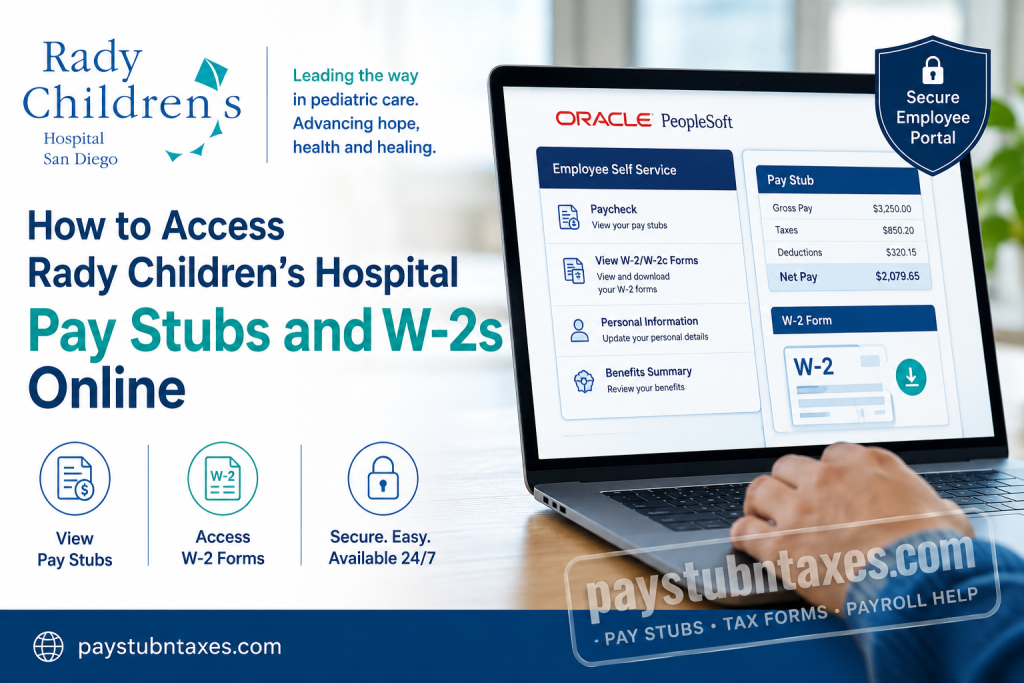
Rady Children’s Hospital San Diego stands as one of the nation’s premier pediatric healthcare institutions, serving families across San Diego, southern Riverside, and Imperial counties. As the region’s only dedicated pediatric hospital and Level I Pediatric Trauma Center, the nonprofit organization has earned national acclaim, including recognition among the top 10 children’s hospitals in the United States. With more than 40 locations and a 511-bed flagship facility, Rady Children’s remains steadfast in its mission of advancing hope, health, and healing for children. To streamline workforce management and improve employee experience, Rady Children’s Hospital utilizes Oracle PeopleSoft Human Capital Management (HCM), a modern self-service platform that enables employees to securely access payroll records, tax forms, benefits, and personal information from virtually anywhere. If you are a current or former employee, this comprehensive guide explains how to access your pay stubs and W-2 forms online with ease.
Rady Children’s Hospital Employee Payroll Portal
Employees can access payroll and tax documents through the Oracle PeopleSoft portal:
PeopleSoft Login Portal:
https://careers.rchsd.org/prdexh/signon.html
Alternatively, employees working within the hospital network may access PeopleSoft HCM directly from their desktop or through Citrix Remote Self-Service Access.
How to Log In to Oracle PeopleSoft
To access your payroll information:
- Visit the PeopleSoft login page.
- Enter your Network ID.
- Enter your Password.
- Select your preferred language.
- Click Sign In.
Employees use the same Network ID and password they utilize for other Rady Children’s systems.
The upgraded PeopleSoft interface features an intuitive tile-based homepage optimized for both desktop and mobile devices, making navigation considerably more seamless.
How to View Rady Children’s Pay Stubs Online
Once logged in to Oracle PeopleSoft:
- Navigate to Employee Self Service.
- Click Paycheck.
- A list of recent paychecks will appear.
- Select the desired paycheck to view detailed earnings information.
- To locate older pay statements, use the Filter option and adjust the date range.
Your pay stub typically contains:
- Gross earnings
- Net pay
- Federal and state tax withholdings
- Benefit deductions
- Retirement contributions
- Paid time off balances
- Direct deposit details
Maintaining digital access to your pay records allows employees to monitor compensation accurately and simplify income verification when applying for loans, rentals, or government services.
How to Access Your W-2 Form Online
Employees may retrieve annual tax forms directly through PeopleSoft by following these steps:
- Log in to Oracle PeopleSoft.
- Select Employee Self Service.
- Click View W-2/W-2c Forms.
- Choose the desired tax year.
- Open or download your W-2 for printing or tax filing purposes.
The system also provides access to corrected tax forms (W-2c) when applicable.
When Will Paper W-2 Forms Be Mailed?
Employees who elected paper delivery instead of electronic access should expect their W-2 forms to be mailed on or before January 31 each year, in compliance with federal tax regulations.
To avoid delays, employees should ensure their mailing address is up to date in PeopleSoft.
Mobile-Friendly PeopleSoft Experience
Oracle’s upgraded PeopleSoft environment offers a modern, mobile-responsive interface that enables employees to perform numerous HR tasks from smartphones and tablets.
Available self-service functions include:
- Viewing pay stubs
- Accessing W-2 forms
- Requesting absences
- Reviewing benefits information
- Updating personal details
- Managing payroll preferences
Managers can likewise approve requests remotely, ensuring operational efficiency regardless of location.
As the saying goes, time waits for no one—and neither should access to critical employment records.
Forgot Your Network ID or Password?
If you encounter login difficulties:
- Verify that your Network ID is entered correctly.
- Ensure Caps Lock is disabled.
- Attempt password recovery through internal IT resources.
- Contact Human Resources for assistance.
Employees accessing the portal externally may also require Citrix or remote access credentials.
Contact Rady Children’s HR Support
If you need assistance accessing your pay stubs, W-2s, or PeopleSoft account, contact Human Resources:
Rady Children’s Hospital HR Support
Phone: 858-966-1700 ext. 245801
HR representatives can assist with:
- Login issues
- W-2 corrections
- Address updates
- Employment verification
- Payroll inquiries
About Rady Children’s Hospital San Diego
Founded in 1954, Rady Children’s Hospital San Diego has grown into one of the largest pediatric healthcare systems in the nation. Affiliated with the UC San Diego School of Medicine, the organization provides comprehensive pediatric specialties and subspecialties to patients from birth through age 21.
Recognized nationally for clinical excellence, Rady Children’s continues to innovate through advanced research, genomic medicine, and patient-centered care—ensuring that every child receives world-class treatment when it matters most.
Final Thoughts
Accessing your pay stubs and W-2 forms through Oracle PeopleSoft is straightforward and secure. Whether you need payroll records for tax filing, financial planning, or employment verification, the Employee Self-Service portal provides convenient, around-the-clock access. By embracing Oracle’s modern HR technology, Rady Children’s Hospital empowers employees with greater flexibility, transparency, and control over their employment information.
Frequently Asked Questions
1. How do I access my Rady Children’s Hospital pay stubs online?
Log in to Oracle PeopleSoft using your Network ID and password. Then go to Employee Self Service > Paycheck to view and download your pay stubs.
2. Where can I log in to Rady Children’s PeopleSoft?
Employees can access the portal at:
https://careers.rchsd.org/prdexh/signon.html
Alternatively, access PeopleSoft HCM from your hospital desktop or via Citrix.
3. What credentials do I need to access PeopleSoft?
You need your Network ID and password, which are the same credentials used for other Rady Children’s systems.
4. How do I view older pay stubs?
In the Paycheck section, click the Filter button and adjust the date range to display older pay statements.
5. How can I download my W-2 form online?
After logging in to PeopleSoft:
- Open Employee Self Service
- Select View W-2/W-2c Forms
- Choose the tax year
- Download or print your W-2
6. When are Rady Children’s W-2 forms mailed?
Employees who selected paper delivery will receive their W-2 forms by January 31 each year.
7. Can former employees access their W-2 online?
Former employees may retain access depending on hospital policies. If access has expired, contact HR for assistance.
8. What should I do if I forgot my password?
Contact your IT department or Human Resources to reset your credentials or regain account access.
9. Is the PeopleSoft portal mobile-friendly?
Yes. Oracle’s upgraded PeopleSoft interface is optimized for smartphones and tablets, allowing employees to access payroll and HR services remotely.
10. Can I access PeopleSoft outside the hospital network?
Yes. Employees may access the system remotely through Citrix or secure remote access, depending on eligibility.
11. What information appears on my pay stub?
Your pay stub may include:
- Gross pay
- Net pay
- Taxes withheld
- Benefit deductions
- Retirement contributions
- Paid leave balances
- Direct deposit details
12. How do I update my mailing address for W-2 delivery?
Log in to PeopleSoft and update your personal information to ensure tax documents are mailed to the correct address.
13. Can I view corrected W-2 forms online?
Yes. PeopleSoft provides access to both W-2 and W-2c (corrected) forms when available.
14. Who do I contact for payroll or tax form issues?
Contact Rady Children’s Human Resources at:
Phone: 858-966-1700 ext. 245801
15. What other features are available in Employee Self-Service?
Employees can use PeopleSoft to:
- Request absences
- Manage benefits
- Update personal information
- Review compensation history
- Access tax documents
- View payroll records

