
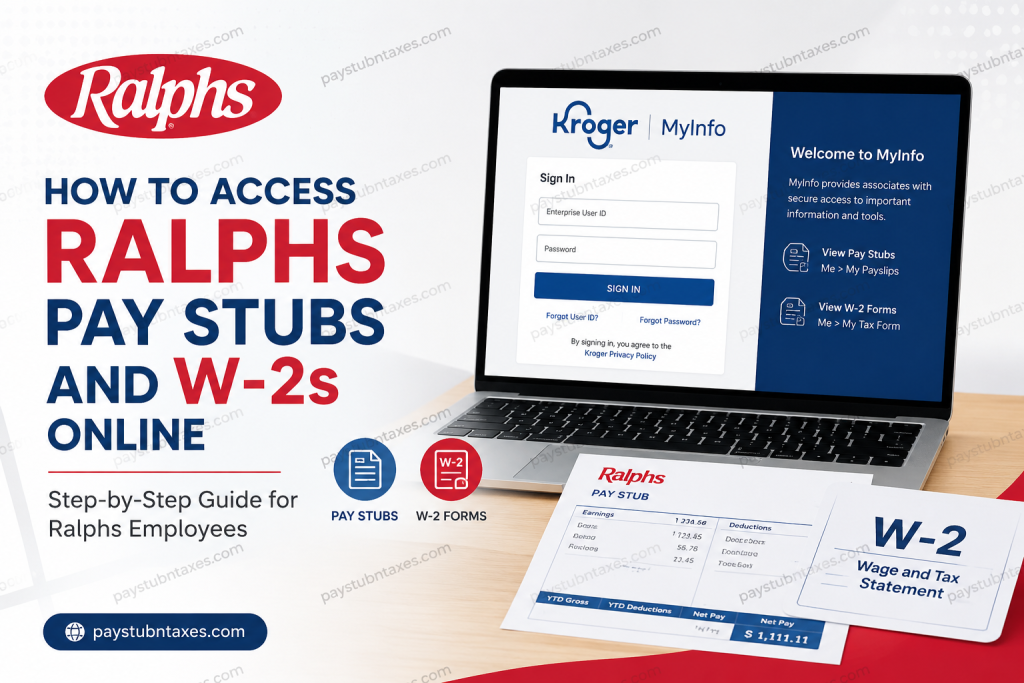
Employees of Ralphs Grocery Company can conveniently access their payroll records, digital pay stubs, tax documents, and employment-related information through the secure Kroger MyInfo portal. Because Ralphs operates as a subsidiary of The Kroger Co., associates use Kroger’s centralized employee management system to review payslips, download W-2 forms, manage schedules, and update payroll preferences online. Whether you are a newly hired associate or a long-term employee seeking year-end tax documents, understanding how to navigate the MyInfo system can save considerable time and eliminate unnecessary administrative delays. This guide explains, in comprehensive detail, how to access Ralphs’ pay stubs and W-2 forms online securely and efficiently.
About Ralphs Grocery Company
Founded in 1873 in Los Angeles, Ralphs is one of the oldest supermarket chains west of the Mississippi River and remains a dominant grocery retailer throughout Southern California. Today, Ralphs operates under The Kroger Co., one of the largest grocery corporations in the United States, alongside other California-based brands such as Food 4 Less and Foods Co.
The company continues to serve millions of customers while employing thousands of associates across its retail operations, pharmacy services, warehouse facilities, and corporate divisions.
What Is the Kroger MyInfo Portal?
The Kroger MyInfo portal is a centralized employee self-service platform designed for associates working under Kroger-owned companies, including Ralphs. The portal enables employees to:
- Access current and previous pay stubs
- Download annual W-2 tax forms
- Review work schedules
- Manage direct deposit settings
- Update personal information
- Request time off
- Access payroll and employment records
- Manage tax withholding information
The portal is accessible from both desktop and mobile devices, making payroll management significantly more convenient for employees who work varying schedules.
Ralphs Pay Stub Access Requirements
Before signing into the MyInfo portal, ensure that you have the following information readily available:
- Enterprise User ID (EUID) or registered company email address
- Password associated with your employee account
- Stable internet connection
- Smartphone, tablet, or computer browser
Employees who previously created a personal User ID should continue using those credentials during login.
Official Ralphs MyInfo Login Portal
Employees can access the official portal here:
Always ensure you are using the official website to protect sensitive payroll and tax information from phishing attempts or unauthorized access.
How to Access Ralphs Pay Stubs Online
Accessing your Ralphs pay stubs through the MyInfo system is relatively straightforward. Follow these instructions carefully:
Step 1: Visit the MyInfo Portal
Open your preferred browser and navigate to the official MyInfo website.
Step 2: Enter Your Login Credentials
Input your Enterprise User ID (EUID) or company email address and continue to the password page.
Step 3: Complete Secure Authentication
Enter your password and proceed through any additional authentication prompts if required.
Step 4: Navigate to Payroll Information
Once logged in successfully, select:
Me > My Payslips
This section contains both current and previous electronic pay statements.
Step 5: View or Download Your Payslip
Employees may:
- View payroll details online
- Download PDF copies
- Print payslips for financial verification or recordkeeping
Pay statements generally become available electronically each payroll cycle.
How to Access Ralphs W-2 Forms Online
Ralphs employees can also retrieve annual tax documents electronically through the same portal.
Steps to Download Your W-2
- Sign into MyInfo
- Select the “Me” section
- Open “My Tax Form”
- Locate the applicable tax year
- Download or print your W-2 form
Employees who elected electronic delivery typically receive digital access by January 31 of each year.
For the 2026 tax season, electronic W-2 forms are expected to become available no later than January 31, 2027.
What If You Chose Mailed Delivery?
Associates who selected physical mailing instead of electronic delivery will receive their W-2 forms through postal mail. Documents are generally mailed to the address currently listed in the Oracle employee system.
It is therefore essential to ensure that your mailing address remains updated within MyInfo to avoid delays in receiving important tax documents.
Single Sign-On (SSO) for Active Employees
Active Ralphs associates may use Kroger’s Single Sign-On system for simplified access.
After logging in:
- Click “Me”
- Select “My Tax Form”
- Access available W-2 documents instantly
The SSO process eliminates the need for multiple employee login systems and streamlines payroll access considerably.
Forgot Your User ID or Password?
Employees experiencing login difficulties can recover their credentials directly from the MyInfo portal.
Forgot User ID
If you cannot remember your personal User ID:
- Select “Forgot User ID”
- Follow identity verification prompts
- Recover account credentials securely
Password Reset
Employees may also reset passwords through the account recovery system if login authentication fails.
For security purposes, always create a strong password containing uppercase letters, lowercase letters, numbers, and special characters.
Access Ralphs Payroll Information Through the FEED App
In addition to browser access, Kroger employees may also use the FEED mobile application to review payroll records and schedules.
The FEED app allows associates to:
- Check work schedules
- Access pay stubs
- Review company announcements
- Manage shift-related information
- View payroll details remotely
The application is available for both Android and iOS devices.
Why Employees Prefer Electronic Pay Stub Access
Digital payroll systems offer several important advantages over traditional paper statements:
Faster Access
Employees can review earnings immediately once payroll processing is completed.
Secure Recordkeeping
Electronic storage reduces the likelihood of lost or damaged payroll records.
Convenient Tax Preparation
Employees can download W-2 forms instantly during tax season without waiting for postal delivery.
Mobile Accessibility
Payroll records remain accessible from virtually anywhere through smartphones and tablets.
Environmentally Responsible
Electronic documentation significantly reduces paper consumption and mailing waste.
Common Ralphs MyInfo Login Issues
Although the system is generally reliable, employees occasionally encounter technical difficulties.
Incorrect Credentials
Ensure that your EUID and password are entered accurately, including capitalization.
Expired Passwords
Kroger security policies may require periodic password updates.
Browser Compatibility Problems
If the portal fails to load correctly:
- Clear browser cache
- Disable browser extensions temporarily
- Try another browser
- Update your browser to the latest version
Locked Accounts
Multiple unsuccessful login attempts may temporarily lock your account for security purposes.
Ralphs Employee Help Desk
Employees requiring payroll assistance or technical support may contact the Ralphs Employee Help Desk directly.
Ralphs Employee Support Number
800-952-8889
Support representatives can assist with:
- MyInfo login issues
- Payroll access problems
- W-2 retrieval
- Password resets
- Account verification
- Technical troubleshooting
Important Payroll Security Tips
Because payroll systems contain highly sensitive personal information, employees should follow strict cybersecurity practices.
Recommended Security Measures
- Never share your login credentials
- Avoid accessing payroll accounts on public Wi-Fi
- Enable multi-factor authentication if available
- Log out completely after each session
- Use only official Kroger login portals
Protecting payroll information is essential to preventing identity theft and unauthorized financial access.
Final Thoughts
The Kroger MyInfo portal has substantially simplified how Ralphs employees manage payroll and tax documentation. Through a single secure platform, associates can access pay stubs, download W-2 forms, review schedules, and manage employment information from virtually anywhere. Whether you are preparing for tax season, verifying earnings, or reviewing payroll deductions, the MyInfo system provides a secure and efficient digital solution for Ralphs associates throughout Southern California. Employees experiencing difficulties should promptly contact the Ralphs Employee Help Desk to ensure uninterrupted access to important payroll and tax records.
Frequently Asked Questions
1. How do I access my Ralphs pay stubs online?
You can access your Ralphs pay stubs by logging into the Kroger MyInfo portal at MyInfo Kroger Portal and selecting Me > My Payslips.
2. What login information do I need for Ralphs MyInfo?
You need your Enterprise User ID (EUID) or registered company email address along with your employee password.
3. Where can I download my Ralphs W-2 form?
After signing into MyInfo, navigate to Me > My Tax Form to download or print your W-2.
4. When will Ralphs W-2 forms become available?
Electronic W-2 forms are generally available by January 31 each year.
5. Can former Ralphs employees access W-2 forms online?
Former employees may still be able to access tax documents through MyInfo if their account remains active. Otherwise, they should contact payroll support.
6. What should I do if I forgot my Ralphs MyInfo password?
Use the password recovery or “Forgot User ID” option available on the MyInfo login page.
7. Does Ralphs offer electronic W-2 delivery?
Yes. Employees can choose electronic delivery for faster and more secure access to tax documents.
8. What happens if I selected mailed W-2 delivery?
Your W-2 will be mailed to the address currently listed in the Oracle employee system.
9. Can I print my Ralphs pay stubs?
Yes. Pay stubs can be downloaded as PDF files and printed directly from the MyInfo portal.
10. Is there a mobile app for Ralphs employee payroll access?
Yes. Employees may use the FEED mobile application to access schedules, payroll details, and work-related information.
11. How often are Ralphs pay stubs updated online?
Pay stubs are typically uploaded electronically each payroll cycle after payroll processing is completed.
12. What is the official Ralphs employee payroll website?
The official payroll and employee self-service portal is Kroger MyInfo.
13. Why can’t I log into my Ralphs MyInfo account?
Login issues may occur because of incorrect credentials, expired passwords, browser problems, or temporary account lockouts.
14. How do I contact Ralphs payroll support?
Employees can contact the Ralphs Employee Help Desk at 800-952-8889 for payroll or W-2 assistance.
15. Is the Ralphs MyInfo portal secure?
Yes. The portal uses secure authentication systems to protect employee payroll and tax information.

