
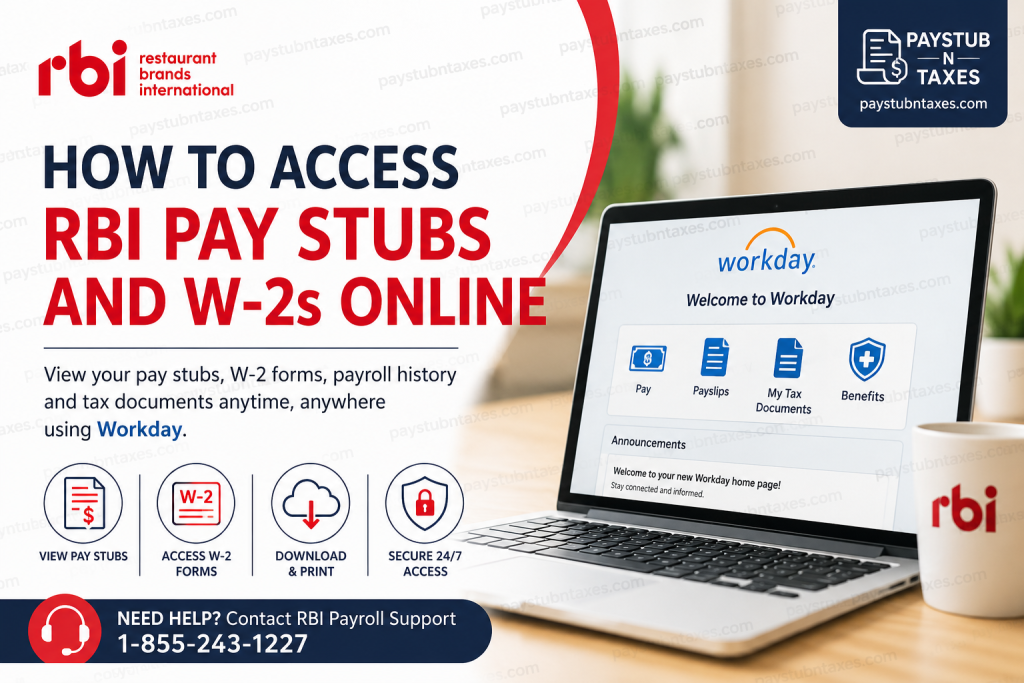
Restaurant Brands International (RBI) is one of the world’s largest quick-service restaurant companies, operating iconic global brands including Tim Hortons, Burger King, Popeyes, and Firehouse Subs. With more than 32,000 restaurants across over 120 countries and territories, RBI employs thousands of corporate and restaurant support professionals worldwide. RBI employees rely on Workday, the company’s centralized Human Capital Management (HCM) platform, to access payroll records, tax documents, benefits information, direct deposit settings, and other essential employment resources. If you are an RBI employee and need to retrieve your pay stubs, W-2 forms, direct deposit information, or payroll history, this guide walks you through the entire process.
RBI Workday Employee Login
RBI uses Workday as its official employee self-service platform. Active employees can securely access payroll and HR information through the RBI Workday portal.
RBI Workday Login Portal:
https://wd3.myworkday.com/rbi/login-saml2.flex
Login Instructions
- Visit the RBI Workday login page.
- Sign in using your company Single Sign-On (SSO) credentials.
- Complete any required multi-factor authentication (MFA) verification.
- After successful authentication, you will be redirected to your Workday dashboard.
- If Workday does not launch automatically, access it through the company’s Okta My Apps dashboard.
Once logged in, you can manage payroll records, tax forms, personal information, benefits, and time-off requests from a single location.
How to View RBI Pay Stubs in Workday
Workday makes accessing payroll records straightforward and available 24/7.
Method 1: Access Pay Stubs Through Your Profile
- Log in to Workday.
- Click your profile picture or employee profile.
- Select Pay.
- Choose Payslips.
- Locate the desired pay period.
- Click the PDF link associated with that pay statement.
- View, download, or print your payslip as needed.
Method 2: Access Pay Stubs Through the Pay Application
- Sign in to Workday.
- Open the Pay application from the homepage.
- Under the View section, select Payslips.
- Choose the applicable pay period.
- Open the pay statement PDF for viewing, downloading, or printing.
Information Available on RBI Pay Stubs
Your payroll statement typically includes:
- Gross earnings
- Net pay
- Federal tax withholding
- State and local tax deductions
- Overtime earnings
- Bonus payments
- Benefit deductions
- Retirement contributions
- Direct deposit information
- Year-to-date earnings totals
Reviewing your pay stubs regularly helps ensure payroll accuracy and assists with budgeting, loan applications, and tax preparation.
How to Access RBI W-2 Forms Online
Workday stores employee tax documents electronically, allowing quick access whenever needed.
Steps to Retrieve Your W-2
- Sign in to Workday.
- From the homepage, select Pay.
- Click My Tax Documents.
- Locate the applicable tax year.
- Select View/Print next to the W-2 form.
- Wait for the document to load.
- Use the printer icon to print the form.
- Use the download icon to save a PDF copy to your device.
Viewing Accessible W-2 Forms
Employees requiring an accessible version can:
- Navigate to My Tax Documents.
- Select Accessible Form.
- Open the accessible version for viewing or printing.
How to Download and Print Your W-2
After opening your W-2:
- Click the Download icon to save a PDF copy.
- Click the Print icon to generate a paper copy.
- Use navigation arrows to review all pages before printing.
Keeping both digital and printed copies can prove invaluable when applying for loans, mortgages, financial aid, or filing amended tax returns.
Accessing RBI Payroll Information Through the Workday Mobile App
The Workday mobile application provides secure access to payroll and HR tools while on the go.
Using the mobile app, employees can:
- View pay stubs
- Access W-2 forms
- Review benefits information
- Update personal information
- Manage direct deposit accounts
- Request time off
- View company announcements
- Monitor payroll history
The app is available for both iOS and Android devices.
Updating Direct Deposit Information
Workday also allows employees to manage banking details electronically.
To update direct deposit:
- Log in to Workday.
- Navigate to Pay.
- Select Payment Elections or Direct Deposit.
- Add, edit, or remove bank accounts.
- Review the information carefully.
- Submit changes for processing.
Always verify account and routing numbers before submitting updates.
What If You Cannot Access Workday?
If you experience login issues, consider the following:
Reset Your Password
Use your organization’s password reset process through the SSO login page.
Verify Your Credentials
Ensure you are using your active RBI company username and password.
Clear Browser Cache
Outdated browser data may interfere with authentication.
Try Another Browser
Workday generally performs best on updated versions of Chrome, Edge, Firefox, and Safari.
Confirm Employment Status
Former employees may have different access procedures depending on company policy and separation date.
RBI Payroll and Tax Support
If you need assistance accessing payroll records, tax documents, or Workday functionality, contact RBI support.
RBI Payroll and Tax Support
Phone: 1-855-243-1227
Support representatives can assist with:
- W-2 access issues
- Payroll questions
- Tax documentation concerns
- Website login problems
- Technical troubleshooting
Why Employees Use Workday at RBI
Workday serves as a comprehensive self-service platform that centralizes employee information in one secure location. Rather than relying on paper records or manual HR requests, employees can instantly access payroll and tax documentation whenever needed.
Key advantages include:
- Secure cloud-based access
- 24/7 availability
- Electronic tax document storage
- Mobile accessibility
- Faster payroll management
- Reduced paperwork
- Self-service updates for personal information
For RBI employees, Workday simplifies payroll administration and provides convenient access to critical employment records throughout the year.
Final Thoughts
Restaurant Brands International employees can conveniently access pay stubs, W-2 forms, direct deposit information, and other HR resources through the Workday employee self-service portal. By logging in with company SSO credentials and navigating to the Pay section, employees can quickly download payroll statements, retrieve tax documents, and manage essential employment information without contacting HR. For unresolved payroll or tax-related questions, employees should contact RBI support directly at 1-855-243-1227 for assistance.
Frequently Asked Questions
1. How do I access my RBI pay stubs online?
Log in to the RBI Workday portal using your company SSO credentials, navigate to Pay, and select Payslips to view, download, or print your pay statements.
2. What is the RBI Workday login URL?
The RBI Workday employee portal is available at:
https://wd3.myworkday.com/rbi/login-saml2.flex
3. Can I download my RBI pay stubs as PDF files?
Yes. Workday allows employees to download and print pay stubs in PDF format directly from the Payslips section.
4. How do I get my RBI W-2 form online?
After logging into Workday, go to Pay → My Tax Documents, select the appropriate tax year, and choose View/Print.
5. When are RBI W-2 forms available?
W-2 forms are generally available annually after payroll completes year-end tax processing, typically by the end of January.
6. Can I print my RBI W-2 directly from Workday?
Yes. Once the W-2 document is open, click the print icon to generate a paper copy.
7. How do I download a copy of my W-2?
Open your W-2 in Workday and select the download icon to save a PDF copy to your device.
8. Can I access RBI payroll information from my mobile phone?
Yes. Employees can use the Workday mobile app on iOS and Android devices to access payroll and HR information securely.
9. What information appears on an RBI pay stub?
Pay stubs typically include gross pay, net pay, taxes withheld, deductions, direct deposit details, overtime, bonuses, and year-to-date earnings.
10. How do I update direct deposit information in Workday?
Navigate to Pay → Payment Elections or Direct Deposit, update your banking information, and submit the changes.
11. What should I do if I forget my RBI Workday password?
Use your organization’s password reset process or contact your company’s IT support team for assistance.
12. Can former RBI employees access Workday?
Access policies for former employees may vary. Contact payroll or HR support if you no longer have access to your account.
13. Is Workday available 24/7 for RBI employees?
Yes. Workday is a cloud-based platform that generally provides employees with round-the-clock access to payroll and HR information.
14. Who should I contact for RBI payroll or tax document assistance?
For payroll, tax, or website-related support, contact RBI customer support at 1-855-243-1227.
15. What can I do in RBI Workday besides viewing pay stubs and W-2s?
Employees can update personal information, manage benefits, review direct deposit details, request time off, access company announcements, and maintain employment records through Workday.

