
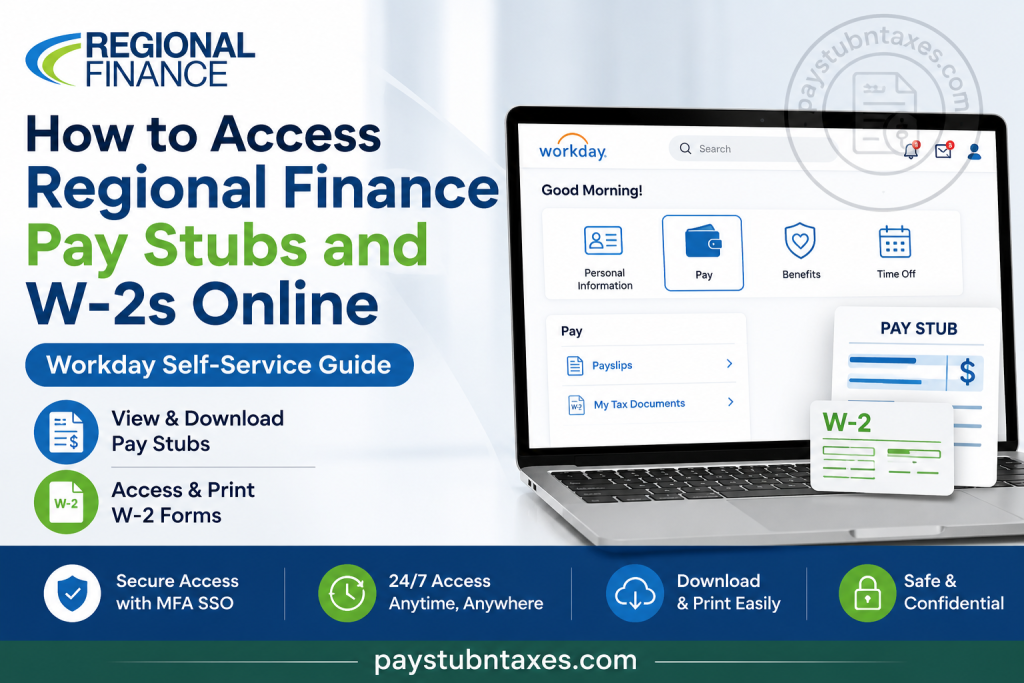
Regional Finance has established itself as one of America’s trusted consumer finance companies, serving approximately 450,000 customers annually and employing more than 1,750 team members across its growing network. The company embraces innovation not only in customer service but also in employee experience by leveraging the Workday Human Capital Management (HCM) platform, which enables employees to access payroll and tax information conveniently and securely online. If you are a current employee of Regional Finance, this comprehensive guide will walk you through the process of accessing your pay stubs, W-2 forms, personal information, and other payroll-related services through Workday.
Regional Finance Workday Login Portal
Employee Login URL:
https://www.myworkday.com/regionalfinance/login-saml2.flex
Regional Finance employees are required to sign in using their Multi-Factor Authentication (MFA) Single Sign-On (SSO) credentials for enhanced security and protection of sensitive payroll information.
What Is Workday?
Workday is Regional Finance’s cloud-based Human Resources and Payroll platform designed to simplify and centralize employee services, including:
- Viewing and printing pay stubs
- Accessing annual W-2 tax forms
- Updating personal information
- Managing direct deposit details
- Requesting and scheduling time off
- Accessing eLearning resources
- Managing teams and recruiting activities
The platform provides employees with a secure, self-service environment where important employment information is available around the clock.
How to Access Regional Finance Pay Stubs Online
Your electronic pay statements are available directly inside Workday and can be viewed at any time.
Step 1: Visit the Workday Login Page
Open your browser and go to:
https://www.myworkday.com/regionalfinance/login-saml2.flex
Step 2: Sign In Using MFA SSO
Enter your:
- Company email address
- Password
- Multi-Factor Authentication code
After successful authentication, you will be redirected to your Workday dashboard.
Step 3: Open the Pay Application
From your Workday home screen:
- Click Pay.
- Select Payslips under the View section.
Workday stores electronic pay statements, allowing employees to review current and previous pay periods whenever necessary.
Step 4: Select the Desired Pay Period
A list of available pay periods will appear.
Choose the pay date you wish to review.
Step 5: Download or Print Your Pay Stub
You can:
- Open the PDF version of your payslip
- Download it to your device
- Print it for financial or employment verification purposes
Your pay stub typically contains:
- Gross earnings
- Net pay
- Federal and state tax deductions
- Retirement contributions
- Benefit deductions
- Paid time off balances
- Year-to-date earnings
How to Access Your Regional Finance W-2 Forms Online
Workday also provides electronic access to annual tax statements.
Step 1: Log In to Workday
Sign in using your Regional Finance credentials.
Step 2: Open the Pay Dashboard
Click the Pay application from your homepage.
Step 3: Select “My Tax Documents”
Under the Pay section, click: My Tax Documents
This section stores your annual tax documents, including W-2 forms.
Step 4: View and Download Your W-2
Locate the desired tax year and click: View/Print
You may:
- View the form online
- Download a PDF copy
- Print a paper copy for tax filing purposes
How to Update Direct Deposit Information
Workday also allows employees to manage payment elections.
To update your banking information:
- Log into Workday.
- Open the Pay application.
- Select Payment Elections.
- Add or edit your bank account information.
- Save the changes.
Always verify your information carefully before submitting updates.
Benefits of Using Workday Self-Service
Regional Finance employees enjoy numerous advantages through Workday, including:
24/7 Access
Retrieve payroll and tax information anytime and from anywhere.
Enhanced Security
Multi-Factor Authentication protects confidential employee data.
Paperless Convenience
Download and print documents whenever needed without contacting HR.
Faster Tax Preparation
Electronic W-2 delivery enables quicker filing during tax season.
Centralized HR Services
Manage payroll, benefits, leave requests, and personal information from one secure platform.
What If You Cannot Access Workday?
If you’re experiencing login issues, try the following:
- Verify your email address and password.
- Complete MFA authentication correctly.
- Clear your browser cache.
- Try using another browser.
- Reset your password if necessary.
If problems persist, contact your local branch or Regional Finance support team.
Regional Finance Payroll Support
Employee Support Phone:
(888) 636-3535
You may also contact your local Regional Finance branch for assistance with:
- Login issues
- W-2 requests
- Pay stub access
- MFA authentication problems
- Payroll inquiries
Final Thoughts
Regional Finance has embraced digital transformation by implementing the Workday platform, empowering employees to manage their payroll and tax information with remarkable ease and efficiency. Whether you need to review your latest paycheck, download a prior pay statement, or retrieve your annual W-2 form, Workday places these essential services at your fingertips. By familiarizing yourself with the self-service portal, you can save valuable time, reduce paperwork, and ensure that your employment and tax records remain readily accessible whenever the need arises.
Frequently Asked Questions
1. How do I access my Regional Finance pay stubs online?
Log into the Workday portal and select Pay → Payslips to view and download your pay statements.
2. What is the Regional Finance Workday login URL?
The official employee login portal is:
https://www.myworkday.com/regionalfinance/login-saml2.flex
3. How do I get my W-2 from Regional Finance?
Log into Workday and navigate to Pay → My Tax Documents to access your W-2 forms.
4. Do I need Multi-Factor Authentication (MFA)?
Yes. Regional Finance requires MFA and Single Sign-On (SSO) for secure access to employee accounts.
5. Can I print my pay stubs from Workday?
Yes. You can open the PDF version of your payslip and print or save it.
6. Can I download my W-2 form?
Yes. Workday allows employees to download and print their W-2 forms.
7. When are W-2 forms available?
W-2 forms are generally issued by the end of January each year.
8. Can I access my payroll information from home?
Yes. Workday is accessible from any internet-connected device.
9. What information is included on my pay stub?
Your pay stub typically includes gross pay, net pay, taxes withheld, deductions, benefits, and year-to-date earnings.
10. Can I update my direct deposit information in Workday?
Yes. Go to Pay → Payment Elections to update your banking information.
11. Does Regional Finance have a mobile app?
Employees can use the Workday mobile app to access payroll and HR information.
12. What should I do if I forget my Workday password?
Use your company’s password reset process or contact your local branch for assistance.
13. Why can’t I log into Workday?
Login issues may occur due to incorrect credentials, MFA problems, or browser issues. Contact support if the issue persists.
14. Who should I contact for payroll assistance?
You can contact Regional Finance support at (888) 636-3535 or visit your local branch.
15. Can former employees access their W-2 forms online?
Former employee access policies may vary. Contact Regional Finance Human Resources or your former branch for assistance obtaining tax documents.

