
Managing payroll records and tax documents efficiently has become increasingly important for modern employees, particularly for temporary and contract workers who may transition between assignments throughout the year. Remedy Intelligent Staffing, a nationally recognized staffing agency operating under EmployBridge, offers associates secure digital platforms through which they can conveniently access pay stubs, payroll information, and year-end tax documents online. Whether you need to review weekly earnings, download a W-2 form for tax filing, enroll in electronic delivery, or update your personal information, Remedy Staffing provides several streamlined solutions designed to simplify the entire process. This comprehensive guide explains everything associates need to know about accessing Remedy Staffing pay stubs and W-2 forms online.
About Remedy Intelligent Staffing
Remedy Intelligent Staffing is one of the leading workforce management and staffing organizations in the United States, backed by more than five decades of recruiting expertise. As part of EmployBridge — one of the world’s largest staffing firms with hundreds of branch locations — Remedy specializes in matching qualified candidates with employment opportunities across multiple industries.
The company has earned national recognition for service excellence, including the prestigious Best of Staffing® Award, which is awarded to only a small percentage of staffing agencies throughout North America.
In addition to workforce solutions, Remedy Staffing provides employees with secure payroll and tax management systems that enable round-the-clock access to important employment records.
How to Access Remedy Staffing Pay Stubs Online
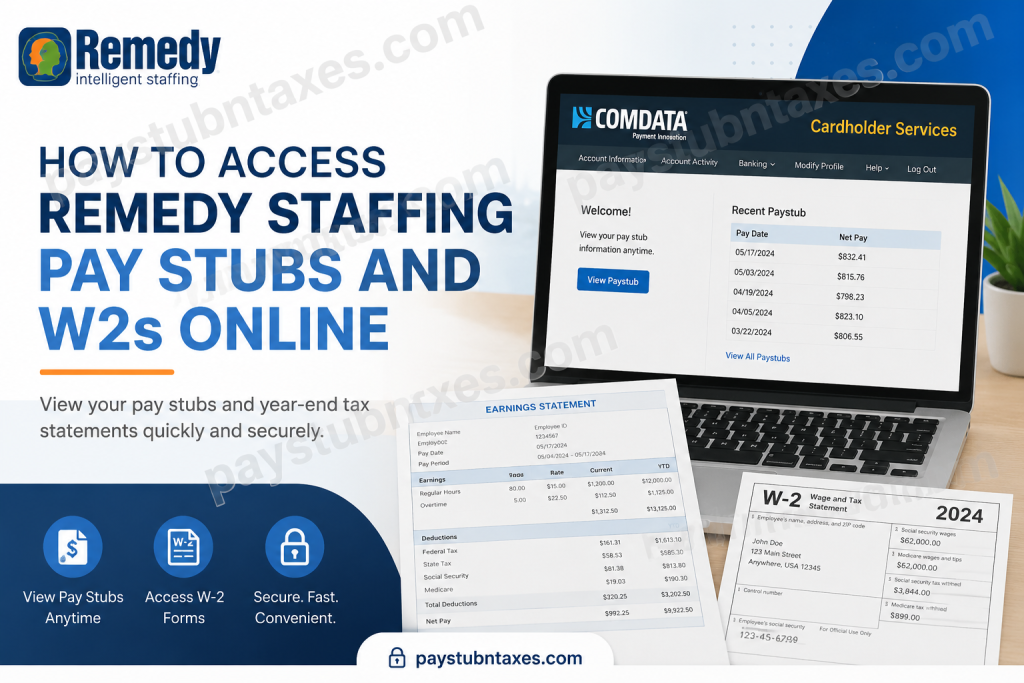
Remedy Staffing associates can conveniently access their electronic pay stubs through the Comdata Cardholder Services portal. Employees receiving payment via direct deposit or Comdata pay cards are eligible to use the online pay stub system.
Remedy Staffing Pay Stub Portal
Official Pay Stub Login Portal: https://w6.iconnectdata.com/chth/Controller?XFunction=LoginPage
The platform allows employees to:
- Review current and previous pay stubs
- Monitor direct deposit activity
- Receive pay stub notifications by email or text message
- Access payroll information 24/7
- Manage Comdata payroll card settings
Eligibility Requirements for Electronic Pay Stubs
To access electronic pay stubs, associates must meet the following requirements:
- Be enrolled in direct deposit or receive payment through a Comdata payroll card
- Complete first-time registration using:
- Date of birth
- Social Security Number
- Maintain an active payroll profile with Remedy Staffing
Employees who are not yet enrolled in direct deposit may contact their local Remedy Staffing branch for assistance.
Step-by-Step Guide to Viewing Remedy Staffing Pay Stubs
Step 1: Visit the Comdata Login Page
Navigate to the official Comdata Cardholder Services portal:
https://w6.iconnectdata.com/chth/Controller?XFunction=LoginPage
Enter your:
- Username
- Password
Then click Log In.
Step 2: Access the Banking Menu
Once logged in:
- Hover over the Banking menu
- Select Paystub
The system will redirect you to the secure USVerify Paystub platform in a new browser window.
Step 3: Disable Popup Blockers if Necessary
Because the pay stub application opens in a separate browser window, popup blockers may interfere with the process. If the pay stub page does not appear:
- Disable your browser’s popup blocker
- Allow popups from the Comdata website
Step 4: View Pay Stub Details
After successful verification:
- Open the Employee Details page
- Click View
- Select the desired pay date to open the pay stub
Employees may:
- Download copies
- Print records
- Review payroll deductions
- Verify taxes and hours worked
Pay Stub Notification Preferences
Employees can customize notification settings within the pay stub portal.
Available options include:
- Email notifications
- SMS text alerts
This feature ensures associates are automatically informed whenever a new pay stub becomes available.
Forgot Your Comdata Login Information?
If you cannot remember your login credentials:
- Use the Forgot Username or Forgot Password options on the login page
- Contact your local branch for additional payroll assistance
- Ensure your Social Security Number and birth date match payroll records
Remedy Staffing W-2 Online Access
Remedy Staffing associates can obtain year-end tax forms through the secure Paperless Employee portal.
Official W-2 Portal: paperlessemployee.com/Associates/PE
The platform enables employees to:
- Access current and prior-year W-2 forms
- Download PDF tax documents
- Request corrected W-2 forms
- Elect paperless tax delivery
- Manage notification preferences
How to Create a Paperless Employee Account
First-time users must register before accessing W-2 documents.
Registration Requirements
During account setup, employees may need:
- Associate ID
- Social Security Number
- Date of birth
- First three letters of the last name (in some cases)
Account Creation Process
Step 1: Open the Paperless Employee Website
Visit:
https://www.paperlessemployee.com/Associates/PE
Click:
- Create an Account
Step 2: Verify Your Identity
The system may require identity verification through:
- Email verification code
- SMS verification code
- Automated phone verification
Step 3: Create Login Credentials
Employees must create:
- A unique User ID
- A secure password
- Security questions for account recovery
Step 4: Choose Electronic Delivery
During registration, users can opt into electronic W-2 delivery.
Benefits include:
- Faster access to tax forms
- Secure digital storage
- Free downloadable copies through October 15
- Reduced risk of mail delays
When Are Remedy Staffing W-2 Forms Available?
Employees enrolled in electronic delivery may receive access to their W-2 forms as early as January 23.
Paper W-2 forms are generally mailed by January 31 to the mailing address on file.
It is essential to ensure your address information is accurate before the end of December, as USPS does not forward tax documents automatically.
How to Download Your Remedy Staffing W-2
Once logged into Paperless Employee:
- Select Year-End Tax Statements
- Click Access Current Year-End Statements
- Choose the desired tax year
- Click Download PDF
Employees may:
- Save digital copies
- Print forms for tax filing
- Access previous tax statements
How to Request a W-2 Reprint
If you lose your W-2, additional copies may be requested beginning February 16.
Options include:
- Downloading a PDF copy online
- Mailing requests
- Fax delivery (when available)
Some reissued copies may require a fee after free-access periods expire.
How to Correct Errors on Your W-2
Employees who identify incorrect information on their W-2 should take immediate action.
Common corrections include:
- Name errors
- Incorrect Social Security Numbers
- Wage discrepancies
- Tax withholding concerns
Corrections can often be requested directly through the Paperless Employee portal or by contacting a local Remedy Staffing branch.
Remedy Staffing W-2 Support Hotline
For year-end tax support, employees may contact:
W-2 Hotline:
866-692-6695
Self-service assistance is available year-round, while live support agents are generally available during tax season.
Remedy Staffing Mobile App Features
Remedy Staffing also offers a mobile application that allows employees to:
- Search job opportunities
- Review assignment information
- Access Comdata pay card details
- View pay stubs
- Retrieve W-2 forms
- Update contact information
The mobile app provides a convenient all-in-one employment management solution for associates who prefer mobile access.
Important Payroll and Tax Tips for Remedy Employees
To avoid delays or complications:
- Update your mailing address before December 31
- Review your pay stubs regularly for accuracy
- Enroll in electronic delivery early
- Save copies of important tax forms
- Keep login credentials secure
- Contact your local branch immediately if discrepancies arise
Final Thoughts
Remedy Staffing provides associates with efficient, secure, and user-friendly systems for managing payroll records and tax documents online. Through the Comdata Cardholder Services portal and the Paperless Employee platform, employees can access pay stubs, monitor direct deposits, retrieve W-2 forms, and manage important account settings from virtually anywhere. By taking advantage of these digital payroll services, Remedy Staffing associates can eliminate unnecessary paperwork, receive faster access to financial records, and simplify year-end tax preparation considerably. Employees who encounter difficulties accessing their accounts should contact their local Remedy Staffing office or use the dedicated W-2 support hotline for prompt assistance.
Frequently Asked Questions (FAQ)
1. How do I access my Remedy Staffing pay stubs online?
You can access your Remedy Staffing pay stubs by visiting the Comdata Cardholder Portal at:
https://w6.iconnectdata.com/chth/Controller?XFunction=LoginPage
Log in using your username and password, hover over the “Banking” menu, and click “Paystub.”
2. What information do I need to create a pay stub account?
First-time users generally need:
- Social Security Number
- Date of birth
- Associate information
- Username and password credentials
Identity verification may also be required during registration.
3. Why is my Remedy pay stub not opening?
The most common reason is a browser pop-up blocker. The pay stub application opens in a separate window, so you must allow pop-ups for the Comdata website.
4. Can I receive pay stub notifications by email or text?
Yes. Employees can enable email or SMS notifications through the “Preferences” section within the USVerify Paystub system.
5. Who can access electronic Remedy pay stubs?
Only associates receiving wages through direct deposit or Comdata pay cards can review pay stubs electronically.
6. How do I get my Remedy Staffing W-2 online?
You can retrieve your W-2 through the Paperless Employee portal:
Log in and select “Year-End Tax Statements” to download your W-2 PDF.
7. When are Remedy Staffing W-2 forms available?
Employees who enroll in paperless delivery before December 31 may receive online access as early as January 23. Otherwise, W-2s are mailed by January 31.
8. How do I create a Paperless Employee account?
Visit the Paperless Employee portal and click “Create Account.” You will need to verify your identity, create login credentials, and complete security verification steps.
9. What should I do if I forgot my Paperless Employee password?
Use the “Forgot Password” option on the login page. You must verify your identity before creating a new password.
10. Can I download and print my W-2 online?
Yes. After accessing the “Year-End Tax Statements” section, click “Download PDF” to view, save, or print your W-2 form.
11. Why did I receive multiple W-2 forms from Remedy Staffing?
You may receive multiple W-2s if:
- You worked for different EmployBridge brands
- Different FEIN numbers applied
- You worked at multiple worksites
12. Can my local Remedy branch print my W-2 for me?
No. Remedy branches cannot print, email, or access W-2 forms because of data privacy regulations. Employees must retrieve forms directly through Paperless Employee.
13. How do I request a corrected W-2?
Employees can submit correction requests through the Paperless Employee portal by selecting the correction request feature and entering updated information.
14. Does Remedy Staffing offer a mobile app?
Yes. Remedy Staffing provides a mobile app that allows employees to access:
- Pay stubs
- W-2 forms
- Assignment details
- Comdata pay card information
- Job updates
15. How do I transfer money from my Comdata pay card to my bank account?
Log into www.cardholder.comdata.com, go to “Banking,” and select “Direct Deposit.” Enter your routing number, account number, and deposit preferences to complete setup.

