
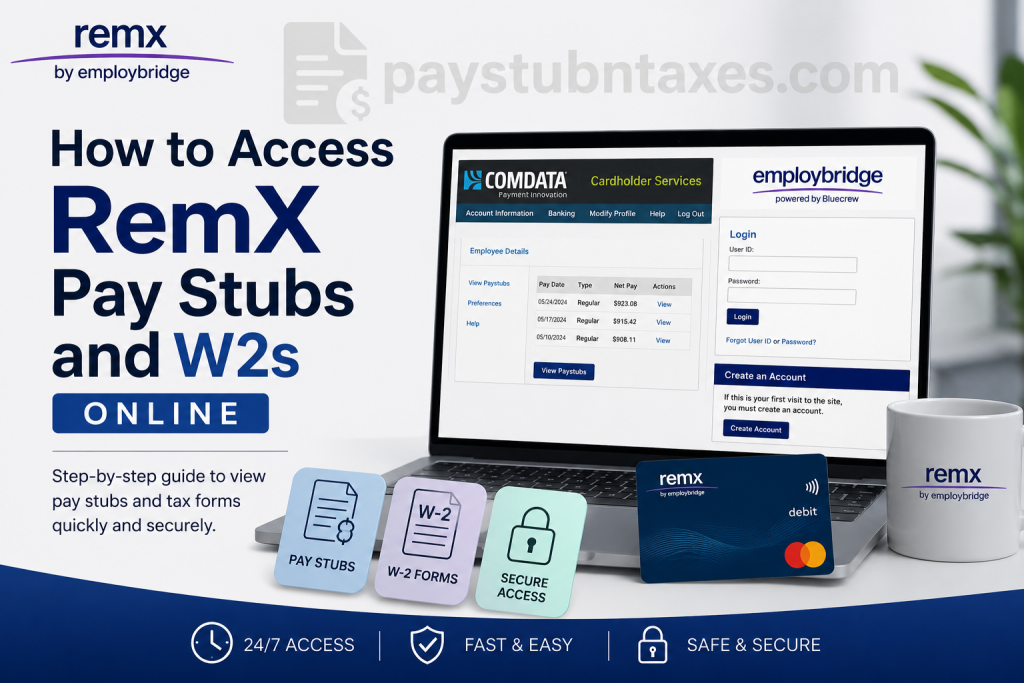
Employees and temporary associates working with RemX can conveniently access their payroll records, pay stubs, and year-end tax forms online through secure digital platforms. Whether you need to verify your earnings, download a previous pay statement, or retrieve your W-2 for tax filing purposes, RemX provides multiple self-service options that are available 24/7. As the professional staffing division of EmployBridge, RemX specializes in recruiting highly skilled professionals in office support, finance, accounting, IT, engineering, and contact center operations. The company offers weekly payroll processing, ComData pay cards, direct deposit services, and online tax statement access to simplify payroll management for associates.
What Payroll System Does RemX Use?
RemX associates are generally paid through the ComData Pay Card system, which functions similarly to a debit card and allows employees to:
- Withdraw cash from ATMs
- Make purchases anywhere Mastercard is accepted
- Access wages faster without paper checks
- Transfer funds through direct deposit
- View pay information online
Employees can also access digital pay stubs through the ComData Cardholder portal and retrieve W-2 tax forms through the secure Paperless Employee platform.
RemX Pay Stub Portal Login
Official RemX Pay Stub Login
ComData Cardholder Portal: https://w6.iconnectdata.com/chth/Controller?XFunction=LoginPage
W-2 and Tax Form Portal
Paperless Employee Portal: https://www.paperlessemployee.com/Associates/PE
How to Access RemX Pay Stubs Online
RemX employees can access their earnings statements online at any time through the ComData iConnectData portal.
Step-by-Step Instructions to View Pay Stubs
Step 1: Visit the ComData Login Page
Go to the official ComData Cardholder Services website:
You will see the Cardholder Services login screen where you can enter your username and password.
Step 2: Sign In to Your Account
Enter your:
- Username
- Password
Then click “Log In.”
If you are a first-time user, select “Click Here to Register.”
Step 3: Navigate to the Banking Menu
After successfully logging in:
- Click the “Banking” menu
- Select “Paystub”
- A new browser window will open automatically
The system redirects you to the USVerify Paystub application, where your payroll records are stored.
Step 4: Disable Popup Blockers if Necessary
Because the pay stub application opens in a separate browser window, popup blockers may interfere with access.
If the page does not open:
- Allow pop-ups for the website
- Disable your browser’s popup blocker temporarily
- Refresh the page and try again
The ComData portal and USVerify pay stub window remain separate sessions, so employees should log out of both windows after use.
Step 5: View and Download Pay Stubs
Once validation is complete, the Employee Details page appears.
You can then click “View.”
This opens detailed payroll information, including:
- Gross earnings
- Taxes withheld
- Deductions
- Net pay
- Pay date
- Hours worked
Employees may also configure email or SMS notifications when new pay stubs become available.
How to Register for the RemX W-2 Portal
RemX provides electronic W-2 access through Paperless Employee, a secure self-service tax document platform.
Step-by-Step W-2 Registration Process
Step 1: Open the Paperless Employee Website
Visit: Paperless Employee Portal
New users should click “Create Account.”
Step 2: Verify Your Identity
You may be required to provide:
- Employee ID
- Social Security Number
- Date of Birth
After verification, complete the CAPTCHA security check and continue with account authentication.
Step 3: Create Your Username and Password
You must:
- Create a unique User ID
- Choose a secure password
- Confirm your password
User IDs generally contain 6–15 letters or numbers.
Step 4: Complete Security Verification
Paperless Employee may send a verification code through:
- SMS text message
- Automated phone call
Enter the verification code to activate your account securely.
Step 5: Select Electronic Delivery
During registration, choose electronic W-2 delivery to receive faster access to your tax statements.
Employees who enroll before December 31 may receive their W-2 as early as January 23.
When Are RemX W-2 Forms Available?
RemX typically issues W-2 forms according to the following schedule:
| W-2 Activity | Timeline |
| Online delivery enrollment deadline | December 31 |
| Early online W-2 access | Around January 23 |
| USPS mailed the W-2 deadline | January 31 |
| W-2 reprint requests begin | February 16 |
Employees who do not register for electronic delivery by December 31 will receive their W-2 through USPS mail.
Important W-2 Information for RemX Employees
Update Your Address Before Year-End
Tax documents are mailed to your mailing address on file, not your home address.
If you moved recently:
- Update your information before December 31
- Verify your latest pay stub details
- Contact your local branch if corrections are needed
Failure to update your mailing address could delay delivery of your W-2.
Multiple W-2 Forms
You may receive multiple W-2s if:
- You worked under different EmployBridge brands
- You worked across multiple worksites
- Different Federal Employer Identification Numbers (FEINs) were involved
This is normal and may require filing all forms with your tax return.
Forgot Your Username or Password?
Both ComData and Paperless Employee provide self-service recovery tools.
Recovering Your Paperless Employee Login
If you forget your credentials:
- Click “Forgot User ID” or “Forgot Password”
- Verify your identity
- Answer security questions
- Reset your password securely
The system may require email or phone verification during recovery.
RemX Mobile App Access
RemX also offers a mobile app that allows associates to:
- View pay stubs
- Access W-2 forms
- Review assignment details
- Monitor ComData pay card information
- Update availability for future assignments
The mobile platform simplifies payroll access directly from a smartphone or tablet.
Direct Deposit Option
Although many associates receive wages through ComData pay cards, RemX also allows direct deposit into a personal bank account.
Employees who prefer traditional banking can enroll in direct deposit instead of relying solely on the pay card system.
RemX Payroll and W-2 Support Contacts
Pay Stub Assistance
For payroll access issues or ComData login support:
- Contact your local RemX branch
- Or call the RemX Help Center: 855-219-2497
W-2 Hotline Support
For W-2 assistance:
- W-2 Hotline: 866-692-6695
- Live agents are generally available beginning in late January
- Automated self-service support remains available year-round
Employment Verification Through The Work Number
RemX employees may verify employment and income through The Work Number system.
Employer Codes
- EmployBridge: 11462
- Full-Time Permanent Staff: 18187
Verification Website
The Work Number: https://www.theworknumber.com
Commercial verification phone support:
- 800-367-5690
Social services verification:
- 800-660-3399
Final Thoughts
RemX provides a streamlined and secure payroll experience through its ComData and Paperless Employee systems. By offering online pay stub access, digital W-2 delivery, mobile payroll tools, and direct deposit services, the company enables associates to manage payroll records efficiently from virtually anywhere. To avoid delays during tax season, employees should register for electronic W-2 delivery early, keep contact information updated, and routinely verify payroll details throughout the year.
Frequently Asked Questions (FAQ)
1. How do I access my RemX pay stubs online?
Visit the ComData Cardholder portal, log in with your username and password, then click Banking > Paystub to view your earnings statements.
2. What is the official RemX pay stub website?
The official RemX pay stub portal is: https://w6.iconnectdata.com/chth/Controller?XFunction=LoginPage
3. Where can I download my RemX W-2 form?
You can download your W-2 through the Paperless Employee portal: www.paperlessemployee.com/Associates/PE
4. When are RemX W-2 forms available online?
Employees who enroll in electronic delivery by December 31 may access their W-2 forms as early as January 23.
5. Does RemX mail paper W-2 forms?
Yes. If you do not enroll in online delivery, your W-2 will be mailed by USPS no later than January 31.
6. Can former RemX employees still access pay stubs?
Yes. Former associates may still be able to access pay records and W-2 forms through the online payroll systems.
7. What should I do if I forgot my ComData login password?
Click the “Forgot Password” link on the login page and follow the identity verification steps to reset your credentials.
8. Why is the RemX pay stub page not opening?
Popup blockers may prevent the USVerify pay stub window from loading. Allow popups for the site and try again.
9. Does RemX offer direct deposit?
Yes. Employees can transfer wages from the ComData pay card to a personal bank account through direct deposit.
10. Can I view RemX pay stubs on my phone?
Yes. RemX provides a mobile app that allows associates to access pay stubs, W-2 forms, assignment details, and payroll information.
11. How do I register for Paperless Employee?
Visit the Paperless Employee website, click “Create Account,” verify your identity, and create your username and password.
12. What information do I need to create a W-2 account?
You may need your:
- Employee ID
- Social Security Number
- Date of Birth
- Email address
13. Can my local RemX branch print my W-2?
No. For security and privacy reasons, branches cannot print or email W-2 forms directly to associates.
14. What is the RemX payroll support phone number?
For payroll assistance, contact the RemX Help Center at 855-219-2497.
15. What is the RemX W-2 support hotline?
The RemX W-2 support hotline is 866-692-6695. Automated support is available year-round, while live agents are available during tax season.

