
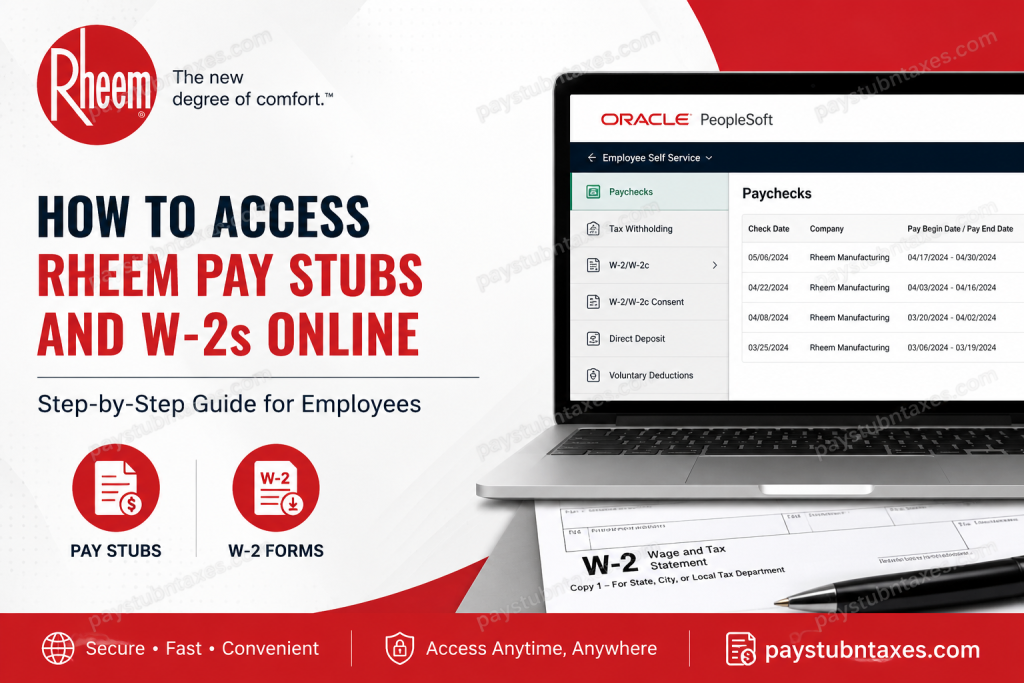
For employees of Rheem Manufacturing Company, accessing payroll documents such as pay stubs and W-2 forms has become increasingly streamlined through digital self-service platforms. Whether you are an active employee reviewing your earnings or a former employee preparing for tax season, understanding how to retrieve these essential documents efficiently can save considerable time and prevent unnecessary frustration. This guide provides a comprehensive walkthrough on how to access Rheem pay stubs and W-2 forms online, including login procedures, troubleshooting tips, and alternative methods for obtaining tax documents.
About Rheem Manufacturing Company
Founded in 1925 by brothers Richard and Donald Rheem, Rheem Manufacturing Company has evolved into one of the world’s foremost manufacturers of heating, cooling, water heating, pool and spa heating, and commercial refrigeration solutions. Headquartered in Atlanta, Georgia, Rheem operates globally under multiple brands, including Ruud, and remains a subsidiary of Paloma Industries.
Celebrating its centennial anniversary in 2025, Rheem continues to champion sustainability, innovation, and customer-centric solutions while employing thousands of professionals worldwide.
How Rheem Employees Access Pay Stubs and W-2 Forms
Rheem employees can access payroll and tax documents through the company’s Oracle self-service environment and Oracle PeopleSoft payroll portal. Employees who have elected electronic delivery may conveniently view and download W-2 forms online, while those who opted for paper delivery typically receive mailed copies by January 31 each year.
Rheem Payroll Portal Login
Oracle Applications Cloud Login:
Login Requirements
To sign in, employees generally need:
- Company Single Sign-On (SSO) credentials
- Username or employee ID
- Password
- Multi-factor authentication, if enabled
Former employees who no longer have SSO access may use temporary credentials provided via email following separation from the company.
How to Access Rheem Pay Stubs Online
Follow these steps to retrieve your pay statements:
Step 1: Sign in to the Oracle/PeopleSoft Portal
Visit the Rheem Oracle self-service portal and select “Company Single Sign-On.”
Enter your:
- Username or employee ID
- Password
Former employees should log in using their temporary credentials if provided.
Step 2: Navigate to Payroll
Once logged in: Payroll → Paychecks
This section displays your payroll history and available pay statements.
Step 3: Open Your Pay Stub
Click the relevant:
- Pay date, or
- Check number
Your pay stub will open in a printable and downloadable format.
Information Available on Rheem Pay Stubs
Your pay statement typically includes:
- Gross earnings
- Net pay
- Federal and state tax withholdings
- Deductions and benefits
- Overtime pay
- Year-to-date earnings
- Direct deposit information
How to Access Rheem W-2 Forms Online
Employees who consented to electronic delivery can retrieve W-2 forms through the payroll self-service portal.
Step 1: Access Payroll
After logging in, select: Payroll → W-2/W-2c
Step 2: View W-2 Forms
Choose: View W-2/W-2c Forms
Select the desired tax year from the dropdown menu.
Step 3: Open and Download Your W-2
Click “View Form” to open your W-2. You may then:
- Download a PDF copy
- Print the document for tax filing
- Save it for future reference
Electronic Consent for W-2 Delivery
To receive W-2 forms electronically, employees must provide electronic consent in accordance with IRS regulations.
Navigate to:
Payroll → W-2/W-2c → W-2/W-2c Consent
If your account indicates:
“You currently receive W-2 forms by mail,”
simply check the consent box and submit your request.
Once consent is granted, you will receive an email confirmation, and future W-2 forms will become available electronically. Importantly, consent remains active year after year unless withdrawn.
Employees who revoke consent will resume receiving paper W-2 forms by mail.
What If I Chose Paper Delivery?
Employees who opted for paper delivery do not need to take additional action.
Rheem mails paper W-2 forms on or before January 31 each year, complying with IRS filing deadlines. If your form does not arrive within a reasonable timeframe, contact your local HR department for assistance.
How Former Employees Obtain W-2 Forms
Former Rheem employees may still access payroll records if temporary login credentials remain active.
If online access is unavailable:
- Contact Rheem Human Resources.
- Verify your identity.
- Request a duplicate W-2 or payroll statement.
Be prepared to provide:
- Full legal name
- Employee ID (if available)
- Social Security Number (last four digits)
- Updated mailing address
- Dates of employment
Common Login Issues and Solutions
Forgot Your Password?
Use the “Forgot Password” option on the login page or contact IT support.
Locked Account?
Multiple unsuccessful login attempts may temporarily lock your account. Wait for the designated period or contact support.
Browser Problems?
If documents fail to load:
- Enable pop-ups
- Clear browser cache and cookies
- Try Chrome, Edge, or Firefox
- Disable ad blockers temporarily
Why Electronic W-2 Delivery Is Beneficial
Opting for electronic W-2 delivery offers several advantages:
- Faster access to tax forms
- Reduced risk of mail delays
- Secure document storage
- Environmentally friendly paper reduction
- Convenient access from anywhere
In an increasingly digital workplace, electronic access ensures that important payroll information remains at your fingertips rather than getting lost in the shuffle.
Rheem HR and Payroll Assistance
If you encounter difficulties accessing your pay stubs or W-2 forms, contact:
- Your local HR representative
- Corporate Human Resources
- Payroll department
- IT Help Desk
Assistance is available for login issues, tax document requests, and account recovery.
Final Thoughts
Rheem’s Oracle and PeopleSoft self-service systems empower employees to manage payroll records with efficiency and ease. Whether retrieving pay stubs for financial verification or downloading W-2 forms during tax season, the process is designed to be both secure and user-friendly. By enabling electronic delivery and keeping login credentials current, employees can avoid unnecessary delays and ensure uninterrupted access to essential payroll documents throughout their careers—and even beyond.
FAQ: Rheem Pay Stubs and W-2 Access
1. How do I access my Rheem pay stubs online?
Log in to the Rheem Oracle or PeopleSoft portal using your SSO credentials and navigate to Payroll > Paychecks to view and download your pay stubs.
2. Where can I find my Rheem W-2 form?
Your W-2 is available under Payroll > W-2/W-2c > View W-2/W-2c Forms within the PeopleSoft self-service portal.
3. What login credentials do I need to access Rheem payroll?
You typically need your company SSO username and password. Former employees may use temporary credentials sent via email.
4. Can former Rheem employees access W-2 forms online?
Yes. Former employees may access W-2 forms using temporary login credentials or request copies through Human Resources.
5. When does Rheem mail paper W-2 forms?
Rheem generally mails paper W-2 forms on or before January 31 each year in compliance with IRS regulations.
6. How do I consent to receive electronic W-2 forms?
Navigate to Payroll > W-2/W-2c > W-2/W-2c Consent, select the consent checkbox, and submit your request.
7. Do I need to provide W-2 consent every year?
No. Once electronic consent is granted, it remains active until you withdraw it.
8. What information appears on a Rheem pay stub?
Pay stubs typically include gross pay, net pay, taxes withheld, deductions, benefits, direct deposit details, and year-to-date earnings.
9. What should I do if I forgot my Rheem login password?
Use the password recovery option on the login page or contact the IT Help Desk for assistance.
10. Why can’t I view my W-2 form online?
Ensure that pop-up blockers are disabled and that you have consented to electronic W-2 delivery.
11. Can I print my Rheem pay stubs and W-2 forms?
Yes. Both pay stubs and W-2 forms can be downloaded and printed directly from the payroll portal.
12. What if my W-2 is mailed to an old address?
Contact Rheem HR immediately to update your address and request a replacement W-2 if necessary.
13. How long can former employees access payroll records?
Access periods vary. If online access expires, former employees should contact HR for assistance.
14. Is electronic W-2 delivery secure?
Yes. Electronic W-2 forms are protected through secure employee portals and encrypted access methods.
15. Who should I contact for Rheem payroll assistance?
Employees should contact their local HR representative, payroll department, or IT support team for account or document-related issues.

