
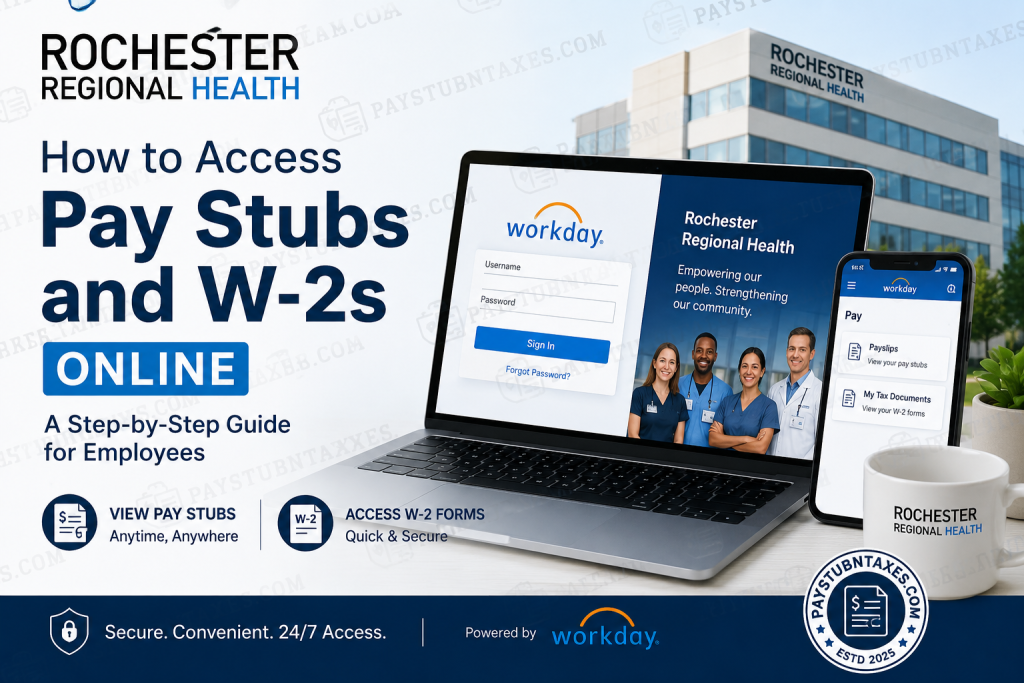
Rochester Regional Health (RRH) is one of New York’s premier integrated healthcare systems, serving communities across Western New York, the Finger Lakes, and St. Lawrence County. With hundreds of care locations, hospitals, laboratories, and specialty practices, RRH is dedicated to uplifting humanity through compassionate, community-centered healthcare. For employees, Rochester Regional Health provides secure digital access to payroll and tax records through the Workday Employee Portal, allowing staff members to retrieve pay stubs, W-2 forms, and other employment information anytime, anywhere. If you are an RRH employee or former worker wondering how to access your payroll records online, this comprehensive guide walks you through every step.
What Is the Rochester Regional Health Workday Portal?
Rochester Regional Health utilizes Workday, a cloud-based human capital management platform that enables employees to manage payroll, tax documents, benefits, and personal information from a centralized portal.
Through Workday, employees can:
- View and download pay stubs
- Access annual W-2 tax forms
- Update tax withholding information
- Review compensation history
- Manage direct deposit settings
- Access employment-related records
The platform offers secure, 24/7 access from both desktop computers and mobile devices.
Rochester Regional Health Workday Login
To access your payroll information, visit the RRH Workday portal:
Workday Login URL:
https://wd5.myworkday.com/rrhs/d/home.htmld
Login Steps
- Visit the Workday portal.
- Enter your RRH username and password.
- Complete multi-factor authentication if prompted.
- Sign in to access your employee dashboard.
Employees can also use the Workday mobile app for convenient access on smartphones and tablets.
How to Access Rochester Regional Health Pay Stubs Online
Accessing pay slips through Workday is straightforward and can be completed in a matter of minutes.
On Desktop
- Log into your Workday account.
- Navigate to Pay.
- Select Payslips.
- Choose the desired check date or check number.
- View, download, or print your pay stub.
Each pay statement contains detailed payroll information, including:
- Gross earnings
- Net pay
- Taxes withheld
- Retirement contributions
- Benefits deductions
- Year-to-date earnings
How to View Pay Stubs Using the Workday Mobile App
Employees who prefer mobile access can retrieve payslips directly through the Workday application. The mobile workflow allows users to access their most recent payroll information and download PDF copies for recordkeeping. Employees can open the Pay application, select a payslip from Pay History, generate a PDF, and save it to their device.
Mobile Steps
- Open the Workday Mobile App.
- Tap Pay from the home screen.
- If the option is not visible, select View All first.
- Under Pay History, choose the payslip you wish to view.
- Open Pay Details.
- Tap Get PDF to generate the document.
- Once the PDF is created, select Open PDF.
- Save the file to your preferred location on your device.
This functionality enables employees to maintain digital payroll records without relying on printed copies.
How to Access Rochester Regional Health W-2 Forms Online
RRH employees can obtain their annual tax statements directly from Workday.
Steps to View Your W-2
- Sign into Workday.
- Navigate to Pay.
- Click My Tax Documents.
- Select the tax year you wish to view.
- Download or print your W-2 form.
W-2 forms are typically made available electronically near the end of January each year.
What If You Chose Paper Delivery?
Employees who elected paper delivery instead of electronic delivery should expect their W-2 forms to be mailed to their home address on or before January 31 of each year.
To avoid delays, ensure that your mailing address remains current within Workday.
Password Reset for Former Employees and Employees on Leave
If you are a former employee, pre-hire, or currently on leave, follow these steps to regain access:
- Click Forgot Password?
- Enter your RRH username.
- Provide your home email address.
- Click Submit.
- Check your email for the password reset link.
- Create a new password and sign in.
If you do not have a home email address on file or encounter technical difficulties, contact the HR Workforce Solutions Team for assistance.
Troubleshooting Workday Login Issues
Current Employees (Not on Leave)
For login or access issues, contact:
IS&T Service Center
Phone: +1 (585) 922-HELP
Former Employees or Employees on Leave
Use the password reset process or reach out to HR support.
Common Issues
- Forgotten passwords
- Expired credentials
- Multi-factor authentication failures
- Browser compatibility problems
- Incorrect usernames
Clearing browser cache, using an updated browser, or trying an incognito window can often resolve login problems.
Rochester Regional Health Payroll Support
For questions regarding pay stubs, payroll records, or W-2 statements, employees may contact:
IS&T Service Center:
+1 (585) 922-HELP
Email:
HRTechnology@RochesterRegional.org
About Rochester Regional Health
Rochester Regional Health is an integrated healthcare organization committed to improving lives through compassionate, high-quality care. The health system serves communities across New York through hospitals, specialty practices, rehabilitation centers, behavioral health programs, senior services, and internationally recognized laboratories. Its mission emphasizes treating individuals not merely as patients, but as valued members of the community.
Guided by the purpose of “uplifting humanity through care for our community,” RRH continues to shape the future of healthcare while remaining deeply rooted in generations of local service.
Frequently Asked Questions
1. What system does Rochester Regional Health use for payroll?
Rochester Regional Health uses Workday for payroll and tax document management.
2. Can I access my pay stubs on my phone?
Yes. Employees can use the Workday mobile app to view and download payslips.
3. Where can I find my W-2 in Workday?
Navigate to Pay > My Tax Documents and select the desired tax year.
4. When are W-2 forms available?
W-2 forms are generally issued by the end of January.
5. What if I forgot my Workday password?
Use the Forgot Password option or contact the IS&T Service Center.
6. Will paper W-2 forms be mailed?
Yes. Employees who opted for paper delivery receive mailed copies by January 31.
7. Can former employees access Workday?
Yes, former employees may regain access using their RRH username and home email address.
8. How do I download a payslip PDF?
Open the payslip and select Get PDF in the Workday mobile app.
9. Who should I contact for payroll issues?
Contact the IS&T Service Center at +1 (585) 922-HELP.
10. Can I print my W-2 from Workday?
Yes. W-2 forms can be downloaded and printed directly from Workday.

