
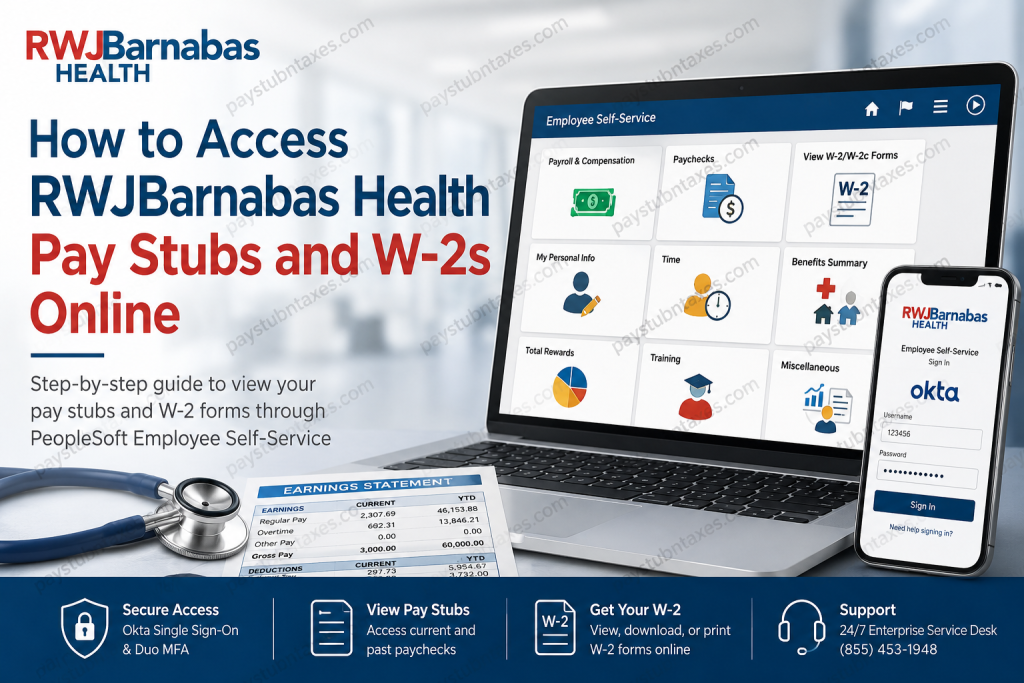
RWJBarnabas Health (RWJBH) stands as New Jersey’s largest and most comprehensive academic health system, serving more than five million patients annually through an extensive network of hospitals, physicians, and healthcare facilities. With over 44,000 employees across the state, RWJBarnabas Health relies on modern digital infrastructure to streamline workforce management, including convenient online access to payroll records and tax documents. Whether you are a current employee seeking your latest paycheck or a former employee searching for tax forms, RWJBarnabas Health provides secure access through its PeopleSoft Employee Self-Service platform integrated with Okta Single Sign-On (SSO). This guide explains everything you need to know about accessing your pay stubs and W-2 forms online.
RWJBarnabas Health Employee Payroll Portal
RWJBarnabas Health employees can access payroll information through the PeopleSoft Employee Self-Service portal:
PeopleSoft Login Portal:
https://rbess.rwjbh.org/psp/P92HESS/?cmd=login&languageCd=ENG&
Employees authenticate through Okta Single Sign-On (SSO) using their RWJBH credentials. The platform has been upgraded with Oracle’s latest PeopleSoft technology, offering an intuitive tile-based interface and enhanced mobile compatibility.
Login Credentials
- Username: Your 6-digit Employee ID number
- Authentication: Okta Single Sign-On (SSO)
- Multi-Factor Authentication: Duo Mobile verification may be required
- Access: Available from desktop computers, laptops, and many mobile devices
How to Access RWJBarnabas Health Pay Stubs Online
Follow these steps to view and download your pay statements:
Step 1: Sign in to PeopleSoft
Visit the Employee Self-Service portal and enter your RWJBH credentials through Okta.
Step 2: Open Employee Self-Service
After signing in, you will arrive at the Employee Self-Service homepage featuring interactive tiles.
Step 3: Navigate to Payroll
Select the “Payroll & Compensation” tile.
Step 4: View Paychecks
Click “Paychecks” to access your payroll history.
Step 5: Open a Pay Stub
The system displays your most recent paychecks. Simply click on any paycheck line to view detailed earnings, deductions, taxes, and direct deposit information.
Step 6: Filter Historical Records
Use the filter option to adjust the date range and retrieve older pay statements whenever necessary.
How to Access Your RWJBarnabas Health W-2 Form
Employees can conveniently obtain electronic tax forms through the same portal.
Steps to View W-2 Forms
- Log into the PeopleSoft Employee Self-Service portal.
- Navigate to “Payroll & Compensation.”
- Select “View W-2/W-2c Forms.”
- Choose the desired tax year.
- View, download, or print your W-2 form for tax filing purposes.
Electronic W-2 Consent
Employees who enroll in electronic delivery receive future W-2 forms online. Once consent is provided, subsequent tax documents become available digitally.
If you opted for paper delivery instead of electronic delivery, your W-2 form will be mailed to your address on file on or before January 31 each year, in accordance with IRS regulations.
Accessing RWJBarnabas Health Through Okta
RWJBH uses Okta Single Sign-On (SSO) to simplify authentication across multiple applications.
Key applications accessible through Okta include:
- Employee Self-Service
- My Service Portal
- Epic Hyperspace
- Remote Access Applications
- Clinical Systems
Employees simply log in once and gain secure access to authorized applications without repeatedly entering credentials.
Setting Up or Resetting Your RWJBarnabas Health Password
If you need to reset your password:
Password Reset Portal
https://reset.rwjbh.org
Steps:
- Click “Reset Your Password.”
- Enter your RWJBH username or Employee ID.
- Verify your identity using:
- Text message verification
- Voice call verification
- Enter the six-digit verification code.
- Create a new password that meets security requirements.
- Wait for processing to complete before closing the browser.
A strong password ensures uninterrupted access to payroll and HR systems.
Enrolling in Duo Multi-Factor Authentication (MFA)
RWJBarnabas Health employs Duo Security to safeguard employee accounts.
Duo Setup Process
- Visit RWJBH.Okta.com.
- Log in using your RWJBH credentials.
- Select “Set Up” under Duo Verify.
- Register your mobile device.
- Complete activation using the Duo Mobile app.
Once activated, Duo provides an additional layer of protection whenever employees access remote systems or sensitive information.
Accessing Payroll on Mobile Devices
RWJBarnabas Health’s upgraded PeopleSoft interface is mobile-friendly, allowing employees to:
- View paychecks
- Access W-2 forms
- Submit absence requests
- Review balances
- Approve workflows
Although functionality may vary slightly on smartphones or tablets, the system is optimized for mobile accessibility.
Former Employee Access to W-2 Forms
Former employees may continue accessing tax forms through the RWJBH portal using their credentials. If login difficulties arise, password reset options remain available via the Okta sign-in page.
Should online access no longer be available, former employees should contact Human Resources or the Enterprise Service Desk for assistance obtaining copies of their W-2 forms.
Troubleshooting Login Problems
Common issues include:
Forgotten Password
Use the password reset portal: https://reset.rwjbh.org
Incorrect Phone Number
If your registered phone number is outdated and prevents identity verification, contact support for assistance.
Duo Authentication Issues
Ensure the Duo Mobile app is installed and properly enrolled on your device.
Browser Compatibility
For optimal performance, use updated versions of Chrome, Edge, Firefox, or Safari.
RWJBarnabas Health Payroll and Technical Support
Enterprise Service Desk
Phone: (855) 453-1948
Availability: 24/7 support
Purpose: Login assistance, password resets, technical issues
Epic Training Provider Hotline
Phone: (732) 658-4820
Hours: Monday–Friday, 8:00 AM–4:00 PM
Provider Application Analyst
Ryan Karp: 848-326-0507
Hours: Monday–Friday, 8:00 AM–4:00 PM
JCMC Clinical Support
Internal Extension: 72240
Benefits of Online Payroll Access
RWJBarnabas Health’s digital payroll system offers several advantages:
- Instant access to pay stubs and tax forms
- Secure Okta and Duo authentication
- Mobile-friendly experience
- Reduced paper usage
- Faster tax preparation
- Convenient access from anywhere
By leveraging Oracle PeopleSoft and Okta technologies, RWJBarnabas Health empowers employees with secure, efficient, and user-friendly access to critical payroll information.
Final Thoughts
In today’s increasingly digital workplace, seamless access to payroll information is no longer a luxury but a necessity. RWJBarnabas Health’s integrated PeopleSoft and Okta ecosystem provides employees with a robust, secure, and intuitive platform for managing pay stubs, W-2 forms, and other HR services. By familiarizing yourself with the portal and its features, you can ensure uninterrupted access to essential employment records whenever the need arises.
Frequently Asked Questions
1. How do I access my RWJBarnabas Health pay stubs online?
Log into the PeopleSoft Employee Self-Service portal using Okta SSO and navigate to Payroll & Compensation > Paychecks.
2. What login credentials do I need for the RWJBH portal?
You typically need your 6-digit Employee ID and your RWJBH account credentials.
3. Where can I find my W-2 form at RWJBarnabas Health?
Your W-2 is available under Payroll & Compensation > View W-2/W-2c Forms in PeopleSoft.
4. When are RWJBarnabas Health W-2 forms mailed?
Paper W-2 forms are generally mailed on or before January 31 each year.
5. Can former employees access RWJBarnabas Health W-2 forms online?
Yes, former employees may still access W-2 forms online if their account remains active or by contacting HR support.
6. What is the RWJBarnabas Health payroll portal?
RWJBarnabas Health uses the PeopleSoft Employee Self-Service portal integrated with Okta SSO.
7. How do I reset my RWJBH password?
Visit the password reset portal at reset.rwjbh.org and follow the identity verification process.
8. Does RWJBarnabas Health use multi-factor authentication?
Yes. RWJBH uses Duo Mobile for secure multi-factor authentication.
9. Can I view my pay stubs on a mobile device?
Yes. The upgraded PeopleSoft system is mobile-friendly and supports smartphones and tablets.
10. What should I do if I cannot log in to the payroll portal?
Reset your password or contact the Enterprise Service Desk for technical assistance.
11. How far back can I view paychecks in PeopleSoft?
Employees can use filters within the Paychecks section to access historical pay statements.
12. How do I enroll in electronic W-2 delivery?
Navigate to W-2 Consent within Payroll & Compensation and opt into electronic delivery.
13. Who do I contact for payroll or login support?
Contact the Enterprise Service Desk at (855) 453-1948 for assistance.
14. What is Okta Single Sign-On (SSO)?
Okta SSO allows employees to access multiple RWJBH applications securely using one login.
15. Is the RWJBarnabas Health payroll portal secure?
Yes. The portal uses enterprise-grade security features including Okta authentication and Duo MFA.

