
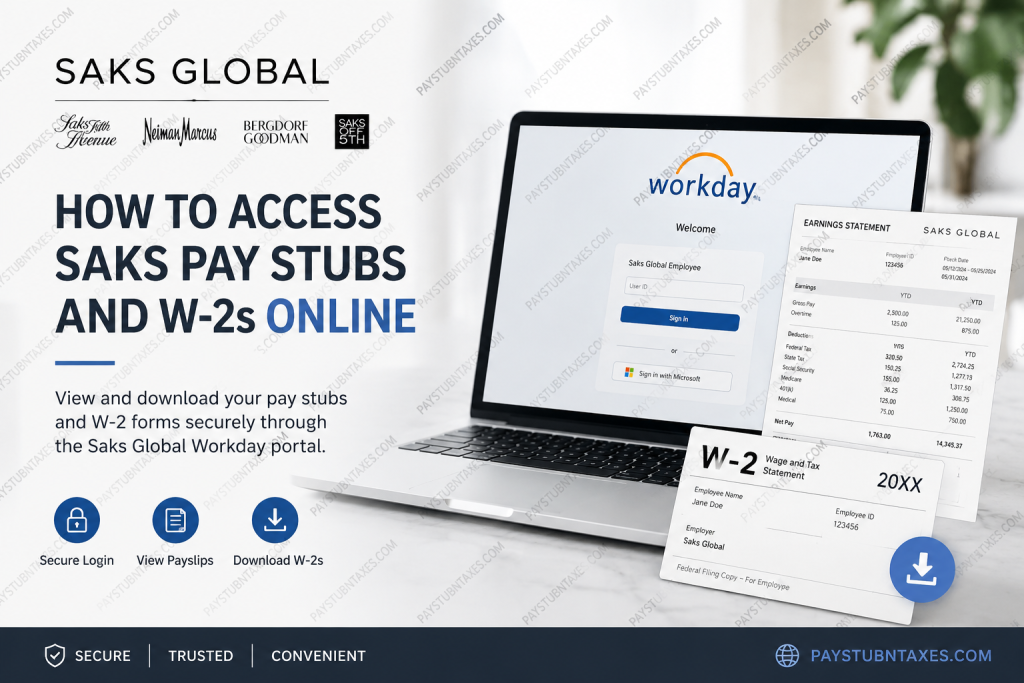
Saks Global is one of the world’s most recognized luxury retail organizations, bringing together iconic brands such as Saks Fifth Avenue, Neiman Marcus, Bergdorf Goodman, and Saks OFF 5TH. The company continues to modernize the employee experience through advanced digital platforms, including Workday integrated with Microsoft Single Sign-On (SSO), enabling employees to securely access payroll and tax documents online. Employees can conveniently retrieve pay stubs, tax forms, payroll history, and related HR information through the Saks Global Workday self-service portal. Whether you need your latest paycheck details or a previous year’s W-2 form for tax filing, the process is straightforward and accessible from virtually anywhere.
Saks Global Workday Login Portal
Current employees can access their payroll records through the official Saks Global Workday portal:
Workday Login Portal:
Saks Global Workday Login
The system uses Microsoft Single Sign-On authentication, meaning employees must log in using their Saks-issued credentials.
The login page displays a Microsoft secure sign-in interface connected to Saks Global’s enterprise authentication environment.
How to Access Saks Pay Stubs Online
Accessing your Saks pay statements through Workday requires only a few minutes.
Step-by-Step Guide to View Saks Pay Stubs
Step 1: Visit the Workday Portal
Open the official Saks Global Workday portal in your browser.
Step 2: Sign In with Your SSO Credentials
Enter your Saks Global employee username and password using Microsoft Single Sign-On.
Step 3: Open the Pay Application
After logging in:
- Select View All Apps
- Open the Pay application
- Alternatively, use the Workday menu to locate Payroll services
The Workday payroll dashboard allows employees to manage payslips, payment elections, tax documents, and payroll history.
Step 4: Select “Payslips”
Inside the Pay section:
- Click Payslips
- Choose the desired pay period
You can then:
- View current and previous pay stubs
- Download PDF copies
- Print payslips for records or loan applications
Step 5: Review Payroll Details
Each payslip typically includes:
- Gross pay
- Net pay
- Pre-tax deductions
- Employee taxes
- Post-tax deductions
- Year-to-date totals
- Direct deposit details
- Taxable wages
- Benefit deductions
Workday also displays withholding information, deduction summaries, and employer-paid benefit contributions.
How to Access Saks W-2 Forms Online
Employees may also retrieve W-2 tax forms electronically through Workday.
Steps to View and Download W-2 Forms
Step 1: Log in to Workday
Access the Saks Global Workday portal using your employee credentials.
Step 2: Open the Pay Dashboard
Navigate to the Pay application from the homepage.
Step 3: Click “My Tax Documents”
Inside the payroll dashboard, select:
- My Tax Documents
W-2 forms are stored digitally within this section of Workday.
Step 4: Locate Your W-2 Form
You will see a list of available tax years and forms.
Select:
- View/Print
- Download the PDF copy
- Print directly from the browser window
Employees can also use the accessible form option if needed.
What Information Appears on Saks Pay Stubs?
Your Saks payroll statement may contain:
- Employee ID
- Pay period dates
- Hours worked
- Overtime earnings
- Bonus compensation
- Tax withholdings
- Federal and state deductions
- Retirement contributions
- Insurance deductions
- Net deposit amount
This information is often required for:
- Apartment applications
- Loan approvals
- Income verification
- Immigration paperwork
- Tax preparation
Saks Global Employee Benefits
Saks Global provides a broad range of employee benefits designed to support health, financial security, and family well-being.
Benefits may include:
- Medical insurance
- Dental insurance
- Vision insurance
- 401(k) retirement plan
- Company matching contributions
- Basic and supplemental life insurance
- Disability coverage
- Critical illness insurance
- Hospital indemnity insurance
- Accident insurance
- Paid parental leave
- Caregiver support programs
- Fertility and adoption assistance
The company also offers access to healthcare spending accounts and wellness resources for eligible employees.
Troubleshooting Workday Login Issues
If you experience issues accessing your Saks Workday account, try the following:
Reset Your Password
Use the “Can’t access your account?” option on the Microsoft sign-in page.
Verify Your Internet Browser
Workday performs best using updated versions of:
- Google Chrome
- Microsoft Edge
- Safari
- Firefox
Clear Browser Cache
Outdated browser cookies may interfere with SSO authentication.
Contact HR or IT Support
If your account remains locked or inaccessible, contact your local HR department or Saks Global technical support team.
Can Former Employees Access Saks W-2s?
In many cases, former employees may retain limited access to Workday for tax-document retrieval after separation from employment. If access has expired, you may need to contact Human Resources or Payroll support for assistance obtaining prior-year W-2 forms.
Is the Saks Workday Portal Secure?
Yes. Saks Global uses Microsoft Single Sign-On technology alongside Workday’s enterprise-level security infrastructure to protect employee payroll and tax information.
Employees should always:
- Use strong passwords
- Avoid public Wi-Fi when accessing payroll records
- Log out after each session
- Keep authentication information confidential
Final Thoughts
Saks Global has streamlined payroll and tax-document access through its Workday self-service platform, giving employees a secure and efficient way to retrieve pay stubs and W-2 forms online. With Microsoft SSO integration, digital payroll records, and mobile-friendly accessibility, employees can manage essential employment documents anytime they need them. Whether you are reviewing deductions, downloading tax forms, or verifying income, the Saks Global Workday portal provides a fast and reliable payroll solution for both current and eligible former employees.
Frequently Asked Questions (FAQ)
1. How do I access my Saks pay stubs online?
Log in to the Saks Global Workday portal using your Microsoft SSO credentials, open the Pay application, and select “Payslips” to view or print your pay statements.
2. Where can I download my Saks W-2 form?
Your W-2 form is available under “My Tax Documents” within the Workday Pay dashboard.
3. What is the official Saks Global Workday login link?
The official payroll portal is: https://wd1.myworkday.com/saks/d/home.htmld.
4. Does Saks Global use Workday for payroll?
Yes. Saks Global uses Workday integrated with Microsoft Single Sign-On for payroll, tax documents, and employee self-service functions.
5. Can former employees access Saks W-2 forms?
In many cases, former employees may retain temporary access to Workday for retrieving tax forms. If access expires, employees should contact HR or Payroll support.
6. How do I print my Saks pay stub?
After opening a payslip in Workday, use the print icon or browser print option to generate a hard copy.
7. Can I download Saks pay stubs as PDF files?
Yes. Workday allows employees to download payroll statements and W-2 forms in PDF format.
8. What information appears on Saks pay stubs?
Typical details include gross pay, net pay, taxes withheld, deductions, direct deposit information, and year-to-date earnings.
9. When are W-2 forms available in Workday?
W-2 forms are generally published before the IRS deadline in January each year.
10. What should I do if I cannot log into Workday?
Use the “Can’t access your account?” recovery option on the Microsoft sign-in page or contact Saks Global IT support.
11. Can I access Saks payroll records from my phone?
Yes. Workday is mobile-friendly and accessible from smartphones, tablets, and desktop browsers.
12. Does Saks Global offer direct deposit?
Yes. Employees can manage payment elections and direct deposit details within Workday.
13. Is the Saks Workday portal secure?
Yes. The platform uses enterprise-grade Workday security and Microsoft authentication technology to protect employee information.
14. What employee benefits does Saks Global provide?
Eligible employees may receive medical, dental, vision, 401(k), life insurance, disability coverage, paid parental leave, and supplemental insurance benefits.
15. Can employees access previous pay periods in Workday?
Yes. Employees can view historical payroll records and prior payslips directly from the Workday Pay section.

