
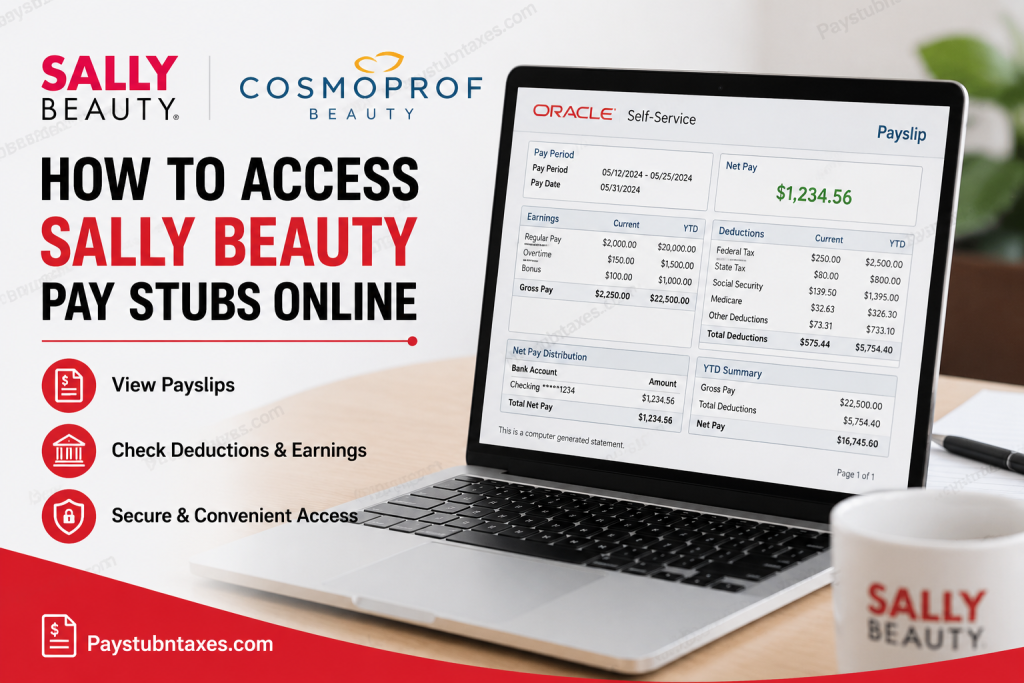
Sally Beauty and Beauty Systems Group (BSG) are globally recognized leaders in the professional beauty industry. With thousands of retail locations across North America and Europe, the company serves both salon professionals and retail customers through trusted brands such as Ion®, Wella®, OPI®, Paul Mitchell®, Matrix®, CHI®, and many more. Headquartered in Denton, Texas, Sally Beauty and BSG employ tens of thousands of team members worldwide. As an employee of Sally Beauty or Beauty Systems Group, you can conveniently access your pay stubs online through the Oracle Self-Service payroll portal. The platform allows employees to review current and past payslips, monitor deductions, verify tax withholdings, and manage direct deposit information securely from any device with internet access.
Sally Beauty Pay Stub Portal
Official Oracle Self-Service Portal:
Employees can use this portal to:
- Access and download payslips
- Review payroll history
- Check tax deductions and earnings
- View direct deposit information
- Manage bank account details
- Export payroll documents
- Access year-to-date (YTD) payroll summaries
How to Access Sally Beauty Pay Stubs Online
Follow these simple steps to retrieve your payslips securely online.
Step 1: Visit the Oracle Self-Service Portal
Open your browser and visit the official Sally Beauty Oracle payroll portal:
https://eigx.login.us6.oraclecloud.com/
Enter your employee credentials to sign in.
Step 2: Navigate to the “Me” Section
After logging in successfully, locate the “Me” option on the Oracle home page.
This section contains employee payroll and personal information management tools.
Step 3: Open the Payroll Page
Under the “Me” section:
- Click Pay
- Open the Payroll dashboard
- Select My Payslips
This will display your available payslips in chronological order.
Step 4: Select and View Your Payslip
Choose the payslip you wish to review.
Oracle Self-Service allows employees to:
- View earnings summaries
- Review deductions
- Check net pay distribution
- Access payroll preview documents
- Compare multiple payslips
- Download PDF copies
Employees can typically access up to 25 historical payslips directly within the system.
Step 5: Download or Print Your Pay Stub
Once your payslip opens, you can:
- Download the PDF version
- Save it to your computer
- Print a hard copy
- Zoom in or out for better readability
The Oracle Payroll interface also provides payroll summaries and year-to-date earnings information.
What Information Appears on Your Sally Beauty Pay Stub?
Your payslip may include the following payroll details:
- Employee identification information
- Pay period dates
- Gross earnings
- Net pay
- Taxes withheld
- Pre-tax and after-tax deductions
- Overtime earnings
- Year-to-date totals
- Direct deposit details
- Accrual balances
- Payroll messages and notices
The Oracle system also displays payroll analytics and comparative charts for earnings and deductions.
How to Update Direct Deposit Information
Oracle Self-Service also allows employees to manage personal payment methods and direct deposit accounts.
To Add or Update Bank Details:
- Open the Pay section
- Select Payment Methods
- Click Add Bank Account
- Enter checking or savings account details
- Save the information
- Assign payment distribution preferences
Employees can split payments between multiple accounts using percentage-based allocations.
Benefits of Using Oracle Self-Service Payroll
Using the Oracle payroll system provides several advantages for Sally Beauty employees:
24/7 Payroll Access
Employees can retrieve pay stubs anytime from home or mobile devices.
Secure Document Storage
Payroll records remain securely archived for future access.
Faster Payroll Verification
The system simplifies employment verification, tax filing, and loan applications.
Direct Deposit Management
Employees can update bank information without submitting paper forms.
Paperless Convenience
Digital payroll access reduces paperwork and improves accessibility.
Troubleshooting Sally Beauty Payroll Login Issues
If you experience problems accessing your pay stubs, try the following:
- Verify your username and password
- Reset your Oracle password if necessary
- Clear browser cache and cookies
- Use an updated browser
- Disable VPN connections temporarily
- Confirm internet connectivity
- Contact HR or Payroll Support for account assistance
Sally Beauty Payroll Support
If you cannot access your payroll account or need assistance with pay discrepancies, contact your local HR department or payroll administrator. You may also visit the official company website: www.sallybeautyholdings.com
Final Thoughts
Sally Beauty and Beauty Systems Group employees can efficiently manage their payroll records through the Oracle Self-Service platform. Whether you need to download a recent pay stub, review year-to-date earnings, or update direct deposit details, the online payroll system offers a secure and convenient solution available around the clock. By using the Oracle Self-Service portal regularly, employees can stay informed about earnings, deductions, taxes, and payroll updates while enjoying fast and paperless access to essential financial documents.
Frequently Asked Questions (FAQs)
1. Can former employees access Sally Beauty pay stubs online?
In many cases, former employees may retain limited Oracle payroll access for historical payroll documents. Contact HR if your login no longer works.
2. How many payslips can I view online?
Oracle Self-Service typically allows employees to view up to 25 previous payslips.
3. Can I download my pay stub as a PDF?
Yes. Oracle Payroll allows users to open, save, export, and print PDF payslips.
4. Does the portal show year-to-date earnings?
Yes. The system includes current and YTD earnings, taxes, and deductions.
5. Can I update my direct deposit online?
Yes. Employees can add or modify bank accounts and payment methods through the Payroll section.
6. What should I do if my payslip does not appear?
Wait until payroll processing is complete or contact payroll support for assistance.
7. Is Oracle Self-Service available on mobile devices?
Yes. The portal can generally be accessed through smartphones and tablets using a secure browser.
8. Can I print multiple payslips?
Yes. Multiple payslips can be selected and exported together from the payroll dashboard.
9. What details are included under deductions?
The deductions section may include taxes, insurance, retirement contributions, garnishments, and other payroll deductions.
10. Is the payroll portal secure?
Yes. Oracle Self-Service uses secure authentication and encrypted access protocols to protect employee payroll information.

