
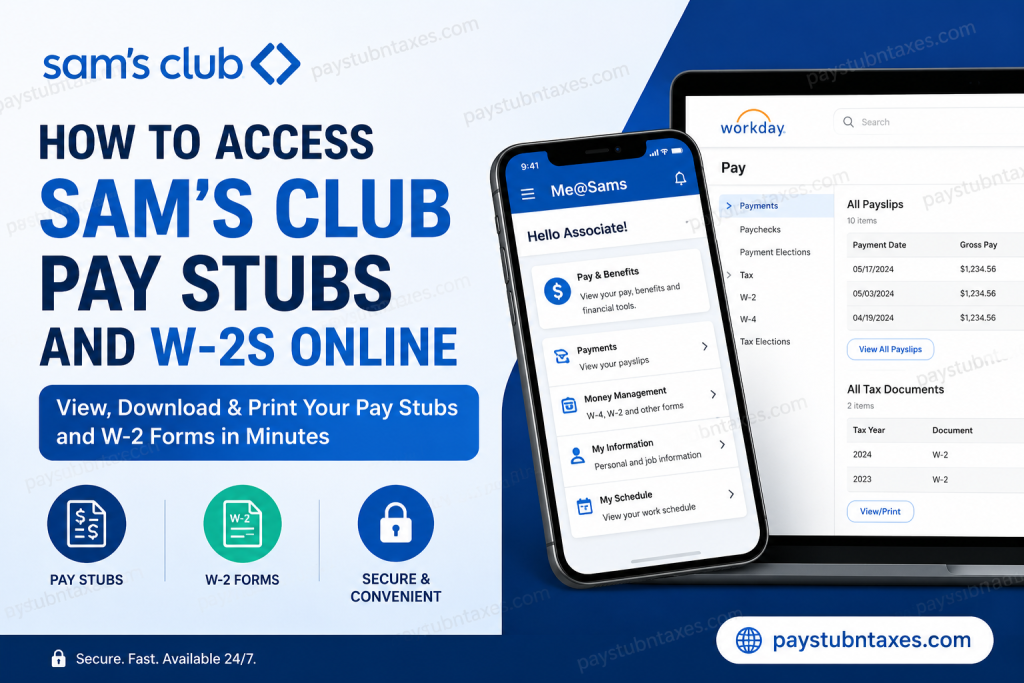
Sam’s Club, a division of Walmart Inc., is one of America’s largest membership warehouse retailers, operating hundreds of clubs across the United States and Puerto Rico. The company provides associates with convenient digital tools to manage payroll records, tax documents, schedules, benefits, and personal information online. If you are a current Sam’s Club associate, you can quickly access your pay stubs, W-2 forms, tax elections, and payroll history through the Me@Sams mobile app or the Walmart Workday self-service portal. This complete guide explains every available method in a clear, step-by-step format.
Ways to Access Sam’s Club Pay Stubs and W-2s
Active Sam’s Club associates can retrieve payroll and tax documents using:
- Me@Sams Mobile App
- Walmart Workday Self-Service Portal
- myTaxForm Portal (former employee)
Each option offers secure online access to important payroll and tax information.
Access Sam’s Club Pay Stubs Through the Me@Sams App
The Me@Sams app is designed specifically for Sam’s Club associates and provides quick access to schedules, payroll, benefits, and HR tools.
Features Available in Me@Sams
- View paycheck details
- Download pay stubs
- Access W-2 tax forms
- Manage direct deposit
- Track schedules and attendance
- Access benefits and financial tools
How to View Sam’s Club Pay Stubs
Follow these steps:
- Open the Me@Sams app
- Sign in using your Walmart/Sam’s Club SSO credentials
- Tap Me
- Select Pay & Benefits
- Choose Payments
- Open All Payslips
- Select the desired paycheck
- View, download, or print the pay stub
The app allows associates to review earnings, deductions, taxes withheld, overtime, bonuses, and direct deposit information.
How to Access Sam’s Club W-2 Forms in the Me@Sams App
To retrieve your year-end tax documents:
- Open the Me@Sams app
- Navigate to:
Me > Pay & Benefits > Money Management - Select W-4, W-2 and Other Forms
- Choose the appropriate tax year
- Download or print your W-2 form
Electronic W-2 access is typically available before paper copies arrive by mail.
Access Sam’s Club Pay Stubs Through Workday
Sam’s Club associates may also use Walmart’s Workday self-service portal for payroll and tax management.
Workday Login Portal
Workday Login: Walmart Workday Portal
Associates must log in using their Walmart/Sam’s Club SSO credentials.
How to View Pay Stubs in Workday
After signing into Workday:
- Click Menu
- Select Benefits and Pay
- Click Pay
- Choose Payments
- Scroll to the All Payslips section
- Select View to open a pay stub
- Click Print if you need a paper copy
Associates can also print multiple payslips at once by selecting a custom date range.
How to Access W-2 Forms in Workday
To locate your W-2 online:
- Sign into Workday
- Open Menu
- Select Benefits and Pay
- Click Pay
- Choose Tax
- Navigate to the All Tax Documents section
- Select the desired W-2 year
- Click View/Print
The W-2 will open in PDF format for downloading or printing.
How to Enable Electronic W-2 Delivery
Electronic delivery allows associates to receive W-2 forms earlier than mailed paper copies.
To activate electronic delivery in Workday:
- Open the Tax section in Workday
- Locate Tax Forms Printing Elections
- Click Edit
- Select:
Receive electronic copy of my Year End Tax Documents - Click OK
- Select Done
This ensures faster access to annual tax documents online.
What Information Appears on a Sam’s Club Pay Stub?
A typical Sam’s Club paycheck statement includes:
- Gross earnings
- Net pay
- Hourly rate
- Overtime
- Bonuses or incentives
- Federal tax withholding
- State tax withholding
- Social Security deductions
- Medicare deductions
- Retirement contributions
- PTO balances
- Direct deposit information
Common Login Problems and Solutions
Forgot Your Password
Use the Walmart password recovery or SSO reset option on the login page.
Locked Account
Wait several minutes and try again, or contact Walmart IT support.
Cannot Access W-2
Ensure:
- Your tax forms are available for the selected year
- Electronic delivery settings are enabled
- Your browser allows pop-ups and PDF downloads
Mobile App Issues
Update the Me@Sams app to the latest version through:
- Apple App Store
- Google Play Store
Benefits of Online Payroll Access
Using digital payroll systems provides several advantages:
- 24/7 access to payroll records
- Faster W-2 delivery
- Easy tax preparation
- Secure document storage
- Instant paycheck review
- Reduced paper clutter
- Convenient mobile access
Sam’s Club Associate Support
If you experience payroll or tax-document access issues, contact your club’s HR department or Walmart Associate Support for assistance.
You may also visit: Walmart Associate Support
Final Thoughts
Sam’s Club makes it simple for associates to access payroll and tax records online through the Me@Sams app, Workday self-service portal, and myTaxForm website. Whether you need a recent pay stub, historical paycheck details, or your annual W-2 tax form, these digital tools provide fast, secure, and convenient access anytime and anywhere. Associates who enable electronic tax delivery can also receive W-2 forms earlier and streamline their tax filing process significantly.
Frequently Asked Questions (FAQ)
1. How do I access my Sam’s Club pay stubs online?
You can access your pay stubs through the Me@Sams app or the Walmart Workday portal by signing in with your SSO credentials and navigating to the Payments section.
2. Where can I find my Sam’s Club W-2 form?
Your W-2 form is available in the Me@Sams app under Pay & Benefits > Money Management > W-4, W-2, and Other Forms, or through Workday and myTaxForm.
3. What is the Sam’s Club Workday login link?
The official Workday login portal is: https://wd5.myworkday.com/walmart/login.flex.
4. Can former Sam’s Club employees access W-2 forms online?
Yes. Former associates may still access W-2 forms through the myTaxForm portal or Walmart payroll systems, depending on account availability.
5. What credentials do I need to log in?
You typically need your Walmart/Sam’s Club User ID, password, and SSO authentication credentials.
6. How do I print my Sam’s Club pay stub?
After opening a payslip in Workday or the Me@Sams app, select the Print option to generate a printable PDF copy.
7. Can I download old pay stubs from Workday?
Yes. Workday stores payroll history, allowing associates to view and download previous payslips.
8. How do I enroll in electronic W-2 delivery?
In Workday, go to Tax Forms Printing Elections and select “Receive electronic copy of my Year End Tax Documents.”
9. When are Sam’s Club W-2 forms available?
W-2 forms are generally available online beginning in January each year, before paper copies are mailed.
10. What is the myTaxForm website for Sam’s Club associates?
The myTaxForm portal is an alternative platform where associates can securely retrieve tax forms online.
11. Why can’t I log into the Me@Sams app?
Login issues may occur due to incorrect passwords, expired credentials, outdated app versions, or account lockouts.
12. Does Sam’s Club provide mobile access to payroll information?
Yes. Associates can use the Me@Sams mobile app to access schedules, payroll records, W-2s, and benefits information.
13. Can I access payroll records from home?
Yes. Both Workday and the Me@Sams app are accessible remotely using secure login credentials.
14. What information appears on a Sam’s Club pay stub?
A pay stub typically includes gross pay, net pay, tax deductions, overtime, benefits deductions, and direct deposit information.
15. Who should I contact for payroll assistance?
Associates should contact Walmart Associate Support or their local HR department for help with payroll, W-2s, or login problems.

