
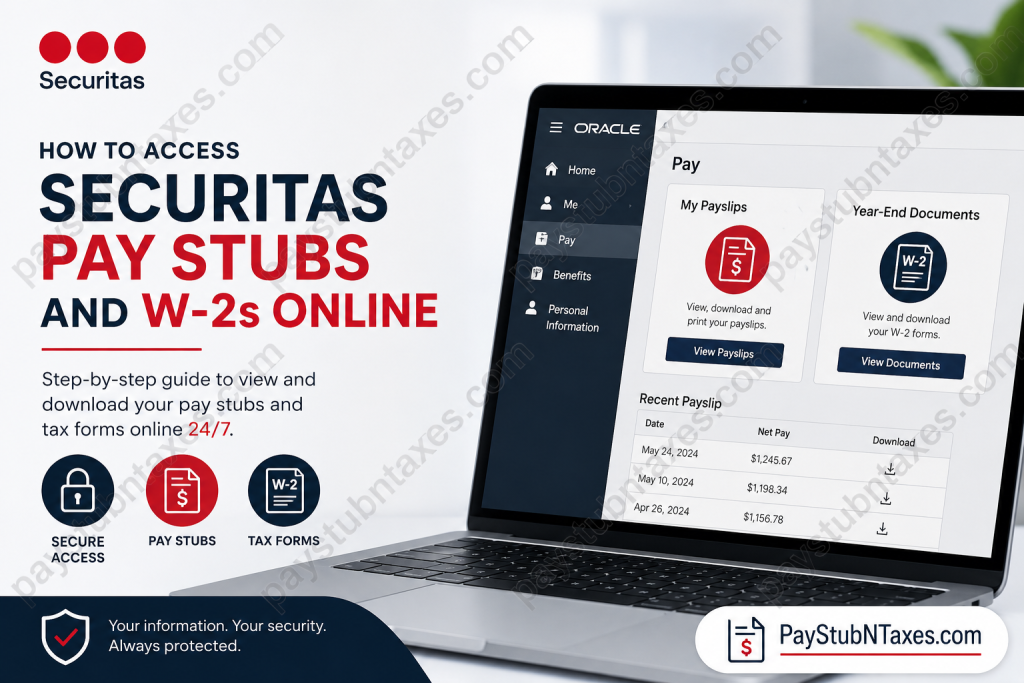
Employees of Securitas can conveniently access payroll records, pay stubs, and year-end tax forms online through the company’s Oracle HR and payroll ecosystem. Whether you are reviewing recent earnings, downloading historical payslips, or retrieving your W-2 for tax filing purposes, Securitas provides several secure digital access methods that allow employees to manage payroll documents anytime and from virtually anywhere.
As one of the world’s leading security solutions providers, Securitas combines advanced workforce technology with enterprise-grade security systems to ensure employees can securely access sensitive payroll information while maintaining strict privacy and compliance standards. Founded in Sweden and operating globally across dozens of countries, Securitas employs hundreds of thousands of professionals worldwide and remains recognized for its core values of Integrity, Vigilance, and Helpfulness.
Ways to Access Securitas Pay Stubs Online
Securitas employees may access Oracle Payroll and HR services using multiple login methods. Depending on your role, device, and authentication setup, you can choose the method that works best for you.
Method 1: Access Through the Securitas Okta Dashboard
The primary and most secure access method is through the Securitas Okta portal.
Securitas Okta Login Portal
Employees can log in using their company Single Sign-On (SSO) credentials and complete multi-factor authentication using Okta Verify or Okta FastPass. Okta FastPass is especially recommended for employees who prefer biometric authentication, such as fingerprint or facial recognition login.
Once successfully authenticated:
- Open the Okta dashboard.
- Locate the Oracle Production application.
- Click the application tile to launch Oracle HR and Payroll services.
The Oracle Production environment is used for HR, payroll, and finance functions within Securitas.
Method 2: Access Oracle Through the Securitas Employee Job Portal
Employees may also reach Oracle directly through the Securitas career and employee portal.
Employee Portal Address
https://ekaw.fa.us2.oraclecloud.com/hcmUI/CandidateExperience/en/sites/CX
Steps to Sign In
- Open the Securitas job portal.
- Click the menu icon located in the upper-right corner.
- Select “I AM AN EMPLOYEE.”
- You will be redirected to the Oracle sign-in page.
- Choose Sign in with Okta.
- Complete the authentication process.
Once logged in, employees gain access to Oracle HCM self-service features, including payroll records, tax forms, personal information management, and HR services.
The Oracle login interface supports both direct credential sign-in and Okta-based authentication.
Method 3: Access Payroll Information Using the OneID Mobile App
Securitas also provides mobile accessibility through the OneID application.
Employees using the OneID mobile platform can securely access HR services, employment information, and payroll-related documents directly from their smartphones or tablets.
The mobile solution is particularly useful for field officers, remote personnel, and employees who require quick access to payroll records while away from a desktop computer.
How to View Securitas Pay Stubs in Oracle
After successfully logging into Oracle HCM, follow the navigation path below:
Pay Stub Navigation Path
Home Page → Me → Pay → My Payslips
Inside the My Payslips section, employees can:
- View current and previous pay stubs
- Download PDF copies of payslips
- Review earnings and deductions
- Access tax withholding information
- Compare payroll history
Oracle’s Employee Self-Service payroll environment also allows employees to preview and download multiple payslips simultaneously in PDF format.
How to Access Securitas W-2 Forms Online
Employees can retrieve year-end tax documents directly from Oracle Payroll.
W-2 Navigation Path
Home Page → Me → Pay → Year-End Documents
Within the Year-End Documents section, employees may:
- Download W-2 tax forms
- View prior-year tax statements
- Print official copies for filing purposes
- Access electronic tax records 24/7
Employees are strongly encouraged to download and save copies of their W-2 forms for future tax preparation and financial documentation.
Benefits of the Securitas Oracle Payroll System
The Securitas payroll ecosystem provides employees with a streamlined and secure experience designed for enterprise workforce management.
Key Advantages
24/7 Access
Employees can review payroll information anytime without contacting HR.
Secure Authentication
Okta multi-factor authentication helps protect employee payroll data from unauthorized access.
Mobile Compatibility
The OneID application enables convenient payroll access from mobile devices.
Digital Record Management
Employees can download and store payroll and tax records electronically.
Faster Tax Filing
Online W-2 access simplifies annual income tax preparation.
Common Securitas Payroll Login Issues and Solutions
Although the payroll system is generally reliable, employees may occasionally encounter login or access issues.
Forgotten Password
Use the “Forgot Password” option available on the Oracle or Okta login page to reset credentials securely.
Okta Verification Problems
If Okta Verify or FastPass authentication fails:
- Restart your mobile device
- Reopen the Okta Verify application
- Ensure internet connectivity is active
- Contact your branch administrator if issues persist
Locked Account
Too many failed login attempts may temporarily lock your account. In such situations, employees should contact their local branch office or HR support team.
Payroll Security and Employee Privacy
Securitas maintains comprehensive privacy and data protection standards to safeguard employee information.
Employee payroll records, tax documents, financial information, and account credentials are managed within secure enterprise systems under strict privacy and compliance policies.
The company also emphasizes ethical conduct, accountability, and operational integrity throughout all workforce systems and employee services.
About Securitas
Securitas is one of the largest and most recognized protective services organizations in the world. Headquartered in Stockholm, Sweden, the company delivers integrated security solutions that combine on-site guarding, mobile services, remote monitoring, electronic security, fire and safety, and corporate risk management.
The company operates across numerous countries and serves thousands of organizations globally through advanced technology platforms and highly trained security professionals.
Securitas continues to maintain a strong reputation through its longstanding commitment to innovation, customer service, and operational excellence.
Securitas Payroll Support Contact Information
If you need additional help accessing your pay stubs or W-2 forms, contact your local Securitas branch office or employee support services.
Securitas Employee Support
Phone: 1 (866) 864-3375
Employees may also contact the HR support portal for payroll-related assistance and account issues.
Final Thoughts
Securitas provides employees with a modern and highly secure payroll management environment through Oracle HCM and Okta authentication systems. By offering multiple access methods — including the Okta dashboard, Oracle employee portal, and OneID mobile app — the company ensures that employees can quickly retrieve pay stubs, W-2 forms, and payroll information whenever needed. Whether you are an active security officer, branch employee, or corporate staff member, understanding how to navigate the Securitas payroll system can save time, simplify tax preparation, and improve overall access to essential employment records.
Frequently Asked Questions (FAQs)
1. How do I log into Securitas payroll?
You can log into Securitas payroll through the Okta portal at https://okta.securitasinc.com using your company credentials and multi-factor authentication.
2. Where can I view my Securitas pay stubs?
After logging into Oracle HCM, go to:
Home Page → Me → Pay → My Payslips
3. How do I download my Securitas W-2 online?
Navigate to:
Home Page → Me → Pay → Year-End Documents
Then select and download your W-2 form.
4. What is the Securitas Okta login portal?
The official Securitas Okta login portal is: https://okta.securitasinc.com.
5. Can former employees access Securitas pay stubs?
Former employees may need assistance from their local branch or HR department if Oracle access has been disabled.
6. What is Okta FastPass at Securitas?
Okta FastPass is a secure authentication feature that allows biometric login using fingerprint or facial recognition.
7. Can I access Securitas payroll on my phone?
Yes. Employees can use the OneID mobile application to access payroll and HR documents on mobile devices.
8. Why can’t I log into Securitas Oracle Payroll?
Common reasons include:
- Incorrect password
- Expired credentials
- Failed Okta verification
- Locked account after multiple attempts
9. How do I reset my Securitas payroll password?
Use the “Forgot Password” option on the Oracle or Okta login page.
10. What information appears on a Securitas pay stub?
A payslip typically includes:
- Gross pay
- Net pay
- Taxes withheld
- Overtime
- Deductions
- Direct deposit details
11. Is Securitas payroll access available 24/7?
Yes. Employees can securely access payroll records online anytime.
12. How do I contact Securitas payroll support?
You can contact your local branch office or call:
1 (866) 864-3375
13. Are Securitas W-2 forms mailed?
In many cases, employees can access W-2 forms electronically through Oracle. Paper delivery may depend on payroll preferences and company policy.
14. What is Oracle Production at Securitas?
Oracle Production is the company’s secure HR, payroll, and finance platform used by employees to manage payroll and employment information.
15. Is Securitas payroll information secure?
Yes. Securitas uses Oracle Cloud and Okta multi-factor authentication to help protect employee payroll and tax data.

