
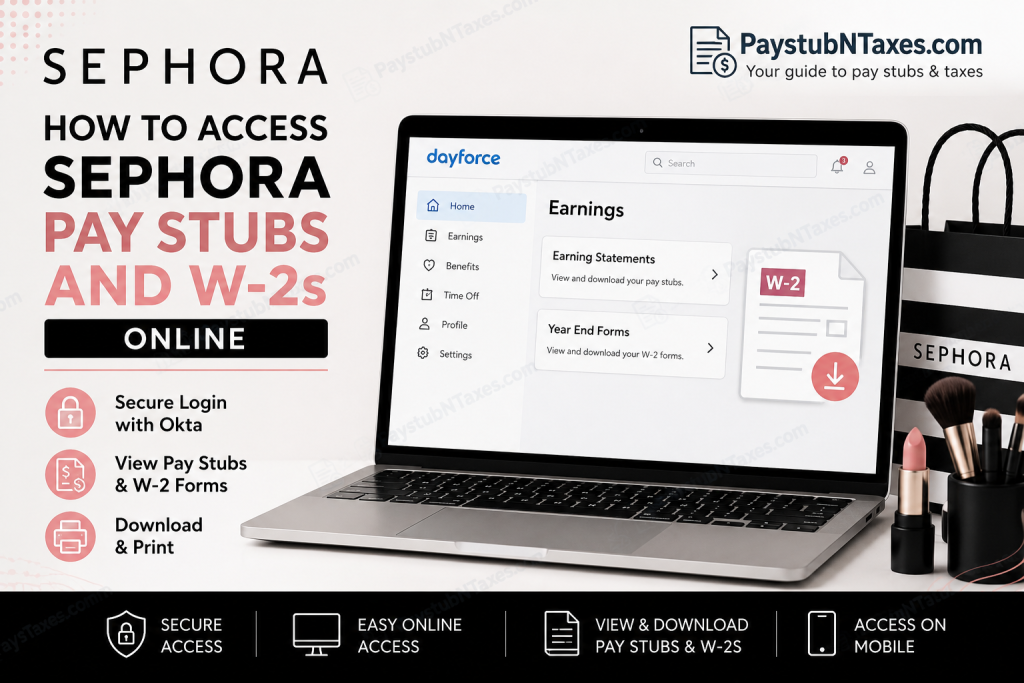
Employees at Sephora can conveniently access their payroll documents, including electronic pay stubs and W-2 tax forms, through the Dayforce self-service payroll platform. Whether you are reviewing your earnings history, downloading tax documents for filing season, or printing payroll records for financial verification purposes, Sephora’s secure Dayforce portal provides a streamlined and efficient solution. As one of the world’s most influential prestige beauty retailers, Sephora continues to invest heavily in digital workforce technology that empowers employees to manage payroll, benefits, scheduling, banking information, and tax documentation from virtually anywhere.
What Is Sephora Dayforce?
Dayforce is Sephora’s human capital management (HCM) platform used for payroll and workforce management. Through this system, employees can:
- Access electronic pay stubs
- Download W-2 tax forms
- Review earnings history
- Manage direct deposit information
- Update tax withholding details
- Request time off
- Monitor schedules and attendance
Sephora employees log in to Dayforce through secure Okta authentication, which helps protect employee payroll and tax information.
Sephora Dayforce Login Portal
Employees can access the Sephora Dayforce portal using the official link below:
Portal: https://sephora.dayforcehcm.com
Once you open the login page, you will be redirected through Sephora’s Okta sign-in system before entering the Dayforce dashboard.
How to Access Sephora Pay Stubs Online
Follow these steps carefully to view and download your Sephora pay statements online:
Step 1: Visit the Sephora Dayforce Portal
Open your web browser and navigate to: https://sephora.dayforcehcm.com
For the best experience, use an updated browser such as Google Chrome, Microsoft Edge, or Safari.
Step 2: Sign In Using Your Sephora Credentials
Employees must authenticate using Sephora’s Okta login system. Enter your:
- Sephora username or employee credentials
- Password
- Multi-factor authentication code (if prompted)
After successful authentication, you will be redirected to the Dayforce homepage.
Step 3: Open the Earnings Section
Once logged in:
- Click the Home icon to open your dashboard
- Select the Earnings icon from your Favorites menu
Alternatively:
- Click the three horizontal lines in the upper-left corner
- Select Earnings from the navigation menu
The Earnings section contains both your electronic pay statements and year-end tax documents.
Step 4: View Electronic Pay Stubs
Inside the Earnings dashboard:
- Select Earning Statements
- Choose the pay period you want to review
- Double-click the document to open it
You may then:
- Download the pay stub as a PDF
- Save a digital copy
- Print the statement for your records
Electronic pay statements typically include:
- Gross pay
- Net pay
- Federal and state tax deductions
- Direct deposit information
- Overtime earnings
- Benefits deductions
- PTO balances
How to Access Sephora W-2 Forms Online
Sephora employees can also retrieve annual W-2 tax forms directly through Dayforce.
Steps to Download Your W-2
- Log in to the Sephora Dayforce portal
- Open the Earnings section
- Click Year End Forms
- Select the appropriate tax year
- Double-click the W-2 file to open it
- Download or print the form as needed
The W-2 form contains essential information required for federal and state income tax filing.
How to Print Pay Stubs or W-2 Forms
If you need physical copies for loans, apartments, immigration documentation, or tax preparation, Dayforce allows you to print documents directly.
After opening the file:
- Click the Print icon
- Select your preferred printer
- Adjust print settings if necessary
- Modify the document scale under More Settings if the print appears too small
- Click Print
Scaling adjustments may improve readability when printing financial documents.
Accessing Sephora Pay Stubs on Mobile Devices
Employees may also access payroll records using the Dayforce mobile application.
Dayforce Mobile App Features
Using the mobile app, employees can:
- View pay stubs
- Access W-2 forms
- Review schedules
- Monitor attendance
- Manage time away requests
- Access benefits information
The app is available for both:
- Apple iPhone (App Store)
- Android devices (Google Play Store)
Employees use the same login credentials for both desktop and mobile access.
Forgot Your Sephora Dayforce Password?
If you cannot access your account:
- Open the Sephora Okta login page
- Select the Help or password recovery option
- Follow the prompts to reset your credentials
- Verify your identity using your recovery email or authentication method
For security reasons, employees should never share login credentials with others.
Common Reasons Employees Need Sephora Pay Stubs
Employees frequently download payroll records for:
- Mortgage applications
- Apartment rentals
- Visa and immigration processing
- Income verification
- Tax preparation
- Personal financial planning
- Government assistance documentation
Because Dayforce stores historical earnings data electronically, employees can often retrieve older payroll records without contacting HR directly.
Sephora Payroll Support Contact Information
If you experience login issues or cannot access your payroll documents, contact Sephora support directly.
Sephora Customer Support
- Website: https://www.sephora.com/beauty/contact-us
- Phone: 1-877-SEPHORA (1-877-737-4672)
If live chat is temporarily unavailable, keep the page open until the next support representative becomes available.
Final Thoughts
Sephora’s Dayforce payroll platform offers employees a secure and highly efficient method for accessing pay stubs, W-2 forms, earnings statements, schedules, and employment-related records online. By integrating Dayforce with Okta authentication, Sephora ensures both convenience and data security while enabling employees to manage essential payroll information anytime and anywhere. Whether you need a recent pay statement, a year-end W-2, or archived payroll records for financial verification, the Sephora Dayforce portal simplifies the entire process through an intuitive self-service experience.
Frequently Asked Questions (FAQ)
1. How do I access my Sephora pay stubs online?
Log in to the Sephora Dayforce portal using your Okta credentials. From the dashboard, click the Earnings icon and select Earning Statements to view your pay stubs.
2. What website does Sephora use for payroll access?
Sephora employees use the Dayforce payroll portal: sephora.dayforcehcm.com
3. How do I download my Sephora W-2 online?
After logging into Dayforce, go to Earnings → Year End Forms and select the W-2 form for the appropriate tax year.
4. Does Sephora use Dayforce for payroll?
Yes. Sephora uses Dayforce as its payroll and workforce management platform for pay stubs, W-2s, schedules, benefits, and employee self-service tools.
5. How do I log in to Sephora Dayforce?
Employees must authenticate through Sephora’s Okta sign-in system using their employee username and password before accessing Dayforce.
6. Can former Sephora employees access old pay stubs?
In many cases, former employees may retain temporary Dayforce access after separation. If access has expired, contact Sephora HR or payroll support for assistance.
7. Where can I find the Earnings section in Dayforce?
After logging in, click the three-line menu icon or use the dashboard Favorites section to select Earnings.
8. Can I print my Sephora pay stubs?
Yes. Open the pay statement, click the print icon, adjust scaling settings if needed, and print the document directly from Dayforce.
9. Are Sephora W-2 forms available electronically?
Yes. W-2 forms are available electronically in the Year End Forms section within Dayforce.
10. Can I access Sephora payroll documents on my phone?
Yes. Employees can use the Dayforce mobile app for iPhone and Android devices to access pay stubs, W-2s, schedules, and benefits.
11. What should I do if I forgot my Sephora Dayforce password?
Use the password recovery or Help option on the Sephora Okta login page to reset your credentials securely.
12. Is Sephora Dayforce secure?
Yes. Sephora uses Okta authentication and secure login protocols to protect employee payroll and tax information.
13. What information appears on a Sephora pay stub?
A typical pay statement includes:
- Gross pay
- Net pay
- Taxes withheld
- Direct deposit details
- Benefits deductions
- PTO balances
- Overtime earnings
14. Who do I contact for Sephora payroll support?
Employees can contact Sephora support through:
- Sephora Contact Support
- Phone: 1-877-SEPHORA (1-877-737-4672)
15. Can I save Sephora pay stubs as PDF files?
Yes. Dayforce allows employees to open, download, and save pay statements and W-2 forms as PDF documents for personal records or income verification purposes.

