
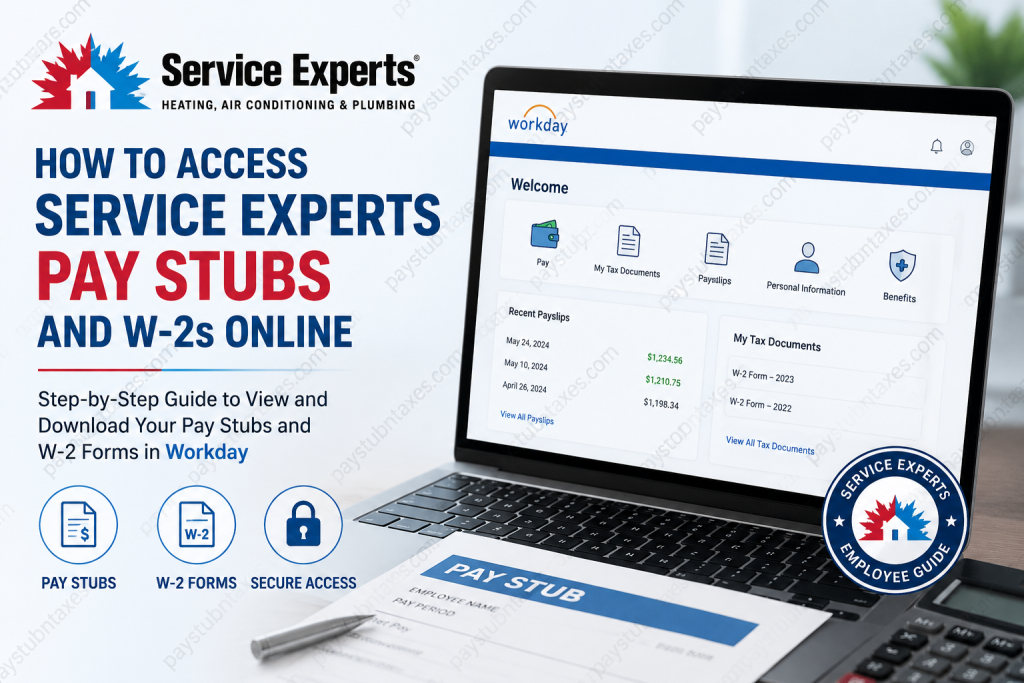
Service Experts has established itself as one of North America’s most trusted HVAC, plumbing, and electrical service providers, operating more than 75 locations across 31 states while delivering professional home comfort solutions to thousands of households and businesses every day. Headquartered in Richardson, Texas, and backed by Brookfield Infrastructure, the company continues to expand its reputation for operational excellence, customer-focused service, and technological innovation. In alignment with its modern and employee-centric operational model, Service Experts provides associates with secure digital access to payroll and tax documentation through the Workday self-service portal. This platform allows employees to conveniently retrieve pay stubs, W-2 forms, tax documents, payroll history, and related employment records from virtually any internet-connected device. This comprehensive guide explains how active Service Experts employees can log in to Workday, access their pay statements, and download W-2 forms efficiently and securely.
Service Experts Workday Login Portal
Active employees can access payroll records through the official Service Experts Workday portal:
Workday Login:
https://wd108.myworkday.com/serviceexperts/login.htmld
Upon opening the portal, employees will generally see two authentication options:
- Service Experts SSO
- Native Login
Most active employees should select Service Experts SSO and sign in using their company-issued Single Sign-On credentials.
After selecting the SSO option, users will be redirected to the secure authentication page where they must enter their corporate email address and complete the verification process.
How to Access Service Experts Pay Stubs Online
Workday centralizes payroll records in a secure digital environment, enabling employees to review current and historical pay information with exceptional convenience.
Follow the steps below to access your Service Experts pay stubs online:
Step 1: Visit the Workday Portal
Open the official Service Experts Workday login page in your web browser.
Step 2: Choose “Service Experts SSO”
Select the Service Experts SSO option on the login screen.
Step 3: Sign In Using Company Credentials
Enter your company email address and password associated with your Service Experts account.
Depending on your security settings, you may also be required to complete multi-factor authentication using Duo Security.
Step 4: Navigate to the Pay Dashboard
Once logged in successfully, locate the Pay application or payroll dashboard from the Workday homepage.
Step 5: Open Payslips
Inside the Pay section, select Payslips or View Payslips to access your payroll history.
Step 6: Select the Desired Pay Period
A list of available pay periods will appear on the screen. Choose the relevant payment date to review your pay statement.
Step 7: Download or Print Your Pay Stub
Click the PDF version of the payslip to open the document. You may then:
- Download the file
- Print a hard copy
- Save the document for future reference
Workday allows employees to securely maintain digital payroll records without relying on paper statements.
How to Access Service Experts W-2 Forms Online
Service Experts employees may also retrieve annual W-2 tax forms directly through Workday.
The platform stores tax documentation electronically, simplifying tax filing and record retention while reducing administrative delays.
Step 1: Log Into Workday
Access the Service Experts Workday portal and complete the SSO login process.
Step 2: Open the Pay Application
From the homepage dashboard, click on Pay.
Step 3: Select “My Tax Documents”
Within the payroll section, locate and open My Tax Documents.
Step 4: Locate Your W-2 Form
Your available W-2 forms will appear by tax year.
Select the correct year to continue.
Step 5: View, Download, or Print
Click View/Print beside the desired W-2 form to open the document.
From there, you may:
- Print the form directly
- Download a PDF copy
- Save the document for tax filing purposes
Workday also includes accessibility options and navigation controls for easier document viewing.
Benefits of Using Workday at Service Experts
Service Experts utilizes Workday because it delivers a highly secure, efficient, and user-friendly employee experience. The platform provides centralized access to payroll, benefits, tax records, and employment information while supporting modern workforce management capabilities.
Key advantages include:
- 24/7 access to payroll documents
- Secure cloud-based authentication
- Faster retrieval of W-2 tax forms
- Paperless payroll management
- Mobile-friendly access
- Simplified payroll history tracking
- Enhanced data security through SSO authentication
This digital-first approach reflects Service Experts’ broader commitment to operational innovation and employee support.
Troubleshooting Workday Login Issues
If you encounter difficulties accessing your account, consider the following solutions:
Reset Forgotten Password
Use your corporate password reset tools or internal IT support channels to restore account access.
Verify Internet Browser Compatibility
Ensure you are using an updated browser such as:
- Google Chrome
- Microsoft Edge
- Mozilla Firefox
- Safari
Complete Multi-Factor Authentication
If Duo Security verification is enabled, ensure your authentication device is available and connected.
Contact Your Local Branch or HR Department
For unresolved login or payroll issues, employees may contact their local Service Experts branch for assistance.
You may also call:
Service Experts Support:
866-963-7996
About Service Experts
Founded in 1996, Service Experts has evolved from a coalition of independent contractors into one of the most recognized HVAC and plumbing service providers in North America. The company now employs more than 3,000 trained professionals while serving thousands of homes and businesses daily across the United States.
Backed by Brookfield Infrastructure, Service Experts combines local service expertise with national operational strength, emphasizing customer satisfaction, proactive home care, and long-term comfort solutions. The company’s mission centers on delivering healthier, more efficient, and more comfortable homes through advanced technology, expert guidance, and exceptional service.
Final Thoughts
The Service Experts Workday portal offers employees a secure and highly efficient method for managing payroll records and tax documentation online. Whether you need to review recent earnings, print a pay stub, or download your annual W-2 form for tax filing, Workday streamlines the process through a centralized and user-friendly platform.
By leveraging secure Single Sign-On authentication and cloud-based payroll management, Service Experts ensures that employees can access critical financial documents quickly, safely, and conveniently from anywhere.
Frequently Asked Questions (FAQ)
1. How do I access my Service Experts pay stubs online?
You can access your Service Experts pay stubs by logging into the Workday self-service portal using your company Single Sign-On (SSO) credentials. After signing in, open the Pay section and select Payslips to view or download your payroll statements.
2. What is the official Service Experts Workday login link?
The official Service Experts Workday portal is:
https://wd108.myworkday.com/serviceexperts/login.htmld
3. How do active employees log into Workday?
Active employees should select the “Service Experts SSO” option and sign in using their company email address and password.
4. Can I download my Service Experts pay stubs as PDF files?
Yes. Workday allows employees to open, download, save, and print pay stubs in PDF format for recordkeeping or financial documentation purposes.
5. Where can I find my W-2 form in Workday?
After logging into Workday, navigate to:
Pay → My Tax Documents
Your available W-2 forms will appear by tax year.
6. How do I print my Service Experts W-2 online?
Open your W-2 form in Workday and click the printer icon located in the upper-right corner of the document viewer.
7. Does Service Experts use Single Sign-On (SSO)?
Yes. Service Experts uses secure Single Sign-On authentication for active employees accessing Workday payroll and HR services.
8. What should I do if I forget my Workday password?
If you forget your password, use your company password recovery tools or contact your local HR department or IT support team for assistance.
9. Can I access Service Experts’ payroll records from my phone?
Yes. Workday is mobile-friendly and can be accessed through supported mobile browsers or the Workday mobile application.
10. What information is available in the Workday Pay section?
The Pay section typically includes:
- Pay stubs
- Tax forms
- Direct deposit information
- Payroll history
- Withholding elections
- Compensation details
11. Is Workday secure for payroll access?
Yes. Workday uses enterprise-level security, encrypted authentication, and multi-factor verification to protect employee payroll and tax information.
12. Why is my W-2 not showing in Workday?
W-2 forms are generally uploaded after payroll processing is completed for the tax year. If your form is unavailable, contact payroll support or wait until annual tax documents are published.
13. Can I print multiple years of tax forms from Workday?
Yes. Employees can usually access and print multiple years of available W-2 forms directly from the My Tax Documents section.
14. Who do I contact for Service Experts payroll support?
Employees can contact their local branch or call Service Experts support at: 866-963-7996
15. What browser works best for Service Experts Workday login?
For optimal performance, use updated versions of:
- Google Chrome
- Microsoft Edge
- Mozilla Firefox
- Safari
These browsers provide the best compatibility with Workday services.

