
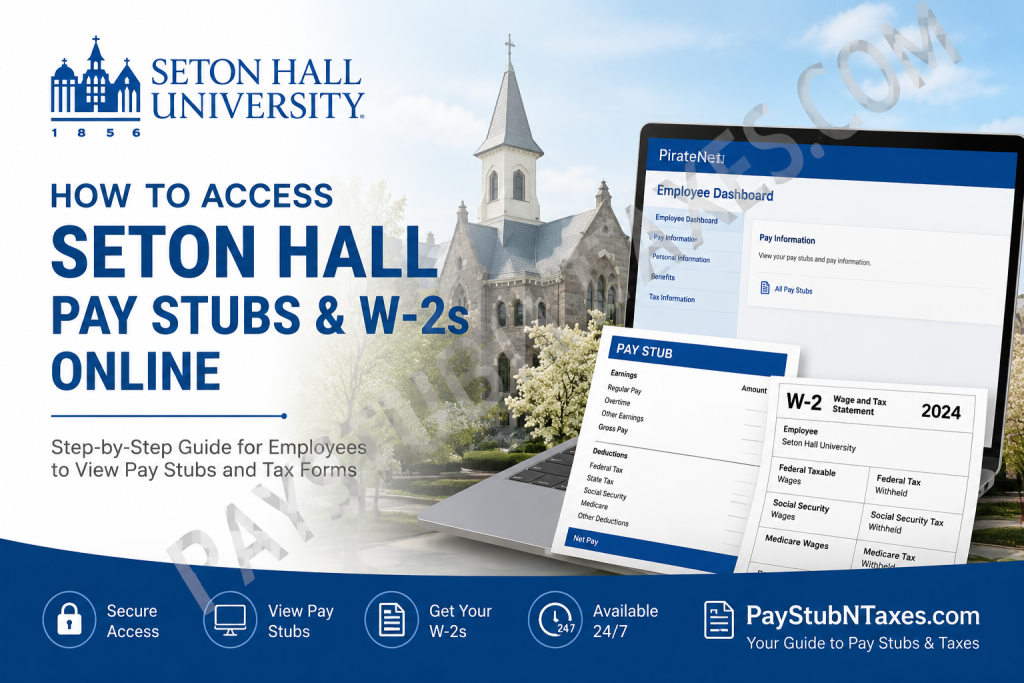
Founded in 1856, Seton Hall University is one of the oldest Catholic universities in the United States, renowned for its academically rigorous programs, values-centered education, and technologically advanced learning environment. Located just 14 miles from Manhattan, the university serves more than 10,000 students across undergraduate, graduate, and professional disciplines. For employees, faculty members, and student workers, Seton Hall provides convenient online access to payroll documents through the PirateNet and Banner Self-Service systems. Whether you need to review a recent pay stub, enroll in electronic tax delivery, or retrieve a W-2 form for tax filing purposes, the university’s digital payroll tools make the process efficient and secure.
Accessing Seton Hall Pay Stubs Online
Seton Hall employees may view their payroll information through the Banner Self-Service Employee Dashboard available within PirateNet. According to the university’s Payroll FAQ, employees can obtain their pay stubs using the following navigation path:
PirateNet → Self-Service Banner → Employee Dashboard → View Employee Dashboard → Pay Information → All Pay Stubs.
Step-by-Step Instructions
- Visit the official PirateNet portal:
Seton Hall PirateNet Portal - Enter your PirateNet username and password.
- After signing in, select Self-Service Banner.
- Open the Employee Dashboard section.
- Click View Employee Dashboard.
- Navigate to Pay Information.
- Select All Pay Stubs to view or download your earnings statements.
Employees who use direct deposit can conveniently access digital pay statements at any time without waiting for mailed documents.
How to Access Seton Hall W-2 Forms Online
The Payroll Office issues Form W-2 Wage and Tax Statements by January 31 each year. Employees may either receive a paper copy by mail or elect electronic delivery through the university’s payroll system.
Steps to Retrieve Your W-2 Electronically
- Log into PirateNet.
- Click the ADP chiclet from the dashboard.
- Select Taxes.
- Click W-2 Wage and Tax Statement.
- Follow the instructions to provide electronic consent.
Once electronic consent has been submitted, it remains active for future tax years unless revoked. Employees who opt into electronic delivery generally will not receive paper W-2 forms by mail.
What Happens if You Lose Your W-2?
If your original mailed W-2 is lost or misplaced, Seton Hall allows employees to request a duplicate copy directly from the Payroll Office. The request must include:
- Campus ID number
- Last four digits of your Social Security Number
- Mailing address for delivery
Requests should be emailed to:
payroll@shu.edu
The university also allows employees to retrieve copies online after consenting to electronic W-2 delivery.
Direct Deposit Information
Seton Hall encourages employees to enroll in direct deposit for faster and more secure payroll processing. The Payroll Office permits deposits into multiple bank accounts, including both checking and savings accounts.
According to the Payroll Department, direct deposit eliminates delays associated with paper checks and allows funds to be distributed automatically on payday.
Employees who newly enroll in direct deposit should note that:
- The first paycheck is typically mailed as a paper check.
- Direct deposit generally becomes active beginning with the second paycheck after enrollment.
Updating Mailing Address for Payroll Documents
Employees who still receive paper payroll checks or W-2 forms should ensure their mailing address remains accurate in Banner Self-Service.
To update your mailing address:
PirateNet → Self-Service Banner → Personal Information → View and Update Profile Information
This helps prevent delays or lost payroll correspondence.
Payroll Office Contact Information
Employees experiencing difficulties with payroll access, direct deposits, tax documents, or lost checks may contact the Payroll Office directly.
Payroll Department Contact Details
- Phone: (973) 275-2256
- Email: payroll@shu.edu
- Location: Bayley Hall, Room 10
- Address:
Seton Hall University
400 South Orange Avenue
South Orange, NJ 07079
IT Assistance for PirateNet Login Problems
If you encounter issues signing into PirateNet or accessing payroll services, Seton Hall’s IT Service Desk provides 24/7 technical support. The university’s technology portal includes password recovery, Duo two-factor authentication support, and troubleshooting services.
IT Service Desk Support
- Help Desk Phone: (973) 275-2222
- Email: servicedesk@shu.edu
- Live Chat Support Available 24/7
Employees may also reset expired PirateNet passwords using the university’s technology services portal.
Access Payroll Resources Through the Seton Hall Mobile App
Seton Hall additionally offers a mobile application designed to help students and employees stay connected to campus services and resources. The app provides streamlined access to university systems, schedules, notifications, and PirateNet tools.
Mobile App Features Include:
- Academic schedules
- Campus notifications
- University resources
- PirateNet access
- Event management tools
Final Thoughts
Seton Hall University has implemented a streamlined and secure payroll infrastructure that enables employees to access pay stubs, W-2 tax forms, and payroll information electronically through PirateNet and Banner Self-Service. By combining secure authentication systems, electronic tax delivery, and mobile-friendly access, the university simplifies payroll management for faculty, staff, and student workers alike. Employees are strongly encouraged to enroll in electronic W-2 delivery and direct deposit to ensure uninterrupted, timely access to essential payroll documents throughout the year.
Frequently Asked Questions (FAQ)
1. How do I access my Seton Hall pay stub online?
Log into PirateNet, open Self-Service Banner, select Employee Dashboard, then navigate to Pay Information > All Pay Stubs.
2. What is the Seton Hall PirateNet portal?
PirateNet is Seton Hall University’s secure online portal that provides access to payroll, academic, HR, and university services.
3. Can Seton Hall employees download pay stubs?
Yes. Employees can view, print, and download digital copies of their pay statements anytime through Banner Self-Service.
4. How do I retrieve my W-2 from Seton Hall University?
Sign into PirateNet, click the ADP chiclet, select Taxes, and open the W-2 Wage and Tax Statement section.
5. When are Seton Hall W-2 forms issued?
The Payroll Office issues W-2 Wage and Tax Statements by January 31 each year.
6. Does Seton Hall mail paper W-2 forms?
Yes. Employees who do not consent to electronic delivery will receive paper W-2 forms mailed to their address on file.
7. Can former employees access Seton Hall W-2 forms online?
Former employees may still receive mailed tax documents. For additional assistance, they should contact the Payroll Office directly.
8. How do I consent to electronic W-2 delivery?
After logging into PirateNet, open the ADP tax section and follow the electronic consent instructions.
9. What happens if I lose my W-2?
You may request a duplicate W-2 by emailing payroll@shu.edu with your campus ID number, last four digits of your SSN, and mailing address.
10. Does Seton Hall offer direct deposit?
Yes. Employees may enroll in direct deposit and even split deposits across multiple checking or savings accounts.
11. When does direct deposit begin after enrollment?
Your first paycheck may still arrive as a paper check, while direct deposit generally starts with the second paycheck.
12. How do I update my mailing address for payroll documents?
You can update your mailing address through Banner Self-Service within PirateNet under Personal Information settings.
13. What should I do if I cannot log into PirateNet?
Contact the IT Service Desk for password assistance, Duo authentication support, or account troubleshooting.
14. What is the Seton Hall Payroll Office phone number?
The Payroll Office can be reached at (973) 275-2256.
15. Is there a mobile app for accessing Seton Hall resources?
Yes. The Seton Hall Mobile App provides streamlined access to campus tools, schedules, notifications, and university resources.

