
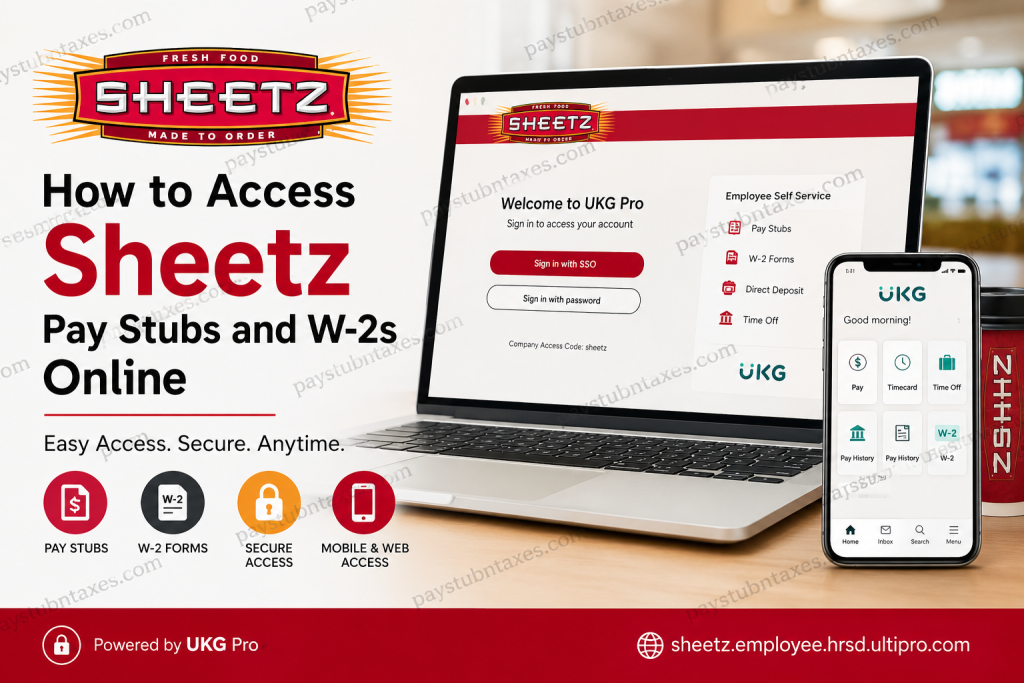
Managing payroll and tax documents has become easier than ever for Sheetz employees. Whether you need to review your latest paycheck, download a previous pay statement, or retrieve your annual W-2 form for tax filing, Sheetz provides secure digital access through the UKG Pro platform. Employees can conveniently access their payroll records through both the UKG Pro mobile app and the official employee web portal. Active employees can also sign in using Sheetz Single Sign-On (SSO) authentication for enhanced security and seamless access.
About Sheetz
Founded in 1952, Sheetz has grown into one of America’s most recognized convenience store and fuel retail chains, operating more than 800 locations across multiple states and employing over 25,000 people. The company is widely respected for its employee-focused culture, innovative technology, and commitment to convenience and customer service.
Today, Sheetz employees can manage payroll, tax documents, direct deposit information, and HR resources digitally through the UKG Pro self-service system.
Sheetz Payroll Portal Overview
Sheetz employees can access payroll services using:
- UKG Pro Mobile App
- UKG Pro Web Portal
- BOB
Official Web Portal
Employees can sign in at: sheetz.employee.hrsd.ultipro.com
Company Access Code
When using the UKG Pro mobile app, employees must enter the company access code: sheetz
Mobile Apps
The UKG Pro app is available for:
- Android devices via Google Play Store
- iPhone and iPad via Apple App Store
The UKG platform allows employees to:
- View pay stubs
- Download W-2 forms
- Manage direct deposit
- Review tax withholding
- Access benefits information
- Request time off
- Review payroll history
How to Access Sheetz Pay Stubs Online
Method 1: Access Pay Stubs Through the Web Portal
Follow these steps to view your Sheetz pay statements online:
- Open your browser and visit the Sheetz UKG Pro portal:
sheetz.employee.hrsd.ultipro.com - Select:
- Sign in with SSO (for active employees)
- or Sign in with password
- Enter your Sheetz credentials.
- Complete any multi-factor authentication prompts if required.
- After logging in, navigate to:
My Info → My Pay - Select:
Pay Statements or Pay History - Choose the pay period you want to review.
- Download or print your pay stub as a PDF.
The UKG payroll dashboard also allows employees to review deductions, taxes, overtime, and direct deposit information.
How to Access Sheetz W-2 Forms Online
Employees can securely download W-2 forms directly through UKG Pro.
Steps to Download Your W-2
- Log in to UKG Pro.
- Open the menu icon.
- Navigate to:
My Info → My Pay → Forms → W-2 - Select the desired tax year.
- Click:
Preview W-2 - Select:
Download PDF - Save the document to your device.
The UKG system also allows employees to enable or disable electronic W-2 delivery preferences.
How to Enable Electronic W-2 Consent
To receive your W-2 electronically instead of by mail:
- Log into UKG Pro.
- Go to:
My Info → My Pay → Forms → W-2 - Click:
Electronic Consent - Check the box:
Receive Form W-2 Electronically - Click Save
- Enter your password to confirm your selection.
If electronic delivery is not enabled, paper W-2 forms are generally mailed by the end of January each year.
How to Access Sheetz Payroll Through the UKG Pro Mobile App
The UKG Pro app offers fast and convenient mobile access to payroll tools.
Steps to Set Up the UKG Pro App
- Download the UKG Pro app from the App Store or Google Play.
- Open the app.
- Enter the company access code: sheetz
- Sign in using your Sheetz credentials or SSO.
- Complete authentication verification if prompted.
Once logged in, employees can:
- View current and previous pay stubs
- Access W-2 forms
- Manage direct deposit
- Review payroll deductions
- Request time off
- Access employee resources
Sheetz SSO Login Process
Active Sheetz employees typically use Single Sign-On authentication for secure access.
Steps for SSO Login
- Visit the Sheetz UKG login page.
- Select:
Sign in with SSO - Enter your Sheetz network username and password.
- Complete multi-factor authentication if required.
- Access your payroll dashboard.
The Sheetz federated authentication system helps protect employee payroll and HR data through enhanced enterprise-grade security.
Common Sheetz UKG Login Problems and Solutions
Forgot Password
Use the password recovery option on the login page or contact the Sheetz IT support team.
Multi-Factor Authentication Issues
Ensure your mobile number and authentication settings are current.
Browser Errors
Try:
- Clearing browser cache
- Using another browser
- Disabling VPN extensions
- Updating your browser
Mobile App Not Working
- Update the UKG Pro app
- Reinstall the application
- Confirm the company code is entered correctly as: sheetz
Benefits of Using UKG Pro for Sheetz Employees
The UKG Pro system provides several advantages:
- 24/7 payroll access
- Faster W-2 retrieval
- Secure cloud-based login
- Mobile payroll management
- Paperless payroll options
- Direct deposit management
- Payroll history access
- Secure tax document storage
Employees can manage nearly all payroll-related tasks without needing to contact HR directly.
Security Tips for Accessing Payroll Information
To keep your payroll records secure:
- Never share your login credentials
- Use strong passwords
- Avoid public Wi-Fi when accessing payroll data
- Enable multi-factor authentication
- Log out after each session
- Avoid saving passwords on shared devices
Final Thoughts
Sheetz continues to modernize the employee experience through secure and convenient digital payroll tools. Whether you use the UKG Pro mobile app or the web portal, accessing pay stubs and W-2 forms is fast, secure, and available anytime. By using the Sheetz UKG payroll system, employees can efficiently manage payroll records, tax forms, direct deposit settings, and other HR-related services from virtually anywhere.
Frequently Asked Questions (FAQ)
1. How do I access my Sheetz pay stubs online?
Log in to the UKG Pro portal at sheetz.employee.hrsd.ultipro.com and navigate to My Info → My Pay → Pay Statements.
2. What is the Sheetz UKG company access code?
The company access code for the UKG Pro app is: sheetz
3. Can former employees access Sheetz W-2 forms?
In many cases, former employees may retain limited access to payroll records through UKG Pro. If access has expired, contact Sheetz HR.
4. Where can I download the UKG Pro app?
The app is available in both the Google Play Store and Apple App Store.
5. How do I download my W-2 from UKG?
Go to My Info → My Pay → Forms → W-2, then select Preview W-2 and Download PDF.
6. Does Sheetz offer electronic W-2 delivery?
Yes. Employees can enable electronic consent within the UKG Pro portal.
7. Can I access payroll information on my phone?
Yes. The UKG Pro mobile app allows employees to access payroll and tax records securely.
8. What should I do if my SSO login fails?
Reset your password, verify MFA settings, or contact Sheetz IT support.
9. Is the UKG Pro portal secure?
Yes. Sheetz uses enterprise-grade authentication and multi-factor security systems.
10. Can I change direct deposit through UKG Pro?
Yes. Employees can manage direct deposit information within the payroll section.
11. What information appears on a Sheetz pay stub?
Pay stubs typically include gross pay, taxes, deductions, overtime, net pay, and direct deposit details.
12. When are W-2 forms available online?
W-2 forms are usually available by the end of January each year.
13. Can I print my Sheetz pay stubs?
Yes. Pay statements can be downloaded as PDF files and printed anytime.
14. What devices support the UKG Pro app?
The app supports Android and iOS smartphones and tablets.
15. Why is my UKG account locked?
Too many failed login attempts or security concerns may temporarily lock your account. Contact support for assistance.

