
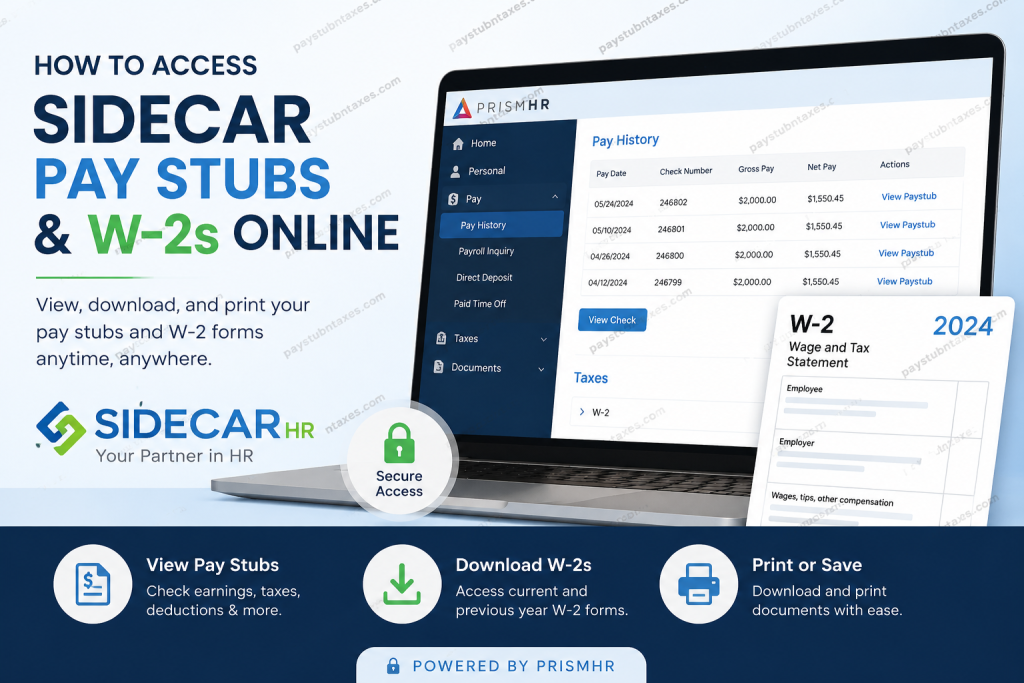
Managing payroll records efficiently has become increasingly important for modern employees, particularly when quick access to earnings statements and tax documents is essential for financial planning, loan applications, tax filing, or employment verification. Fortunately, employees whose organizations partner with SIDECAR HR can conveniently retrieve pay stubs and W-2 forms online through the secure PrismHR Employee Self-Service Portal. SIDECAR HR is a trusted Professional Employer Organization (PEO) that specializes in Human Resources, Payroll Administration, Employee Benefits, and Risk Management solutions. With decades of industry expertise and a commitment to delivering scalable, technology-driven HR services, SIDECAR HR enables businesses to streamline workforce management while empowering employees with secure digital access to payroll and tax information.
What Is the SIDECAR HR Employee Portal?
The SIDECAR HR Employee Portal is a web-based self-service platform powered by PrismHR, allowing employees to securely access payroll-related documents from virtually any internet-connected device. Through the portal, users can:
- View and download pay stubs
- Access current and previous W-2 tax forms
- Review payroll deductions and tax withholdings
- Manage certain employee information
- Retrieve payroll history anytime
The portal is available 24 hours a day, providing employees with convenient and immediate access to important employment records without needing to contact HR directly.
SIDECAR HR Employee Portal Login
Employees can access the SIDECAR PrismHR portal using the following secure login link:
Portal Link: https://lcm-ep.prismhr.com/
Once the login page opens, employees may enter their username and password to access their account dashboard.
New users who have never logged into the portal before can complete the registration process directly from the login screen by selecting the “Register” option.
How to Register for the SIDECAR PrismHR Portal
If you are a first-time user, follow these steps to create your employee self-service account:
- Visit the SIDECAR PrismHR login portal.
- Click the “Register” button.
- Enter the required personal verification details.
- Create a secure username and password.
- Complete the registration process.
- Return to the login page and sign in using your newly created credentials.
For security purposes, it is recommended that employees create strong passwords containing uppercase letters, lowercase letters, and numbers.
How to Access SIDECAR Pay Stubs Online
After successfully logging into the PrismHR Employee Self-Service Portal, employees may retrieve their payroll statements by following these instructions:
Step-by-Step Guide to Viewing Pay Stubs
- Log into the SIDECAR PrismHR portal.
- Once the employee dashboard appears, locate the left-hand navigation menu.
- Click “Pay.”
- Select “Pay History.”
- A list of recent payroll checks will appear, with the most recent paycheck displayed at the top.
- Click “View Paystub” beside the desired paycheck.
Employees can review detailed payroll information, including:
- Gross earnings
- Net pay
- Taxes withheld
- Benefit deductions
- Direct deposit details
- Hours worked
To generate an official printable version of the paycheck, select “View Check.” The PDF file may take a few moments to generate depending on system activity.
How to Download SIDECAR W-2 Forms Online
The SIDECAR Employee Self-Service Portal also provides digital access to annual W-2 wage and tax statements.
Steps to Retrieve Your W-2 Form
- Sign into the SIDECAR PrismHR portal.
- Navigate to the left-side menu.
- Select “Taxes.”
- Click “W-2.”
- Choose the appropriate tax year from the dropdown menu.
- Download or print the W-2 form for your records.
Employees may also access previous years’ W-2 forms through the same section, making it easier to retrieve historical tax documentation whenever necessary.
Benefits of Using the SIDECAR HR Payroll Portal
The SIDECAR HR employee portal offers several advantages for both employers and employees, including:
1. 24/7 Secure Access
Employees can review payroll information at any time without waiting for HR assistance.
2. Faster Tax Filing
Digital W-2 availability significantly simplifies tax preparation during filing season.
3. Paperless Convenience
Electronic payroll records reduce paper clutter while supporting environmentally responsible business practices.
4. Improved Payroll Transparency
Employees can easily monitor deductions, withholdings, earnings, and direct deposit information in real time.
5. Historical Payroll Access
The system stores prior payroll and tax documents for convenient future reference.
Forgot Your SIDECAR Portal Password?
If you cannot remember your login credentials:
- Click “Forgot Username?” or “Forgot Password?” on the login page.
- Follow the account recovery instructions.
- Reset your credentials securely through the verification process.
If additional assistance is required, employees may contact SIDECAR HR support directly.
SIDECAR HR Customer Support
For technical assistance, payroll support, or portal access issues, employees can contact SIDECAR HR using the following information:
- Email: info@sidecarhr.com
- Phone: (407) 270-7898
Final Thoughts
SIDECAR HR’s PrismHR Employee Self-Service Portal provides employees with a streamlined, secure, and highly accessible solution for managing payroll and tax documentation online. Whether you need to review your latest earnings statement, download a prior-year W-2 form, or print official payroll records for financial purposes, the portal offers an efficient and user-friendly experience designed to simplify workforce administration. By leveraging advanced payroll technology and modern HR solutions, SIDECAR HR continues to support businesses and employees alike through scalable, cost-effective, and employee-focused services.
Frequently Asked Questions
1. What is SIDECAR HR?
SIDECAR HR is a Professional Employer Organization (PEO) that provides payroll, human resources, employee benefits, and workforce management solutions for businesses across various industries.
2. How do I log into the SIDECAR HR employee portal?
You can access the employee self-service portal by visiting: https://lcm-ep.prismhr.com/
Enter your username and password to sign in.
3. How can I register for the SIDECAR PrismHR portal?
Click the “Register” option on the login page and complete the account setup by entering your personal verification details and creating login credentials.
4. Where can I find my SIDECAR pay stubs?
After logging in, navigate to: Pay → Pay History
You can then select and view individual paycheck records.
5. How do I print my SIDECAR pay stub?
Open the paycheck details and click the “View Check” button to generate an official PDF version for printing or downloading.
6. Can I access old pay stubs online?
Yes. The PrismHR portal stores payroll history, allowing employees to access previous pay stubs anytime.
7. How do I download my SIDECAR W-2 form?
After logging into the portal:
- Click Taxes
- Select W-2
- Choose the tax year
- Download or print the form
8. Can I access previous years’ W-2 forms?
Yes. The system provides access to prior-year W-2 statements through the dropdown menu in the W-2 section.
9. What should I do if I forgot my SIDECAR portal password?
Use the “Forgot Password?” option on the login page to reset your credentials securely.
10. What information appears on a SIDECAR pay stub?
A typical pay stub may include:
- Gross pay
- Net pay
- Taxes withheld
- Benefit deductions
- Hours worked
- Direct deposit information
11. Is the SIDECAR employee portal secure?
Yes. The PrismHR platform uses secure login technology and encrypted access to protect employee payroll and tax information.
12. Can I access the SIDECAR portal from my phone?
Yes. The employee self-service portal is mobile-friendly and accessible from smartphones, tablets, laptops, and desktop computers.
13. When are W-2 forms available online?
W-2 forms are typically available on or before January 31 each year, depending on employer processing schedules.
14. Who should I contact for SIDECAR payroll support?
Employees may contact SIDECAR HR support at:
- Email: info@sidecarhr.com
- Phone: (407) 270-7898
15. What are the benefits of using the SIDECAR PrismHR portal?
The portal offers:
- 24/7 payroll access
- Faster tax document retrieval
- Paperless convenience
- Secure payroll management
- Easy access to payroll history

