
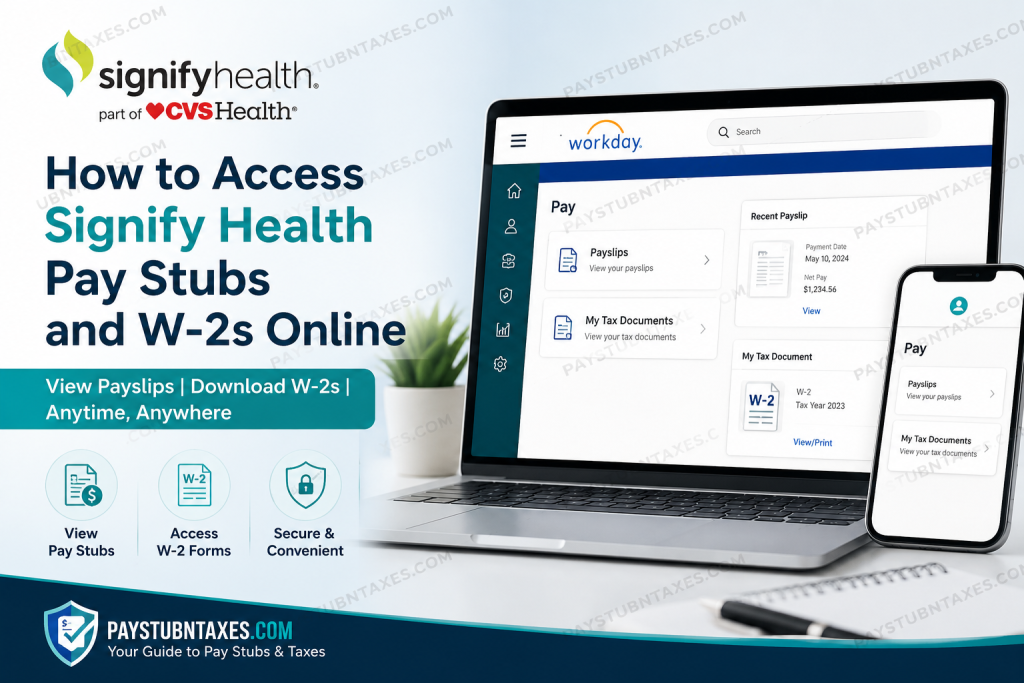
As a subsidiary of CVS Health®, Signify Health provides employees with secure digital access to payroll and tax records through the Workday self-service platform. Whether you need to review a recent paycheck, download historical payslips, update your tax preferences, or print your annual W-2 form for tax filing purposes, Workday centralizes these essential employment resources within a single cloud-based portal. Designed to streamline workforce management and employee self-service, Workday allows Signify Health associates to manage payroll, tax, benefits, and personal information efficiently from virtually anywhere. Employees who previously consented to electronic tax delivery may also access their W-2 forms online as soon as they are released by payroll administration.
What Is Workday?
Workday is an enterprise cloud application platform used for human capital management (HCM), payroll administration, benefits management, financial operations, and workforce support. The system serves as the primary employee self-service portal for CVS Health and Signify Health associates, enabling staff to manage employment-related information securely and conveniently.
Through Workday, employees can:
- Access pay stubs and payroll history
- Download and print W-2 tax forms
- Manage direct deposit information
- Update withholding elections
- Review benefits enrollment
- Modify personal contact information
- Access time-off and absence records
Signify Health Workday Login Portal
Employees can access the Signify Health Workday portal through the CVS Health enterprise login page:
Workday Login URL:
https://www.myworkday.com/cvshealth/d/home.htmld
At the sign-in page, employees must use:
- Their CVS Health network ID or employee ID as the username
- Their enterprise SSO password
The CVS Health enterprise login page specifically instructs users to “Use your network ID or employee ID as the Username.”
How to Reset Your Workday or SSO Password
If you are unable to access your account due to forgotten credentials or authentication issues, you may reset your password through the CVS Health password management system.
Password Reset Options
- Online Password Reset: https://mypassword.aetna.com
- CVS Health Support Number: 1-888-905-9500
Employees enrolled in Multi-Factor Authentication (MFA) may also use the self-service portal to update authentication settings and recovery information.
How to View Signify Health Pay Stubs in Workday
Workday allows employees to view, print, and download electronic payslips directly from their employee profile.
Steps to Access Payslips
Method 1: Through Employee Profile
- Log in to Workday.
- Select your Profile icon.
- Click View Profile.
- Select the Pay section.
- Open the Payslips tab.
- Choose View or Print beside the desired paycheck.
Employees may also download payslips as PDF documents or export payroll information into Excel format for recordkeeping purposes.
Method 2: Quick Navigation Path
You may also access payroll records using the simplified Workday navigation route: Profile → Pay → Payslips
This section displays earnings, deductions, taxes withheld, and net pay for each pay period.
Printing Multiple Payslips
Certain Workday environments also allow employees to print multiple payslips simultaneously.
To do this:
- Open the Payslips section.
- Select Print Multiple Payslips.
- Enter the payment date range.
- Select the payslips you wish to include.
- Generate and download the combined PDF report.
Availability of this feature may vary depending on organizational settings.
How to Access Signify Health W-2 Forms Online
Employees who elected electronic W-2 consent may retrieve tax forms online through Workday as soon as payroll processing is completed for the tax year.
Employees who did not consent to electronic delivery will receive paper W-2 forms by mail no later than January 31 of the following tax year.
Steps to View and Print W-2 Forms
- Log in to Workday.
- Navigate to the Pay dashboard.
- Select My Tax Documents.
- Locate the applicable tax year.
- Click View/Print beside the W-2 form.
Downloading or Printing the W-2
Once the W-2 preview opens:
- Use the printer icon to print the form
- Use the download icon to save a PDF copy
- Use navigation arrows to review multiple pages if applicable
Quick Navigation Path for W-2 Forms
Employees may also reach their tax documents through: Profile → Pay → My Tax Documents
Updating Your Mailing Address in Workday
To ensure timely delivery of payroll and tax documents, employees should keep their mailing address current within Workday.
You can update:
- Home address
- Phone number
- Personal email
- Emergency contacts
through the employee profile and contact information sections.
Failure to maintain accurate address information may delay receipt of paper tax forms and official payroll correspondence.
Additional Workday Self-Service Features
In addition to payroll access, Signify Health employees may use Workday for a variety of HR and employment-related functions.
These include:
- Direct deposit management
- Federal and state withholding elections
- Benefits enrollment
- PTO balance review
- Time-off requests
- Leave management
- Career development tools
- Employment history review
The platform also provides personalized dashboards, quick tasks, notifications, and application shortcuts designed to improve employee productivity and navigation.
Common Signify Health Workday Login Issues
Incorrect Username or Password
Ensure you are using:
- Your CVS Health network ID
- Or your employee ID
rather than a personal email address.
Multi-Factor Authentication Problems
Employees enrolled in MFA may need to update authentication methods through the self-service portal if devices have changed.
Browser Compatibility Issues
For optimal performance:
- Use updated browsers such as Chrome, Edge, Firefox, or Safari
- Clear browser cache if pages fail to load properly
- Disable pop-up blockers when downloading PDFs
Locked Accounts
If repeated login attempts fail, contact CVS Health technical support at:
1-888-905-9500
Final Thoughts
Workday provides Signify Health employees with a centralized, secure, and highly efficient platform for managing payroll and tax information online. Through the CVS Health Workday portal, associates can conveniently access payslips, download W-2 forms, update direct deposit details, manage tax elections, and maintain accurate employment records without requiring paper documentation or HR intervention. By taking advantage of Workday’s self-service capabilities, employees can significantly simplify payroll management while ensuring faster access to essential financial and tax documents throughout the year.
Frequently Asked Questions (FAQ)
1. How do I access my Signify Health pay stubs online?
You can access your pay stubs by logging into the CVS Health Workday portal and navigating to Profile > Pay > Payslips.
2. What is the Signify Health Workday login URL?
The Workday login portal is:
https://www.myworkday.com/cvshealth/d/home.htmld
3. What username should I use for Workday?
Use your CVS Health network ID or employee ID as your username.
4. How do I reset my Signify Health Workday password?
You can reset your password through the CVS Health password portal at https://mypassword.aetna.com or by calling 1-888-905-9500.
5. Where can I find my W-2 form in Workday?
Your W-2 form is located under Profile > Pay > My Tax Documents.
6. Can former Signify Health employees access Workday?
Access policies may vary depending on employment status and separation terms. Contact HR or payroll support if access has expired.
7. When will my Signify Health W-2 be available online?
Electronic W-2 forms are generally available once payroll processing is completed for the tax year, typically before January 31.
8. Will I receive a paper W-2 form?
Yes. Employees who did not consent to electronic W-2 delivery will receive a paper copy by mail no later than January 31.
9. Can I download my pay stubs as PDFs?
Yes. Workday allows employees to download and print payslips in PDF format.
10. How do I update my mailing address in Workday?
You can update your address through your Workday employee profile under the contact information section.
11. What should I do if my Workday account is locked?
Contact CVS Health technical support at 1-888-905-9500 for assistance unlocking your account.
12. Can I print multiple payslips at once?
Some Workday configurations allow employees to print multiple payslips by selecting a payment date range and generating a combined report.
13. Does Workday allow direct deposit updates?
Yes. Employees can add or update direct deposit information through the Pay section in Workday.
14. Why can’t I see my W-2 in Workday?
Your W-2 may not yet be published, or you may not have electronic consent enabled. Verify your tax document settings or contact payroll support.
15. What information appears on a Signify Health payslip?
Payslips typically include gross pay, taxes withheld, deductions, benefits contributions, and net pay for each payroll period.

