
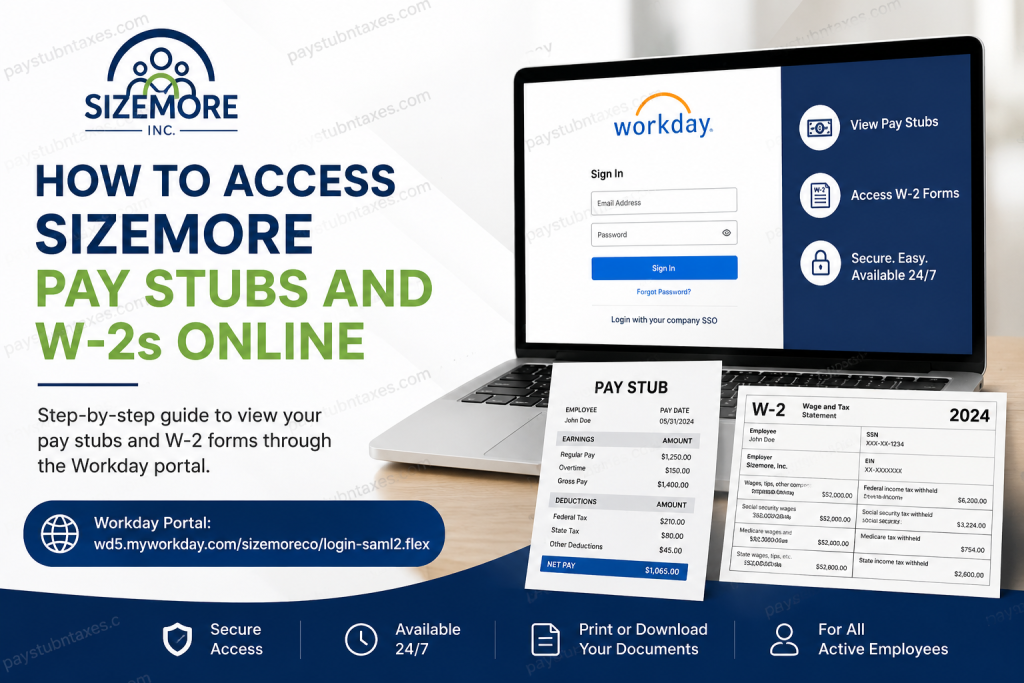
Sizemore, Inc. is a well-established workforce solutions provider headquartered in Augusta, Georgia, delivering professional staffing, janitorial, and security services across the United States. Since 1955, the company has built a strong reputation for operational excellence, employee support, and long-term client partnerships. Today, Sizemore associates can conveniently access payroll and tax documents online through the Workday self-service portal. Whether you need to review recent earnings, print payroll statements for financial verification, or download your annual W-2 tax form for tax filing purposes, Workday offers a secure and efficient platform that centralizes all employment-related information.
Sizemore Workday Login Portal
Sizemore employees can access their payroll and tax records through the official Workday login page:
Workday Portal:
https://wd5.myworkday.com/sizemoreco/login-saml2.flex
Employees must sign in using their company Single Sign-On (SSO) credentials.
How to Access Sizemore Pay Stubs Online
Sizemore associates can quickly view, download, and print payslips directly from their Workday account. The system stores payroll records electronically, making it easy to retrieve both current and historical pay statements whenever needed.
Steps to View and Print Pay Stubs
Step 1: Log Into Workday
Visit the official Sizemore Workday portal and log in using your company SSO credentials.
Step 2: Open Your Worker Profile
After signing in, click your Profile icon located in the upper-right corner of the Workday homepage and select View Profile.
Step 3: Navigate to the Pay Section
Inside your profile, select the Pay tab to open payroll-related options and compensation details.
Step 4: Access Payslips
Click the Payslips tab to display all available payroll statements associated with your account.
Step 5: View or Print Your Payslip
Within the payslip table, select either:
- View — to open the payslip digitally
- Print — to generate a printable version
You may also download the payslip as a PDF or export certain payroll information into Excel format.
Step 6: Print Multiple Payslips
Workday also allows employees to print several pay statements simultaneously.
To do this:
- Select Print Multiple Payslips
- Enter the desired payroll date range
- Choose the payslips you wish to include
- Generate and download the PDF report
How to Access Sizemore W-2 Forms Online
Sizemore employees who previously consented to electronic tax document delivery can access their W-2 forms through Workday as soon as Payroll publishes them.
Steps to View and Print W-2 Forms
Step 1: Sign Into Workday
Access the Workday self-service portal using your employee login credentials.
Step 2: Open the Pay Dashboard
From the Workday homepage, click the Pay application.
Step 3: Select “My Tax Documents”
Inside the Pay dashboard, click My Tax Documents to access your available W-2 forms.
Step 4: Open Your W-2 Form
Locate the appropriate tax year and click View/Print beside the W-2 entry.
Step 5: Print or Download the W-2
Once the document opens, you can:
- Use the printer icon to print the form
- Use the download icon to save a PDF copy for your records
Electronic W-2 Consent Information
Employees who enrolled in electronic W-2 delivery will receive digital access to their tax documents through Workday once processing has been completed.
However, employees who did not consent to electronic delivery will receive a physical paper W-2 mailed to their address no later than January 31 following the applicable tax year.
Because tax documents are mailed using the address stored in Workday, associates should regularly verify and update their contact information to avoid delays or delivery issues.
Additional Features Available Through Sizemore Workday
Beyond payroll and tax records, the Workday self-service platform enables associates to manage numerous employment-related tasks independently. Employees may:
- Update direct deposit information
- Modify tax withholding elections
- Review benefits and enrollments
- Request time off
- Track PTO balances
- Update emergency contacts
- Access employment history and compensation data
- Review training and learning resources
The platform is specifically designed to streamline HR processes while giving associates greater control over their employment information.
Troubleshooting Sizemore Workday Login Issues
If you experience difficulties accessing your Workday account, consider the following solutions:
Verify Your Login Credentials
Ensure you are using your active company SSO username and password.
Reset Browser Cache
Sometimes outdated browser data may interfere with authentication. Clearing your browser cache and cookies often resolves login problems.
Try Another Browser or Device
Workday functions best on updated browsers such as Google Chrome, Microsoft Edge, or Mozilla Firefox.
Confirm Multi-Factor Authentication
If Sizemore requires MFA verification, complete all authentication prompts during sign-in.
Contact Human Resources
For unresolved issues involving payroll access, tax forms, or account authentication, contact Sizemore HR directly.
HR Email: hr@sizemoreinc.com
Why Sizemore Uses Workday
Workday is one of the world’s leading enterprise cloud platforms for payroll, human capital management, and employee self-service solutions. The system provides associates with secure, centralized access to payroll records, tax forms, benefits, and HR tools from virtually any device.
For Sizemore employees, Workday simplifies administrative processes while improving accessibility, transparency, and payroll efficiency.
Final Thoughts
Sizemore’s Workday self-service portal provides employees with a fast, secure, and user-friendly method for accessing pay stubs and W-2 forms online. Whether you need payroll records for loan applications, employment verification, or annual tax preparation, the system allows you to retrieve important documents in just a few clicks. Employees are encouraged to maintain updated contact information, enable electronic tax document delivery when possible, and regularly monitor their Workday account for payroll notifications and updates.
Frequently Asked Questions
1. How do I log into the Sizemore Workday portal?
Visit the official Workday login page and sign in using your Sizemore company SSO username and password.
2. Where can I view my Sizemore pay stubs?
You can access your pay stubs inside the Workday Pay section under the Payslips tab.
3. Can I download my Sizemore pay stub as a PDF?
Yes. Workday allows employees to download and save payslips in PDF format for personal or financial records.
4. How do I print multiple payslips in Workday?
Use the Print Multiple Payslips option, choose a payroll date range, select the payslips, and generate the printable PDF report.
5. Where can I access my Sizemore W-2 form?
Your W-2 form is available under My Tax Documents within the Workday Pay dashboard.
6. When are Sizemore W-2 forms available online?
Electronic W-2 forms are typically published in Workday once payroll processing is completed for the tax year.
7. What if I did not consent to electronic W-2 delivery?
If electronic consent was not provided, Sizemore mails paper W-2 forms by January 31.
8. Can former Sizemore employees access Workday?
Access availability for former employees may vary. Contact HR for assistance regarding post-employment access.
9. How do I update my mailing address in Workday?
Log into Workday, open your profile, and update your contact information under the Personal or Contact section.
10. Why is my W-2 missing from Workday?
Your W-2 may not yet be published, or you may not have electronic consent enabled. Contact HR for clarification.
11. Can I access Workday from my mobile phone?
Yes. Workday supports mobile browser access and also offers a mobile application for eligible users.
12. What should I do if I forget my Workday password?
Use your company password reset process or contact Sizemore HR or IT support for assistance.
13. Does Workday show previous payroll history?
Yes. Employees can review historical pay records and previous payslips within the Payslips section.
14. How secure is the Sizemore Workday portal?
Workday uses enterprise-level cloud security and authentication measures to protect employee payroll and personal information.
15. Who do I contact for Sizemore payroll or Workday support?
For payroll, login, or tax document assistance, employees can contact HR at:
hr@sizemoreinc.com

