
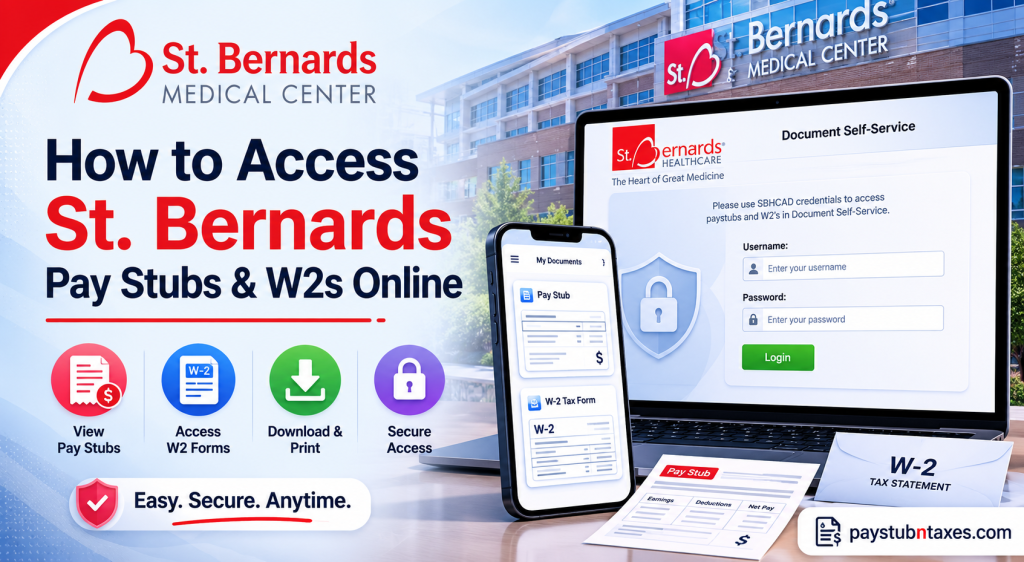
Managing payroll and tax documents digitally has become an essential convenience for healthcare employees working in fast-paced environments. Fortunately, employees and associates of St. Bernards Medical Center can securely access their pay stubs and W-2 tax forms online through the Document Self-Service portal. The healthcare organization serves as a major regional referral center in northeast Arkansas and southeast Missouri and employs thousands of healthcare professionals across multiple specialties. Whether you need to review your latest paycheck, download a previous W-2 form for tax filing, or print payroll records for financial verification, the online payroll system allows convenient 24/7 access from both workplace and remote locations.
About St. Bernards Medical Center
Founded in 1900, St. Bernards Medical Center has evolved into one of the most respected nonprofit healthcare institutions in Arkansas. The hospital operates as the flagship facility of St. Bernards Healthcare and currently serves 23 counties throughout northeast Arkansas and southeast Missouri.
The medical center is widely recognized for:
- Its advanced HeartCare services
- Comprehensive Cancer Treatment programs
- Women’s and Children’s healthcare services
- Specialized Senior Services
- The region’s largest Level III Trauma Center
- One of eastern Arkansas’ largest NICU facilities
Today, St. Bernards continues investing heavily in advanced medical technologies and innovative patient care services, further strengthening its reputation as a leading healthcare destination in the region.
St. Bernards Pay Stub and W2 Portal
Employees and associates can access payroll and tax records through the official Document Self-Service portal.
Official Login Portal
St. Bernards Document Self-Service Portal
Employees may also access payroll services internally through:
- MissioNet
- Select “Lawson Access Paystub & W2”
The system uses secure Active Directory authentication, meaning employees must use the same credentials they use to log into workplace computers or Meditech systems.
How to Access St. Bernard’s Pay Stubs Online
Accessing your pay stubs is a straightforward process once your employee credentials are active.
Step-by-Step Instructions
- Visit the official payroll portal.
- Enter your Active Directory username and password.
- Sign in to the Document Self-Service system.
- Navigate to the payroll (My Paystub) section.
- Select your desired pay period.
- Open, download, or print your pay stub.
Employees accessing the system from inside the hospital network may alternatively use:
MissioNet → Lawson Access Paystub & W2
The payroll portal allows employees to:
- Review earnings and deductions
- Verify overtime and shift differentials
- Print payroll statements
- Access historical payroll records
- Retrieve tax documentation
How to Access St. Bernards W2 Forms Online
St. Bernards employees can also enroll in electronic W-2 delivery through Lawson Employee Self Service.
Steps to Authorize Electronic W-2 Access
To activate online W-2 delivery:
- Log into the Lawson self-service portal.
- Select the “W2” section.
- Click “Authorization Required” if enrolling for the first time.
- Review the electronic consent agreement.
- Complete the test print process if prompted.
- Click “I Agree” to authorize electronic delivery.
- Submit your authorization.
Once authorization is complete, the portal will display an “Authorized” status with a green check mark.
Viewing and Printing W2 Forms
After authorization:
- Click “My W2” from the left navigation menu.
- Select the desired tax year.
- Click the magnifying glass icon to open the form.
- Use the printer icon to print your W-2.
If the toolbar does not appear, employees may use the keyboard shortcut:
- Ctrl + P for Windows devices
Important Information for Former Employees
Former employees who no longer have access to the Lawson self-service system will typically receive printed W-2 forms by mail at their home address. Human Resources manages W-2 distribution for terminated staff members.
If you recently changed your mailing address, it is highly advisable to contact Human Resources promptly to ensure your tax documents are delivered correctly.
Common Login Issues and Solutions
Employees occasionally experience login difficulties while accessing payroll records online. Below are some of the most common issues and their solutions.
Incorrect Username or Password
Use the same Active Directory credentials utilized for:
- Work computer login
- Meditech access
- Internal employee systems
Passwords are case-sensitive.
Browser Compatibility Problems
If the portal fails to load properly:
- Clear browser cache and cookies
- Try Google Chrome or Microsoft Edge
- Disable pop-up blockers temporarily
Locked Employee Account
Multiple failed login attempts may temporarily lock your account. In such situations, contact your IT support department for credential reset assistance.
Security Tips for Payroll Access
Because payroll and tax forms contain highly sensitive personal information, employees should follow proper security practices:
- Always log out completely after each session
- Avoid using public Wi-Fi when accessing payroll data
- Never share login credentials
- Use strong passwords
- Print W-2 forms only on trusted devices
The Lawson instructions also emphasize fully logging out of the system after use to protect confidential employee information.
Benefits of Electronic Payroll Access
Electronic payroll systems provide substantial advantages for healthcare professionals working rotating shifts and demanding schedules.
Key Benefits Include
- Instant access to payroll records
- Faster W-2 availability
- Reduced paperwork
- Secure digital document storage
- Convenient access from home
- Easier tax preparation
Employees typically gain access to annual W-2 forms in late January once tax processing is finalized.
Final Thoughts
St. Bernards Healthcare has implemented a secure and efficient payroll management system that enables employees and associates to access pay stubs and W-2 forms conveniently online. Whether you use the internal MissioNet system or the external Document Self-Service portal, the process is designed to simplify payroll access while maintaining strong security standards. For active employees, the Lawson Employee Self-Service system offers immediate access to payroll history, tax forms, and printing capabilities, making financial record management significantly more efficient throughout the year.
Frequently Asked Questions (FAQ)
1. How do I access my St. Bernards pay stubs online?
You can access your pay stubs through the St. Bernards Document Self-Service portal using your Active Directory username and password.
2. What login credentials do I need for the payroll portal?
Use the same credentials you use to log into your work computer or Meditech system.
3. Can I access my St. Bernards pay stubs from home?
Yes. Employees can securely access payroll records remotely through the online self-service portal.
4. Where can I view my W-2 forms?
After logging into Lawson Employee Self Service, click “My W2” to view available tax forms.
5. How do I enroll in electronic W-2 delivery?
You must authorize electronic delivery in the Lawson system by completing the W-2 authorization process and agreeing to the consent notice.
6. What should I do if I forgot my payroll password?
Contact the St. Bernards IT support department or your supervisor for password reset assistance.
7. Can former employees access St. Bernards W-2 forms online?
Former employees may receive W-2 forms by mail if they no longer have Lawson access.
8. When are W-2 forms available online?
Electronic W-2 forms are typically available in late January each year.
9. How can I print my pay stub or W-2 form?
Open the document and click the printer icon, or use the keyboard shortcut Ctrl + P.
10. What browser works best for the payroll portal?
Google Chrome and Microsoft Edge generally provide the best compatibility with Lawson self-service systems.
11. Why is my payroll account locked?
Too many failed login attempts may temporarily lock your account for security purposes.
12. Can I download old pay stubs?
Yes. The portal usually provides access to historical payroll records and prior pay statements.
13. Is the St. Bernards payroll portal secure?
Yes. The system uses secure employee authentication and encrypted access protocols to protect payroll data.
14. What should I do if my W-2 form contains incorrect information?
Contact the Human Resources or Payroll Department immediately to request corrections.
15. Can I access payroll services through MissioNet?
Yes. Employees inside the hospital network can use MissioNet and select “Lawson Access Paystub & W2.”

