
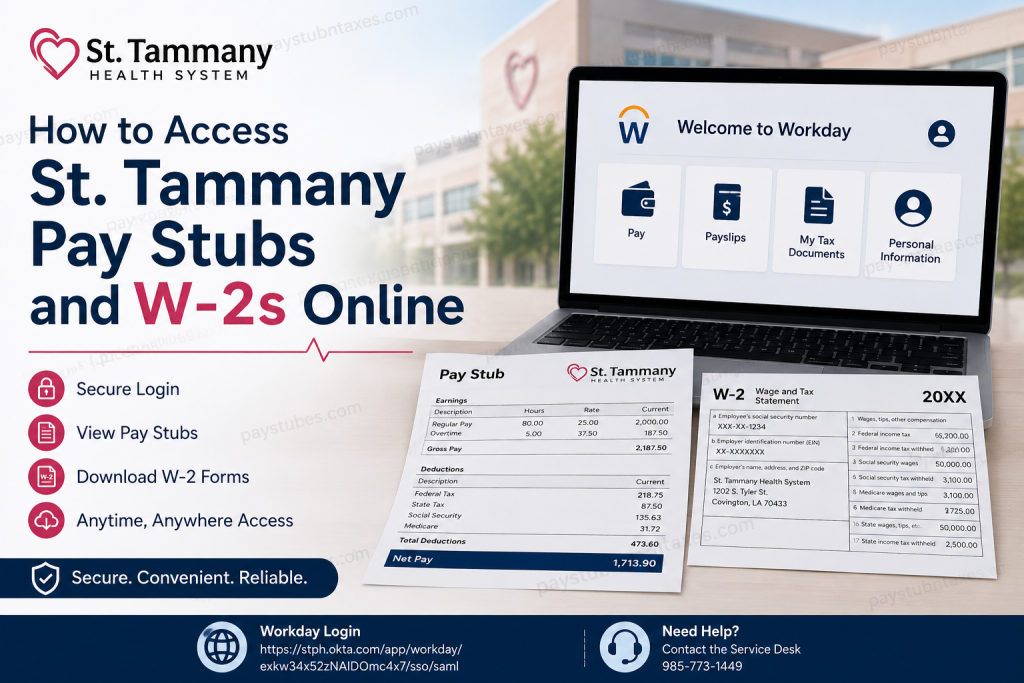
St. Tammany Health System (STHS) has been a cornerstone of healthcare on Louisiana’s Northshore since its founding in 1954. Today, the not-for-profit health system is widely recognized for delivering world-class medical care, pioneering technology and patient-centred services in partnership with Ochsner Health. Beyond its commitment to exceptional patient care, STHS also strives to provide employees with modern, convenient digital tools for managing payroll and tax information. If you are a current employee of St. Tammany Health System, you can conveniently access your pay stubs, payroll records, and W-2 tax forms online through the Workday Employee Portal, which is secured by Okta Single Sign-On (SSO). This comprehensive guide explains precisely how to access your payroll documents online.
What Is the St. Tammany Workday Portal?
The Workday Employee Portal is St. Tammany Health System’s secure human resources and payroll platform. Through Workday, employees can:
- View and download pay stubs
- Access annual W-2 tax forms
- Update direct deposit information
- Manage tax withholding elections
- Review benefits information
- Update personal information
- Access employment records and payroll history
The platform is available 24 hours a day and can be accessed from any internet-connected device.
St. Tammany Workday Login Information
Workday Login Portal:
https://stph.okta.com/app/workday/exkw34x52zNAlDOmc4x7/sso/saml
Technical Support:
Service Desk: 985-773-1449
How to Access St. Tammany Pay Stubs Online
Accessing your pay statements through Workday takes only a few minutes.
Step 1: Visit the Workday Login Page
Open your preferred web browser and navigate to:
https://stph.okta.com/app/workday/exkw34x52zNAlDOmc4x7/sso/saml
Step 2: Sign In Using Okta SSO
Enter your:
- Network Username
- Password
- Multi-Factor Authentication code (if prompted)
After successful authentication, you will automatically be redirected to your Workday Home Page.
Step 3: Open the Pay Application
From the Workday dashboard:
- Click Pay.
- Select Payslips.
You will see a list of all available pay periods.
Step 4: View Your Pay Stub
Select the desired pay date and click the PDF link beside the pay period.
Your pay statement will open immediately, allowing you to:
- View earnings and deductions
- Verify taxes withheld
- Review direct deposit information
- Download a copy
- Print the document for your records
How to Download or Print Pay Stubs
After opening your payslip:
To Download:
- Click the Download icon.
To Print:
- Click the Printer icon.
Keeping digital copies of your pay statements is highly recommended, particularly for:
- Mortgage applications
- Loan approvals
- Apartment rentals
- Employment verification
- Personal financial records
How to Access St. Tammany W-2 Forms Online
Every year, St. Tammany Health System employees can access their Form W-2 electronically through Workday.
Step 1: Sign In to Workday
Log in using your Okta credentials.
Step 2: Open the Pay Dashboard
From your homepage:
- Select Pay.
Step 3: Navigate to My Tax Documents
Under the Pay application, click: My Tax Documents
This section stores your annual tax forms.
Step 4: Open Your W-2
Locate the appropriate tax year and click: View/Print
Your W-2 will open in PDF format.
Step 5: Download or Print Your W-2
You may:
- Download the form to your computer.
- Print a physical copy for filing purposes.
Information Found on Your W-2 Form
Your Form W-2 includes:
- Total annual wages
- Federal income tax withheld
- Social Security wages and taxes
- Medicare wages and taxes
- State income tax information
- Retirement contributions
- Employer information
This document is essential for preparing your annual tax return.
Unable to Access Your W-2 or Pay Stubs?
Occasionally, employees may experience login difficulties. Common issues include:
Forgotten Password
Reset your password through the Okta login page.
Locked Account
Contact the Service Desk for assistance.
Missing W-2 Form
Payroll processing may still be underway. Wait until forms have been published in Workday.
Technical Problems
Contact:
St. Tammany Health System Service Desk
Phone: 985-773-1449
Benefits of Using the Workday Employee Portal
The Workday platform offers several advantages:
24/7 Access
Employees can retrieve payroll documents anytime.
Enhanced Security
Sensitive payroll data is protected through encrypted login and multi-factor authentication.
Paperless Convenience
No need to store physical copies of payroll records.
Faster Tax Preparation
W-2 forms become available online as soon as they are published.
Mobile Accessibility
Documents can be viewed from smartphones, tablets and computers.
About St. Tammany Health System
Founded in December 1954, St. Tammany Health System has evolved from a community hospital into one of Louisiana’s most technologically advanced regional healthcare systems. The organisation’s partnership with Ochsner Health has significantly expanded access to specialised medical services, including:
- Pediatrics
- Neurology
- Neurosurgery
- Comprehensive cancer care
- Advanced diagnostic services
- Preventive healthcare programmes
Today, St. Tammany Health System continues to uphold its mission of providing compassionate, high-quality and affordable healthcare while remaining deeply committed to serving the Northshore community.
Final Thoughts
Managing your payroll records has never been easier. Through the St. Tammany Health System Workday Employee Portal, employees can securely access their pay stubs, W-2 forms and payroll information online in just a few clicks. By familiarising yourself with the Workday platform, you can conveniently download important employment documents whenever you need them, whether for tax filing, financial planning or employment verification purposes. If you encounter any issues accessing your account, the St. Tammany Health System Service Desk (985-773-1449) is available to provide assistance and ensure that your payroll information remains readily accessible whenever you need it.
Frequently Asked Questions (FAQs)
1. How do I access my St. Tammany pay stubs online?
Log into the Workday Employee Portal using your Okta credentials and select Pay > Payslips.
2. What is the St. Tammany Workday login URL?
The login link is: https://stph.okta.com/app/workday/exkw34x52zNAlDOmc4x7/sso/saml
3. Where can I find my W-2 form in Workday?
Navigate to Pay > My Tax Documents and select the appropriate tax year.
4. Can I download my pay stubs?
Yes. You can download your pay stubs as PDF files directly from Workday.
5. Can I print my W-2 form?
Yes. Workday provides a print option for all available W-2 forms.
6. When are W-2 forms available?
W-2 forms are generally made available by the end of January each year after payroll processing is complete.
7. What information is included on my W-2?
Your W-2 includes wages, federal and state tax withholdings, Social Security taxes, Medicare taxes, and retirement contributions.
8. Can I access Workday from my mobile device?
Yes. Workday can be accessed from smartphones, tablets, and computers.
9. What should I do if I forget my password?
Use the password reset option on the Okta login page or contact the Service Desk.
10. Who do I contact if I cannot access my account?
Contact the St. Tammany Health System Service Desk at 985-773-1449.
11. Can former employees access their W-2 forms online?
Former employees should contact the Human Resources or Payroll department if they no longer have Workday access.
12. Are electronic pay stubs secure?
Yes. Workday uses encrypted connections and secure authentication to protect employee information.
13. How far back can I view my pay stubs?
The available history depends on company retention policies within Workday.
14. Can I update my tax withholding information in Workday?
Yes. Employees can review and update tax elections through the Pay section in Workday.
15. Why is my W-2 not showing in Workday?
The form may not have been published yet, or there may be a system issue. Contact the Service Desk for assistance.

