
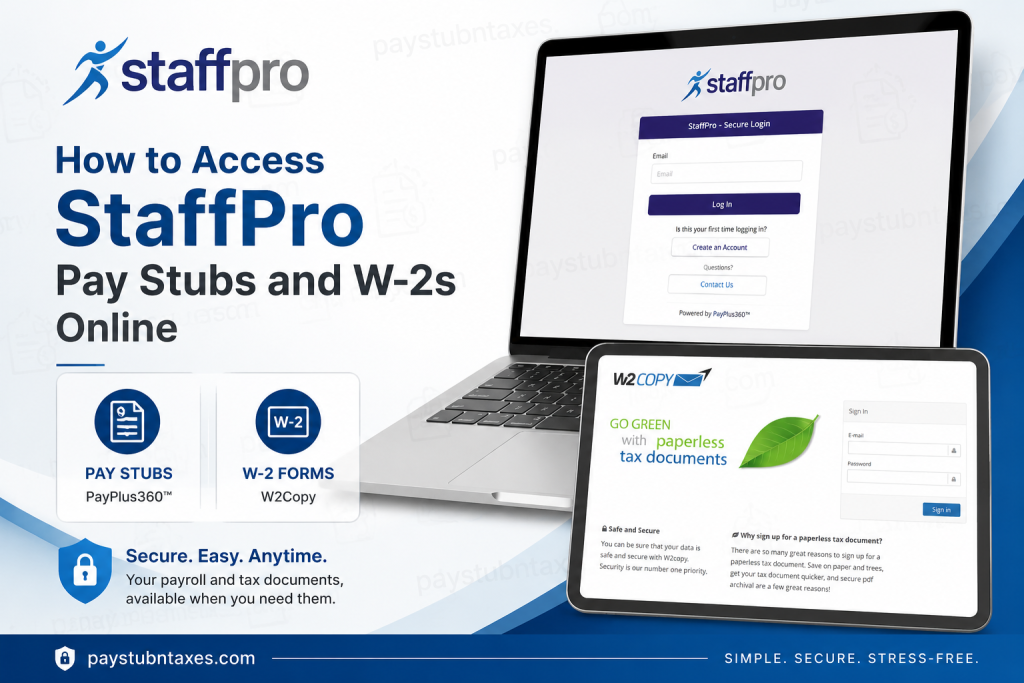
Managing payroll and tax documents digitally has become an essential convenience for modern employees, especially for those who need immediate access to earnings records, tax statements, and year-end documents. StaffPro Inc. offers a secure online payroll and tax document system that allows employees and associates to retrieve pay stubs and W-2 forms anytime from virtually anywhere. As a leading Professional Employer Organization (PEO) serving businesses nationwide since 1996, StaffPro provides comprehensive HR and payroll solutions designed to simplify workforce management while maintaining exceptional customer service standards.
Employees can conveniently access:
- Pay stubs through the PayPlus360™ employee portal
- W-2 tax statements through the W2Copy online portal powered by The Solv Group
This guide explains everything you need to know about accessing, downloading, and troubleshooting your StaffPro payroll and tax records online.
StaffPro Employee Payroll Portal Links
Pay Stub Portal
W-2 Tax Document Portal
How to Access StaffPro Pay Stubs Online
StaffPro employees can access digital earning statements through the secure PayPlus360™ payroll portal. The platform enables employees to review pay history, year-to-date earnings, and payroll deductions in real time.
Step-by-Step Guide to View Pay Stubs
- Visit the StaffPro PayPlus360 login page.
- Enter your username and password.
- After signing in, navigate to:
My Stuff > Earning Statements - A complete list of your paychecks will appear.
- Click the PDF icon beside the desired pay date to open your pay stub.
- Download or print the document for your records.
The earnings statement section also allows users to:
- View gross and net pay totals
- Review year-to-date earnings
- Sort checks by date or amount
- Filter payroll information using column settings
First-Time StaffPro Portal Registration
New employees must create an online account after receiving their first paycheck.
How to Create a PayPlus360 Account
- Go to the PayPlus360 registration page.
- Click “Create an Account.”
- Enter:
- Email address
- Full name
- Password
- Verification code
- Check your email inbox and click the activation link.
- Log in using your newly created password.
- Choose a security picture and label.
- Enter your validation key:
- First four letters of your last name
- Last four digits of your Social Security Number
- Enter your birthdate.
- Accept the portal agreement.
- Your account setup will be completed successfully.
After registration, you can immediately access payroll documents through the “My Stuff” section.
How to Access StaffPro W-2 Forms Online
StaffPro employees can retrieve electronic W-2 tax statements through the W2Copy portal powered by The Solv Group.
Steps to Download StaffPro W-2 Forms
- Visit the W2Copy login page.
- Sign in with your registered credentials.
- Navigate to:
Tax Documents - Select the desired tax year.
- Click Download to save your W-2 form.
The downloaded PDF may be encrypted for security purposes. In many cases, the password is your 9-digit Social Security Number without dashes.
How to Register for Paperless W-2 Delivery
Employees who want faster electronic access to tax documents can enroll in paperless delivery.
Paperless Registration Instructions
- Visit the W2Copy portal.
- Click “Get Started” if you are a first-time user.
- Select “Register for Paperless Tax Documents.”
- Enter your personal information and create your account.
- Confirm your email using the 6-digit verification code sent to your inbox.
- Complete identity verification questions.
- Enter:
- Your Social Security Number
- StaffPro Company Code: ix7316
- Continue through the identity verification process.
- Click “Confirm Paperless.”
Once enrolled, you can access electronic W-2 and tax documents directly from the portal whenever they become available.
Benefits of Using the StaffPro Employee Portal
The StaffPro online payroll system offers several advantages for employees and associates:
24/7 Payroll Access
Employees can retrieve payroll records anytime without waiting for printed copies.
Faster Tax Filing
Electronic W-2 access helps employees prepare and file taxes more efficiently.
Secure Document Storage
Sensitive payroll data is protected through encrypted login systems and identity verification.
Mobile-Friendly Access
The portals can be accessed from smartphones, tablets, or desktop computers.
Paperless Convenience
Employees can reduce paperwork by opting into electronic document delivery.
Common Issues When Accessing StaffPro Pay Stubs or W-2s
Forgotten Password
Use the “Forgot Password” option on the login page to reset your credentials.
Invalid Login Credentials
Ensure you are using the correct email address and password associated with your account.
Missing W-2 Form
W-2 forms are generally released during tax season. If your document is unavailable, contact StaffPro support.
Locked Account
Multiple failed login attempts may temporarily lock your account for security purposes.
Company Code Issues
If you do not know your StaffPro company code, contact your local StaffPro office for assistance.
StaffPro Payroll Support Contact Information
If you need assistance accessing your payroll or tax documents, StaffPro support is available by phone, text, or email.
Contact Information
- Email: info@staffproonline.com
- Support: Contact your local StaffPro office directly
Why StaffPro Continues to Stand Out
Since its establishment in 1996, StaffPro has earned a reputation as a trusted nationwide PEO provider by delivering high-quality HR, payroll, and employee management solutions. The company emphasizes professionalism, customer satisfaction, and cost-effective services tailored to the unique needs of businesses across multiple industries.
Its employee-focused digital payroll infrastructure further demonstrates its commitment to efficiency, accessibility, and modern workforce solutions.
Final Thoughts
The StaffPro online payroll system simplifies access to important employment documents, allowing employees to securely retrieve pay stubs and W-2 forms whenever needed. Whether you need current earning statements, historical payroll records, or tax documents for filing purposes, the PayPlus360™ and W2Copy portals provide a convenient and efficient solution. By registering for paperless tax delivery and maintaining updated login credentials, employees can enjoy seamless access to payroll information year-round.
Frequently Asked Questions (FAQ)
1. How do I access my StaffPro pay stubs online?
Visit the StaffPro PayPlus360™ portal, log in to your account, and navigate to My Stuff > Earning Statements to view and download your pay stubs.
2. What website does StaffPro use for payroll access?
StaffPro uses the PayPlus360™ employee self-service portal for payroll and earning statement access.
Portal link: https://staffpro.payplus360.com/login/
3. How can I download my StaffPro W-2 form?
Log in to the W2Copy portal, select Tax Documents, choose the applicable tax year, and download the W-2 PDF.
4. Where can former employees get StaffPro W-2s?
Former employees can retrieve W-2 tax statements through the W2Copy portal if their registration and account information remain active.
5. What is the StaffPro W-2 portal link?
The official StaffPro W-2 portal is: https://ew2online.w2copy.net/login
6. How do first-time users register for the StaffPro payroll portal?
First-time users should click “Create an Account” on the PayPlus360™ login page and complete the identity verification and email confirmation process.
7. How do I register for paperless W-2 delivery?
Visit the W2Copy portal, click “Register for Paperless Tax Documents,” verify your identity, and confirm paperless enrollment.
8. What information is required to register for W2Copy?
You may need:
- Email address
- Social Security Number
- Company Code
- Identity verification information
9. What is the StaffPro company code for W2Copy registration?
The StaffPro Company Code shown in the registration instructions is: ix7316
10. Why is my StaffPro W-2 PDF password-protected?
The PDF is encrypted for security purposes to protect sensitive tax information from unauthorized access.
11. What is the password for my StaffPro W-2 PDF?
In many cases, the password is your 9-digit Social Security Number entered without dashes.
12. What should I do if I forgot my StaffPro portal password?
Use the “Forgot Password” option on the login page to reset your password securely.
13. Can I access StaffPro pay stubs from my mobile phone?
Yes. Both the PayPlus360™ and W2Copy portals are accessible through most modern mobile browsers.
14. When are StaffPro W-2 forms available online?
W-2 forms are typically available after annual payroll processing is completed, generally by the end of January.
15. How do I contact StaffPro for payroll support?
Employees can contact their local StaffPro office by phone or text, or email support directly at: info@staffproonline.com

