
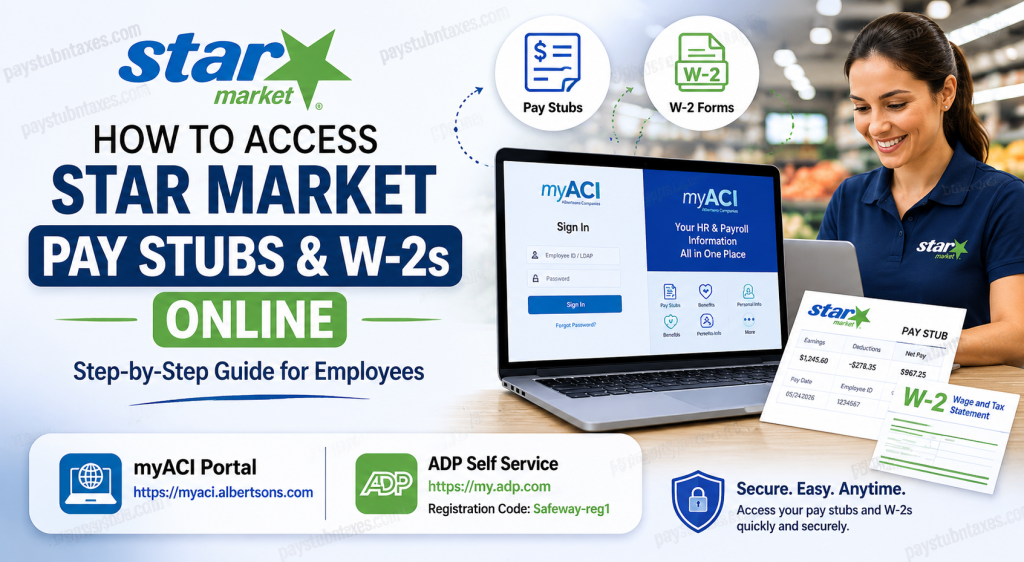
Founded in 1915, Star Market has grown into one of New England’s most recognized grocery brands. Today, Star Market operates under the umbrella of Albertsons Companies, one of the largest food and drug retailers in the United States. For employees and former associates, accessing payroll and tax documents online is simple through the company’s digital self-service platforms. Active employees can retrieve pay stubs through the myACI employee portal, while W-2 tax forms are available through ADP Self Service. This guide explains everything you need to know about accessing your Star Market pay stubs and W-2s online quickly and securely.
What Is myACI?
myACI is Albertsons Companies’ official employee self-service portal. It allows Star Market associates to:
- View and download pay stubs
- Access tax and payroll information
- Update personal details
- Manage benefits
- Review work schedules
- Track absence balances
- Access company resources and training
The platform is available to authorized employees from any computer or mobile device.
How to Access Star Market Pay Stubs Online
Star Market employees can retrieve digital pay statements through the myACI portal.
Step 1: Visit the myACI Login Page
Go to: https://myaci.albertsons.com
New users accessing the portal from a store computer should open a new InPrivate or Incognito browser window.
Step 2: Sign In
Employees must use the appropriate login credentials:
- Enter your Star Market Employee ID
Then:
- Enter your password
- Click Sign In
If you are using a store computer, open a New InPrivate Window before signing in.
First-Time Login Instructions
Newly hired associates must complete account setup before using myACI.
Initial Sign-In Process
- Open the myACI portal
- Select Company Single Sign-On
- Enter: EmployeeID@safeway.com
- Click Next
- Enter your temporary password
Temporary Password Format
If you did not receive a password, Star Market assigns a default temporary password using this structure:
- First letter of first name (uppercase)
- First letter of last name (uppercase)
- 2-digit birth month
- 2-digit birth day
- First 3 digits of SSN
- @ symbol
Example
Name: Jennifer H
Birth Date: May 1
SSN: 123-45-6789
Password:JH0501123@
After signing in, you will be prompted to:
- Create a new password
- Set up security questions
- Configure Multi-Factor Authentication (MFA) for remote access
How to View Star Market Pay Stubs
Once logged into myACI:
- Navigate to the Me page
- Click the MyHR tab
- Select My Pay Statements
- Choose the pay date you want to review
- Open the PDF pay statement
- Download or print your pay stub
Employees can access both current and previous payroll records directly from the portal.
How to Access Star Market W-2 Forms Online
Star Market W-2 forms are provided through the ADP Self-Service Portal.
Step 1: Visit ADP
Go to: my.adp.com
Step 2: Register Your Account
New users must create an account using the company registration code:
Registration Code: Safeway-reg1
Step 3: Complete Verification
You will need to provide:
- Your full legal name
- Social Security Number
- Personal identification details
Your information must match payroll records exactly.
Step 4: Access Your W-2
After signing in:
- Navigate to Pay & Taxes
- Select Tax Statements
- Choose the desired W-2 year
- Download or print your form
Can Former Employees Access W-2s?
Yes. Former Star Market associates can still access W-2 forms through the ADP portal if their account remains active.
If you no longer have access:
- Use the password reset option
- Contact the Star Market Service Desk
- Reach out to HR support for account recovery assistance
Multi-Factor Authentication (MFA)
Employees accessing myACI outside the company network must complete MFA verification for enhanced security.
This may include:
- Email verification
- SMS authentication
- Mobile authenticator approval
MFA helps protect sensitive payroll and tax information.
Common Login Issues and Solutions
Forgot Password
Use the Forgot Password option on the sign-in page to reset your credentials.
Locked Account
Multiple failed login attempts may temporarily lock your account. Wait several minutes before trying again or contact support.
Browser Problems
If the portal does not load correctly:
- Clear browser cache and cookies
- Use Google Chrome or Microsoft Edge
- Open a private/incognito window
Star Market Employee Support Contacts
Service Desk
Phone: 877-286-3200
Available for:
- Password resets
- Login troubleshooting
- MFA issues
- Technical support
Benefits Service Center
Phone: 888-255-2269
Employees can receive assistance with:
- Benefits enrollment
- Dependent updates
- Life event changes
- Benefit elections
Benefits of Online Payroll Access
Using myACI and ADP provides several advantages:
- 24/7 access to payroll records
- Faster W-2 delivery
- Secure digital document storage
- Easy printing and downloading
- Mobile-friendly access
- Reduced paperwork
Employees can conveniently manage payroll and tax information without visiting HR offices.
Tips for Keeping Your Account Secure
To protect your payroll information:
- Never share login credentials
- Use strong passwords
- Enable MFA whenever possible
- Avoid public Wi-Fi when accessing payroll records
- Log out after each session
Maintaining secure access helps protect your identity and financial information.
Final Thoughts
Star Market employees can conveniently access pay stubs and W-2 forms online using the myACI and ADP self-service platforms. Whether you are a current associate reviewing weekly earnings or a former employee retrieving tax documents, the process is fast, secure, and user-friendly. By using the official portals, employees gain instant access to payroll records, benefits information, and year-end tax statements anytime and from virtually anywhere.
Frequently Asked Questions (FAQ)
1. How do I access my Star Market pay stubs?
You can access pay stubs through the myACI portal at myaci.albertsons.com.
2. Where can I get my Star Market W-2 online?
W-2 forms are available through the ADP portal at my.adp.com.
3. What is the ADP registration code for Star Market employees?
The registration code is Safeway-reg1.
4. Can former employees access W-2 forms?
Yes. Former associates can usually retrieve W-2s through ADP Self Service.
5. What if I forgot my myACI password?
Use the password reset option on the login page or contact the Service Desk.
6. Does myACI work on mobile devices?
Yes. Employees can access myACI using smartphones, tablets, and computers.
7. What information do I need for first-time login?
You need your Employee ID or LDAP username and your temporary password.
8. What is the Star Market Service Desk number?
The Service Desk can be reached at 877-286-3200.
9. Why am I being asked for Multi-Factor Authentication?
MFA is required when accessing myACI outside the company network for additional security.
10. Can I print my pay stubs and W-2s?
Yes. Both documents can be downloaded as PDFs and printed.
11. What browser works best with myACI?
Google Chrome and Microsoft Edge are recommended.
12. How long are pay stubs available online?
Employees typically have access to both current and historical payroll records.
13. Can I update my personal information in myACI?
Yes. The portal allows employees to update contact details and other HR information.
14. Is myACI secure?
Yes. The system uses secure login authentication and MFA protection.
15. What should I do if my W-2 is missing?
Contact HR or the Service Desk for assistance with retrieving missing tax documents.

