
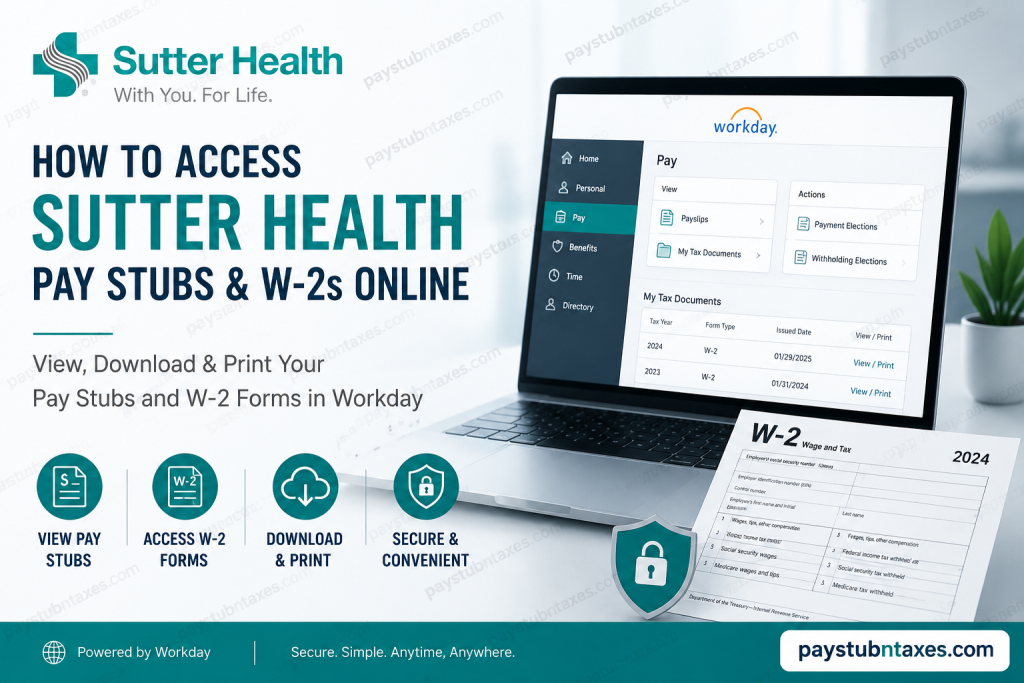
Managing payroll and tax documentation efficiently has become increasingly important in today’s digital workplace, and Sutter Health has streamlined the process through its secure Workday employee portal. Whether you need to download your latest pay stub, retrieve previous payslips, or access your annual W-2 tax form for filing purposes, Sutter Health provides employees with a convenient online system that can be accessed anytime and from virtually anywhere. As one of California’s leading not-for-profit healthcare systems, Sutter Health employs more than 57,000 staff members and clinicians while serving millions of patients throughout the state. To support its expansive workforce, the organization utilizes modern payroll and HR technologies that allow employees to securely manage payroll records, tax documents, and employment-related information online. In this comprehensive guide, you will learn exactly how to access your Sutter Health pay stubs and W-2 forms online, how to troubleshoot login issues, and where to seek assistance if you encounter difficulties.
Sutter Health Employee Payroll Portal
Sutter Health employees can access payroll and tax-related documents through the official Workday employee portal.
Official Login Portal
https://www.myworkday.com/sutterhealth/login.htmld
Employees may also visit the Sutter Health employee resource center for additional support and HR-related services.
Employee Resource Center
https://www.sutterhealth.org/employees
How to Access Sutter Health Pay Stubs Online
Sutter Health employees can conveniently view, download, and print their payslips directly from Workday. The platform stores both current and historical payroll records, making it easy to track earnings, deductions, taxes, overtime, and benefits contributions.
Step-by-Step Guide to View Payslips
Step 1: Log Into Workday
Visit the official Sutter Health Workday login page and enter your employee credentials.
If prompted, complete multi-factor authentication to continue securely.
Step 2: Open the Menu
Once logged in, navigate to the main dashboard and open the Menu section.
Within the menu, locate the payroll-related applications.
Step 3: Navigate to the Pay Application
Select the Pay application from the available options.
The Pay section contains payroll information, compensation details, tax forms, and payment history.
Step 4: Select “Payslips”
Under the View section inside the Pay application, click Payslips.
This will display a complete list of your available pay statements, including payment dates, gross earnings, and net pay amounts.
Step 5: View or Download Your Pay Stub
Click View next to any payroll record you wish to open.
From there, you may:
- Download the payslip as a PDF
- Print a physical copy
- Review payroll deductions and tax withholdings
- Access historical payroll information
Employees can retrieve both recent and past pay stubs through the same section, making payroll management remarkably convenient.
How to Access Sutter Health W-2 Forms Online
W-2 tax forms are typically issued by January 31 each year and are required when filing federal and state income taxes. Sutter Health employees may receive their W-2 either by mail or electronically through Workday, depending on their payroll preferences.
Steps to View and Print Your W-2
Step 1: Sign In to Workday
Log into the Sutter Health Workday portal using your employee credentials.
Step 2: Open the Pay Application
From the Workday dashboard, select the Pay icon.
This section contains all payroll and tax-related resources.
Step 3: Access “My Tax Documents”
Inside the View section, select More if additional options are hidden.
Then click My Tax Documents.
This section stores:
- W-2 forms
- Corrected W-2C forms
- Additional tax-related payroll records
Step 4: View or Print Your W-2
Locate the applicable tax year and click View/Print.
You may then:
- Download your W-2 as a PDF
- Print copies for tax filing
- Save electronic records for future reference
If your W-2 requires additional processing time, Workday may temporarily display a “Notify Me Later” message while the document is generated.
Once completed, the notification bell in the upper-right corner of Workday will alert you that your document is ready for download.
What Information Appears on Your Sutter Health Pay Stub?
Your Sutter Health payslip typically includes:
- Gross earnings
- Net pay
- Federal tax withholdings
- State tax deductions
- Medicare and Social Security contributions
- Overtime pay
- Shift differentials
- Benefit deductions
- Paid time off balances
- Retirement contributions
Reviewing your pay stub regularly helps ensure payroll accuracy and allows you to identify discrepancies promptly.
What If You Cannot Access Workday?
Occasionally, employees may encounter login difficulties due to forgotten passwords, expired credentials, browser issues, or multi-factor authentication problems.
If you are unable to access your account:
Contact the Sutter Health Employee Center:
https://sutterprod.service-now.com/sp
Service Desk Phone Number
888-888-6044
Support representatives can assist with:
- Password resets
- Account lockouts
- Payroll document access
- Technical troubleshooting
- Workday navigation assistance
Tips for Secure Access
Because payroll and tax records contain sensitive personal information, employees should follow several important security practices:
- Always log out after accessing payroll information
- Avoid using public or unsecured Wi-Fi networks
- Enable multi-factor authentication when available
- Keep login credentials confidential
- Download documents only on trusted devices
Maintaining good cybersecurity habits significantly reduces the risk of unauthorized access to financial and tax information.
Benefits of Using Workday for Payroll and Tax Documents
Sutter Health’s Workday platform offers several advantages for employees, including:
1. 24/7 Accessibility
Employees can access payroll records anytime without waiting for HR assistance.
2. Faster Tax Filing
Electronic W-2 access allows employees to begin tax preparation immediately after forms become available.
3. Paperless Convenience
Digital payroll management reduces paperwork and simplifies recordkeeping.
4. Secure Document Storage
Historical payroll and tax documents remain securely stored in one centralized location.
5. Improved Accuracy
Employees can quickly review payroll information and report discrepancies when necessary.
Final Thoughts
Sutter Health has made payroll and tax document management remarkably efficient through its Workday employee portal. By providing secure digital access to payslips, W-2 forms, and payroll history, the organization enables employees to manage essential financial records quickly and conveniently without unnecessary administrative delays. Whether you need a recent pay stub, a prior year’s tax form, or assistance troubleshooting login issues, the Workday platform and Sutter Health support services provide a streamlined and user-friendly experience designed to simplify payroll management for employees across the organization. For uninterrupted access, employees should regularly verify their login credentials, maintain updated contact information, and securely store downloaded tax documents for future reference.
Frequently Asked Questions
1. How do I access my Sutter Health pay stubs online?
Log into the Sutter Health Workday portal, open the Pay application, and click Payslips to view or download your pay stubs.
2. Where can I find my Sutter Health W-2 form?
Your W-2 form is available in Workday under Pay > My Tax Documents.
3. What is the official Sutter Health Workday login link?
Employees can access Workday at: https://www.myworkday.com/sutterhealth/login.htmld.
4. When will Sutter Health send W-2 forms?
W-2 forms are typically issued by January 31 each year.
5. Can I download my Sutter Health pay stub as a PDF?
Yes. Workday allows employees to download and print pay stubs in PDF format.
6. Can former Sutter Health employees access W-2 forms online?
In many cases, former employees retain limited Workday access for payroll and tax documents.
7. What should I do if I forgot my Workday password?
Contact the Sutter Health Service Desk at 888-888-6044 for password reset assistance.
8. How do I print my W-2 from Workday?
Open My Tax Documents, select the appropriate tax year, and click View/Print.
9. Does Sutter Health mail paper W-2 forms?
Yes. W-2 forms are generally mailed unless you opted for electronic delivery.
10. Can I access Workday from home?
Yes. Sutter Health employees can securely access Workday remotely using an internet-enabled device.
11. What information appears on a Sutter Health pay stub?
Pay stubs typically include gross pay, net pay, tax deductions, overtime, benefits, and retirement contributions.
12. What should I do if my W-2 contains incorrect information?
Contact the Employee Center immediately to request a correction or W-2C form.
13. Is the Sutter Health Workday portal secure?
Yes. Workday uses secure authentication and encrypted access to protect employee payroll information.
14. How can I contact Sutter Health payroll support?
Employees may visit: https://sutterprod.service-now.com/sp
Or call: 888-888-6044
15. Why can’t I see my tax documents in Workday?
Your documents may still be processing, or your access permissions may need updating. Contact the Service Desk for assistance.

