
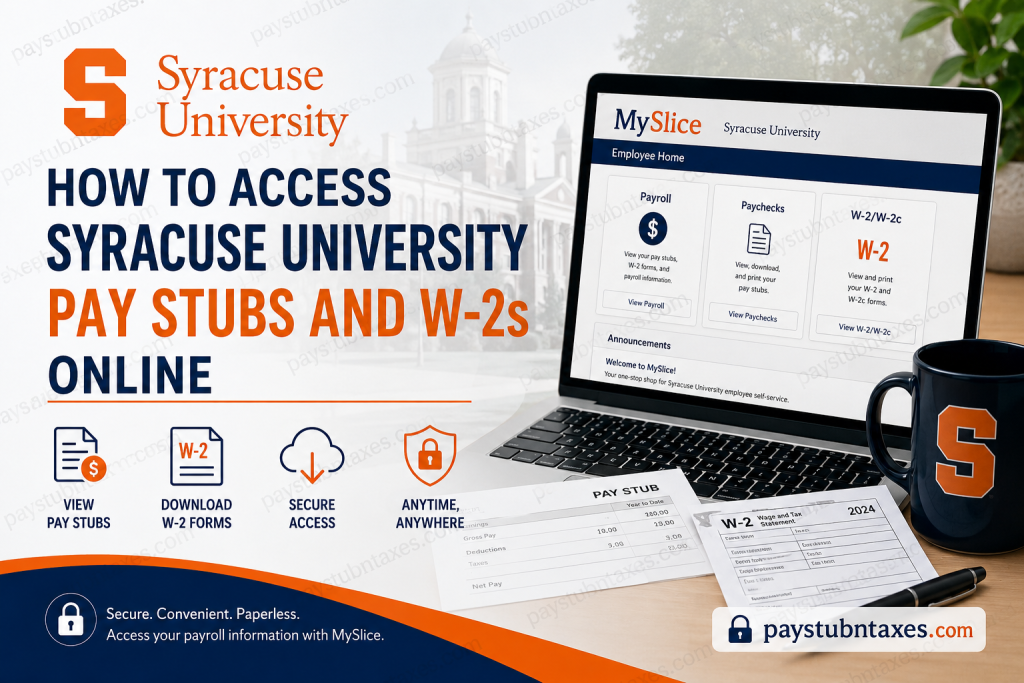
Syracuse University, one of the nation’s most distinguished private research institutions, has established a streamlined digital payroll infrastructure that allows employees to access payroll and tax-related documents securely through the MySlice Employee Services portal. Whether you are a faculty member, administrative employee, graduate assistant, or student worker, MySlice offers a centralized and efficient platform for reviewing pay information, downloading W-2 forms, managing tax records, and monitoring payroll activity. Founded in 1870 and recognized globally for its academic excellence and research innovation, Syracuse University serves thousands of employees and students across its expansive academic network. To support operational efficiency, sustainability initiatives, and enhanced data security, the university encourages employees to utilize electronic payroll services rather than relying on traditional mailed statements.
What Is the Syracuse University MySlice Portal?
MySlice is Syracuse University’s official online self-service portal designed for students, faculty, staff, and university affiliates. Through this secure system, employees can access payroll services, direct deposit information, tax documentation, and employment-related resources in a single location.
Employees may use the portal to:
- View current and previous pay stubs
- Download W-2 and W-2c forms
- Enroll in electronic W-2 delivery
- Update tax withholding details
- Access payroll history
- Print payroll documents for financial verification
- Review direct deposit information
MySlice Login Portal
Employees can access the Syracuse University MySlice portal here:
MySlice Employee Portal:
http://myslice.syr.edu/
The portal supports both regular NetID login credentials and temporary NetID access for authorized users.
How to Access Syracuse University Pay Stubs Online
Syracuse University employees who receive direct deposit can easily review and print electronic pay stubs through MySlice. The university’s payroll department also sends an email notification each payday with instructions for reviewing payroll information online.
Follow these steps to access your pay stubs:
Step 1: Log Into MySlice
Visit the MySlice portal at: http://myslice.syr.edu/
Enter your Syracuse University NetID and password to sign in securely.
Step 2: Open the Payroll Section
After logging in, navigate to the Employee Home page and select the Payroll tile.
Step 3: Select “Paychecks”
From the menu on the left-hand side of the screen, click Paychecks.
Step 4: Choose a Pay Date
A list of available pay periods will appear, with the most recent paycheck displayed first.
Select the desired pay date to open your pay stub in PDF format.
Step 5: Download or Print Your Pay Stub
Once the pay stub opens in a new window, you may:
- Download the PDF
- Print a physical copy
- Save for future reference
- Email the document securely
Employees searching for older payroll records can use the date filter located above the check date column to retrieve historical pay statements.
How Far Back Are Syracuse University Pay Stubs Available?
Syracuse University maintains a substantial archive of payroll information within MySlice. According to payroll documentation, direct deposit pay stubs generated from July 1, 2000, onward remain accessible online.
This long-term accessibility proves especially useful when employees require documentation for:
- Mortgage applications
- Auto loans
- Rental agreements
- Immigration filings
- Financial audits
- Employment verification
How to Access Syracuse University W-2 Forms Online
The university allows employees to receive electronic W-2 forms instead of traditional mailed copies. This initiative not only supports sustainability goals but also improves document security and reduces the risk of identity theft associated with paper mail delivery.
Steps to View Your W-2 Online
Step 1: Sign Into MySlice
Visit: http://myslice.syr.edu/
Log in using your Syracuse University credentials.
Step 2: Open the Payroll Tile
From the Employee Home page, select Payroll.
Step 3: Select “W-2/W-2c”
On the left navigation panel, click W-2/W-2c.
Step 4: Complete Identity Verification
Answer the verification questions and select Confirm.
Step 5: Open the Year-End Form
The most recent tax year will appear automatically.
To access prior years:
- Select View a Different Tax Year
- Choose the desired year
- Click Year End Form
Your W-2 form will open as a PDF document in a separate browser window.
How to Consent to Electronic W-2 Delivery
Employees who prefer online tax documents can enroll in paperless W-2 delivery through MySlice.
Enrollment Process
- Log into MySlice
- Open the Payroll section
- Select W-2/W-2c
- Choose W-2/W-2c Consent
- Check the consent box
- Click Submit
Once consent is granted, future W-2 forms will no longer be mailed to the employee’s permanent address.
Are Syracuse University W-2 Forms IRS-Compliant?
Yes. Syracuse University confirms that electronic W-2 forms available through MySlice fully comply with IRS regulations and are acceptable for both electronic and paper income tax filing purposes.
Employees filing electronically typically do not need to mail paper copies of their W-2 forms to the IRS.
How Many Years of W-2 Forms Are Available Online?
Syracuse University provides historical W-2 records dating back to 2005 through the MySlice portal.
This feature offers substantial convenience for employees who need prior-year tax records for:
- Tax amendments
- FAFSA verification
- Immigration applications
- Financial planning
- Government audits
Can You Withdraw Consent for Electronic W-2 Forms?
Yes. Employees may revoke electronic consent and resume receiving paper W-2 forms by mail.
To withdraw consent:
- Log into MySlice
- Open the Payroll section
- Select W-2/W-2c
- Choose W-2/W-2c Consent
- Check the withdrawal option
- Click Submit
Future W-2 statements will then be mailed to the employee’s permanent address on file.
What If You Do Not Receive Payroll Notification Emails?
Employees who do not receive payroll notification emails on payday should contact the Payroll Service Center to verify payroll processing status and confirm contact information accuracy.
Assistance for Employees Without Computer Access
Syracuse University provides on-campus assistance locations for employees who require help accessing MySlice or printing payroll documents.
Support is available at:
- Payroll Service Center — Skytop Office Building
- Human Resources — Steele Hall
- Physical Plant Human Resources Office — 285 Ainsley Drive
Syracuse University Payroll Contact Information
For payroll questions, technical issues, or W-2 assistance, employees may contact the Payroll Service Center directly.
Payroll Service Center
- Phone: 315-443-4042
- Email: payroll@syr.edu
The Payroll Department assists employees with payroll processing, compensation inquiries, direct deposit support, withholding concerns, and payroll documentation requests.
Final Thoughts
Syracuse University’s MySlice payroll system delivers a sophisticated, secure, and highly accessible digital experience for employees seeking payroll and tax documentation online. Through a combination of electronic pay statements, online W-2 access, direct deposit functionality, and long-term payroll record retention, the university has created a modernized payroll ecosystem aligned with both operational efficiency and employee convenience. Whether you need to print a recent paycheck, retrieve a prior-year W-2, update withholding preferences, or enroll in electronic tax form delivery, the MySlice portal offers an intuitive and dependable solution accessible from virtually anywhere.
Frequently Asked Questions
1. How do I access Syracuse University pay stubs online?
You can access your pay stubs by logging into the MySlice portal, selecting the Payroll tile, and clicking the Paychecks link.
2. What is the MySlice portal?
MySlice is Syracuse University’s online employee self-service system used for payroll, tax forms, direct deposit, and employment-related services.
3. What website do Syracuse University employees use for payroll access?
Employees use the MySlice portal at http://myslice.syr.edu/.
4. Can I download Syracuse University pay stubs as PDFs?
Yes. Pay stubs open in PDF format and can be downloaded, printed, or emailed securely.
5. How do I get my Syracuse University W-2 online?
Log into MySlice, select Payroll, choose W-2/W-2c, complete verification, and open your Year End Form.
6. Are Syracuse University W-2 forms available electronically?
Yes. Employees may consent to receive electronic W-2 forms through MySlice.
7. How far back can I access Syracuse University pay stubs?
Pay stubs dating back to July 1, 2000 are available online.
8. How many years of W-2 forms are available in MySlice?
Prior-year W-2 forms are available back to 2005.
9. Can former Syracuse University employees access W-2 forms online?
Eligible former employees may still access prior W-2 records through MySlice if login credentials remain active.
10. Is the Syracuse University electronic W-2 IRS-approved?
Yes. The online W-2 forms comply with IRS regulations and are valid for tax filing.
11. How do I enroll in paperless W-2 delivery at Syracuse University?
Log into MySlice, open Payroll, select W-2/W-2c Consent, check the consent box, and submit your selection.
12. Can I print my Syracuse University pay stubs for loan applications?
Yes. Employees can print payroll records directly from MySlice for loans, housing, or income verification.
13. What should I do if I forget my MySlice login credentials?
You should contact Syracuse University ITS support or use the password recovery options available on the MySlice login page.
14. Who do I contact for Syracuse University payroll assistance?
Contact the Payroll Service Center at 315-443-4042 or email payroll@syr.edu.
15. Can I withdraw consent for electronic W-2 forms?
Yes. Employees can revoke electronic consent through the W-2/W-2c Consent section in MySlice.

