
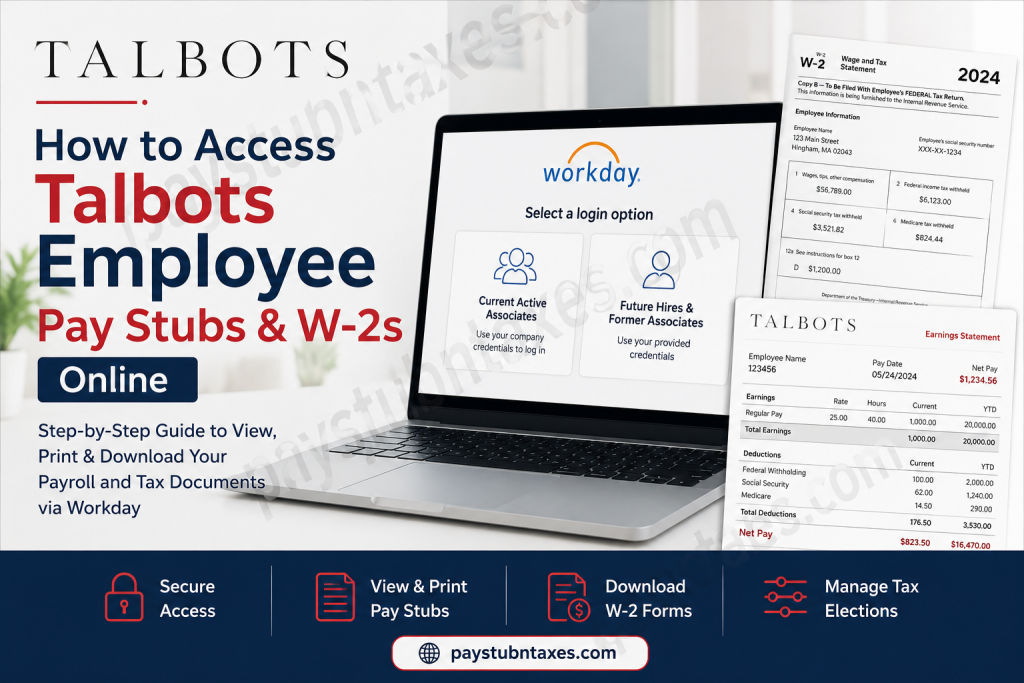
Talbots is one of America’s most recognizable women’s fashion retailers, celebrated for timeless style, exceptional quality, and customer-focused service. Founded in 1947 by Rudy and Nancy Talbot in Hingham, Massachusetts, the company has grown from a small catalog business into a nationally respected fashion brand with hundreds of retail and outlet locations across the United States and Canada. Today, Talbots combines heritage and innovation while maintaining its signature commitment to classic fashion and memorable shopping experiences. For Talbots employees, accessing payroll information online is simple and secure through the Workday self-service portal. Whether you need to download your latest pay stub, print multiple payslips, or retrieve your annual W-2 tax form, Workday allows associates to manage these documents anytime and from virtually anywhere.
Talbots Workday Login Portal
Talbots employees can access their payroll and tax records through the official Workday portal:
Workday Login: Talbots Workday Portal
The portal provides access to:
- Pay stubs and earnings statements
- W-2 tax forms
- Tax withholding elections
- Direct deposit information
- Payroll history
- Benefits and employment information
How Current Talbots Employees Log In
Current Talbots associates should select the SSO (Single Sign-On) option on the Workday login page.
Login Instructions for Current Associates
- Visit the official Workday portal.
- Select Current Active Associates.
- Enter your company credentials.
- Complete any required authentication steps.
- Access your payroll dashboard.
Talbots uses different username formats depending on your role.
Username & Password Formats for Talbots Associates
Full Price Store Associates
- Username: EmployeeID@talbots.com
- Password: Concierge Password
Canada & U.S. Outlet Store Associates
- Username: EmployeeID@talbots.com
- Password: Email Password
District Directors / District Managers
- Username: LaptopUsername@talbots.com
- Password: Network Password
Home Office Associates
- Username: FirstName.LastName@talbots.com
- Password: Email/Laptop Password
All active associates must use the SSO login option.
How Future Hires Access Workday
If your employment start date is in the future, select the Future Hires & Former Associates option on the login page.
Use the username and password provided in your onboarding email. Newly hired store associates may experience a 24–48 hour delay before credentials become active.
How Former Talbots Employees Access W-2s Online
Former Talbots associates can still retrieve W-2 forms and payroll records online through Workday.
Steps for Former Employees
- Go to the Workday portal.
- Select Future Hires & Former Associates.
- Enter your former associate ID as your username.
- Enter your password.
- Access your payroll and tax records.
If you forgot your password:
- Click Forgot Password
- Enter your username
- Provide either your work or personal email address
- Follow the password reset instructions sent by Workday
Please note that password reset links can only be delivered to a personal email address if it was previously added to your worker profile.
If you still cannot access your account, contact Talbots support at 855-436-7177.
How to View Talbots Pay Stubs in Workday
Once logged into Workday, employees can easily access and print their payslips.
Steps to Access Pay Stubs
- Click Menu in the upper-left corner.
- Select Benefits and Pay.
- Click Pay from the left-side navigation.
- Select Payments.
- Scroll to the All Payslips section.
- Click View to open a pay stub.
- Click Print if you need a physical copy.
Employees can also select View All Payslips to see their complete payroll history.
How to Print Multiple Talbots Payslips
Workday also allows associates to print multiple pay statements simultaneously.
Steps to Print Multiple Payslips
- Open the full payslip history page.
- Select Print Multiple Payslips.
- Choose the desired date range.
- Click OK.
- Workday will generate a PDF containing all selected payslips.
This feature is especially useful for:
- Loan applications
- Apartment rentals
- Income verification
- Tax preparation
- Financial recordkeeping
How to Access Talbots W-2 Forms Online
Employees can retrieve annual W-2 tax documents directly through Workday.
Steps to View or Print W-2 Forms
- Log into Workday.
- Click Menu.
- Select Benefits and Pay.
- Choose Pay.
- Click Tax.
- Locate the All Tax Documents section.
- Select the desired W-2 year.
- Click View/Print.
Your W-2 will open as a downloadable PDF that can be printed or saved for tax filing purposes.
How to Enroll in Electronic W-2 Delivery
Talbots associates can receive electronic W-2 forms earlier than mailed paper copies.
Steps to Enable Electronic Delivery
- Navigate to the Tax Forms Printing Elections section.
- Click Edit.
- Select:
- Receive electronic copy of my Year End Tax Documents
- Click OK
- Click Done
Electronic delivery provides quicker access to important tax documents while reducing paper waste.
How to Update Tax Withholding Information
Employees can also manage federal and state tax elections within Workday.
Steps to Update Tax Elections
- Open the Tax Elections section.
- Click Update.
- Modify your withholding preferences.
- Save your changes.
This allows associates to:
- Update federal withholding
- Change state tax elections
- Adjust allowances
- Modify additional withholding amounts
Benefits of Using the Talbots Workday Portal
The Workday self-service system gives Talbots employees convenient, secure access to payroll and employment records.
Key Advantages
- 24/7 access to payroll documents
- Secure cloud-based platform
- Easy W-2 retrieval
- Digital pay stub storage
- Faster tax document delivery
- Printable payroll history
- Mobile-friendly access
Common Talbots Workday Login Issues
Employees occasionally experience login or account access problems. Common issues include:
Incorrect Username or Password
Double-check your username format and password type based on your role.
Delayed Credential Activation
New associates may need to wait up to 48 hours before account activation.
Forgotten Password
Use the Forgot Password option to reset your credentials.
Locked Account
Multiple failed login attempts may temporarily lock your account.
Browser Problems
Clear your cache or try another browser if pages fail to load correctly.
Talbots Payroll Support Contact
If you need additional assistance accessing your pay stubs or W-2s, contact Talbots support:
- Phone: 855-436-7177
Final Thoughts
Talbots makes payroll and tax document management straightforward through its Workday self-service platform. Current employees, future hires, and former associates can securely access pay stubs, W-2 forms, tax elections, and payroll history online without needing paper copies or manual HR requests. By using Workday’s self-service tools, Talbots associates can efficiently manage important employment and tax records anytime they need them.
Frequently Asked Questions (FAQ)
1. How do I access Talbot’s pay stubs online?
You can access Talbots pay stubs through the Workday self-service portal by logging in with your company credentials and navigating to Benefits and Pay > Pay > Payments.
2. What is the official Talbots Workday login link?
The official Talbots Workday portal is: Talbots Workday Login
3. Can former Talbots employees access W-2 forms online?
Yes. Former associates can log into Workday using the Future Hires & Former Associates option and retrieve W-2 tax documents online.
4. What username do Talbots employees use for Workday?
Talbots employees typically use their Employee ID or company email format depending on their role and department.
5. How do I reset my Talbots Workday password?
Click the Forgot Password link on the Workday login page and follow the instructions sent to your registered work or personal email address.
6. Where can I find my Talbots W-2 online?
After logging into Workday, go to: Benefits and Pay > Pay > Tax > All Tax Documents
Then select the desired W-2 year and click View/Print.
7. How do I print Talbots pay stubs?
Open the desired payslip in Workday and click the Print button to generate a printable copy.
8. Can I print multiple Talbots payslips at once?
Yes. Workday allows employees to use the Print Multiple Payslips feature to generate several pay stubs in a single PDF.
9. How do new Talbots employees log into Workday?
New hires should use the credentials provided in their onboarding email and select the Future Hires & Former Associates option if their start date is still pending.
10. What should I do if my Talbots Workday account is locked?
Wait a few minutes and try again, or use the password reset option. If the issue continues, contact Talbots support.
11. Can Talbots employees receive electronic W-2 forms?
Yes. Employees can enable electronic W-2 delivery through the Tax Forms Printing Elections section in Workday.
12. How do I update tax withholding information in Talbots Workday?
Go to Benefits and Pay > Pay > Tax Elections and select Update to modify federal or state withholding preferences.
13. Is the Talbots Workday portal secure?
Yes. Workday uses secure authentication and encrypted access to protect employee payroll and tax information.
14. Why can’t I access my Talbots payslips?
Common reasons include incorrect login credentials, inactive accounts, browser cache issues, or delayed account activation for new hires.
15. How do I contact Talbots payroll or Workday support?
Employees who cannot access Workday may contact Talbots support at: Phone: 855-436-7177

