
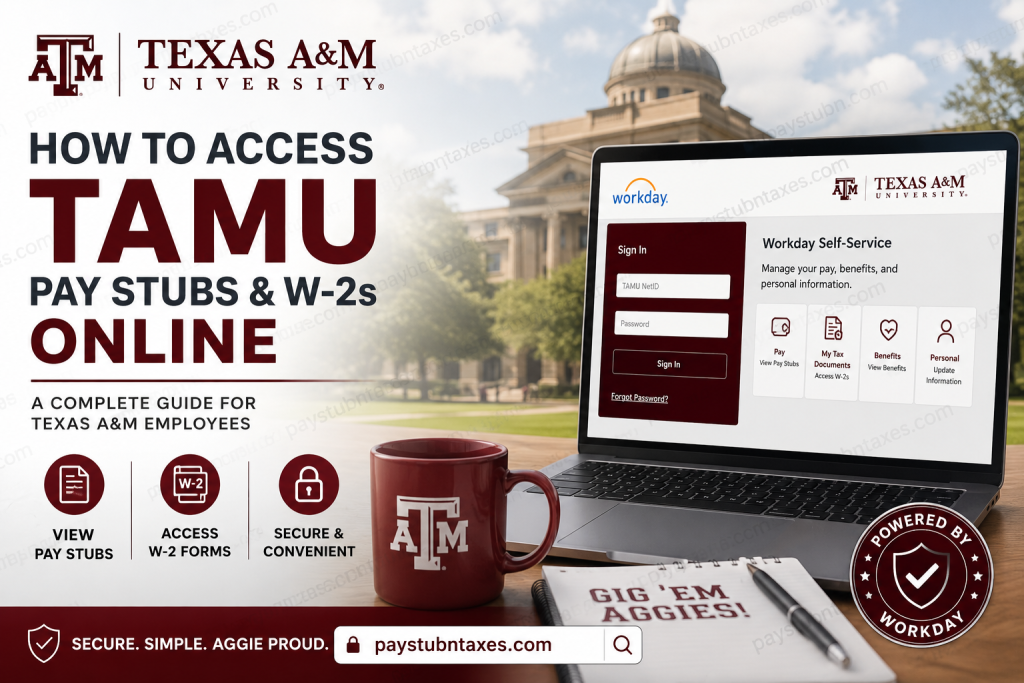
Texas A&M University is one of the most prestigious public research universities in the United States and the flagship institution of the Texas A&M University System. Founded in 1876, the university is renowned for academic excellence, groundbreaking research, military tradition, and a vibrant Aggie community. With tens of thousands of students and employees across multiple campuses and agencies, Texas A&M relies on modern digital systems to manage payroll, tax forms, and employee self-service functions efficiently. If you are a current employee of Texas A&M University or a Texas A&M University System affiliate, you can conveniently access your pay stubs, payroll records, tax documents, and W-2 forms online through the Workday Self-Service portal and TAMUS Single Sign On (SSO).
TAMU Workday Payroll Portal
Texas A&M employees use Workday to manage:
- Pay stubs and earnings statements
- W-2 wage and tax statements
- Direct deposit information
- Tax withholding elections
- Payroll history
- Benefits and deductions
- Payment elections
- Payroll-related support requests
Official Workday Login Link
TAMU Workday Self-Service Portal
TAMUS Single Sign On (SSO)
Texas A&M University System uses Single Sign On (SSO) to securely authenticate employees into Workday and other university applications. Active employees should use their TAMU NetID and password to log in.
The system allows employees to access multiple authorized applications after one secure login session.
What is a TAMUS UIN?
The Universal Identification Number (UIN) is a unique 9-digit identification number assigned to each Texas A&M employee and student.
You may need your UIN for:
- Password resets
- First-time login setup
- Identity verification
- Accessing payroll and tax documents
If you do not know your UIN, contact your departmental HR representative or university administrator.
How to Access TAMU Pay Stubs Online
Step 1: Open the Workday Portal
Go to:
You will be redirected to the TAMUS Single Sign On page.
Step 2: Sign In Using Your TAMU Credentials
Active employees should:
- Select the TAMU NetID login option
- Enter your NetID
- Enter your password
- Complete any required authentication steps
First-time users with a temporary password can use the password setup wizard to create a permanent password.
If you experience login problems, contact the TAMU Help Desk Central.
Step 3: Open the Pay Application
After logging into Workday:
- Select View All Apps
- Choose the Pay application
- Navigate to the payroll dashboard
Employees can access payslips directly from the Pay worklet.
Step 4: View Your Payslips
Inside the Pay section:
- Click Payslips
- Select the desired pay period
- Choose:
- View Payslip
- Print Payslip
The payslip section includes detailed payroll information such as:
- Gross pay
- Net pay
- Federal and state taxes
- Pre-tax deductions
- Post-tax deductions
- Direct deposit information
- Taxable wages
- Year-to-date totals
What Information Appears on TAMU Pay Stubs?
Your Texas A&M payslip may include:
- Employee earnings
- Overtime or supplemental pay
- Vacation or leave balances
- Retirement contributions
- Medical and dental deductions
- Federal income tax withholding
- Medicare and OASDI deductions
- Direct deposit details
- Employer-paid benefits
The Workday payslip system provides a comprehensive breakdown of both current and year-to-date payroll activity.
How to Access TAMU W-2 Forms Online
Texas A&M employees can retrieve W-2 tax forms electronically through Workday’s “My Tax Documents” section.
W-2 forms are generally available by January 31 each year.
Steps to View Your W-2
1. Log Into Workday
Access the portal using your TAMU NetID credentials.
2. Open the Pay Dashboard
From your Workday homepage:
- Select Pay
3. Click “My Tax Documents”
Under the Pay application:
- Open My Tax Documents
4. Locate Your W-2
Your available tax forms will appear in the document list.
5. View, Download, or Print
You can:
- View your W-2
- Download a PDF copy
- Print your tax statement
Workday also supports accessible W-2 formats for employees who require them.
Password Reset and First-Time Login Assistance
If you forgot your password or received a temporary password:
- Use the password recovery options on the SSO page
- Complete identity verification
- Create a new secure password
You may need:
- Your TAMUS UIN
- Temporary password
- Identity verification details
If you are locked out, contact:
- TAMU Help Desk Central
- Department HR administrator
- University payroll office
Direct Deposit and Payroll Support
Texas A&M employees can also manage:
- Direct deposit accounts
- Payment elections
- Payroll deductions
- Tax withholding changes
through Workday self-service.
Employees who encounter payroll discrepancies, missing checks, or tax deduction issues can submit payroll support requests through the university payroll service portal.
Common payroll support topics include:
- Missing direct deposits
- Incorrect paycheck amounts
- Failed authentication
- Tax withholding questions
- Lost paper checks
- Payslip clarification
- Bank account update issues
Important Security Tips for TAMU Employees
Texas A&M strongly recommends securely ending all online payroll sessions after use.
Because Workday operates outside standard SSO session controls, employees should:
- Log out of Workday
- Log out of SSO
- Completely close all browser windows and tabs
This is especially important when using shared or public computers.
Common TAMU Payroll Login Issues
Incorrect NetID or Password
Reset your password through the SSO recovery tools or contact Help Desk Central.
Forgot UIN
Contact your HR department or payroll administrator.
Locked Out of Direct Deposit Changes
Texas A&M offers secure authentication recovery services for employees who are unable to modify payment elections.
W-2 Not Available Yet
W-2 forms are usually released by January 31. Check again later if your form is not yet visible.
Benefits of Electronic Payroll Access
Using Workday for payroll management offers several advantages:
- 24/7 access to pay records
- Faster W-2 retrieval
- Secure document storage
- Mobile-friendly access
- Reduced paper usage
- Quick payroll issue resolution
- Convenient direct deposit management
Final Thoughts
Texas A&M University provides employees with a secure and efficient payroll experience through Workday and the TAMUS Single Sign On system. Whether you need to download a recent pay stub, retrieve your W-2 form, update direct deposit information, or review payroll deductions, the Workday Self-Service portal offers centralized access to all essential payroll tools. By keeping your TAMU NetID credentials secure and regularly reviewing your payroll information, you can ensure uninterrupted access to your important employment and tax documents.
Frequently Asked Questions (FAQ)
1. How do I access my TAMU pay stubs online?
Log into the TAMU Workday portal using your NetID and password, then open the Pay application and select Payslips.
2. Where can I download my TAMU W-2?
Your W-2 is available in Workday under the “My Tax Documents” section.
3. What is a TAMUS UIN?
A TAMUS UIN is a unique 9-digit identification number assigned to Texas A&M employees and students.
4. Can former employees access Workday?
Access policies may vary by department. Former employees should contact HR or payroll services for assistance.
5. When are W-2 forms available?
Texas A&M generally releases W-2 forms by January 31 each year.
6. What should I do if my paycheck is incorrect?
Submit a payroll support request or contact your HR/payroll office immediately.
7. Can I print my pay stubs from Workday?
Yes. Workday allows employees to view, print, and download payslips.
8. How do I reset my TAMU password?
Use the password recovery tools on the TAMUS SSO login page or contact Help Desk Central.
9. Does Workday support direct deposit updates?
Yes. Employees can manage payment elections and direct deposit accounts through Workday.
10. Is TAMU Workday secure?
Yes. Texas A&M uses secure Single Sign On authentication and recommends properly ending sessions for additional protection.

