
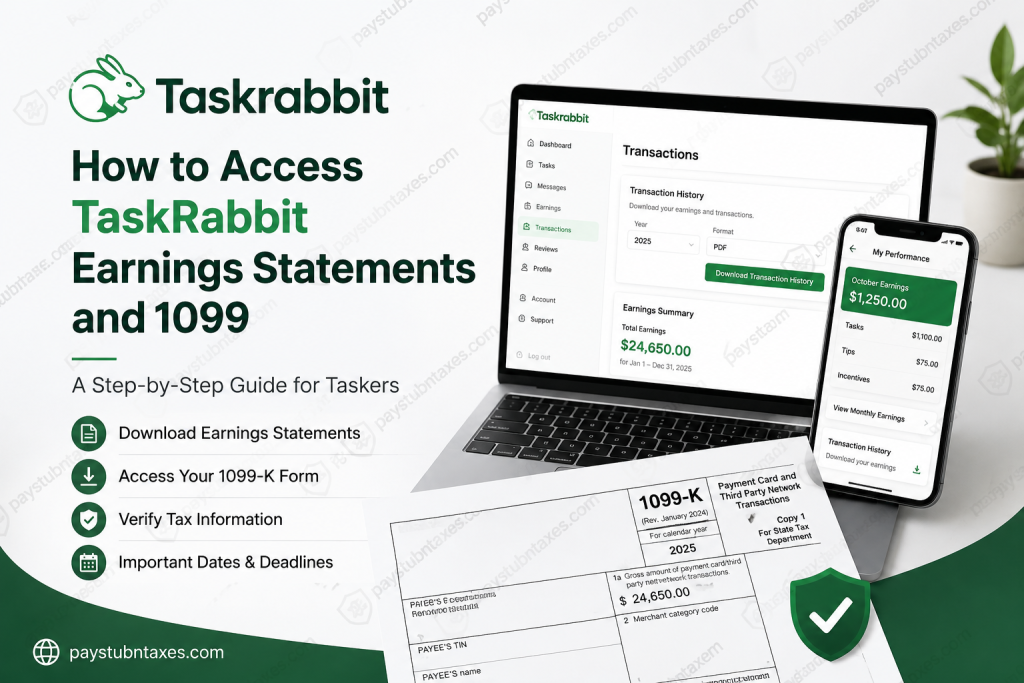
As a Tasker on TaskRabbit, you operate as an independent contractor rather than a traditional employee. That means you will not receive a W-2 form. Instead, eligible Taskers receive a 1099-K tax form for reporting earnings earned through the platform. Whether you need to download your yearly earnings records, verify your taxpayer information, or access your 1099-K form during tax season, TaskRabbit provides several convenient tools through the Tasker app, web dashboard, and Stripe Express. This complete guide explains everything you need to know about accessing your TaskRabbit earnings statements and 1099 forms online.
Understanding TaskRabbit Tax Documents
TaskRabbit classifies Taskers as self-employed independent contractors. Because of this classification:
- Taskers do not receive W-2 forms
- Eligible Taskers receive Form 1099-K
- Earnings must be reported as self-employment income
- Taxes are generally not withheld automatically
A 1099-K form reports the total payments processed through TaskRabbit’s payment processor, Stripe. The reported amount may include:
- Task hourly payouts
- Client tips
- Reimbursed expenses
- Incentive payouts
Who Is Eligible to Receive a TaskRabbit 1099-K?
Taskers become eligible for a 1099-K when they meet both IRS reporting thresholds during the calendar year:
- More than $20,000 in total earnings
- 200 or more transactions completed through TaskRabbit
If you do not meet both thresholds, TaskRabbit generally will not issue a 1099-K form.
However, even if you are not eligible for a 1099-K, you are still responsible for reporting your income to the IRS.
How to Access Your TaskRabbit Earnings Statements
TaskRabbit allows Taskers to download their transaction and earnings history directly from the website or mobile app.
Download Earnings Statements on the Web
Using the web dashboard is the fastest and most efficient method for downloading yearly transaction records.
Steps to Download Transaction History:
- Visit the official TaskRabbit Tasker login page
- Sign in to your Tasker account
- Open the Account section
- Click the Transactions tab
- Select Download Transaction History
- Choose:
- Your preferred tax year
- CSV or PDF format
- Download the file to your device
Your downloaded report can help you:
- Track yearly earnings
- Verify 1099-K eligibility
- Calculate business deductions
- Prepare tax filings
- Maintain financial records
Access Earnings Statements Through the Tasker App
You can also retrieve monthly earnings records using the TaskRabbit mobile app for iOS and Android devices.
Steps Using the App:
- Open the Tasker app
- Tap My Performance
- Select the Monthly Earnings section
- Tap the downward arrow in the upper-right corner
- Choose the desired year
- Select the file type
- Tap Send to my email
TaskRabbit will email you a secure download link for your earnings report.
Important Note
The emailed download link expires within one hour, so be sure to download the file promptly.
How to Access Your TaskRabbit 1099-K Online
TaskRabbit partners with Stripe to issue and distribute 1099-K forms to eligible Taskers.
Step 1: Create Your Stripe Express Account
Eligible Taskers receive instructions from Stripe via email explaining how to create a Stripe Express account.
After setting up your account, you can:
- Access digital tax forms
- Download your 1099-K instantly
- Opt into paperless delivery
- Manage taxpayer information
Step 2: Verify Your Taxpayer Information
Before receiving your 1099-K, you must confirm that your tax information is accurate.
Individual Taskers Must Verify:
- First name
- Last name
- Social Security Number (SSN)
- Personal address
Business Taskers Must Verify:
- Company name
- Employer Identification Number (EIN)
- Business address
Why Accuracy Matters
Your information must match your official government identification exactly, including:
- Hyphens
- Spacing
- Capitalization
Incorrect taxpayer information may result in IRS rejection of your 1099-K form.
Important 1099-K Dates and Deadlines
TaskRabbit follows a yearly schedule for 1099-K processing.
Key Dates
| Event | Expected Date |
| Tax information verification begins | November 2026 |
| Tax verification deadline | January 15, 2027 |
| Digital 1099-K availability | By January 31, 2027 |
| Mailed 1099-K forms sent | By January 31, 2027 |
| IRS tax filing deadline | April 15, 2027 |
What Information Appears on a TaskRabbit 1099-K?
Your TaskRabbit 1099-K displays the total amount paid through the platform during the calendar year.
The total may include:
- Hourly task payments
- Customer tips
- Incentives
- Expense reimbursements
Because reimbursed expenses may not qualify as taxable income, many Taskers review their transaction history carefully before filing taxes.
Why Your Transaction History Matters
Downloading your yearly transaction history is extremely important because it helps you:
- Confirm accurate 1099 totals
- Identify deductible business expenses
- Reconcile client reimbursements
- Track yearly deposits
- Maintain records for audits
TaskRabbit calculates yearly earnings based on payout dates, not task completion dates.
For example:
- A task completed on December 31 may count toward the following tax year if payment is deposited in January.
Common Problems When Accessing TaskRabbit Tax Forms
Missing 1099-K Form
Possible reasons include:
- You did not meet IRS eligibility thresholds
- Your taxpayer verification is incomplete
- Your Stripe Express account was not activated
- Your mailing address is outdated
Incorrect Taxpayer Information
If your legal name, SSN, EIN, or address is inaccurate, update your information immediately through the Business Information section of your Tasker account.
Download Link Expired
If your earnings report email link expires:
- Return to the Tasker app
- Generate a new download request
- Check your inbox again
Additional Tax Resources for Taskers
TaskRabbit recommends several resources for independent contractors, including:
- IRS Gig Economy Tax Center
- IRS 1099-K guidance
- Stripe tax documentation
- Keeper tax deduction tools for freelancers
Working with a certified tax professional can also help ensure accurate self-employment tax filing.
Final Thoughts
Managing your earnings and tax documents properly is an essential part of succeeding as a TaskRabbit Tasker. By regularly downloading your transaction history, verifying taxpayer details, and setting up Stripe Express early, you can avoid delays and access your 1099-K quickly during tax season. Whether you are a full-time Tasker or using the platform for side income, staying organized with your financial records will make tax filing significantly easier and help you maintain compliance with IRS requirements.
Frequently Asked Questions (FAQs)
1. Does TaskRabbit issue W-2 forms?
No. Taskers are independent contractors and receive 1099-K forms instead of W-2s.
2. How do I know if I qualify for a 1099-K?
You generally qualify if you earned more than $20,000 and completed 200 or more transactions during the tax year.
3. Where can I download my TaskRabbit earnings statement?
You can download transaction history from the TaskRabbit website or Tasker mobile app.
4. What is Stripe Express?
Stripe Express is the secure platform used to distribute TaskRabbit 1099-K tax forms electronically.
5. When are TaskRabbit 1099-K forms available?
Eligible Taskers can usually access digital forms by January 31 each year.
6. Can I access my earnings through the mobile app?
Yes. The Tasker app allows you to email yourself downloadable monthly earnings reports.
7. What if my tax information is incorrect?
Update your taxpayer details immediately through your Tasker account’s Business Information section.
8. Does the 1099-K include tips?
Yes. Tips, incentives, and reimbursements may all be included in the reported total.
9. Can I download my transaction history in PDF format?
Yes. TaskRabbit allows downloads in both PDF and CSV formats.
10. Why didn’t I receive a 1099-K?
You may not have met the IRS earnings and transaction thresholds required for reporting.
11. Are reimbursed expenses taxable?
Some reimbursed expenses may not count as taxable income. Consult a tax professional for guidance.
12. How long does the download email link remain active?
Transaction history download links expire within one hour.
13. Can business Taskers use EINs instead of SSNs?
Yes. Business accounts may verify using an EIN.
14. What happens if I miss tax verification deadlines?
Payouts may be paused until verification is completed.
15. Should I keep copies of my earnings reports?
Absolutely. Keeping organized financial records is essential for accurate tax filing and audit protection.

