
Total Wine & More is America’s largest independent retailer of wine, beer, and spirits, operating more than 280 stores across 30 states and Washington, D.C. Founded in 1991 by brothers David and Robert Trone, the company has become a leading destination for fine wines, craft beers, premium spirits, and exceptional customer service. If you are a current or former Total Wine employee, you can conveniently access your pay stubs, payroll records, and W-2 tax forms online through the Workday self-service portal. The platform allows employees to securely review earnings, download tax documents, and manage payroll-related information anytime.
Total Wine Workday Login Portal
Employees can access the Workday portal here:
Workday Login
https://www.myworkday.com/totalwine/d/home.htmld
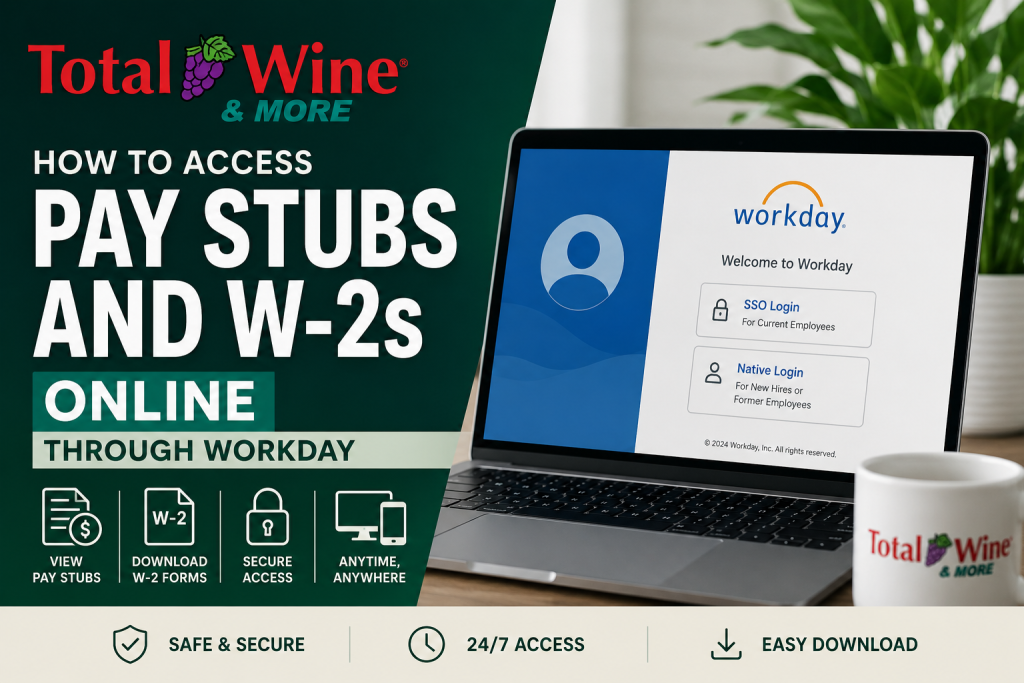
The Workday login screen provides two authentication methods:
- SSO Login – Existing Employees
- For active team members returning to the portal
- Uses company single sign-on credentials
- Native Login – New Hires
- Designed for newly hired or terminated employees
- Allows direct Workday account access
How to Access Total Wine Pay Stubs Online
Once logged into Workday, employees can quickly view or print their payslips.
Step-by-Step Instructions
Step 1: Sign In to Workday
Visit the Total Wine Workday portal and log in using either:
- SSO Login (active employees)
- Native Login (new hires or separated employees)
Step 2: Open the Pay Worklet
From your Workday homepage:
- Locate and click the Pay application/worklet
Step 3: Select Payslips
Under the View section:
- Click Payslips to open your payroll history
Your available pay statements will appear in chronological order.
Step 4: View or Print a Pay Stub
Choose one of the following options beside the desired pay period:
- View
Payslips usually become available on the official payroll payment date.
How to Print Multiple Pay Stubs
If you need several payroll records simultaneously:
- Select Print Multiple Payslips
- Enter:
- Payment From Date
- Payment To Date
- Click OK
You may also:
- Exclude zero-dollar payslips
- Generate downloadable PDF copies
Workday Notification Process
After requesting a payslip PDF:
- Workday may display a message saying:
“Your request is being processed.”
You can:
- Wait for the PDF to generate
- Click Notify Me Later
Once ready:
- The document appears in your notifications
- You can open, download, or print the file directly
How to Access Total Wine W-2 Forms Online
Employees can also retrieve annual W-2 tax forms through Workday.
Steps to Download W-2 Forms
Step 1: Log Into Workday
Access the Workday employee portal using your credentials.
Step 2: Open the Pay App
From the homepage:
- Select the Pay application
Step 3: Open My Tax Documents
Inside the Pay section:
- Expand the View area
- Click My Tax Documents
Step 4: View or Print Your W-2
Locate the correct tax year and click:
- View/Print under the Employee Copy column
The system may take a moment to generate the document.
Step 5: Download the PDF
When processing is complete:
- Open the PDF notification
- Download or print the W-2 form directly from Workday
What Information Appears on Total Wine Pay Stubs?
Your Workday payslip may include:
- Gross earnings
- Net pay
- Payroll deductions
- Federal and state taxes
- Year-to-date earnings
- Direct deposit details
- Paid time off balances
- Benefits deductions
- Tax withholding elections
Troubleshooting Workday Login Issues
If you experience problems accessing your account:
Forgot Password
- Use the password reset option on the login page
- Contact Total Wine HR or IT support if needed
Account Locked
Too many failed login attempts may temporarily lock your account.
Browser Problems
Try:
- Google Chrome
- Mozilla Firefox
- Clearing browser cache/cookies
Popup Blockers
Some W-2 and payslip PDFs require popups to be enabled in your browser settings.
Former Employee Access
Former Total Wine employees may still access Workday using the Native Login option if the account remains active. If access has expired:
- Contact the Total Wine HR department
- Request copies of pay stubs or W-2 forms
Be prepared to verify:
- Full legal name
- Employee ID
- Last four digits of SSN
- Employment dates
Benefits of Using Workday Payroll Portal
The Workday self-service platform provides several advantages:
- 24/7 access to payroll records
- Secure document storage
- Fast W-2 downloads
- Easy payslip printing
- Mobile-friendly access
- Reduced paperwork
- Quick payroll history review
Final Thoughts
Total Wine employees can conveniently access pay stubs and W-2 tax forms online through the Workday employee self-service portal. Whether you are an active team member using SSO Login or a former employee using Native Login, Workday makes payroll management simple, secure, and efficient.
By following the steps above, you can quickly:
- View payslips
- Print payroll records
- Download W-2 tax documents
- Access important payroll information anytime online
Frequently Asked Questions (FAQ)
1. What portal does Total Wine use for pay stubs?
Total Wine uses the Workday employee self-service portal for payroll and tax document access.
2. How do I log into the Total Wine Workday portal?
Visit the Total Wine Workday login page and choose either:
- SSO Login for active employees
- Native Login for new hires or former employees
3. Can former Total Wine employees access W-2 forms online?
Yes. Former employees may still access Workday using Native Login if their account remains active.
4. Where can I find my payslips in Workday?
After logging in:
- Open the Pay worklet
- Select Payslips under the View section
5. How do I print my Total Wine pay stubs?
Open the desired payslip and click the Print option to download or print the PDF copy.
6. How can I download multiple pay stubs at once?
Use the Print Multiple Payslips option in Workday and select the desired payroll date range.
7. Where are W-2 forms located in Workday?
Go to:
- Pay
- View
- My Tax Documents
Then select the appropriate tax year.
8. What information appears on a Total Wine pay stub?
A payslip may include:
- Gross pay
- Net pay
- Taxes withheld
- Deductions
- Direct deposit information
- Year-to-date earnings
9. What should I do if I forgot my Workday password?
Use the password reset feature on the Workday login page or contact Total Wine HR support.
10. Why is my payslip PDF not opening?
Your browser popup blocker may be preventing the PDF from loading. Enable popups and try again.
11. Can I access Workday from my mobile device?
Yes. Workday is mobile-friendly and can be accessed using smartphones, tablets, or desktop browsers.
12. When are pay stubs available in Workday?
Payslips are typically available on the official payroll payment date.
13. What login option should new hires use?
Newly hired employees should use the Native Login option when accessing Workday for the first time.
14. Is the Total Wine Workday portal secure?
Yes. Workday uses encrypted authentication and secure login technology to protect employee payroll information.
15. Who should I contact for payroll assistance?
Employees should contact Total Wine Human Resources or payroll support for login issues, W-2 requests, or payroll discrepancies.

