
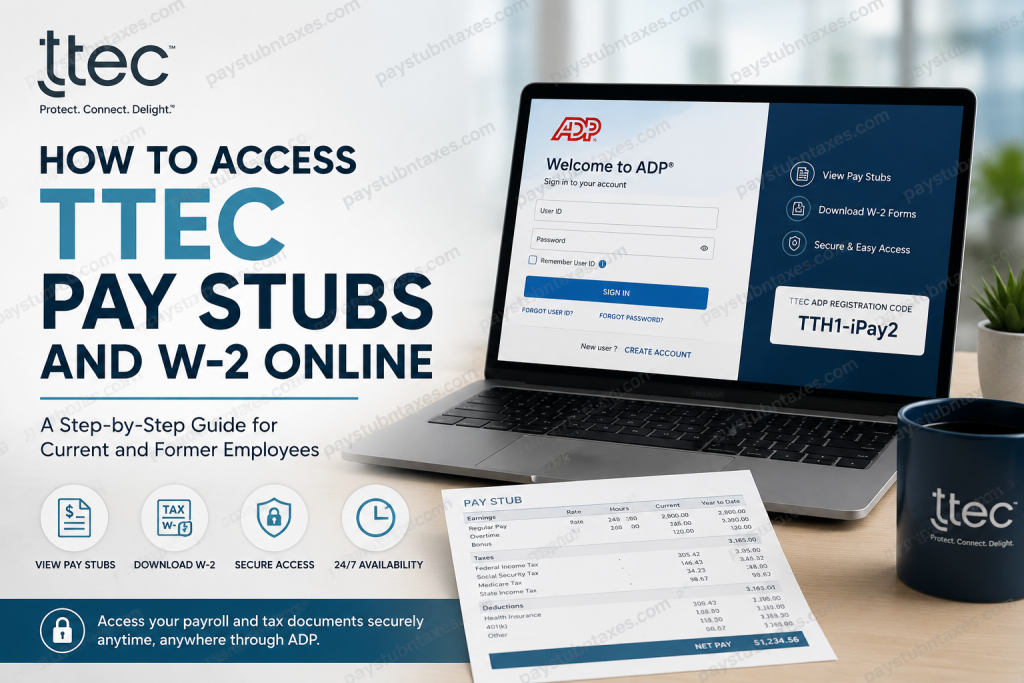
TTEC is a globally recognized customer experience (CX) technology and services company headquartered in Austin, Texas. Formerly known as TeleTech, TTEC has spent more than four decades helping world-class brands deliver exceptional customer experiences through a blend of human expertise and AI-powered innovation. The company operates across six continents and supports businesses with customer care, technical support, sales, trust & safety, analytics, and digital transformation solutions. If you are a current or former TTEC employee, you can conveniently access your pay stubs, payroll records, and W-2 tax forms online through the ADP self-service portal. Even after leaving the company, access remains available for up to 36 months, making it easy to retrieve important payroll and tax documents whenever needed.
TTEC Payroll Portal Information
ADP Employee Self-Service Portal: my.adp.com
TTEC ADP Registration Code: TTH1-iPay2
TTEC HR Support: Phone: 1-800-996-7566
Former Employee Support: formeremployee.ttec.com
How to Access TTEC Pay Stubs Online
TTEC employees use the ADP self-service system to view and download payroll documents online. The portal allows employees to access:
- Current pay stubs
- Previous pay statements
- W-2 tax forms
- Payroll history
- Direct deposit information
- Tax withholding details
The ADP system is accessible both from desktop browsers and through the ADP Mobile Solutions app.
TTEC ADP Login Instructions
Step 1: Visit the ADP Portal
Go to: ADP Login Portal
You may also download the ADP Mobile Solutions app from the Apple App Store or Google Play Store for mobile access.
Step 2: Sign In to Your Account
Enter your:
- User ID
- Password
After signing in successfully, you will gain access to your payroll dashboard.
Step 3: Navigate to Pay Statements
Once logged in, follow this path:
Myself → Pay → Pay & Tax Statements
The ADP dashboard allows employees to review current and historical payroll records in one centralized location.
Step 4: View or Download Your Pay Stub
Inside the Pay & Tax Statements section, you can:
- Open your current pay statement
- Review past paychecks
- Download PDF copies
- Print pay stubs for personal records
- Export multiple statements simultaneously
ADP also provides a detailed earnings breakdown, including:
- Gross pay
- Taxes withheld
- Deductions
- Net pay
- Year-to-date earnings
How to Register for the TTEC ADP Account
If you are a first-time user, you must create your ADP account before accessing payroll records.
Step 1: Open the ADP Registration Page
Visit: my.adp.com
Then click: New user? Get started
Step 2: Use the TTEC Registration Code
Select: “I Have a Registration Code”
Enter the TTEC registration code: TTH1-iPay2
Then, continue to the verification screen.
Step 3: Verify Your Identity
Provide the following information exactly as it appears in payroll records:
- Full legal name
- Social Security Number (SSN) or Employee ID
- Date of birth
ADP may also ask you to verify your identity through email or phone authentication.
Step 4: Create Username and Password
Choose:
- A secure username
- A strong password
- Security questions for account recovery
After completing setup, your ADP account will be fully activated.
How to Access TTEC W-2 Forms Online
TTEC employees and former employees can access year-end tax forms directly from the ADP portal.
Steps to Retrieve Your W-2
- Log into ADP
- Go to Pay & Tax Statements
- Select Tax Statements
- Choose the applicable tax year
- Download or print your W-2 form
Electronic W-2 forms are generally available before mailed paper copies arrive.
TTEC Former Employee Payroll Access
One of the most convenient aspects of TTEC’s payroll system is continued access after employment separation.
Former employees can:
- Access ADP for up to 36 months after termination
- Retrieve old pay stubs
- Download previous W-2 forms
- Review payroll history
If you experience login issues after leaving the company, submit a support request through:
TTEC Former Employee Support at formeremployee.ttec.com
Common ADP Login Problems and Solutions
Forgot Password
Click “Forgot Password” on the ADP login page and follow the identity verification steps.
Locked Account
Too many failed login attempts may temporarily lock your account. Wait several minutes before retrying or contact ADP support.
Registration Code Not Working
Ensure the code is entered exactly as: TTH1-iPay2
If problems continue, contact TTEC HR.
Unable to Access Old W-2 Forms
Former employees should verify that the 36-month retention period has not expired.
Benefits of Using the TTEC ADP Portal
The ADP self-service system offers several advantages:
- 24/7 online payroll access
- Secure document storage
- Mobile-friendly interface
- Faster W-2 retrieval
- Easy payroll tracking
- Paperless access to tax documents
- Instant PDF downloads
About TTEC
TTEC is widely recognized as a leader in customer experience management and AI-powered CX transformation. Founded in 1982 by Kenneth Tuchman, the company has evolved into a global technology-enabled CX enterprise serving hundreds of major brands worldwide. TTEC combines digital innovation with human empathy to create personalized customer experiences across every interaction channel.
Today, TTEC supports organizations through advanced AI solutions, omnichannel customer engagement platforms, analytics, cloud technologies, and customer support operations spanning more than 50 languages worldwide.
Final Thoughts
Accessing your TTEC pay stubs and W-2 forms online is straightforward through the ADP employee self-service portal. Whether you are an active employee or a former team member, the platform provides secure and convenient access to payroll and tax records from virtually anywhere. By registering with the TTEC ADP portal, employees can efficiently manage payroll documents, download tax statements, and maintain digital access to important financial records year-round.
Frequently Asked Questions (FAQ)
1. How do I access my TTEC pay stubs online?
You can access your pay stubs through the ADP portal at my.adp.com using your login credentials.
2. What is the TTEC ADP registration code?
The registration code is TTH1-iPay2.
3. Can former TTEC employees access ADP?
Yes. Former employees retain access to ADP payroll records for up to 36 months after termination.
4. Where can I get my TTEC W-2 online?
Your W-2 can be downloaded from the Pay & Tax Statements section inside ADP.
5. What if I forgot my ADP password?
Use the “Forgot Password” option on the ADP login page to reset your credentials.
6. Is the ADP Mobile app available?
Yes. Employees can use the ADP Mobile Solutions app on Android and iPhone devices.
7. How do I print my TTEC pay stub?
Open the pay statement and choose the PDF download or print option.
8. Can I download multiple pay stubs at once?
Yes. ADP allows users to export multiple statements simultaneously.
9. Who do I contact for payroll help?
Call TTEC HR at 1-800-996-7566.
10. What happens if my ADP account is locked?
Wait a few minutes and retry, or contact ADP or TTEC HR support for assistance.
11. How long are payroll records available after termination?
TTEC payroll records remain accessible for approximately 36 months after employment ends.
12. Can I access ADP outside the United States?
Yes. ADP can be accessed internationally with internet connectivity.
13. Is my payroll information secure on ADP?
Yes. ADP uses advanced encryption and authentication measures to protect employee data.
14. What documents can I access in ADP?
Employees can access pay stubs, W-2 forms, tax statements, direct deposit information, and payroll history.
15. Where do terminated employees submit support requests?
Former employees may submit tickets through formeremployee.ttec.com.

