
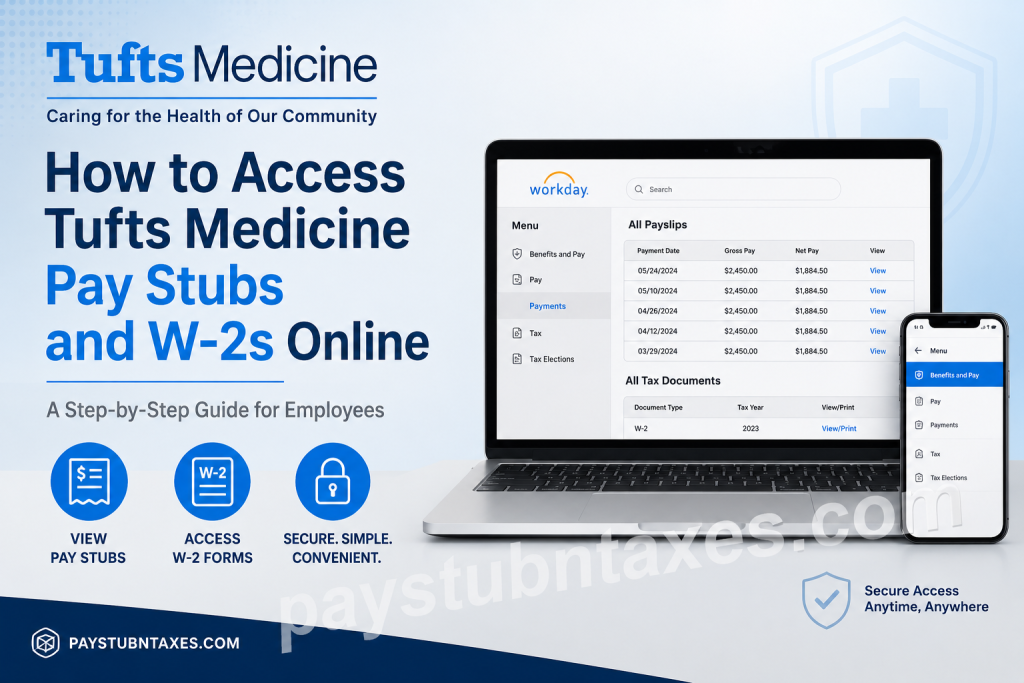
Tufts Medicine is one of Massachusetts’ most respected integrated health systems, combining world-class academic medicine with compassionate community healthcare. With more than 13,000 employees and caregivers across Tufts Medical Center, Lowell General Hospital, MelroseWakefield Healthcare, home care services, and affiliated physician networks, the organization continues to lead in delivering high-quality and cost-effective care. As a Tufts Medicine employee, you can conveniently access your pay stubs, payroll history, tax documents, and W-2 forms online through the Workday self-service platform. The portal allows employees to review earnings, print payslips, update tax elections, and enroll in electronic W-2 delivery from virtually anywhere.
Tufts Medicine Workday Login Portal
Current employees can access payroll and tax information through the official Workday employee portal:
Portal Link:
Tufts Medicine Workday Login
You must log in using your organization’s Single Sign-On (SSO) credentials.
Employees working remotely may also use Tufts Medicine’s secure Citrix access system for payroll and Lawson-related resources.
How to Access Tufts Medicine Pay Stubs Online
Workday allows employees to quickly view, download, and print current or previous payslips.
Step-by-Step Guide to View Payslips
- Visit the Tufts Medicine Workday portal.
- Sign in using your employee SSO username and password.
- From the Workday homepage, click Menu in the upper-left corner.
- Select Benefits and Pay.
- Click Pay from the left-hand navigation menu.
- Select Payments.
- Scroll to the All Payslips section.
- Click View beside any paycheck to review earnings, taxes, and deductions.
- Click Print if you want a physical or PDF copy of the payslip.
How to Print Multiple Payslips at Once
Workday also allows bulk payslip printing.
To Print Multiple Payslips:
- Open the complete payslip history section.
- Click Print Multiple Payslips.
- Enter your desired date range.
- Click OK.
- Workday will generate a downloadable PDF containing all selected payslips.
This feature is especially useful when preparing income verification documents for mortgages, visa applications, apartment rentals, or loan processing.
How to Access Tufts Medicine W-2 Forms Online
Employees can retrieve year-end tax documents directly through Workday.
Steps to View or Download W-2 Forms
- Log into Workday.
- Click Menu.
- Select Benefits and Pay.
- Choose Pay from the navigation menu.
- Click Tax.
- Locate the All Tax Documents section.
- Find the desired tax year.
- Click View/Print next to the W-2 form.
- Download or print the document for your records.
How to Enroll in Electronic W-2 Delivery
Tufts Medicine employees can receive electronic W-2 forms earlier than mailed paper copies.
Steps to Enable Paperless W-2 Delivery
- Navigate to the Tax section inside Workday.
- Under Tax Forms Printing Elections, click Edit.
- Select Receive electronic copy of my Year End Tax Documents.
- Click OK.
- Select Done to save your changes.
Electronic delivery provides faster access, enhanced convenience, and improved document security.
How to Update Federal or State Tax Elections
Employees may update withholding preferences directly through Workday.
To Modify Tax Elections:
- Open the Tax section in Workday.
- Scroll to the Tax Elections area.
- Click Update beside your federal or state withholding settings.
- Make the required adjustments.
- Save your updated elections.
Remote Access to Payroll Information
Tufts Medicine supports secure remote employee access through Citrix Workspace and multi-factor authentication.
Employees accessing payroll systems remotely may need:
- Citrix Workspace or Citrix Receiver
- Mobile VIP Access authentication
- Secure network login credentials
The Citrix setup guide explains that remote users can securely access Tufts Medicine systems, Lawson resources, pay information, and internal applications from personal devices.
Troubleshooting Workday Login Issues
If you experience problems accessing your account:
- Verify your SSO username and password
- Ensure multi-factor authentication is active
- Clear your browser cache and cookies
- Try a different browser
- Confirm internet connectivity
- Use Citrix remote access if working off-campus
For persistent issues, contact the Tufts Medicine IT Help Desk.
Benefits of Using Workday Self-Service
The Tufts Medicine Workday platform provides employees with:
- 24/7 payroll access
- Digital W-2 retrieval
- Secure tax management
- Payslip downloads
- Electronic tax document delivery
- Mobile accessibility
- Faster payroll record retrieval
- Reduced paper dependency
Frequently Asked Questions (FAQs)
1. Can I access my Tufts Medicine pay stubs from home?
Yes. Employees can securely access Workday remotely using their SSO credentials and, when required, Citrix secure access.
2. When are W-2 forms available online?
Electronic W-2 forms are generally available earlier than mailed paper copies, typically by January each year.
3. Can I print multiple payslips together?
Yes. Workday includes a “Print Multiple Payslips” feature that generates a combined PDF.
4. What if I forgot my Workday password?
Use your organization’s password reset process or contact the Tufts Medicine IT support team.
5. Is electronic W-2 delivery secure?
Yes. Workday uses encrypted authentication and secure login protocols to protect employee tax documents.
6. Can I access Workday on my mobile phone?
Yes. Workday supports mobile browser access, and remote systems may also be available through Citrix Workspace.
7. How do I update my tax withholding information?
Navigate to the Tax Elections section in Workday and select “Update” beside your federal or state withholding preferences.
8. What information appears on a payslip?
Payslips typically include gross pay, net pay, deductions, taxes withheld, and pay period details.
9. Does Tufts Medicine use Workday for payroll management?
Yes. Tufts Medicine employees access payroll and tax records through the Workday self-service platform.
10. Who should I contact for payroll assistance?
You should contact Tufts Medicine Human Resources or the IT Help Desk for account or payroll-related assistance.

