
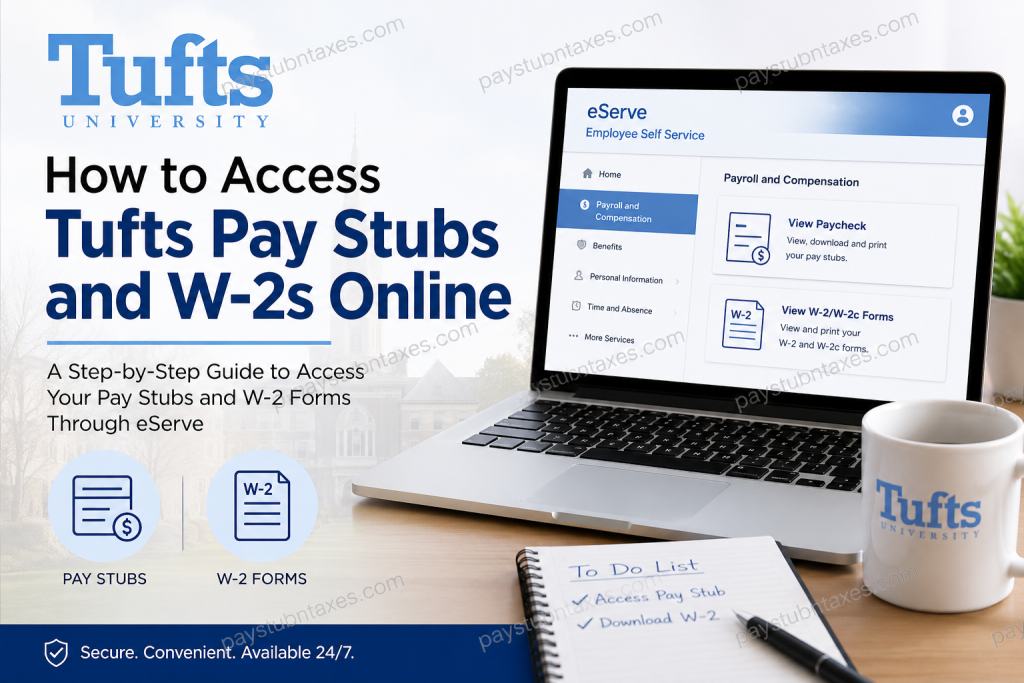
Tufts University is one of the most respected private research universities in the United States, known for its strong academic tradition, innovative research environment, and global outlook. Founded in 1852, Tufts has evolved into a world-class institution with campuses in Medford, Somerville, Boston, Grafton, and Talloires, France. The university serves thousands of faculty, staff, researchers, and student workers through a highly integrated digital infrastructure designed to simplify payroll, benefits, and employment management. As an employee of Tufts University, you can conveniently access your pay stubs, W-2 forms, payroll history, tax withholding information, and benefits records online through the eServe (Employee Self Service) portal.
What Is Tufts eServe?
The Tufts eServe (Employee Self Service) portal is the university’s centralized payroll and HR management platform. Employees can use it to:
- View and download pay stubs
- Access W-2 and W-2c tax forms
- Update tax withholding elections
- Change direct deposit details
- Manage benefits information
- Update emergency contacts
- Access payroll history
The system is available to faculty, staff, temporary employees, and student workers.
Tufts eServe Login Portal
Official Portal:
Tufts eServe Employee Self Service Portal
Employees must sign in using their Tufts username and password. Current employees may also need access to the Tufts VPN or university network for full functionality.
How to Access Tufts Pay Stubs Online
Follow these steps to retrieve your Tufts University pay stubs online:
Step 1: Open the Tufts eServe Portal
Visit the official Tufts Employee Self Service portal: https://hrss.it.tufts.edu
Click the User Login button and complete two-factor authentication if prompted.
Step 2: Sign In with Your Tufts Credentials
Enter your:
- Tufts Username (UTLN)
- Tufts Password
Current employees may need to connect through the Tufts VPN for full access and functionality.
Step 3: Navigate to Payroll and Compensation
Once logged in:
- Select Employee Self Service
- Click Payroll and Compensation
Step 4: View Your Paycheck
From the left-side menu:
- Select View Paycheck
- Choose the desired pay period
- Open, download, or print your pay stub
Payroll information is generally available online one day before payday.
How to Access Tufts W-2 Forms Online
Employees who consented to electronic tax form delivery can retrieve W-2s directly through eServe.
Step-by-Step Instructions
Step 1: Log in to eServe
Go to: AccessTufts eServe Page
Then click Open and sign in using your Tufts credentials.
Step 2: Open Payroll & Compensation
After signing in:
- Click Payroll and Compensation
Step 3: Open Tax Documents
Select:
- W-4, W-2, W-2 Consent, 1095-C
Then click:
- View W-2/W-2c Forms
Step 4: Choose Tax Year
Select the desired tax year to:
- View your W-2
- Download a PDF copy
- Print your form for filing purposes
Previous tax years are also available through the same menu.
W-2 Availability at Tufts University
Tufts generally makes electronic W-2s available by January 31 for employees who opted into electronic delivery. Paper copies are mailed to employees who did not consent to electronic delivery.
Access for Former Employees
Former employees typically retain eServe access through the tax season following their separation from Tufts University.
Former Employee Access Notes
- Former employees do not need VPN access to retrieve tax forms.
- Password resets are available through TuftsTools
- If your phone number changed after leaving Tufts, you may need assistance resetting two-factor authentication
Troubleshooting Tufts eServe Login Issues
Enable Pop-Ups
The W-2 viewer opens in a separate window, so browser pop-up blockers must be disabled.
Clear Browser Cache
Following recent system updates, users may need to clear cookies and browser cache before accessing eServe.
Recommended Browsers
Tufts recommends using:
- Google Chrome
- Mozilla Firefox
for the best compatibility with Employee Self Service.
Tufts Payroll and Technical Support
If you experience login or payroll access issues, contact Tufts Support Services.
Tufts Technology Services (TTS)
- Phone: 617-627-3376
- Email: tss@tufts.edu
Additional Payroll Support
- Phone: 617-627-7000
Benefits of Electronic W-2 Access
Using Tufts eServe for payroll and tax documents offers several advantages:
- Faster access to W-2 forms
- Secure digital storage
- Easy PDF downloads
- Access to prior tax years
- Reduced risk of lost mail
- Convenient 24/7 availability
Frequently Asked Questions (FAQs)
1. How do I access my Tufts pay stubs online?
Log in to the Tufts eServe portal using your Tufts credentials, then navigate to Payroll and Compensation and select View Paycheck.
2. Where can I download my Tufts W-2?
You can access your W-2 through the eServe Employee Self Service portal under Payroll and Compensation > View W-2/W-2c Forms.
3. When are Tufts W-2 forms available?
Electronic W-2s are generally available by January 31 each year.
4. Do former employees still have access to eServe?
Yes. Former employees usually retain access through the tax season following separation from the university.
5. Do I need VPN access to retrieve my W-2?
Current employees may need VPN access for full functionality, but former employees can generally access W-2 forms without VPN access.
6. What if I forgot my Tufts password?
You can reset your password through TuftsTools or contact Tufts Technology Services for assistance.
7. Why is my W-2 not opening?
Your browser’s pop-up blocker may be preventing the document from opening. Disable pop-up blocking and try again.
8. Can I access previous years’ W-2 forms?
Yes. Prior tax years can be accessed by changing the tax year selection within eServe.
9. What browsers work best with Tufts eServe?
Google Chrome and Mozilla Firefox are recommended for optimal compatibility.
10. How do I contact Tufts payroll support?
You can contact Tufts Support Services at 617-627-7000 for payroll-related assistance.

