
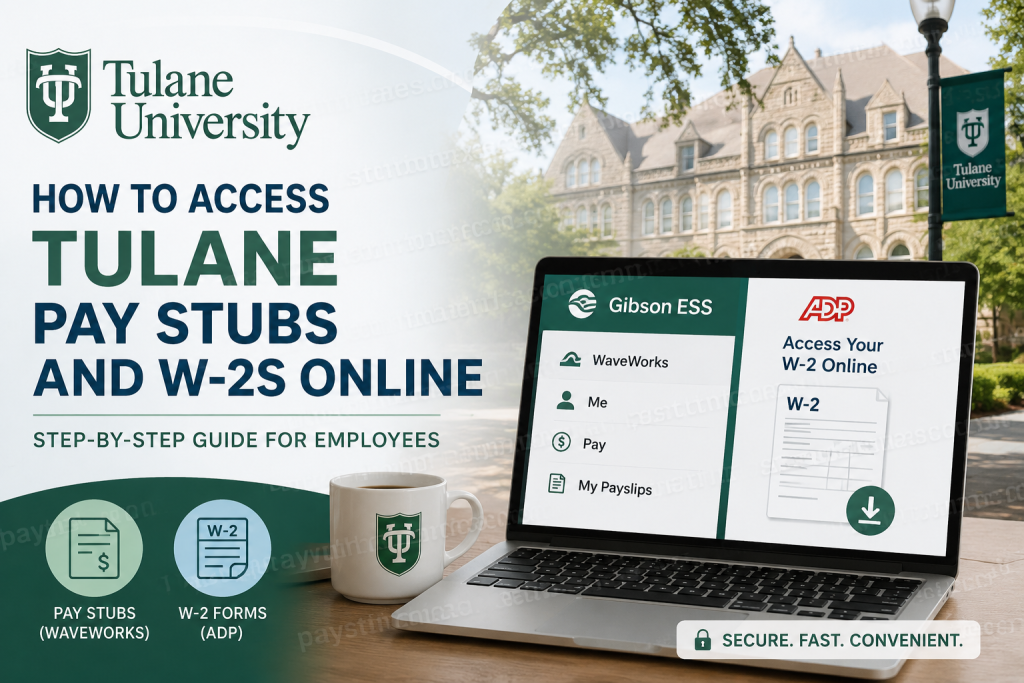
Tulane University is one of the most respected private research universities in the United States and a proud member of the Association of American Universities. Located in the historic city of New Orleans, Tulane is recognized for its academic excellence, cutting-edge research initiatives, and globally connected educational environment. The university offers a wide range of undergraduate, graduate, and professional degree programs across disciplines such as business, medicine, engineering, law, architecture, social work, public health, and liberal arts. As a Tulane University employee, you can conveniently access your payroll documents online. Pay stubs are available through the Gibson Employee Self-Service (ESS) portal and WaveWorks payroll system, while annual W-2 tax forms are distributed electronically through the ADP self-service platform. Tulane’s digital payroll ecosystem allows employees to securely retrieve earnings statements, tax documents, and historical payroll information anytime and from virtually anywhere.
Tulane Payroll and Tax Document Access Overview
Tulane employees use two separate systems for payroll-related documents:
| Document Type | Portal | Purpose |
| Pay Stubs / Payslips | Gibson ESS & WaveWorks | View and download payroll statements |
| W-2 Tax Forms | ADP | Access year-end tax documents electronically |
Official Access Links
- Gibson ESS Portal: Gibson ESS
- ADP Portal: ADP Self-Service
Tulane also uses centralized authentication and secure sign-in protocols to protect employee payroll information.
How to Access Tulane Pay Stubs Online
Tulane employees can retrieve current and historical payslips through the WaveWorks payroll system integrated within the Gibson Employee Self-Service platform.
Step-by-Step Guide to Access Tulane Payslips
Step 1: Open the Gibson ESS Portal
Go to the official Gibson Employee Self-Service website:
Step 2: Sign In Using Tulane Credentials
Enter your Tulane username and password to authenticate your account. Tulane may also require DUO multi-factor authentication for enhanced security.
Step 3: Access WaveWorks
After signing in:
- Navigate to WaveWorks
- Select the Single Sign-On button
WaveWorks is Tulane’s payroll and workforce management platform used for viewing payroll records and related employment information.
Step 4: Open the Payroll Section
Once inside WaveWorks:
- Click the “Me” tab
- Select the “Pay” icon
- Click “My Payslips”
You can then view, download, or print your available pay statements.
Step 5: Download Your Payslip
Choose the desired pay period and download your PDF payslip for personal records, loan applications, tax filing, or employment verification.
How to Access Tulane W-2 Forms Online
Tulane University distributes W-2 forms electronically through ADP, its trusted tax form-processing partner. Employees who enroll in electronic delivery typically receive W-2 forms faster than mailed paper copies.
Benefits of Electronic W-2 Delivery
Employees who enroll for online W-2 access can enjoy several advantages:
- Faster delivery of W-2 forms
- Secure online access anytime
- Email notifications when forms become available
- Unlimited reprints from home or office
- Access to prior-year W-2 documents
Already Registered With ADP?
If you previously registered at ADP, you do not need to take any additional action. Once your W-2 becomes available, ADP will automatically send you an email notification.
Simply sign in at: my.adp.com
and navigate to your tax documents section.
How to Register for Tulane W-2 Online Access
If you have never used ADP before, follow these instructions carefully.
Step-by-Step ADP Registration Process
Step 1: Visit the ADP Website
Go to: my.adp.com
Click “Register Now.”
Step 2: Enter Tulane Registration Code
Use the official Tulane registration code:
TULANEEDU-W2ONLINEDo not place a period between “TULANE” and “EDU.”
Step 3: Verify Your Identity
You may be asked to provide:
- Personal identification information
- Year of W-2 needed
- Employee ID (Tulane SplashCard Number)
- Company Code: V8A
- Home ZIP code
- Social Security Number
Step 4: Create Your ADP Account
Follow the prompts to:
- Create your username
- Set a secure password
- Configure account recovery methods
- Enable security verification
Step 5: Access Your W-2
After registration is complete:
- Log into ADP
- Navigate to Tax Statements
- Select the appropriate tax year
- Download or print your W-2 form
Tulane Employee Self-Service Security Features
Tulane University prioritizes employee data security by implementing advanced authentication systems for payroll and HR platforms.
Security measures include:
- DUO multi-factor authentication
- Single sign-on (SSO) access
- Secure encrypted payroll systems
- Protected ADP tax form delivery
Common Tulane Payroll Access Issues and Solutions
Forgot Your Tulane Password?
Use the Tulane password recovery page:
Tulane Password Assistance
Unable to Access WaveWorks?
Ensure that:
- Your Tulane account is active
- DUO authentication is functioning properly
- You are using the correct SSO login option
ADP Registration Problems?
Double-check:
- Registration code spelling
- Employee ID accuracy
- Company code (V8A)
- ZIP code and SSN details
Tulane Payroll Contact Information
If you need assistance accessing payroll records, W-2 forms, or HR systems, contact Tulane Payroll or HR support directly.
Payroll Support
- Email: payroll@tulane.edu
- Phone: 504-865-5346
HR Support
- Email: hr@tulane.edu
- Phone: 504-865-4748
Technical Support
- Help Desk: 504-988-8888
Why Tulane Employees Prefer Digital Payroll Access
Tulane’s online payroll and tax document systems provide employees with:
- Instant access to payroll records
- Reduced paperwork
- Secure digital storage
- Faster W-2 delivery
- Convenient remote access
- Easy historical record retrieval
Whether you need recent payslips for income verification or prior-year W-2s for tax filing, Tulane’s Gibson, WaveWorks, and ADP systems make the process efficient and secure.
Frequently Asked Questions (FAQs)
1. How do I access Tulane pay stubs online?
Log into the Gibson Employee Self-Service portal, open WaveWorks, click the “Me” tab, and select “My Payslips.”
2. What website does Tulane use for W-2 forms?
Tulane employees access W-2 forms through the ADP portal at my.adp.com.
3. What is Tulane’s ADP registration code?
The registration code is:
TULANEEDU-W2ONLINE4. Can I access previous years’ W-2 forms?
Yes. ADP allows employees to securely reprint prior-year W-2 documents online.
5. What is the Tulane company code for ADP?
The company code is: V8A
6. Does Tulane use multi-factor authentication?
Yes. Tulane uses DUO multi-factor authentication to protect employee payroll and HR information.
7. Can I print my Tulane payslips?
Yes. Payslips can be downloaded and printed directly from WaveWorks.
8. What should I do if I forgot my Tulane password?
Visit the Tulane password recovery portal or contact technical support.
9. Who do I contact for payroll help?
You can contact Tulane Payroll at payroll@tulane.edu or call 504-865-5346.
10. Is electronic W-2 delivery faster than paper mail?
Yes. Employees enrolled in electronic delivery usually receive W-2 forms earlier than mailed copies.

