
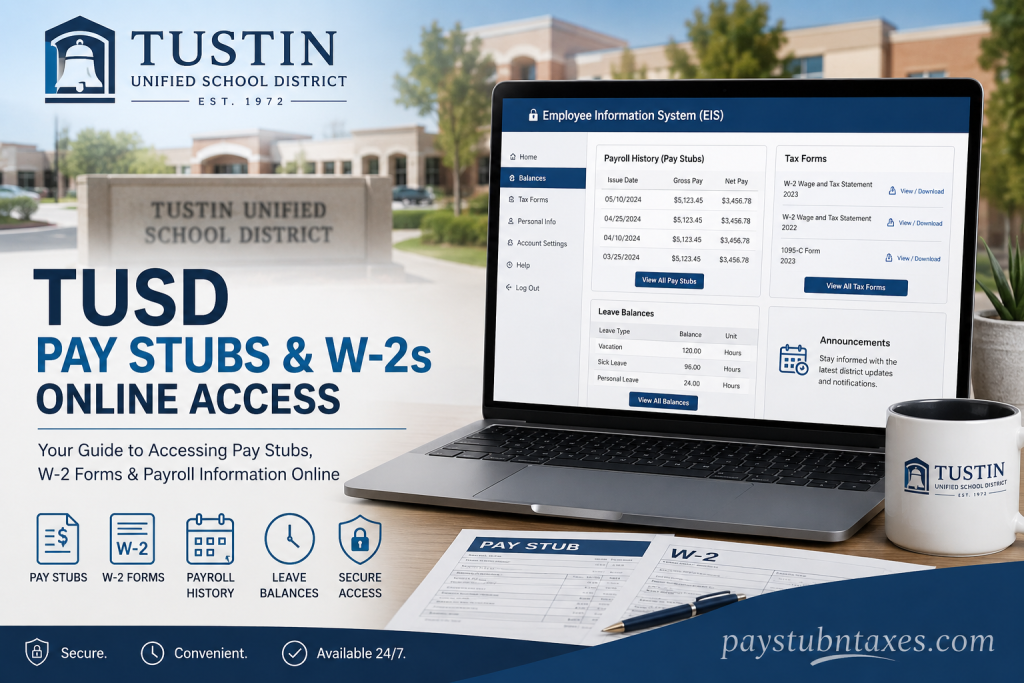
Tustin Unified School District (TUSD) is one of the most respected public school districts in Orange County, California. Established in 1972 through the unification of the Tustin Elementary School District and the Tustin Union High School District, TUSD serves the communities of Tustin, North Tustin, and parts of Irvine and Santa Ana. The district operates numerous elementary, middle, and high schools while maintaining a long-standing reputation for academic excellence and community involvement. To simplify payroll access for employees, TUSD provides a secure online Employee Information System (EIS). Through this portal, employees can conveniently access pay stubs, W-2 forms, leave balances, payroll history, and other important employment information anytime and anywhere. This complete guide explains how to access your Tustin Unified School District pay stubs and W-2s online quickly and securely.
Tustin Unified School District EIS Portal
TUSD employees can access payroll and tax information through the Employee Information System (EIS) portal.
Official EIS Login Link https://employee.ocde.us/eislg.aspx
The EIS platform allows employees to:
- View and download pay stubs
- Access W-2 tax forms
- Check leave balances
- Review payroll history
- Update account information
- Reset passwords and recover accounts
The system is designed to provide employees with secure, round-the-clock access to payroll records and employment information.
How to Register for the TUSD EIS Portal
If you are a new employee or have never used EIS before, you must first create an account.
Information You Need Before Registration
Before starting the registration process, prepare the following information:
- Your 10-digit Employee ID
- Last four digits of your Social Security Number
- Date of Birth
- A valid email address
The system recommends using a personal, non-work email address for easier account recovery.
Step-by-Step Registration Process
Step 1: Open the EIS Website
Visit: https://employee.ocde.us/eislg.aspx
or access the OCDE EIS mobile app through your smartphone.
Step 2: Click “Register”
On the login page, select the Register option to create a new account.
Step 3: Enter Your Information
Fill in all required fields, including:
- Employee ID
- Last four digits of SSN
- Date of birth
- Email address
- Password
Step 4: Create a Secure Password
Your password must meet the following security requirements:
- Minimum 14 characters
- Include uppercase letters
- Include lowercase letters
- Include numbers or special characters
- No spaces, apostrophes, or commas
This helps protect sensitive payroll and tax information.
Step 5: Set Up Two-Factor Authentication (2FA)
For enhanced security, EIS requires two-factor authentication.
During setup:
- Choose a verification method
- Receive an authentication code by text or phone call
- Enter the code to verify your device
- Save your recovery codes securely
The system provides eight recovery codes that can be used if you lose access to your authentication device.
How to Log In to the TUSD EIS Portal
Once registration is complete, follow these steps to log in:
- Go to the EIS login page
- Enter your email address
- Enter your password
- Complete two-factor authentication
- Click Verify
After verification, you will be redirected to your employee dashboard.
How to View TUSD Pay Stubs Online
The EIS system allows employees to access detailed payroll history and downloadable paycheck statements.
Steps to Access Pay Stubs
Step 1: Log in to EIS
Sign in using your registered email and password.
Step 2: Navigate to “Balances”
From the main dashboard, click the Balances tab.
Step 3: Open Payroll History
Inside the Balances section, locate Payroll History (Pay Stubs).
The system displays:
- Issue dates
- Gross pay
- Net pay
- Deductions
- Earnings history
Employees can select any issue date to open or download a PDF copy of their paycheck stub.
Step 4: View Previous Years
The Payroll History section automatically displays the current calendar year. To view older pay stubs:
- Click the year dropdown menu
- Select the desired year
- Access archived payroll statements instantly
How to Access W-2 Forms Online
Employees can also retrieve W-2 tax forms directly through EIS.
Steps to Download W-2 Forms
Step 1: Sign In to EIS
Access your employee dashboard.
Step 2: Select “Tax Forms”
Click the Tax Forms section located in the navigation menu.
Step 3: Choose Your W-2 Form
The system stores:
- W-2 Wage and Tax Statements
- 1095-C Forms
- Total Compensation Statements
Select the appropriate tax year and click the issue date to download the PDF version.
Understanding TUSD Payroll Schedules
TUSD employees receive pay according to their employment classification.
According to district payroll guidelines:
- Monthly employees are generally paid on the 10th and 25th of each month
- Hourly employees are paid on the 10th of each month
If payday falls on a weekend or holiday, payment is typically issued on the previous business day.
Direct Deposit Information
TUSD offers direct deposit services for employees who wish to receive electronic payroll payments.
Once enrolled:
- Paychecks are transferred directly into your bank account
- Payroll processing becomes faster and more secure
- Paper checks are eliminated
Direct deposit authorization forms are available through the Payroll Department.
How to Reset Your EIS Password
If you forget your password:
- Click Forgot Password?
- Enter your registered email address
- Follow the password reset instructions sent by email
How to Recover a Forgotten Email Address
If you cannot remember your login email:
- Select Forgot email address?
- Enter:
- Employee ID
- Last four digits of SSN
- Date of birth
- Click Continue
The system will display the email address associated with your account.
Account Lockout and Recovery
For security reasons, EIS temporarily locks accounts after four incorrect password attempts.
The lockout lasts approximately 30 minutes. Afterward, users are encouraged to:
- Verify their email address
- Reset their password
If you lose access to your two-factor authentication device or recovery codes, you must complete an EIS Account Reset request and provide valid government-issued identification for verification.
TUSD Payroll Department Contact Information
For payroll questions, technical assistance, or Employee ID support, employees may contact the Tustin Unified School District Payroll Department.
Payroll Main Line
(714) 730-7301 ext. 51307
Payroll Manager
Pauline Doan
Benefits of Using the TUSD EIS Portal
The Employee Information System provides several important advantages for employees:
24/7 Access
Employees can access payroll records anytime without waiting for office hours.
Secure Payroll Management
Two-factor authentication helps protect confidential financial information.
Instant Tax Document Retrieval
W-2 forms and payroll records are available for immediate download.
Leave Tracking
Employees can monitor vacation, sick leave, and other balances directly through the portal.
Paperless Convenience
Digital payroll access reduces paperwork and improves efficiency.
Final Thoughts
The Tustin Unified School District Employee Information System makes managing payroll records simple, secure, and efficient. Whether you need to download a recent pay stub, retrieve an old W-2 form, review leave balances, or update your account information, the EIS portal provides convenient self-service access from virtually anywhere.
By following the steps outlined above, TUSD employees can confidently navigate the system and manage their payroll information with ease.
Frequently Asked Questions (FAQs)
1. How do I access my TUSD pay stubs online?
Visit the Employee Information System (EIS) portal at https://employee.ocde.us/eislg.aspx, log in with your credentials, and select the “Balances” section to view your payroll history and pay stubs.
2. Where can I find my TUSD W-2 form?
Your W-2 form is available under the “Tax Forms” section inside the EIS portal. Select the desired tax year and download the PDF copy.
3. What is the TUSD EIS portal?
The Employee Information System (EIS) is an online self-service platform that allows Tustin Unified School District employees to access payroll records, tax documents, leave balances, and account settings.
4. What information do I need to register for EIS?
You need:
- 10-digit Employee ID
- Last four digits of your Social Security Number
- Date of birth
- Valid email address
5. How do I register for the TUSD Employee Information System?
Go to the EIS login page, click “Register,” complete the required information, create a secure password, and set up two-factor authentication.
6. What should I do if I forget my EIS password?
Click the “Forgot Password?” link on the login page, enter your registered email address, and follow the instructions sent to your inbox.
7. How can I recover my EIS email address?
Select “Forgot email address?” on the login screen and provide your Employee ID, date of birth, and the last four digits of your SSN.
8. Why is two-factor authentication required for EIS?
Two-factor authentication adds an extra layer of security to protect employees’ payroll and tax information from unauthorized access.
9. Can I download my pay stubs as PDF files?
Yes. Employees can download and print PDF copies of their paycheck stubs directly from the Payroll History section.
10. How do I access previous years’ pay stubs?
Inside Payroll History, use the year dropdown menu to select prior calendar years and view archived pay records.
11. When are TUSD employees paid?
Monthly employees are generally paid on the 10th and 25th of each month, while hourly employees are paid on the 10th.
12. Does TUSD offer direct deposit?
Yes. Tustin Unified School District offers direct deposit for employees who want their paychecks electronically transferred to their bank accounts.
13. What happens if my EIS account gets locked?
After four incorrect password attempts, the account is temporarily locked for approximately 30 minutes for security purposes.
14. Can I access EIS on my mobile phone?
Yes. Employees can access EIS through a web browser or by downloading the OCDE EIS mobile application.
15. Who should I contact for payroll assistance at TUSD?
Employees can contact the Tustin Unified School District Payroll Department at (714) 730-7301 ext. 51307 for payroll-related assistance.

